Pay-at-the-Table vs. Pay-at-the-Counter: What Restaurants Gain
Pay at table vs pay at counter: compare table turns, tips, card security and handheld costs to pick the restaurant payment flow that fits your service.
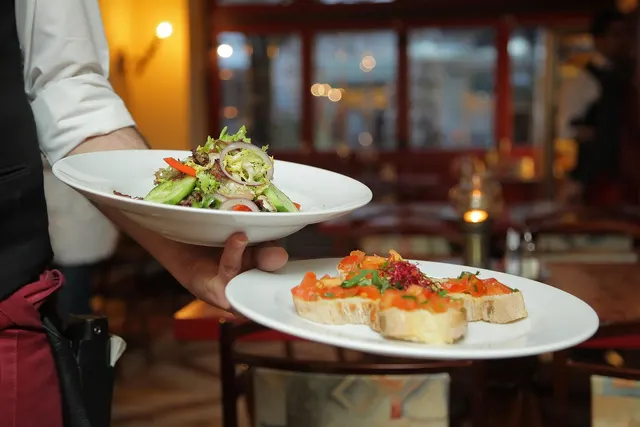
Photo: Pixabay
On this page 6 sections
Key takeaways
- Table-side payment cuts the end of a meal to a single server visit. That only becomes revenue when you have a wait list and the kitchen can handle more covers.
- When the guest enters the tip before authorization, tip-adjust errors and late-batch problems go away. The authorized amount and the settled amount are the same.
- The device count, Wi-Fi coverage and batteries matter more than the device price. Walk the floor and the patio before you buy anything.
- Order-first service still belongs at the counter. Full-service rooms, patios, bars running tabs and hotel outlets get the most from handhelds.
For most full-service restaurants, paying at the table closes checks faster and saves server steps. It also keeps the guest's card in the guest's hand. In the pay at table vs. pay at counter decision, the counter still wins for order-first service like cafés, quick service and food trucks. Those operations need fewer devices and their guests are already standing at a terminal. The right choice depends less on which method is "better" and more on where your guests are sitting when the check arrives.
Below we compare the two flows on table turns, tipping, card security and hardware. At the end is a guide for matching each to your service style.
Pay at Table vs. Pay at Counter: Two Ways to Close a Check
At a pay-at-the-counter restaurant, the payment happens at a fixed terminal. That terminal might be a register the guest walks up to, a customer-facing PIN pad at the order point, or a terminal at the server station where the server carries the card. The last version is the traditional sit-down flow. The server drops the check, picks up the card, walks it to the station, runs it, brings back a slip, and comes back once more for the signed copy.
At a pay at the table restaurant, the server brings a handheld payment device to the guest. The guest taps, dips or uses a phone wallet, chooses a tip on the screen and picks a receipt by print, text or email. The whole exchange happens in one visit, and the card never leaves the table.
Many restaurants run both. A brewery might take counter orders at the bar and send handhelds to the patio. A hotel restaurant might use handhelds in the dining room and a countertop terminal at the grab-and-go case.
Table-Side Payment Cuts Steps From Every Turn
The end of a meal is dead time for a table. The guests are done eating but haven't left. The server, meanwhile, is making extra walks to the station that pull them away from other tables. The traditional station flow can take four separate touches to close one check. Table-side payment collapses those touches into one.
Two things change. Guests leave sooner after asking for the check, and servers spend fewer minutes walking. The second gain is more dependable than the first, because some guests linger no matter how fast the payment goes.
An Illustrative Friday Night
The numbers below are illustrative assumptions, not measured results. Replace them with your own.
- 20 tables, dinner service from 5 to 10 p.m.
- 2.5 turns per table, or 50 checks closed
- Station flow: 9 minutes from "check, please" to the guests standing up, with 4 server trips per check
- Table-side flow: 4 minutes and 1 trip per check
Saving 5 minutes on each of 50 checks frees 250 table-minutes, a little over four hours of table time. If your average turn runs about 75 minutes, that time could seat roughly three more parties. Servers also make 150 fewer trips (3 fewer trips × 50 checks), which they can spend on refills, upsells and new tables.
There is a catch. Freed-up table time only turns into revenue when there's a wait list and the kitchen can handle more covers. A restaurant that's half full at 8 p.m. gains the labor savings but no extra seatings. To find your real baseline, pull check-close timestamps from your POS for a few busy nights before you buy anything.
Tip Screens Shape the Number Guests Choose
This section has no statistic for how much tips rise after a switch to handhelds. We haven't found a source we'd stand behind, and results depend on the guests, the menu and the screen setup. What we can describe is how the mechanics change.
On a paper slip, guests calculate the tip themselves or write a round number. On a handheld, they see preset options, usually three percentages plus a custom amount and "no tip." The presets you choose act as anchors, so set them on purpose. Check two settings in particular:
- Pre-tax or post-tax basis. Some systems calculate the percentage on the total with tax and some on the subtotal. Pick one, know which it is, and be able to explain it if a guest asks.
- The order of the options. Guests read the screen quickly. A screen that leads with the highest percentage reads differently from one that leads with the lowest.
The bigger operational gain is that the tip is entered before the card is authorized. In the station flow, the card is authorized for the check total. Later, the server keys in the tip from the slip as a "tip adjustment" before the batch closes. The card networks allow restaurants to settle an amount different from the one authorized to cover the tip, within limits.
That rule is why the adjustment works at all, and it's also why errors creep in. Bad handwriting, a mistyped tip, a slip lost under a coffee cup, or a batch closed before tips are entered can each produce a wrong charge or a short server. Our guide to authorizing versus capturing a card payment explains how that two-step process works.
With table-side payment, the authorized amount is the final amount. There's no slip to reconcile, and a guest who later says "I never wrote that tip" is disputing a number they typed themselves. Clean tip data also simplifies payroll. Our article on paying out tips by cash, payroll or tip card covers that side.
A note for counter service: tip prompts on a counter PIN pad, turned toward a guest buying a drip coffee, draw more pushback than prompts at a table after full service. If you run both models, consider different tip settings for each.
The Card Stays in the Guest's Hand
The station flow asks guests to hand their card to an employee who walks out of sight with it. Most servers are honest. But that gap is where skimming and card-number copying happen, and many guests, especially international travelers used to table-side terminals, notice it.
Handhelds close the gap. The guest taps or inserts the chip on a device in front of them, which keeps the transaction card-present with chip or contactless data. Under the networks' EMV liability rules, liability for counterfeit card fraud generally shifts to the party using the less secure technology. A chip-capable handheld keeps you on the right side of that rule. Contactless payments, including phone wallets, never give the card to anyone at all. For how each entry method compares, see tap vs. chip vs. swipe on speed, security and liability.
Two cautions apply. A handheld that falls back to swiping the magnetic stripe gives up most of that protection, so train staff to retry the chip or ask for a tap first. A handheld left unattended on a busy host stand is also a security risk, so give each device a home and a sign-out routine.
Handheld Payment Devices Need Coverage, Batteries and a Plan
Counter payment is the cheaper setup. One or two countertop terminals or customer-facing PIN pads can serve a whole quick-service operation. Table-side payment needs enough handheld terminals that servers never wait in line for one. That usually means one per server section on a busy night plus a spare, though your floor plan decides the real number. Prices vary by device, by program and by whether you buy or lease, so get a written quote that lists hardware, software and any per-device monthly fees on separate lines.
Before you buy, plan for three things:
- Coverage. Walk the dining room, patio, private room and bar with a phone on your business Wi-Fi and note every dead spot. Brick walls, walk-in coolers and long patios often kill the signal. If you can't fix coverage, cellular-capable handhelds such as the Clover Flex 4G avoid the Wi-Fi problem entirely. Keep payment devices on a network separate from guest Wi-Fi, and ask your provider how they handle PCI DSS for wireless setups.
- Batteries. A handheld that dies at 8:30 p.m. pushes the server back to the station flow. Put charging docks where servers already stop, and rotate spares on double shifts.
- Offline mode. Some devices can store transactions when the connection drops and send them later. That keeps the line moving, but a card that declines once the connection returns is a loss you can't recover from a guest who has left. Decide in advance whether staff may use offline mode and up to what amount.
For a broader comparison of device types, see countertop vs. wireless vs. mobile card readers.
Matching Your Restaurant Payment Flow to Service Style
Use this table as a starting point, then adjust it for your room.
| Service style | Better fit | Why |
|---|---|---|
| Quick service, cafés, food trucks | Counter | Guests order and pay in one step at the counter |
| Fast casual with table delivery | Counter, plus a handheld for add-ons | Payment happens up front, and a handheld covers second rounds |
| Casual full service | Table | Fewest server trips and quicker check closes |
| Fine dining | Table, presented with care | Card stays with the guest, and the server can bring the device in a check folder |
| Bars running tabs | Both | Open tabs at the bar terminal, close them table-side or at the rail |
| Patios, rooftops, beer gardens | Table, with cellular backup | Long walks to a station cost the most time here |
Bars that open tabs place an authorization hold on the card when the tab opens. Read up on how long authorization holds last before you set a default hold amount, because an oversized hold frustrates guests whose cards are near their limit.
Hotel Outlets Add the Room Charge
Hotel restaurants, pool bars and room service work like regular restaurants with one more requirement: many guests want to charge the bill to their room. That requires the POS to post to the property management system, and the handheld has to support room-charge lookup. Without it, the server walks back to a station for every room charge and loses most of the time handhelds were supposed to save. Confirm that integration before you choose a device. Our hotel payment processing page covers the setup questions to ask.
The best first step is to measure. Pull a few weeks of check-close times from your POS, count server trips on a busy night, and walk your floor for Wi-Fi dead spots. Then request a free quote with your floor plan and server count in hand. A MannyPay specialist responds within one business day and can price the device count that matches your restaurant and bar service style.
This article is for general educational purposes and is not legal, tax or financial advice. Card network rules and state laws change; confirm current requirements for your business.