Best POS for CBD and Delta 8 Shops: Age Checks, Potency, Taxes
Choosing a CBD store POS system? Use this checklist for ID scanning, batch and COA tracking, hemp taxes, and terminals that work with high-risk processors.

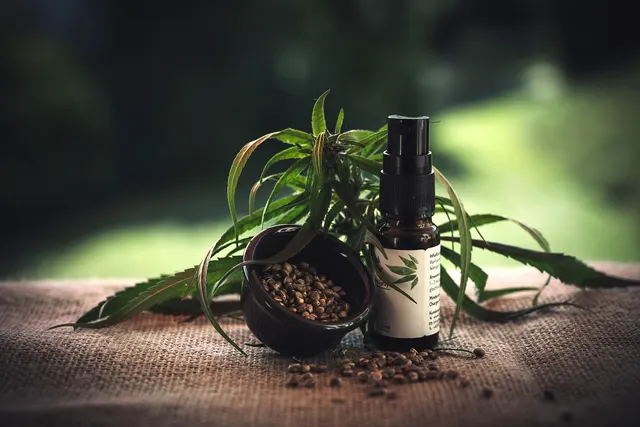
Photo: Pixabay
On this page 7 sections
- Why Locked-In POS Systems Are Risky for CBD Shops
- POS Age Verification for Hemp: Age-Restricted SKUs and ID Scanning
- Batch Tracking and Linking COAs to Inventory
- Handling State Hemp THC Taxes at the Register
- CBD Shop Card Terminals That Work With High-Risk Processors
- CBD Store POS System Features Checklist for Hemp Retailers
- Next Steps for Choosing Your Hemp Store POS
Key takeaways
- Pick a POS that keeps hardware and software separate from processing, so a declined or closed processor account doesn't shut down your whole register.
- Age checks should be built into the sale. The POS should flag restricted SKUs, prompt an ID scan and log the result.
- Track inventory by batch and link each lot to its COA so you can answer customers, underwriters and regulators quickly.
- State hemp taxes vary in what they tax and how. Your POS needs flexible, item-level tax rules and clean reports, and your accountant should confirm the setup.
A CBD store POS system has to do more than ring up gummies and tinctures. Hemp shops sell a mix of products with different rules. A non-intoxicating CBD topical, a delta-8 vape cartridge and a jar of THCA flower may carry different age limits, labeling duties and taxes, sometimes inside the same transaction. This guide covers what to look for when buying a POS for a hemp store: ID scanning on age-restricted items, batch and certificate of analysis (COA) tracking, state hemp tax setup, and card terminals that work with processors that actually approve CBD and delta-8 merchants. It ends with a checklist you can use in vendor demos.
Why Locked-In POS Systems Are Risky for CBD Shops
Many all-in-one POS platforms bundle their own payment processing. That works well for a coffee shop. For a hemp retailer, it can create a single point of failure.
Some bundled processors restrict or prohibit CBD, delta-8 or other hemp-derived products in their acceptable-use terms. If your account gets flagged during a review, you could lose more than card acceptance:
- Your register may stop taking cards because the software only works with the bundled processor.
- Your hardware may be locked to that platform, which makes it useless with a new processor.
- Your settlement funds may be held while the account is reviewed or closed.
- Your sales history and inventory data may be hard to export in a usable format.
If this has already happened to you, our guide on getting held funds back after a processor drops your CBD store walks through the recovery steps.
The safer setup separates the pieces. Choose a POS and terminals that can run on a processor that underwrites hemp merchants, and get approved through a provider that knows your product category before you go live. MannyPay offers CBD and delta-8 merchant accounts as part of its high-risk merchant account services. Approval depends on underwriting.
Disclose your products honestly. Apply as a CBD or hemp retailer and list everything you sell, including intoxicating hemp products. Describing your shop as a "health food store" or "gift shop" to get a lower-risk category breaks card network rules. It can lead to termination and a MATCH listing, which makes future accounts much harder to get.
Federal hemp law has also been changing, and that affects what processors will underwrite. Read what the federal hemp THC ban means for your merchant account, and confirm with a qualified attorney which products you can legally sell in your state.
POS Age Verification for Hemp: Age-Restricted SKUs and ID Scanning
Age minimums for hemp products vary by state, and sometimes by product type. A state might set one minimum for intoxicating hemp products and a different one, or none, for non-intoxicating CBD. Local rules can add requirements. Your POS should enforce whatever rules apply to you without relying on a cashier's memory during a busy Friday evening.
How Age-Gated Checkout Should Work
- Flag restricted SKUs in the item record. Each product gets an age attribute. Delta-8 gummies, THCA flower, pre-rolls and vapes are typical candidates, depending on your state.
- Prompt automatically. When a flagged item is scanned, the POS stops and requires an ID check before payment.
- Scan, don't eyeball. A 2D barcode scanner reads the data on the back of most U.S. driver's licenses and calculates age instantly.
- Require an override for exceptions. If the scan fails, a manager approval with a reason code should be needed to proceed.
- Log the check. Record that verification happened, when, and by which employee, tied to the transaction.
Limits to Know
A barcode scan confirms what the barcode says. It does not prove the ID is genuine. Staff still need training on comparing the photo, checking expiration dates and spotting obvious fakes.
Be careful about what ID data you store. Keep only what you need for compliance records, and check your state's privacy rules on retaining ID scans. Laws on collecting personal data differ by state, so confirm your retention policy with counsel.
If you also sell online, verification works differently at checkout. See age verification tools for delta-8 online checkout.
Batch Tracking and Linking COAs to Inventory
Hemp customers ask questions most retail shoppers don't, such as "What's the total THC in this?" or "Can I see the lab report?" Underwriters and acquiring banks ask similar questions. A POS that tracks inventory by batch makes both conversations easier.
What Good Batch Tracking Looks Like
- Receive inventory by lot. When a shipment arrives, record the manufacturer's batch number, quantity, received date and expiration date.
- Attach the COA to the batch. Store a PDF or link for each lot so staff can pull it up at the counter or show the QR code from the label.
- Record potency fields. Add cannabinoid content per serving and per package as item attributes. These fields often matter for state potency caps and, in some states, for tax calculations.
- Sell oldest stock first. Batch-level counts help you rotate edibles and tinctures before they expire.
- Run recall lookups. If a supplier pulls a batch, you should be able to find every unit you sold from it and, if you collect customer profiles, who bought it.
Processors commonly ask for COAs during underwriting and in later reviews. Our guide to the lab documents CBD processors demand explains what a compliant COA should show. Keeping them linked in your POS means you're not digging through supplier emails when a request arrives.
Handling State Hemp THC Taxes at the Register
Hemp taxation is a patchwork. Some states apply only standard sales tax. Others add a separate excise tax on intoxicating hemp products. That excise may be calculated on the retail price, on weight or potency, or collected at the wholesale level instead of the register. Cities and counties may add their own taxes. Rates and rules change often, so confirm current requirements with your state revenue department and a tax professional. For a closer look, see our guide to hemp THC excise taxes by state and setting up your register.
Your POS needs enough flexibility to handle these situations.
Tax Features to Require
- Item-level tax categories, not a single store-wide rate
- Stacked taxes, such as state sales tax plus a hemp excise plus local tax on one item
- Different treatment by product type within one ticket
- Tax-exempt handling for any items your state excludes
- Category-level tax reports that match how you file returns
Illustrative Tax Setup
The table below shows how a shop might organize tax categories. It is an illustrative example only, not a statement of any state's law.
| Product Category (Illustrative) | Taxes Applied (Illustrative) |
|---|---|
| CBD topical lotion | State and local sales tax |
| Delta-8 gummies | Sales tax plus state hemp excise |
| THCA flower | Sales tax plus state hemp excise |
| Glassware and accessories | State and local sales tax |
If you use a cash discount or dual pricing for card and cash customers, ask your accountant how the displayed card and cash prices interact with taxable amounts in your state. Surcharging rules also vary by state and card brand, so confirm what's permitted before you set anything up.
CBD Shop Card Terminals That Work With High-Risk Processors
The terminal is where all of this meets the card networks. For hemp retail, focus on compatibility and flexibility rather than looks.
What to Check Before You Buy
- Processor certification. The device and its software must be certified to run on the processor that approves your account. Ask before you buy, not after.
- Portability across processors. Many standalone terminals, including models from Dejavoo, PAX and Valor, can be configured for different processors. Confirm that the specific model and software version work with yours.
- EMV chip and contactless. Customers expect tap-to-pay, and chip acceptance helps protect you on counterfeit card disputes.
- Integration with your POS. Semi-integrated terminals send the sale amount from the POS, which reduces keying errors on mixed-tax tickets.
- Clear billing descriptor. Your shop name should be recognizable on customer statements. Unrecognized charges are a common dispute trigger in this category. See our guide to handling CBD chargebacks and unrecognized charges.
Matching Hardware to Your Shop
| Shop Setup | Hardware to Consider |
|---|---|
| Single counter, steady traffic | Countertop smart terminal or full POS station |
| Busy weekends, multiple staff | POS station plus a handheld for line-busting |
| Pop-ups, farmers markets, events | Mobile or handheld terminal with cellular |
| Smoke-shop hybrid with large catalog | Full POS with barcode scanner and ID scanner |
MannyPay sells POS systems for retail counters and smart terminals from brands including Clover, Valor, Dejavoo and PAX. Whether a given device fits your account depends on the processor that approves you, so confirm compatibility as part of your quote.
Pricing also matters. High-risk accounts often come with higher rates and possibly a rolling reserve. Our breakdown of CBD processing fees, rates and reserves explains what to expect and what to question on a contract.
CBD Store POS System Features Checklist for Hemp Retailers
Bring this checklist to every vendor demo. If a vendor can't show you a feature live, assume it doesn't work the way you need.
| Feature | Why It Matters | Question to Ask the Vendor |
|---|---|---|
| Processor flexibility | Protects you if an account is closed | "Can this POS and hardware run on a processor that approves hemp?" |
| Age flags by SKU | Enforces state age rules automatically | "Can I set age requirements per item?" |
| ID barcode scanning | Faster, more consistent checks | "Which scanners are supported, and what's logged?" |
| Manager override with reason codes | Accountability for exceptions | "Who can bypass a failed scan, and is it recorded?" |
| Batch and lot tracking | Recalls, expiration, audits | "Can I receive and sell inventory by lot number?" |
| COA attachment | Customer and underwriter requests | "Can I attach a file or link to each batch?" |
| Potency attributes | State caps and potency-based taxes | "Can I add custom fields for cannabinoid content?" |
| Stacked, item-level taxes | Multi-layer hemp taxation | "Can one item carry state, excise and local tax?" |
| Category tax reports | Accurate filing | "Can I export tax collected by category and period?" |
| Data export | Portability if you switch | "Can I export sales, inventory and customers in CSV?" |
| EMV and contactless | Security and customer convenience | "Is the terminal certified for my processor?" |
| Cash discount or dual pricing support | Fee management where permitted | "Does the POS display compliant card and cash prices?" |
Red Flags in a Hemp POS Pitch
- Pressure to describe your products as something else during signup
- Hardware that only works with one processor and can't be reprogrammed
- No clear answer on whether CBD or delta-8 is allowed under the processor's terms
- Contracts with long terms and steep early termination fees, paired with a processor that may not keep you
Next Steps for Choosing Your Hemp Store POS
Start with approval, then pick hardware. Confirm that a processor will underwrite your full product list. Next, choose a POS that handles age checks, batch tracking and layered taxes for your state. Finally, select terminals certified for that processor. Doing it in this order keeps you from buying equipment you can't use.
Before you sign anything:
- List every product category you sell or plan to sell.
- Gather COAs, supplier information and your state and local licenses or registrations.
- Ask your accountant which taxes apply to each category.
- Ask your attorney which products you can legally sell where you operate.
- Request quotes that spell out rates, reserves and contract terms in writing.
When you're ready to compare options, request a free quote from MannyPay. A MannyPay specialist responds within one business day to review your products, hardware needs and available cost programs. Approval and pricing depend on underwriting.
This article is general information, not legal or tax advice. Hemp laws and taxes change frequently and vary by state, so confirm your requirements with qualified professionals.
This article is for general educational purposes and is not legal, tax or financial advice. Card network rules and state laws change; confirm current requirements for your business.