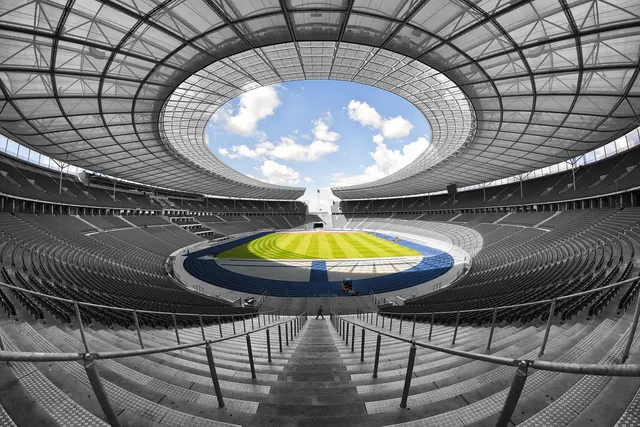
Stadium and Arena Concessions: POS That Handles Halftime Rushes
Choose a stadium concession POS that survives halftime rushes: stand, roaming and kiosk hardware, in-seat ordering, network planning and partner payouts.

Photo: Pixabay
On this page 8 sections
- Why Venue Concessions Break Ordinary POS Systems
- Choosing Stadium Concession POS Hardware for Every Station
- Mobile Ordering in the Stadium: In-Seat Delivery and Pickup
- Network Planning for Thousands of Simultaneous Transactions
- Alcohol Sales and ID Checks at Speed
- Revenue Splits and Reporting With Concession Partners
- Game-Day Readiness Checklist
- Next Steps
Key takeaways
- Venue concessions need a POS built for short, intense surges, with each station type (stand, roaming vendor, kiosk, market) matched to the right hardware.
- In-seat and app ordering spreads demand away from intermissions, but those orders are often card-not-present and carry different fraud and dispute risks.
- Network design, offline fallback rules and alcohol ID procedures need to be settled before game day, not during the first rush.
- When third-party concessionaires are involved, decide who is merchant of record and how reporting and settlement will work before the season starts.
A stadium concession POS has to do something most restaurant systems never face. It sits mostly idle for long stretches, then thousands of fans hit every stand at once when the buzzer sounds. This guide covers how to set up concessions for those surges. It walks through hardware for fixed stands, roaming vendors and self-serve markets. It then covers in-seat ordering, network planning, alcohol checks and settlement with third-party concession partners.
Why Venue Concessions Break Ordinary POS Systems
A neighborhood café spreads its traffic across a day. A venue packs most of its food and beverage sales into a few windows: gates opening, halftime or intermission, and the last call for alcohol. The lines that form in those windows decide whether fans buy or give up and return to their seats.
That pattern exposes weak spots that a regular restaurant setup can hide:
- Network contention. Fans' phones and dozens of terminals compete for bandwidth in the same concrete bowl.
- Menu friction. Deep menus and modifier screens slow cashiers when speed matters most.
- Staffing variability. Event-day staff are often seasonal or volunteer workers who need a screen they can learn in minutes.
- Many sellers, one building. The venue, a food-service contractor and local vendors may all sell under one roof, and each has its own reporting needs.
Ticket sizes vary widely. A bottle of water at a high school field is a small sale. A premium suite with catering and a tab is a large one. Your arena concession stand POS needs to handle both without changing workflows. If you also run entry and box office sales, plan both together. Our guide to box office and gate card readers that work without Wi-Fi covers the front-gate side.
Choosing Stadium Concession POS Hardware for Every Station
Most venues need a mix of station types. Each one does a different job, so each one needs different hardware.
| Station type | Typical sales | Hardware that fits | Main design goal |
|---|---|---|---|
| Fixed concession stand | Hot food, combos, fountain drinks, beer | Countertop POS with customer-facing display, kitchen printer or display | Throughput per lane |
| Roaming vendor | Beer, water, peanuts, cotton candy | Handheld or mobile terminal with cellular backup | Fast tap payments in the aisles |
| Bar or club level | Mixed drinks, tabs, premium items | Countertop POS with tab and pre-authorization support | Tab accuracy and ID checks |
| Grab-and-go market | Packaged snacks, bottled drinks, merchandise | Self-service kiosk or scan-and-pay station | Hands-off checkout |
| Suites and catering | Pre-ordered packages, add-ons | POS with house accounts or card-on-file workflows | Accurate billing per suite |
Fixed Stands: Build for Lanes, Not Registers
At a fixed stand, plan around capacity per lane. A full-featured POS system with kitchen routing works well when the screen shows only your top-selling items, with the rest one tap deeper. Customer-facing card readers let fans tap while the cashier is still bagging food, which saves a few seconds on each transaction.
Many venues build an "express" layout for intermission. It uses a reduced menu, preset combos and no open-price keys. Staff switch it on just before the break and switch back afterward.
Roaming Vendors: Choose the Right Concession Stand Card Reader
Aisle vendors need a device that fits in one hand and works without a counter. Handheld terminals for roaming vendors let a vendor take a tap, send or print a receipt, and move to the next row. The Clover Flex Pocket is a compact option that sends digital receipts by text or email. A printer-equipped handheld like the Clover Flex suits vendors who need to hand over paper receipts.
When you pick a concession stand card reader for aisle work, check these points:
- How it connects (Wi-Fi, cellular or both) and what happens when the signal drops
- Whether it accepts contactless cards and mobile wallets, which keep aisle transactions short
- Whether it prints receipts or sends them digitally, and which your fans and your policies require
- Whether tipping prompts can be turned on or off by item or role
- How easy it is to reconcile each vendor's device at the end of the event
Self-Serve Markets and Kiosks
Grab-and-go markets move packaged goods without a cashier. At stands with prepared food, self-service kiosks handle ordering and payment, and the fan picks up at a window. For unattended markets, plan for shrink. Control who can enter, keep cameras on, and staff the exit if you sell anything age-restricted.
Mobile Ordering in the Stadium: In-Seat Delivery and Pickup
Mobile ordering in a stadium spreads demand out. A fan who orders during the third quarter for pickup at halftime takes pressure off the halftime line. Common setups include:
- QR codes on seat backs or signage that open a web menu tied to that section.
- Express pickup windows where staff bag orders and stage them by order number.
- In-seat delivery in premium sections, where runners bring orders and confirm the handoff on a handheld.
Every order should route automatically to the right kitchen display or printer so staff never re-key it.
Card-Not-Present Orders Change the Risk Picture
Most mobile and in-seat orders are paid online, which makes them card-not-present transactions. These can be priced differently from tapped transactions. They also carry different chargeback risks, including "I never got my food" disputes. Keep a delivery log with order time, section, seat and runner confirmation. Ask your provider whether 3-D Secure authentication makes sense for your order flow. Your stadium app or ordering site will also need an online payment gateway that connects with your POS.
Network Planning for Thousands of Simultaneous Transactions
A connectivity failure is one of the fastest ways to derail a concession plan on game day. Plan the network the way you plan staffing: for the peak, not the average.
Separate payment traffic. Put POS devices on a dedicated network segment, away from fan Wi-Fi. Your IT team or venue network provider can prioritize payment traffic so it doesn't compete with fans streaming video.
Add a second path. Cellular backup on key terminals, especially roaming devices, gives you a fallback if the venue network slows down.
Decide your offline rules in advance. Some terminals can store transactions while offline and send them once the connection returns. This keeps lines moving, but it shifts the risk to you. If a stored card later declines, you usually lose the sale. Ask your provider how offline mode works on your devices. Then set limits, such as a maximum offline ticket size or excluding high-value items.
Test under load. Run a rehearsal with every device active before opening day. If you can, run it during a lower-attendance event.
Illustrative example: A venue runs 40 stand terminals and 25 roaming handhelds. During a rehearsal, staff find that devices in one corner of the upper concourse lose Wi-Fi when the building fills. They fix the problem with an added access point or cellular-enabled devices for that zone before the real crowd shows up, not during the first intermission.
Alcohol Sales and ID Checks at Speed
Alcohol sales carry more compliance exposure than any other concession category. Rules on serving limits, last-call timing, permitted containers and ID requirements vary by state, by local ordinance and by your venue's license. Confirm your obligations with your licensing authority and legal counsel.
Payment systems can support compliance without slowing every line:
- Flag age-restricted items in the POS so the cashier gets an ID prompt before the sale completes.
- Use ID scanners at beer stands and bars if your jurisdiction and policies allow them, and keep a clear record of checks.
- Set up wristband or ID-check stations at concourse entrances so fans are verified once instead of at every purchase, where local rules permit it.
- Enforce per-transaction limits through the POS if your license restricts how many drinks one person can buy at a time.
- Lock alcohol out of unattended kiosks and markets unless staff verify age at the point of sale or pickup.
Roaming beer vendors carry the same duties as stands. Their handhelds should show the same item flags and prompts.
Running Tabs at Bars and Suites
Bars and suites often open tabs with a pre-authorization on the customer's card. Set clear rules on the hold amount and when tabs close, especially at the end of an event when fans leave quickly. Our explainer on how credit card authorization holds work covers why holds linger and how to release them.
Revenue Splits and Reporting With Concession Partners
Many venues don't run every stand themselves. A food-service contractor may operate the main stands while local restaurants run branded booths, often on a commission or revenue-share basis. How payments flow matters as much as which hardware you choose.
Decide Who Is the Merchant of Record
Common arrangements include:
| Arrangement | Who processes cards | How the venue gets paid |
|---|---|---|
| Venue-operated concessions | Venue's own merchant account | Direct deposits |
| Concessionaire operates | Concessionaire's own merchant account | Commission paid against shared sales reports |
| Venue processes for vendors | Venue, under a structure approved by its processor | Venue settles, then pays vendors their share |
The third model is where venues get into trouble. Running other businesses' sales through your own merchant account without your processor's knowledge and approval can violate card network rules. That can lead to holds or account termination. If you want to collect payments for vendors and then pay them out, tell your provider up front so the account can be set up correctly. Collecting funds for other sellers can also bring tax reporting obligations. Our guide to 1099-K responsibilities for marketplace operators is a useful starting point, but confirm the details with a tax professional.
Reporting That Makes Settlement Easy
Whatever the structure, a good venue food and beverage POS should produce reports that both sides trust:
- Sales by stand, by vendor, by event and by time block
- Item-level detail, including comps, voids and refunds
- Tender breakdown: card, mobile wallet, cash and any stored-value or employee meal programs
- Tips by employee or device
- Sales tax collected, by location if your venue crosses tax jurisdictions
Agree on the report format and the settlement timeline in the concession contract. Then reconcile after each event instead of at the end of the month.
Underwriting Expectations for Event Businesses
Processors often review event businesses more closely because sales are uneven and can be tied to future dates. Concession sales at the point of service are generally simpler than advance ticketing. Even so, expect questions about your event calendar and processing volume. Learn why some event businesses end up in the medium-risk merchant tier, and gather your documents early.
Game-Day Readiness Checklist
Before each season, and briefly before each event:
- Confirm every device is charged, updated and assigned to a stand or vendor.
- Load the intermission express menus and check prices.
- Verify that alcohol flags, ID prompts and purchase limits are active.
- Test the payment network segment and cellular backups.
- Confirm offline-mode limits on every terminal.
- Check receipt settings on roaming devices, digital or printed, and stock paper where needed.
- Brief seasonal staff on tap payments, tabs and ID procedures.
- Make sure concessionaire reports are configured for post-event settlement.
Next Steps
The best concession setup is the one your staff can run when the line is 30 fans deep. Match the hardware to each station, give payment traffic its own network, and settle the merchant-of-record question with partners before opening day.
MannyPay works with events, ticketing and promotions businesses and offers countertop POS systems, handheld and mobile terminals, kiosks and gateways for online ordering. To review your venue's setup, request a free quote. A MannyPay specialist will respond within one business day.
This article is for general educational purposes and is not legal, tax or financial advice. Card network rules and state laws change; confirm current requirements for your business.