Taking Cards at Gun Shows: A Mobile Setup for FFL Dealers
Set up gun show credit card processing that works with bad signal, big tickets and transfer paperwork. Hardware, offline mode, fraud checks and a checklist.
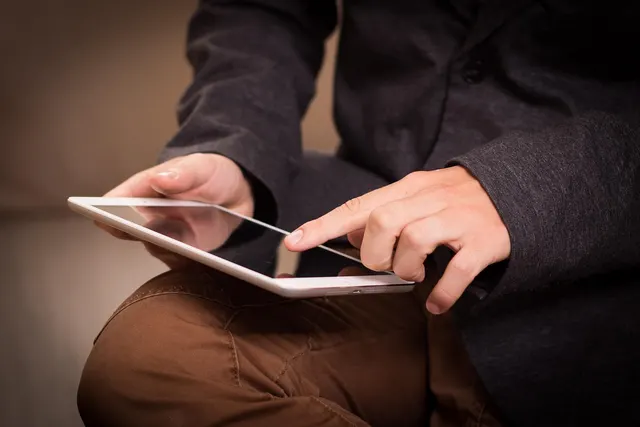
Photo: Pixabay
On this page 8 sections
- Why Gun Show Credit Card Processing Is Different
- Choosing a Card Reader for Gun Shows and Packed Expo Halls
- Gun Show Offline Card Payments: Cellular, Hotspot, or Offline Mode
- Handling Large Firearm Tickets Without Processor Holds
- Syncing Show Sales With Your Mobile POS and Bound Book
- Fraud Risks at Gun Shows and How to Check Cards
- Gun Show Setup Checklist for FFL Vendors
- Next Steps
Key takeaways
- Use a card reader with its own cellular connection and bring a backup, because venue Wi-Fi and cell signal often fail when the floor is busiest.
- Use offline mode only as a last resort. An offline sale has no approval at checkout, and a decline after the buyer leaves is a loss on a high-value item.
- Tell your processor your show schedule and expected ticket sizes before the weekend. Never split a sale to get around limits.
- Reconcile payments, POS inventory and your bound book every day so serial numbers, deposits and refunds stay traceable.
A table full of firearms, a line three deep and one bar of signal is a normal gun show weekend. Gun show credit card processing is harder than taking cards at your counter. Connectivity is unreliable, tickets are large and the buyers are strangers. Firearm sales from an FFL also come with transfer paperwork and background check obligations, so confirm current requirements with ATF guidance. This guide covers hardware that holds up in crowded venues, planning for weak signal, keeping big sales from triggering processor holds, and keeping show sales in sync with your POS and bound book.
Why Gun Show Credit Card Processing Is Different
At your shop you control the network, the counter and the pace. At a show you control none of them. Several problems tend to arrive together:
- Connectivity: Hundreds of vendors and thousands of attendees share the same cell towers and venue Wi-Fi. Signal often drops when traffic peaks.
- Ticket size: One table can sell a box of ammo, a used handgun and a high-end rifle in the same hour. Your processor may see an unusual jump in volume and ticket size from a location outside your normal pattern.
- Compliance alongside payment: A firearm sale at a show still involves your transfer paperwork, the required background check process and your recordkeeping. If a payment is approved before the transfer clears, you need a plan for a check that comes back delayed or denied.
- Higher risk profile: Many acquirers treat firearms as a high-risk category. If you have struggled to get or keep an account, our guide on why gun stores get declined for merchant accounts explains what underwriters look for.
Where and how an FFL may conduct business at a show, especially an out-of-state event, is a compliance question, not a payment question. Confirm current requirements with ATF guidance and your compliance counsel before you book a table. This article covers only the payment side.
Choosing a Card Reader for Gun Shows and Packed Expo Halls
The right card reader for gun shows can go to the buyer, works with one hand and runs on its own data connection. Show vendors usually pick from three device types.
| Device type | How it connects | Best for | Watch out for |
|---|---|---|---|
| Handheld smart terminal | Built-in cellular and/or Wi-Fi | Primary device for busy tables | Needs a data plan; confirm cellular support on the exact model |
| Phone-paired mobile reader | Bluetooth to a phone or tablet | Backup device or small tables | Depends on the phone's signal and battery |
| Countertop terminal | Ethernet or Wi-Fi | Fixed booths with reliable wired internet | Rarely practical at shows without a wired drop |
For most FFL vendors, a handheld smart terminal with cellular capability makes the best primary device. MannyPay offers options such as the Clover Flex 4G and other handheld terminals for mobile vendors, including PAX, Dejavoo and Valor models. A phone-paired reader such as Clover Go works well as a second device for ammo, accessories and small sales. You can compare form factors across the full range of mobile card terminals.
When you evaluate any device, check for:
- EMV chip and contactless (tap) acceptance. Both matter for fraud protection on large tickets, as covered below.
- Battery life that lasts a full show day, plus a charging plan. Bring power banks, because you can't count on an outlet at your table.
- Printed or digital receipts. A printed receipt still works when the buyer's phone has no signal to receive a text or email copy.
- Inventory integration with the POS you use at the shop, so you aren't tracking serialized items on paper.
Gun Show Offline Card Payments: Cellular, Hotspot, or Offline Mode
Connectivity failures are a common cause of lost sales at shows. Plan for three layers of connection.
Layer 1: Cellular on the Terminal
A terminal with its own cellular connection doesn't compete for venue Wi-Fi. Find out which carrier the device uses. If your phone gets poor coverage in a particular hall, a terminal on a different carrier may do better there.
Layer 2: A Dedicated Hotspot
A standalone hotspot on a separate carrier gives you a fallback. Reserve it for payments. Don't let staff stream video or connect personal devices to it during the show. Avoid open venue Wi-Fi for payment traffic whenever you have another option.
Layer 3: Offline Mode, With Caution
Many terminals offer an offline or "store-and-forward" mode. The device saves the transaction and submits it for authorization once it reconnects. That keeps the line moving, but it comes with trade-offs:
- There is no approval at the time of sale. If the card is declined when the batch uploads, the buyer is already gone and you absorb the loss.
- Limits may apply. Processors and devices often cap offline transaction amounts or counts. Confirm your current settings and terms before the show.
- Fraud exposure is higher. Offline sales attract people using stolen or maxed-out cards.
A practical rule for firearm vendors: if you must use offline mode, limit it to low-value items such as ammo, targets and accessories. Don't hand over or commit to a firearm on an offline authorization. Wait for a live approval.
| Option | Pros | Cons |
|---|---|---|
| Terminal cellular | Independent of venue Wi-Fi | Coverage varies by carrier and hall |
| Separate hotspot | Second carrier as backup | Another device to charge and manage |
| Offline mode | Keeps lines moving | No real-time approval; risk of a later decline |
Handling Large Firearm Tickets Without Processor Holds
A weekend spike in volume, with larger-than-usual tickets, from a location your processor doesn't expect, can trigger a risk review. That review can delay deposits or put funds on hold. Unexpected activity is a frequent trigger, so the best prevention is to talk to your processor before the weekend.
- Share your show calendar with your processor or account manager ahead of time. Include dates, venue and expected sales.
- Confirm your approved limits. Merchant accounts often have monthly volume and maximum ticket limits set during underwriting. If a show weekend could push you past them, ask about a temporary or permanent adjustment before you go.
- Don't split transactions. Splitting a single sale into multiple charges to stay under a limit generally violates card network rules and can lead to account termination. If a sale exceeds your limit, take a different payment method or get your limit raised first.
- Plan for delayed or denied checks. Decide in advance whether you charge in full, take a deposit or wait until the transfer clears. Our guides on refunding a buyer after a denied or delayed background check and when to charge during firearm waiting periods walk through the options.
Illustrative example: A dealer whose shop normally sees moderate tickets brings several premium rifles to a regional show. Before the event, the dealer emails their account rep with the show dates and the largest expected ticket. The rep confirms the account limit covers it. Over the weekend, the large sales batch normally and don't prompt a surprise review.
If you have already had funds frozen, see recovering held funds after a gun store account termination. A provider experienced with high-risk merchant accounts and the firearms industry can also help you plan ahead.
Pricing Programs at the Table
Some vendors use dual pricing or cash discount programs to offset card costs on big tickets. Surcharging rules vary by state and card brand, so confirm what's permitted wherever each show takes place. Post your pricing clearly at the show table, not only at your shop.
Syncing Show Sales With Your Mobile POS and Bound Book
A good mobile POS for FFL dealers does more than take payments. It ties show inventory, payments and compliance records to the same serial numbers. If your shop POS and show device don't share data, you'll spend Monday rebuilding the weekend from paper notes.
Before the show:
- Load show inventory into the POS with a serial number attached to each firearm, so a sale on the mobile device marks the correct item.
- Use statuses such as "sold, pending transfer" for guns waiting on a background check, so nobody sells the same item twice.
- Record deposits as deposits. Tie each one to a specific firearm and customer, not a general "misc" line.
- Set tax rates correctly. If a show is in a different jurisdiction, confirm the local sales tax and any state firearm or ammo excise taxes. Our guide to setting up your register for state gun and ammo excise taxes covers configuration.
At the end of each show day:
- Settle the batch on every device and confirm the totals match the POS.
- Match each firearm sale to its transfer paperwork and bound book record, following your own compliance procedures and timelines.
- Flag any offline transactions that haven't cleared.
- Return unsold serialized items to "in stock" status.
For a deeper look at software that handles serial tracking and acquisition and disposition records, read choosing a POS with bound book, 4473 and serial tracking.
Fraud Risks at Gun Shows and How to Check Cards
Shows bring in high-value buyers you've never met, which makes them attractive to people using stolen cards. Most protections come down to simple habits.
- Insist on chip or tap. EMV chip and contactless transactions are much harder to counterfeit than a magnetic stripe swipe. If a card "won't chip" on a large sale, treat that as a warning sign.
- Avoid keyed entry. Typing a card number by hand at the table strips away most of the protection a card-present sale offers. Don't accept card numbers read off a phone screen or a photo.
- Compare the card to the buyer. You're already reviewing identification for the transfer paperwork. If the name on the card clearly doesn't match the buyer, pause the sale. A third party paying for someone else's firearm can raise compliance questions beyond fraud, so ask your compliance advisor how to handle it.
- Watch for pressure tactics. Give extra scrutiny to buyers who rush you, try several cards in a row or ask you to split a charge across cards to "make it work."
- Keep records. Store receipts, transaction IDs and transfer paperwork together. They're your evidence if a chargeback arrives weeks later.
Gun Show Setup Checklist for FFL Vendors
Use this checklist to organize your gun show vendor payments the week before an event.
Payments and Account
- Show dates and expected volume shared with your processor
- Ticket and monthly limits confirmed for the weekend
- Offline mode settings and limits confirmed, or offline disabled for firearms
- Pricing program signage ready, if you use one
Hardware and Connectivity
- Primary handheld terminal charged, updated and tested
- Backup reader paired to a phone
- Dedicated hotspot on a second carrier
- Power banks, charging cables and receipt paper packed
POS and Compliance
- Show inventory loaded with serial numbers
- Tax rates set for the show's location
- Deposit and refund policy written and posted at the table
- Process ready for matching sales to transfer paperwork and bound book entries
Fraud Controls
- Staff trained to accept only chip or tap on large sales
- No keyed entry without manager approval
- Receipts and paperwork filed together by transaction
Next Steps
Reliable gun show credit card processing comes down to preparation. You need a cellular-capable terminal, a backup connection, a careful offline policy, a processor who knows your schedule, and a POS that keeps serialized inventory in sync with your compliance records. Once you set these up, every show after that gets easier.
MannyPay works with firearms dealers and other high-risk merchants and offers mobile and handheld hardware from Clover, PAX, Dejavoo and Valor. To review your current setup or plan for an upcoming show season, request a free processing quote. A MannyPay specialist will respond within one business day.
This article is general information, not legal, tax or compliance advice. Confirm firearm transfer, background check, recordkeeping and tax requirements with a qualified professional and current federal and state guidance.
This article is for general educational purposes and is not legal, tax or financial advice. Card network rules and state laws change; confirm current requirements for your business.