Best Brewery POS Systems: Taps, Growlers, and Taproom Tabs
A brewery POS system checklist for taprooms: test pour-size pricing and keg tracking, then check tabs and to-go sales before you sign.
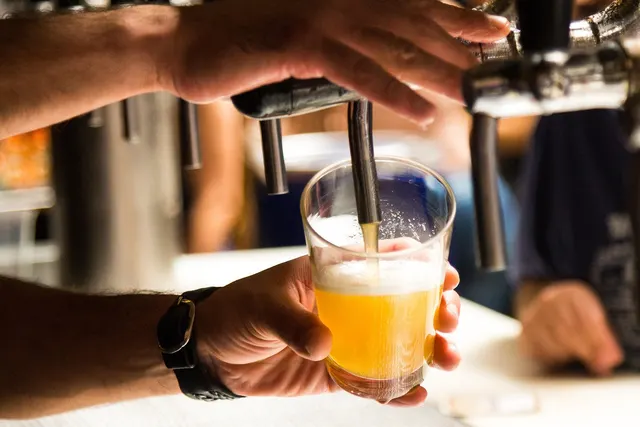
Photo: Pixabay
On this page 6 sections
The best brewery POS system for most taprooms sells beer by the ounce. It prices every pour size of a beer from the same keg and subtracts each pour from that keg's count. It should also hold open tabs safely and let a guest pay for a hoodie and a crowler on the same ticket as their pint. The brand on the screen matters less than two things: whether those jobs hold up on a packed Saturday, and whether you can read the processing contract behind the software and walk away from it if you need to.
Use the checklist below in any demo, including demos of the systems we sell.
What a Brewery POS System Needs That Restaurant POS Lacks
A restaurant POS is built around dishes. One burger is one item, with modifiers for cheese and doneness. A taproom works differently. The same beer sells in four or five formats, and the product list changes whenever a keg kicks. One guest might run a tab at the bar and then grab a four-pack and a shirt on the way out.
You can force a standard restaurant setup to cope by making each pour its own button and rebuilding the tap list by hand every week. Inventory still counts items sold instead of ounces poured, though. That holds up until a Friday night when a new IPA goes on and nobody can find it on the screen.
Start by deciding which kind of operation you run:
- Taproom only, or a taproom with a food truck outside: put tap list management and ounce-based inventory at the top of your list. Fast tabs come next, then to-go sales. Kitchen features are optional.
- Brewpub with a full kitchen: a brewpub POS system needs kitchen tickets and coursing on top of the beer side. Our buyer's checklist for restaurant POS systems covers the kitchen half.
That split affects processing too. Your merchant category code (MCC) is the label that tells the card networks what kind of business you are, and it helps set your card rates. The code should match what you actually sell, so a food-heavy brewpub and a bar-style taproom won't always land in the same category. Our explainer on how your restaurant's category code sets fees shows what to ask your processor.
Growler Fill POS Setup: Pour Sizes and Flights From One Keg
Look for a system that lets you build one beer as one product with sizes underneath it. Each size carries a price and an ounce count. When a bartender rings a 10-ounce pour of your stout, the POS charges the 10-ounce price and takes 10 ounces off the stout keg. Without that ounce value, your inventory is a guess.
Flights are where weak systems break first. A good taproom POS lets the guest pick beers inside a single flight item, and each taster depletes its own keg. If the system can only sell a flat "Flight" button at one price, you lose the keg data for every taster in it.
Growler and crowler fills need their own setup. The fill is beer, with an ounce value tied to a keg. The container is a separate line, sold when the guest buys a new growler and skipped when they bring their own. Keeping the two apart keeps your keg counts honest, and in some states it also affects how the sale is taxed.
Pour-size pricing deserves a hard look because formats earn very different amounts per ounce. Every number in this table is illustrative: invented for the arithmetic, not a recommended price.
| Format | Ounces | Price | Revenue per ounce |
|---|---|---|---|
| Pint | 16 | $7.00 | $0.44 |
| Half pour | 10 | $5.00 | $0.50 |
| Flight (4 × 5 oz) | 20 | $12.00 | $0.60 |
| Growler fill | 64 | $18.00 | $0.28 |
On these assumed prices, an ounce poured into a growler brings in roughly a third less than an ounce poured as a pint, and less than half of what the same ounce earns in a flight. That trade-off can be worth it if your to-go program builds the brand. You only see it if your POS reports revenue by format and by keg, so ask for that report during the demo.
Growler rules come from state law, and they differ widely. States decide whether you can fill another brewery's branded growler and how a filled container must be sealed or labeled. Some also limit when to-go sales can happen. Confirm the current rules with your state alcohol regulator or an attorney who handles beverage licensing, then check that the POS can enforce your house policy. An ID-check prompt on every to-go item is a good place to start.
Keg Tracking and Brewing Software Integration
Ounce-level depletion only helps if the system knows which keg is on which tap. Test this workflow in the demo. Assign a keg to a tap and sell from it. Mark it kicked, then swap in a new keg without rebuilding the menu. Finally, pull a variance report comparing what the keg held with what the POS says you sold.
Here is an illustrative variance check. For round numbers, assume a keg that holds 2,000 ounces; in practice, use your keg's rated volume. The POS shows 1,700 ounces sold before the keg kicked, which leaves 300 ounces unaccounted for. Valued at the pint rate from the pricing table above, the gap works out like this:
| Line | Illustrative value |
|---|---|
| Keg volume (assumed) | 2,000 oz |
| Sold according to the POS | 1,700 oz |
| Gap | 300 oz |
| Gap as a share of the keg | 15% |
| Value at pint revenue per ounce ($7.00 ÷ 16 oz) | About $131 |
Part of every gap is foam and line cleaning, so don't treat the whole number as theft. Track several kegs to learn your normal loss. After that, a keg that runs well past normal is worth a closer look. Our article on catching bartender theft with POS controls covers the reports and permission settings that help.
If you also run brewery management software for production and packaging, ask the POS vendor four questions:
- Does data flow both ways? Sales should reach the brewing software, and keg data should come back to the POS.
- Does it sync in real time or overnight?
- Who maintains the integration, and who do you call when it breaks?
- Is it a native connection, or a third-party app with its own monthly fee?
Your sales and removal records also feed excise and sales tax reporting. A POS makes those numbers easier to pull, but it doesn't file anything for you. Ask your accountant or tax advisor which records you need to keep.
Taproom POS Tabs and Beer Garden Service
Open tabs are where taprooms lose money quietly. The standard setup is a pre-authorization: when the tab opens, the guest's card is checked and a hold is placed. At close, the final amount and tip are captured. In the demo, ask the vendor to show how the hold amount is set and what happens to tabs still open at closing time. Then have a bartender move a tab from the bar to the patio, because groups wander. Our guide to setting bar tab holds and closing tabs safely explains how holds work and where walkouts slip through.
Beer gardens add a hardware question. When guests sit at picnic tables far from the bar, staff need handheld card terminals that can open tabs and take payment at the table. Walk your Wi-Fi coverage with a device before opening day, not after.
Then ask how the system behaves when the signal drops. Offline mode stores card transactions and sends them once the connection returns. That keeps the line moving, but a stored transaction can decline after the guest has gone home. Read up on taking cards when the Wi-Fi dies before you rely on it at a busy release party.
Merch and Packaged Beer in the Same System
Merch needs retail-style inventory. Shirts sell by size and color, while glassware sells by SKU. Either way, the counts should drop as you sell. A POS that can't handle variants pushes your hoodie counts into a spreadsheet that never matches the shelf.
Tax settings matter here. States don't always tax a pint at the bar the same way as a four-pack to go, and merch can have its own treatment. The POS needs tax categories you assign item by item. Our breakdown of sales tax on takeout and to-go orders explains the general issues; have your accountant confirm how your state treats each category.
Online Preorders for Can Releases
Taprooms use online preorders to sell out can releases before the doors open. Check whether the POS has its own online store or connects to a platform like Shopify or WooCommerce. More important, check that online sales draw from the same inventory as the taproom, or you'll sell the same case twice.
Plan an ID check at pickup for every alcohol order, because a card payment doesn't verify age. Shipping beer straight to consumers is a separate matter. State law decides whether you can do it at all, so check before you offer it.
Prepaid pickup orders are card-not-present sales, and they carry more fraud risk than a card tapped at the bar. Our article on stopping stolen cards on pickup orders lists the warning signs and the checks worth adding.
Comparing Brewery POS Pricing and Processing Terms
Software and hardware show up as clear line items. Card processing is different: it grows with every pint you sell, and it's usually the cost buried deepest in the contract.
Ask these before signing:
- Is processing bundled? Some POS platforms require their own processing, while others let you choose. Bundling is convenient, but it makes negotiating a better rate or switching providers harder later.
- Is the hardware locked? Terminals tied to one processor become paperweights if you leave.
- Which pricing model applies? Interchange-plus shows the card networks' cost and the processor's markup as separate numbers. Flat-rate and tiered pricing fold them together, which makes offers harder to compare.
- What does it cost to leave? Look for early termination fees and equipment leases that outlive the agreement.
Taprooms that want to offset card costs can look at a cash discount program or dual pricing. Surcharging is a separate option with tighter limits, because card network rules govern it and some states restrict or ban it. Treat this as general information, and confirm the current requirements for your state with a qualified professional before you turn any of these on.
MannyPay sells POS systems and card terminals, including Clover setups, and handles processing for restaurants and bars. Cash discount and dual pricing are available, as is surcharging where it's permitted.
Before any demo, pull your current tap list and last month's processing statement. Ask the vendor to build one beer in four sizes plus a flight while you watch. Then have them kick a keg and swap in a new one. Finish by closing a tab with a tip from a handheld out on the patio. Any step that needs a workaround is a workaround your staff will live with every shift. When you're ready to compare costs on your actual volume, request a free processing quote, and a MannyPay specialist will respond within one business day.
This article is for general educational purposes and is not legal, tax or financial advice. Card network rules and state laws change; confirm current requirements for your business.