Abandoned Computers at Your Repair Shop: Holding Laws and Fees
Abandoned computer repair law varies by state. Learn the notice steps and storage fee rules to follow before you sell or recycle an unpaid device.
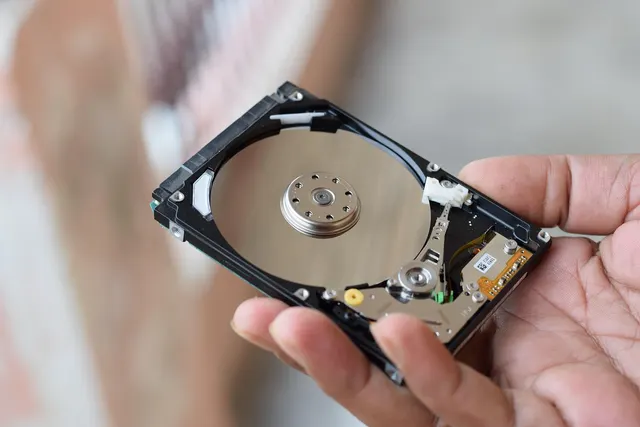
Photo: Pixabay
On this page 6 sections
- Why Unpaid Devices Pile up and What They Cost You
- How Abandoned Computer Repair Law Varies by State
- Notice Letters and How Long to Keep an Abandoned Laptop
- Computer Repair Storage Fees: Disclosing and Charging Them Legally
- Customer Data on Abandoned Devices: Return the Drive or Clear It
- Intake Terms and Card-on-File Policies That Prevent Abandonment
Key takeaways
- Holding an unpaid device and selling it are separate rights. Many states require written notice and a waiting period before you dispose of it.
- A storage fee holds up best when the customer signed for it at intake and a flat cap keeps the total below the device's used value.
- An unpaid bill doesn't end your duty to protect customer data. Keep the drive for the owner, or clear it and log the work.
- A diagnostic fee and a parts deposit collected at drop-off prevent more abandonment than collection efforts after the fact.
A computer repair shop can't sell or scrap an unpaid laptop on the day the customer stops answering the phone. There is no single federal abandoned computer repair law. Your rights come from your state's repair lien and unclaimed-goods statutes, and many of those require written notice plus a waiting period before you dispose of anything. A storage fee is collectible when the customer agreed to it at intake. When they didn't, it is much harder to collect. Customer data on the device is a separate duty, and it doesn't end when the bill goes unpaid.
This is general information, not legal advice. Notice methods and waiting periods differ from state to state. Confirm your process with a local attorney before you get rid of any device.
Why Unpaid Devices Pile up and What They Cost You
Abandoned devices reach your back shelf by a handful of familiar routes. One starts at drop-off with nothing paid. The customer hears the diagnostic result, decides an aging laptop isn't worth a new motherboard, and stops answering. Then there's the gaming PC whose owner moved and changed numbers. Small businesses leave devices behind too: an office manager drops off a stack of laptops, quits, and nobody else at the company knows they exist. Sometimes the owner has died, and a relative turns up months later asking for the photos.
Each of those devices costs you while it sits. It occupies shelf space meant for paying work, and any part you ordered for it is money already spent. You also remain responsible for keeping it safe. If it's damaged or stolen from your back room, the customer who ignored you for months can still bring a claim against you.
How Abandoned Computer Repair Law Varies by State
Most repair shop abandoned property questions turn on two kinds of state law, and shops often mix them up.
Repair liens. Many states let a business that repairs property keep it until the bill is paid. This is called an artisan's or possessory lien. Where your statute spells out a sale procedure, follow it to the letter. Where the law recognizes only the right to hold, you need another legal basis before you sell. Holding and selling are separate rights. A lien that lets you keep a laptop on the shelf doesn't by itself let you auction it.
Unclaimed goods statutes. Some states have laws written specifically for property left for repair or storage. These statutes set the waiting period and the notice method. Some also tie the procedure to the item's value, and most say what you may do with the item once the waiting period runs out.
Money you hold falls under different rules. A customer deposit or credit balance you can't return usually comes under your state's unclaimed property law, which sets reporting deadlines and eventually sends the funds to the state. Read those rules before you apply an old deposit to a storage fee.
Ownership catches shops off guard as well. The person who dropped off the device isn't always the owner. Business laptops belong to employers or leasing companies, and phones are frequently still being paid off. If you resell abandoned devices in volume, also check whether your city or state has secondhand-dealer rules covering record-keeping and holding periods for used electronics.
Expect your lien to reach only the work the customer approved. If the signed ticket authorizes a diagnostic and nothing else, your recoverable amount stops there, no matter how much bench time you put in afterward.
Notice Letters and How Long to Keep an Abandoned Laptop
How long to keep an abandoned laptop depends on your state's waiting period. In many statutes the clock starts at formal notice, not at drop-off. Shops that skip the letter end up holding devices far longer than they planned.
A defensible sequence looks like this:
- Ready-for-pickup notice. Tell the customer the device is ready and what they owe. If your terms include storage fees, say when those begin. Send the notice by text and email, and keep a record of both.
- Reminders on your own schedule. Follow up at fixed intervals. Reminders help you collect, but they don't replace the notice your statute requires.
- Formal written notice. Mail a letter to the last known address by the method your state specifies. Certified mail with a return receipt is a common requirement, and some statutes add newspaper publication when mail comes back. The letter should state the amount owed and the deadline to claim the device. It should also explain what happens to the device after that date.
- The waiting period. Store the device safely and leave it alone. If the customer gets in touch, pause the process and write down what was said.
- Disposal with records. Sell or recycle the device as the statute allows. Put the notices and mail receipts in the device's file, then add the record of how you handled its data.
Keep that file for each device. When a customer or an estate turns up later, the paper trail is your defense.
Computer Repair Storage Fees: Disclosing and Charging Them Legally
A computer repair storage fee works in your favor when the customer agreed to it in writing and the amount is reasonable. Write the daily rate and its cap into your intake form, and get the customer's signature or click on that page. A fee you announce after the device is abandoned is hard to collect and harder to defend.
Start the clock at the ready-for-pickup notice, then add a grace period. Customers shouldn't pay storage while you wait on a backordered part.
Size the fee against the hardware you actually repair, and do the arithmetic once for your most common job. Multiply your daily rate by the number of days an abandoned device sits before your statute lets you dispose of it, counting both the notice and the waiting period. Then compare that total with what the device would sell for used. If the storage bill passes the resale value before you're allowed to sell, a sale won't cover the fee.
Collecting the remainder then means a separate effort against a customer who already ignored you. A judge who sees a fee larger than the device can also treat it as a penalty rather than a cost. Set the cap below the typical resale value of the devices you see most, and state it as a flat dollar amount at intake so the counter staff can explain it in one sentence.
Charging storage to a stored card is where repair shops get into payment trouble. Do it only if the customer authorized that specific charge at intake, with an amount or cap attached. A surprise charge months later invites an "unauthorized" dispute, and processors already watch tech support closely. Our guide to winning tech support chargebacks covers the evidence that holds up. If you also sell support plans upfront, see why processors hold funds on lifetime tech support plan payments.
Customer Data on Abandoned Devices: Return the Drive or Clear It
An unpaid bill gives you no right to the customer's files. Some states have laws on securely disposing of records that contain personal information, and a laptop full of tax returns and saved passwords fits that description. Ask your attorney which of those laws apply to you. Separately, make it shop policy that technicians never browse personal files on any device, abandoned or not.
After the waiting period ends, the safest choice is usually to keep the drive. Pull the storage before you dispose of the chassis, then hold the drive on a labeled shelf for the owner or their estate. It takes almost no space, and it protects you best when a relative comes back for photos.
If you'd rather not store drives, clear them with a recognized sanitization method and log the work. Overwrite tools built for spinning hard drives don't reliably reach every cell on an SSD. For those, use the drive maker's secure-erase function, or a cryptographic erase if the drive was encrypted. A drive that won't sanitize cleanly should be physically destroyed, with its serial number and the destruction method written in the device's file.
Phones and many laptops carry activation locks tied to the owner's account. Those locks survive a factory reset and leave the device useless to the next buyer. Your notice letter can ask the owner to remove the lock or claim the device. Don't try to bypass account locks yourself.
If a technician sees content that looks illegal, stop work and don't wipe anything. Call a lawyer before you take any other step.
Intake Terms and Card-on-File Policies That Prevent Abandonment
The cheapest unclaimed device in a repair shop is the one that never gets left behind. Most of that prevention happens at the counter.
Start with the intake form. Record the owner's legal name and a backup contact, and ask whether the device belongs to them or to an employer. Get signed approval for the diagnostic fee and a dollar ceiling on repairs before you need to call again. Next come your storage terms and a plain statement of how unclaimed devices are handled under your state's process. Finish with a data clause: the customer is responsible for backups, and you'll sanitize or destroy storage on disposal. A POS built for repair tickets can attach these terms to the work order. Our repair shop POS checklist for tickets and check-in covers what to look for.
Collect money at drop-off. A diagnostic fee filters out customers who were never going to pay, and a parts deposit on special orders means you aren't buying a screen for someone who disappears. Authorization holds are a weaker tool here because they aren't built for a repair that runs for weeks. Ask your processor how long a hold lasts before you rely on one. If you also offer data recovery, see our guide to data recovery deposits and no-data, no-fee policies.
Card on file helps when you set it up properly. Card network rules generally expect cardholder consent and clear terms before you store a card for future charges, so confirm the details with your processor. Keep the card as a token in your POS or gateway, never on a paper form, and charge it only for amounts the customer approved in writing.
Write your refund terms with the same care. Our guide to tech support cancellation windows that hold up covers the wording. If a processor has flagged your account before, read why tech support merchant accounts get declined to see what underwriters review. If you use an offshore team, see what underwriters ask tech support firms with offshore support teams.
MannyPay sells POS systems and card terminals for repair counters. Shops that processors watch more closely can also apply for high-risk merchant accounts. Before you apply, see which MCC fits your tech support firm: 7379, 7372 or 5734. If you also resell antivirus or other software, read our guide to processor rules for reselling antivirus and software licenses.
This week, walk your back shelf and pull every device with no customer contact in the last month. Then bring your intake form and your state's statute to a local attorney, and confirm the notice method and waiting period before you dispose of anything. If you're comparing POS systems or gateways for card-on-file charges and deposits, request a free quote and a MannyPay specialist will respond within one business day.
This article is for general educational purposes and is not legal, tax or financial advice. Card network rules and state laws change; confirm current requirements for your business.