Best Vape Shop POS: Nicotine Strengths, mL Tax, and Age Checks
Find the best POS system for vape shop owners: compare flavor and nicotine variants, per-mL tax, ID scanning, and high-risk processor compatibility.

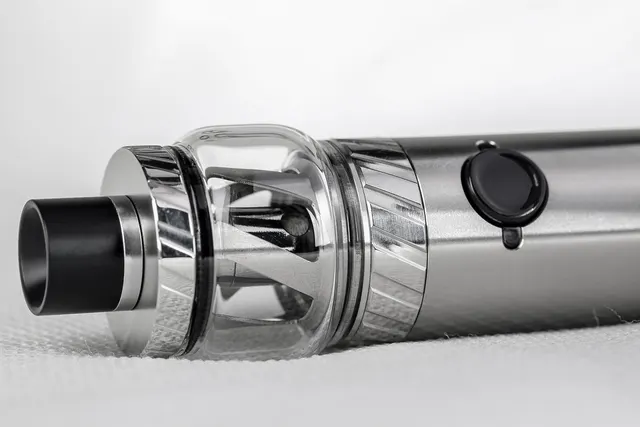
Photo: Pixabay
On this page 9 sections
- Why General Retail POS Falls Short for Vape Shops
- Managing Flavor, Nicotine Strength, and Bottle Size Variants in E-Liquid Inventory Software
- Vape Store POS With ID Scanner: Built-In Age Verification
- Per-mL and Excise Tax Support
- Processor Lock-In and High-Risk Compatibility
- Loyalty Programs for Coil and Pod Repeat Buyers
- Vape POS System Hardware and Monthly Cost Comparison
- Quick Checklist: Choosing the Best Vape Shop POS
- Next Steps
Key takeaways
- A vape POS has to handle flavor, nicotine strength, nicotine type and bottle size as linked variants. A flat list of items will not keep up.
- Look for ID scanning at the register, per-mL or volume-based tax fields, and location-level SKU locks for flavor bans and state registries.
- Confirm the POS works with a high-risk processor before you buy, because some all-in-one systems only run on their own processing.
- Compare total monthly cost: software, add-on modules, hardware terms, and processing.
Finding the best POS system for vape shop owners is harder than it looks. A vape counter has to deal with hundreds of e-liquid variants, age checks on every sale, taxes that may be calculated by volume, and a processor relationship that many mainstream providers won't offer. This checklist covers what to look for in each area: variant management, ID scanning, per-mL tax support, high-risk compatibility, loyalty for repeat coil and pod buyers, and how to compare hardware and monthly costs.
Why General Retail POS Falls Short for Vape Shops
Most retail POS software is built for stores where one product means one SKU and one price. A vape shop doesn't work that way. A single e-liquid line can come in a dozen flavors, several nicotine strengths, both freebase and salt nicotine, and multiple bottle sizes. Every combination needs its own stock count and barcode.
Generic systems also tend to miss three vape-specific needs:
- Age verification at every sale. Asking the cashier to eyeball an ID doesn't leave a record and doesn't scale on a busy Friday evening.
- Volume-based or product-specific taxes. Many tax setups only support a percentage of the sale price. Some states and localities tax vapor products differently.
- Processor flexibility. Some popular POS platforms bundle their own payment processing and may restrict vape sales. You can't fix that with a setting.
If you're still deciding where to process, start with our guide on whether Square, Stripe, or Shopify allow vape shops before you commit to software tied to one of them.
Managing Flavor, Nicotine Strength, and Bottle Size Variants in E-Liquid Inventory Software
E-liquid inventory software is where a vape POS earns its cost. Ask any vendor to demo these functions using your own product list, not their sample data.
Must-Have Variant Features
- Parent-child item structure. One parent product, such as a flavor line, with child variants for nicotine strength, nicotine type, bottle size and, if you track it, VG/PG ratio.
- Matrix or grid entry. Receiving a distributor order should let you fill in quantities across a strength-by-size grid. Typing each variant one at a time wastes hours.
- Barcode per variant. Scanning the bottle should ring up the exact strength and size. That prevents the common error of selling a higher-strength bottle at a lower-strength price.
- Variant-level reorder points. You may sell through low-strength salt nic quickly while high-strength freebase sits. Alerts should work at the variant level, not the flavor level.
- Bulk import and export. Spreadsheet import saves hours when you add a new line or update costs.
Compliance Controls Inside Inventory
Inventory controls in a vape shop do compliance work as well as stock tracking. Look for the ability to:
- Flag or block a SKU from sale at specific locations. This matters if you operate in more than one jurisdiction. Our article on locking banned flavor SKUs in your POS explains why this matters.
- Tag products with registry or authorization status where your state maintains an approved product list. See state vape registry laws and selling only listed products for background.
- Pull a report of everything sold by SKU and date in case a regulator or your processor asks.
Vape Store POS With ID Scanner: Built-In Age Verification
A vape store POS with ID scanner support turns age checks from a judgment call into a consistent step at checkout. Federal law sets a minimum age for tobacco and nicotine products, and some states and localities add their own rules on ID checks, signage and recordkeeping. Confirm the current requirements where you operate with a qualified professional.
What Good ID Scanning Looks Like
- Prompt on age-restricted items. The POS should require an ID scan or manual date-of-birth entry before it completes any sale that includes a flagged product.
- Barcode reading. Most U.S. driver's licenses carry a 2D barcode on the back. A scanner that reads it can calculate age instantly and catch expired IDs.
- Clear pass/fail display. Cashiers need an obvious result, not a birthdate they have to do math on.
- Audit trail. A log showing that an age check happened on each restricted sale helps during compliance checks and employee training.
- Override controls. Manager approval for manual overrides, with the override recorded.
Questions to Ask the Vendor
- Is ID scanning built in, a paid add-on, or a third-party app?
- Does it work on the countertop terminal, the handheld, or both?
- What customer data is stored, for how long, and where? Some states restrict how businesses keep data scanned from IDs, so confirm local rules before you turn on storage.
- Can it flag IDs that fail basic checks? Keep in mind that no scanner catches every fake, so staff training still matters.
Per-mL and Excise Tax Support
Vapor product taxes vary widely. Some jurisdictions tax e-liquid by volume (per mL). Others tax a percentage of the wholesale or retail price. Some treat closed-system pods differently from open-system bottles, and local taxes can stack on top of state taxes. Our breakdown of per-mL vs. wholesale vape taxes at the register covers how these models differ.
Rates and rules change, so confirm your current obligations with your state tax agency or a tax professional. What you need from the POS is the ability to apply whatever rule applies to you correctly:
- A volume field on each SKU. For example, a 30 mL bottle, a 60 mL bottle, or the total mL in a multi-pod pack.
- Tax rules calculated from volume. The tax amount should be computed from the mL field, not entered by hand.
- Multiple tax types per item. A single bottle may carry a vapor excise tax plus standard sales tax.
- Category-level rules. These let you treat hardware, disposables, pods and e-liquid differently if your jurisdiction does.
- Receipt display options. Use these if your jurisdiction requires taxes to be shown separately.
- Tax reports by volume and category. These make filing easier.
Illustrative example: a shop sets each e-liquid SKU's volume in the POS. When a customer buys two 60 mL bottles, the system multiplies the total volume by the per-mL rate on file and adds regular sales tax. No cashier math is involved. The rate itself should come from your tax advisor or state agency.
Processor Lock-In and High-Risk Compatibility
Card networks and acquiring banks generally treat vape and e-cigarette sales as high-risk. You'll typically need a processor that specifically underwrites the category. Our explainer on how high-risk vs. low-risk merchant accounts differ covers why.
This directly affects your POS choice:
- Closed systems. Some POS platforms only work with their own in-house processing. If that processor won't approve vape, or later closes your account, the software and hardware may stop working for payments.
- Open or processor-agnostic systems. These can connect to different processors or gateways, so you can switch without replacing your setup.
- Hardware programming. Some terminals can be reprogrammed for a new processor. Others are tied to the provider that sold them.
Before you sign anything, confirm:
- The POS supports a processor that actively approves vape merchants.
- You own the hardware outright or understand the lease terms and early termination fees.
- Your products are coded accurately during underwriting. Describe your business honestly. Miscoding or disguising vape sales to get approved risks account termination and placement on the MATCH list.
- The POS supports compliant cost programs if you plan to use them, such as dual pricing for vape counters, cash discount, or surcharging where permitted.
MannyPay offers high-risk merchant accounts and works with vape and e-cig businesses. Approval depends on underwriting. If you've been turned down before, read our guide on why vape shop merchant accounts get declined.
Loyalty Programs for Coil and Pod Repeat Buyers
Coils, pods and e-liquid are consumables. Customers come back on a regular cycle, which makes loyalty one of the most useful vape POS features to weigh.
Features Worth Paying For
- Device-linked customer profiles. Store the customer's device so staff can pull up compatible coils or pods instantly. This cuts down on returns of the wrong coil type.
- Compatibility lookups. Link accessories to the devices they fit, so a search for a kit shows its matching coils and pods.
- Bundles and mix-and-match pricing. Examples include a kit plus a coil pack, or any three bottles of a given size at a set price.
- Points or punch-card rewards. Reward repeat consumable purchases and track them automatically by customer.
- Purchase history. Staff can see what a regular bought last time, including flavor and nicotine strength.
If you send reminders by text or email, collect proper consent and follow marketing rules. Also check whether your state limits discounts or promotions on tobacco and vapor products before you design a rewards program.
Vape POS System Hardware and Monthly Cost Comparison
The sticker price of a vape POS system rarely tells the whole story. Compare total cost across these categories:
| Cost Area | What to Ask |
|---|---|
| Software subscription | Is pricing per location, per register, or per user? |
| Add-on modules | Are ID scanning, loyalty, multi-location, or advanced inventory extra? |
| Hardware | Purchase or lease? What happens to the equipment if you switch processors? |
| Processing | What are the rates, reserves, and monthly fees for a high-risk account? |
| Contract terms | Contract length, early termination fees, and auto-renewal |
| Compliance and support | PCI DSS compliance fees, and support hours that match your store hours |
For context on processing costs, see what vape shops should expect to pay in card processing fees.
Matching Hardware to Your Counter
| Setup | Good Fit For | Considerations |
|---|---|---|
| Full countertop POS | Shops with large e-liquid walls and multiple employees | Most screen space for variant grids and reports |
| Smart terminal | Smaller shops or a second register | Confirm your inventory and ID apps run on it |
| Handheld terminal | Line-busting during busy evenings and weekends, or events | Check battery life and whether ID scanning works on it |
| PIN pad with existing software | Shops keeping current POS software | Make sure the software is processor-agnostic |
MannyPay offers POS systems, smart terminals and handheld terminals from brands including Clover, Valor, Dejavoo and PAX. Compatibility with a vape account depends on the processor and underwriting, so confirm the exact device and software combination before you buy.
Quick Checklist: Choosing the Best Vape Shop POS
- Parent-child variants for flavor, nicotine strength, nicotine type and bottle size
- Barcode per variant and variant-level reorder alerts
- Location-level SKU blocking for flavor bans and registry compliance
- ID scanning with audit logs and manager overrides
- Volume fields and per-mL or category-based tax rules
- Device-linked loyalty and coil and pod compatibility lookups
- Processor-agnostic software that works with a high-risk processor
- Clear hardware ownership and contract terms
Next Steps
Start by listing your product variants, your tax requirements and your age-check process. Then ask each POS vendor to demo those exact workflows. Settle your processing first, because the processor determines which systems you can actually use.
If you want help matching hardware and processing to a vape shop, request a free quote from MannyPay. A MannyPay specialist responds within one business day.
This article is for general educational purposes and is not legal, tax or financial advice. Card network rules and state laws change; confirm current requirements for your business.