Buying Used Clothes From Customers: Cash, Store Credit, or Payout?
Learn how to pay customers for used clothes with cash, store credit or digital payouts, plus the recordkeeping and fraud controls your buy counter needs.
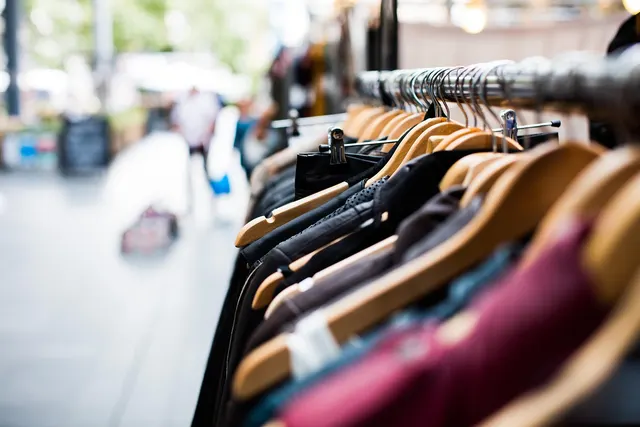
Photo: Pixabay
On this page 7 sections
- Buy-Outright vs. Consignment: The Payment Difference
- How to Pay Customers for Used Clothes: Cash, Store Credit, or Instant Payout
- Store Credit vs. Cash for Clothing Trade-Ins: Pricing Bonuses to Protect Margin
- Tracking Resale Shop Buy Counter Transactions in Your POS
- Secondhand Dealer Laws and Seller ID Requirements
- Preventing Stolen Merchandise and Payout Fraud
- Next Steps for Your Buy Counter
Key takeaways
- Buy-outright shops pay sellers on the spot, so payout method, records and cash controls matter as much as your sales checkout.
- Store credit usually costs you less than its face value because it is redeemed against inventory, but only if you price the bonus carefully.
- Never use card refunds on your terminal to pay sellers; record buys as inventory intake with a separate payout record.
- Secondhand dealer rules vary widely by city and state, so confirm licensing, seller ID and holding-period requirements locally before you buy.
A resale shop that buys outright runs two checkouts. At the register, shoppers pay you. At the buy counter, you pay sellers. This guide explains how to pay customers for used clothes with cash, store credit or an instant digital payout. It also covers how to price a store credit bonus without giving away margin, how to record buys in your POS, and what secondhand dealer rules and fraud controls to check before you open the buy counter.
Buy-Outright vs. Consignment: The Payment Difference
Your payment model shapes everything downstream, from cash on hand to the records you keep.
| Buy Outright | Consignment | |
|---|---|---|
| When the seller gets paid | At the counter, on the spot | After the item sells, on a schedule |
| Who carries inventory risk | You | The consignor, until it sells |
| Cash needed at the store | A buy drawer or payout funds every day | Periodic payouts from sales proceeds |
| Typical payout options | Cash, store credit, digital transfer | Check, transfer or store credit from a consignor account |
| Records that matter most | Seller identity, item list, payout amount and method | Consignor agreement, split terms, sales history |
A buy outright used clothing store trades higher upfront cost for faster turnover and full control of pricing. You set the shelf price, you keep the whole sale, and you never have to call a consignor about an unsold blazer. The tradeoff is that you need payout money available every day and records strong enough to show who sold you what, and for how much.
Many shops run both models. They buy everyday mall brands outright and take higher-value designer pieces on consignment. If you do this, keep the two flows separate in your POS so a consigned handbag never looks like inventory you paid for.
How to Pay Customers for Used Clothes: Cash, Store Credit, or Instant Payout
Most resale shops offer two or three payout options. Each one carries different costs and risks.
| Payout Method | Seller Appeal | Cost to You | Main Risks |
|---|---|---|---|
| Cash | Immediate and familiar | Face value, plus cash handling time | Drawer shortages, robbery exposure, employee skimming |
| Store credit | Lower unless you offer a bonus | Less than face value when redeemed against inventory | Outstanding liability, state rules on expiration and unclaimed property |
| Digital payout (bank transfer, push-to-debit, payment apps) | Fast, no trip to the bank | Provider fees vary; confirm current pricing | Wrong account details, impersonation scams, provider limits |
| Check | Familiar to older sellers | Low direct cost | Slow, uncashed checks to reconcile |
Cash
Cash is the simplest option to explain and the hardest to control. Fund a dedicated buy drawer or use a paid-out function in your POS so every bill that leaves the till is tied to a buy record. Decide in advance how much cash the store keeps on hand for buys. When the drawer runs low, switch sellers to credit or digital payout instead of pulling from the sales till.
Store Credit
Store credit keeps value inside your store. Sellers come back to spend it, and they often buy more than the credit covers. That overage is new revenue, usually paid by card. The next section covers how to price it.
Instant Digital Payouts
Digital payouts work well for shops that hold buy appointments, run pop-up buy events or buy whole closets at a seller's home. Payout providers vary in speed, fees, transfer limits and verification steps, so compare current terms before you commit. Always confirm the recipient's details with the seller in person before you send money.
Do not use your card terminal to pay sellers. Issuing a "refund" to a seller's card when there was no original sale is not a payout method. Processors generally treat unmatched refunds as a serious red flag, and using them this way can violate your merchant agreement and put your account at risk. Your terminal is for accepting payments. Keep payouts in a separate channel.
Store Credit vs. Cash for Clothing Trade-Ins: Pricing Bonuses to Protect Margin
The reason shops offer more in credit than in cash comes down to what each one actually costs.
When you pay $12 in cash, it costs you $12. When you issue $16 in store credit, the seller later exchanges it for $16 of merchandise at retail. What that costs you is the acquisition cost of the goods they take home, which is usually well below shelf price.
An Illustrative Example
These numbers are illustrative only. Use your own costs and margins.
- You expect a sweater to sell for $40.
- Your offer: $12 cash or $16 in store credit.
- Say your average acquisition cost on shelf merchandise runs about 35% of retail.
- The $16 credit, when redeemed, costs you about $5.60 in inventory.
In this scenario, the larger credit offer costs you less than half of what the cash offer does. The seller also gets more value, which is why the credit option can win more buys.
Where the Math Breaks Down
The credit advantage depends on a few assumptions you should test:
- Inventory abundance. If credit is redeemed on hot items that would have sold to a paying customer anyway, you lose that sale. For slow-moving stock, credit effectively clears shelves.
- Redemption timing. Credit is a liability on your books until it is used. A large outstanding balance can strain cash flow when many sellers redeem at once, such as at the start of a new season.
- Expiration and unclaimed property. Rules on whether store credit can expire, and whether unused balances must eventually be reported to the state, vary by state. Do not build your margin plan around credit going unused. Confirm the rules with your accountant or attorney.
- Sales tax. How tax applies when a shopper pays with store credit depends on your state. Make sure your POS handles credit as a tender correctly. Our guide to setting up clothing sales tax exemptions in your POS covers the setup side.
Setting Your Bonus
- Calculate your average acquisition cost as a percentage of retail across the categories sellers usually redeem credit on.
- Set the credit bonus so its redeemed cost stays below your cash offer, with room to spare.
- Post your offer structure at the counter so sellers can compare options without negotiating.
- Review outstanding credit balances monthly and adjust the bonus if liability grows faster than redemptions.
Tracking Resale Shop Buy Counter Transactions in Your POS
A resale shop buy counter generates inventory and payout records at the same time. If your POS only tracks sales, buys end up in a notebook, and your cost of goods and inventory counts drift.
What to Record on Every Buy
- Date, time and the employee who made the buy
- Seller name and identification details, if your jurisdiction requires them or your policy calls for it
- Item-level descriptions: category, brand, size, color and condition
- Offer amount per item and total paid
- Payout method (cash, credit, digital or check) and a reference number
- Photos of high-value items
How to Set It Up
- Intake items as inventory with a cost. Each bought item should get a SKU and a cost basis so margin reports reflect what you actually paid. A POS with size, color and style variants makes this much faster. See our guide to the best POS for clothing boutiques with matrix inventory.
- Use paid-out or buy functions for cash. Every cash payout should reduce the drawer through a recorded transaction, not a handwritten slip.
- Issue store credit inside the POS. Credit tied to a customer profile or a numbered card is easier to audit than paper certificates.
- Reconcile daily. Match buy records to cash paid out, credit issued and digital transfers sent. Investigate gaps the same day.
- Export for your bookkeeper. Buy totals by payout method feed cost of goods, liabilities and cash accounts.
If you are shopping for hardware that handles both checkout and buy intake, compare options on our POS systems page. For mobile buy events or closet buyouts, handheld card terminals let you sell on the same trip. Our retail POS buyer's guide for independent stores walks through the broader feature checklist.
Secondhand Dealer Laws and Seller ID Requirements
Many cities, counties and states regulate businesses that buy used goods from the public. These laws were often written with pawnshops and precious metals in mind, but some reach resale clothing stores, especially those buying designer handbags, jewelry, watches or other high-value accessories.
Depending on where you operate, requirements can include:
- A secondhand dealer license or registration
- Checking and recording government-issued ID from each seller
- Detailed item descriptions kept for a set retention period
- A holding period before you can resell certain items
- Reporting purchases to local law enforcement, sometimes through an online database
- Restrictions on buying from minors
Some jurisdictions exempt used clothing entirely. Others exempt clothing but not accessories, or apply rules based on item value. Because the rules vary so much, contact your city clerk or licensing office and your local police department before you start buying. Ask specifically whether clothing, shoes, handbags and jewelry are covered.
If you collect ID information, protect it. Limit who can view seller records, store copies securely and dispose of them on the schedule your local rules allow.
This section is general information, not legal or tax advice. Confirm licensing, recordkeeping and any tax reporting obligations with a qualified attorney or accountant in your area.
Preventing Stolen Merchandise and Payout Fraud
A buy counter that pays cash for goods attracts some sellers you do not want. Fraud also comes from inside, through fake or inflated buys.
Red Flags at the Counter
- Multiple identical items with original tags, especially in a range of sizes
- Retail security tags or hanger fragments still attached
- A seller who visits unusually often with new-condition goods
- Designer pieces with mismatched labels, poor stitching or missing authenticity markers
- Pressure to finish quickly or reluctance to show ID
Write a policy for declining buys and make sure staff know they can say no without explaining why.
Internal Controls
- Require manager approval for buys above a dollar amount you set.
- Separate duties where you can, so the person who makes an offer is not the only one who reconciles the drawer.
- Photograph high-value buys and attach the photos to the POS record.
- Review buy reports weekly for patterns: the same seller, the same employee, round-number payouts.
Digital Payout Scams
Scammers sometimes call or message a shop pretending to be a seller who "needs the payout sent to a different account." Only send money to details confirmed in person at the time of the buy. Never change payout details based on a phone call or text. Our article on social engineering lessons for merchants covers how these schemes work.
Next Steps for Your Buy Counter
Before your next buy day:
- Decide which payout methods you will offer and post your cash and credit offers.
- Run the store credit math with your own costs.
- Set up buy intake, paid-outs and store credit in your POS.
- Confirm local secondhand dealer requirements in writing.
- Train staff on red flags and approval limits.
Secondhand clothing payouts are only half of your money flow. The other half is the checkout where shoppers pay you. For at-home try-on programs, see our guide to card authorizations for try before you buy clothing. MannyPay provides payment processing, POS systems and card terminals for apparel and boutique businesses, along with cost programs such as cash discount and dual pricing for eligible merchants where permitted. To compare options for your shop, request a free payment processing quote, and a MannyPay specialist will respond within one business day.
This article is for general educational purposes and is not legal, tax or financial advice. Card network rules and state laws change; confirm current requirements for your business.