How to Choose a Retail POS System: A Guide for Independent Stores
Choose the right retail POS system for your independent store: inventory and variants, barcode hardware, returns, online sync, and the quote terms to check.

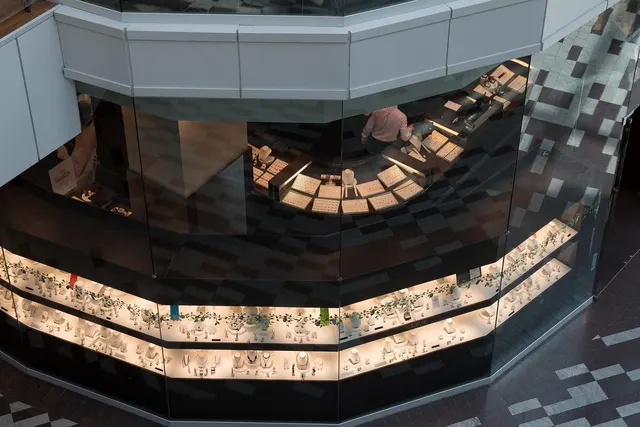
Photo: Pixabay
On this page 8 sections
- Start With Your Store, Not the Feature List
- Core Features Every Retail POS System Should Have
- Inventory POS Features by Store Type
- Building a Barcode Scanner POS Setup: Hardware Checklist
- Customer Profiles, Loyalty, and Returns Handling
- Syncing In-Store and Online Inventory
- How to Compare Retail POS Quotes and Contract Terms
- Next Steps
Key takeaways
- Size the POS to your actual store. SKU count, variants, registers, and sales channels matter more than the length of the feature list.
- Inventory needs differ by store type: boutiques need size and color matrices, jewelers need serial tracking, and furniture stores need special orders and deposits.
- If you sell online, decide which system holds the master inventory count and confirm how often stock syncs.
- Compare quotes on total cost: software subscriptions, hardware purchase versus lease, processing pricing, and contract exit terms.
Most independent retailers don't need the POS a 200-location chain runs. They need one that counts stock accurately, rings up sales quickly, handles returns without a manager override every time, and shows what sold last week. When you buy a retail POS system, the goal is to avoid two mistakes: paying for enterprise features you'll never use, or choosing a system too thin for how your store actually works. This guide covers what to look for, how needs differ for gift shops, boutiques, jewelers, and furniture stores, and how to read a quote before you sign.
Start With Your Store, Not the Feature List
The right POS system for a small retail store depends on a few basic facts about your business. Write these down before you sit through a demo:
- How many SKUs do you carry? Count each size, color, and style combination separately.
- How many checkout points do you need? Count registers, plus any staff who ring sales on the floor.
- Do you sell online, or plan to? Include marketplaces and social selling.
- What are your typical tickets? A card shop and a fine jeweler need very different things.
- Who runs reports? Is it you on a Sunday night, or a bookkeeper working in accounting software?
Your answers point you toward the right tier of system.
| Store profile | What usually matters most | What you can often skip |
|---|---|---|
| Gift shop or general retail, one register | Fast barcode checkout, simple inventory, sales reports | Multi-location transfers, advanced purchasing workflows |
| Apparel boutique | Size/color matrix, markdowns, exchanges | Serial tracking |
| Jewelry store | Serialized items, repair tickets, layaway, high-ticket security | High-speed scanning at volume |
| Furniture store | Special orders, deposits, delivery scheduling, financing | Large-volume barcode scanning |
| Two or more locations, or online plus in-store | Centralized inventory, stock transfers, channel sync | Very little. This is where depth pays for itself |
Core Features Every Retail POS System Should Have
Whatever your store type, modern retail point of sale software should handle the following without add-ons:
- Card acceptance for every common method: chip, contactless, and mobile wallets, with keyed entry as a fallback.
- Item lookup by barcode, name, or SKU, so staff aren't scrolling through menus.
- Discounts and price overrides with permission levels, so a new hire can't apply a deep markdown on their own.
- Employee logins that tie each sale, void, and refund to a specific person.
- Basic reporting: sales by item, category, employee, and time of day.
- Sales tax configuration that matches the rates where you operate. Confirm local rules with your accountant.
- Offline mode, or a defined backup plan for internet outages.
- Data export or accounting integration, such as QuickBooks integration, so you aren't retyping numbers.
If a system can't do these well, extra features won't make up for it. For an example of setting up sales tax in your POS, see our guide to charging the reduced Jersey City UEZ sales tax rate correctly.
Inventory POS Features by Store Type
Inventory is where retail POS systems differ most, and where independent stores most often overbuy or underbuy. A good inventory POS matches the way your products are organized.
Apparel and Boutiques: Variants and Matrix Inventory
A single dress style might come in five sizes and three colors. That's fifteen SKUs, each with its own count. Look for a system that lets you create the parent item once and generate the variants as a grid. You should be able to see at a glance that you're out of medium in navy but overstocked in XL. Our guide to size, color and style matrix inventory for boutiques covers this in detail.
Boutiques also need easy seasonal markdowns. You should be able to discount an entire collection without editing every item.
Jewelry: Serialized and High-Value Items
Jewelers need to track individual pieces, not just quantities. Look for:
- Serial number or unique-item tracking
- Custom fields for metal, stone, and certificate details
- Separate workflows for repairs, custom orders, and consignment
- Layaway support, if you offer it
High tickets also mean your processor will review your account carefully. Our article on jewelry store merchant accounts and reserves explains what underwriters typically look at.
Furniture: Special Orders and Deposits
Furniture stores often sell items that aren't in the building: custom upholstery, back-ordered pieces, or floor models with a warehouse twin. Your POS should be able to:
- Take a deposit and track the open balance
- Hold special orders against incoming purchase orders
- Record delivery dates and addresses
- Mark floor models and "as-is" items separately
If you offer customer financing, make sure the POS records those payments cleanly. See how to offer customer financing at your furniture store for your options. For another way to let shoppers spread out payments, read our guide to buy now, pay later for merchants. Our comparison of BNPL vs. layaway for retailers shows how the two payment plans differ.
Low-Stock Alerts and Reorder Points
Set reorder points on fast-moving items so the system flags them before the shelf is empty. Some systems create draft purchase orders from those alerts. That's helpful if you reorder weekly from the same vendors, and matters less if you buy seasonally at trade shows.
Ask every vendor to demo your messiest product. A shirt in twelve variants, a ring with a serial number, or a sofa sold on deposit will tell you more than a demo built around a coffee mug.
Building a Barcode Scanner POS Setup: Hardware Checklist
Hardware is where small stores either save money or quietly overspend. A barcode scanner POS setup speeds up checkout and cuts keying errors. Before you buy, confirm that every peripheral works with the specific POS software you choose.
| Hardware | What to check |
|---|---|
| Barcode scanner | 1D-only or 2D (2D also reads QR codes and phone screens); corded or cordless; whether it works with your system out of the box |
| Label printer | Needed if you tag items that arrive without vendor barcodes, such as handmade goods, consignment, or jewelry |
| Receipt printer | Thermal is standard; check whether your POS also supports email or text receipts |
| Cash drawer | Many connect through the receipt printer; confirm compatibility and the number of bill and coin slots |
| Customer-facing display | Lets shoppers confirm totals and tip or sign; useful for higher-ticket sales |
| Handheld or mobile device | Lets staff ring sales on the floor during busy periods or at pop-up events |
MannyPay sells hardware from Clover, Valor, Dejavoo, PAX, and others, including countertop systems such as the Clover Duo and Clover Mini, plus handheld terminals for ringing sales on the floor. You can compare the full lineup of retail POS systems MannyPay offers.
Match the hardware to how your store runs. A busy gift shop during the holidays may want a second checkout device for line-busting, while a furniture showroom might use a single tablet-style device that a salesperson carries to the customer.
Customer Profiles, Loyalty, and Returns Handling
Customer Profiles
For boutiques and jewelers, customer history matters. Knowing a regular's clothing size, ring size, past purchases, or anniversary date helps you sell. Look for profiles that attach to transactions automatically and can be searched by name, phone, or email. Collect only what you'll actually use, and protect it.
Loyalty and Gift Cards
Built-in loyalty points, store credit, and gift cards are often enough for an independent store. Separate loyalty platforms add cost and another login. Whatever you use, make sure gift card and store credit balances live in the POS itself, not on paper.
Returns and Exchanges
Your returns policy is part of the checkout experience. Your POS should:
- Look up the original sale from a receipt or customer profile
- Refund to the original card, to cash, or to store credit, depending on your policy
- Process even exchanges without creating confusing records
- Restock returned items automatically, or flag them as damaged
Apparel stores handle exchanges constantly, so test this flow during the demo. For help setting policy, read whether to refund to card, cash or store credit. Clear return records also help if a customer later disputes the charge, as our guide to beating retail return and "not as described" disputes explains.
Syncing In-Store and Online Inventory
If you sell online, the biggest risk is overselling: someone buys the last item in your store while your website still shows it as available.
When you evaluate inventory sync, ask:
- Which system is the master record? Pick one, either the POS or the e-commerce platform, to hold the true inventory count.
- How often does stock sync? Real-time and periodic batch sync behave very differently on a busy Saturday.
- Do variants map correctly? A size/color matrix in the POS has to match the variant structure online.
- Can you hold back buffer stock? Some retailers keep the last unit or two off the website.
- Does it support buy online, pick up in store? If so, check how those orders reserve stock.
MannyPay integrates with platforms including Shopify, WooCommerce, and BigCommerce, as well as Clover POS and QuickBooks. Confirm the exact sync behavior for your setup before you commit. If you're building out the online side, review MannyPay's online payment processing options for e-commerce checkout.
How to Compare Retail POS Quotes and Contract Terms
POS quotes can be hard to compare because costs show up in different places. Break each one into the parts below.
Software
- Monthly subscription, and whether it's charged per location, per register, or per user
- Which features cost extra, such as advanced inventory, loyalty, or e-commerce sync
- Whether you can export your data if you leave
Hardware
- Purchase versus lease. Equipment leases can be long and difficult to cancel. Read the full lease and add up the total payments over the term.
- Warranty and replacement turnaround
- Whether the hardware is locked to one processor
Processing
- The pricing model: flat-rate, tiered, or interchange-plus. Our comparison of interchange-plus vs. flat-rate pricing explains the trade-offs.
- Monthly, statement, PCI compliance, and chargeback fees
- Whether a cost program fits your store. MannyPay offers cash discount, dual pricing, surcharging where permitted, and zero cost processing programs for eligible merchants. Rules differ by program, card type, and state. See cash discount vs. dual pricing vs. surcharging, and confirm current requirements before you change your pricing.
Contract Terms
- Length of the term and whether it renews automatically
- Early termination fees, and how they're calculated
- Notice required to cancel
- Funding timelines, and whether a reserve could apply
Get every quote in writing, and compare the total monthly cost at your real sales volume, not just the headline rate.
Next Steps
- List your must-haves based on your store profile.
- Ask vendors to demo your most complicated products.
- Compare quotes line by line, including hardware, software, processing, and contract terms.
If you'd like help matching a system to your store, MannyPay offers in-store retail payment processing along with POS hardware and integrations. You can request a free quote to see what fits.
This article is for general educational purposes and is not legal, tax or financial advice. Card network rules and state laws change; confirm current requirements for your business.