Turo Turo POS System: How to Ring up Combo Plates, Rice and Trays
Set up a turo turo POS system with plate-size combos, ulam modifiers and priced extra rice so the line moves fast and every dish shows up in reports.
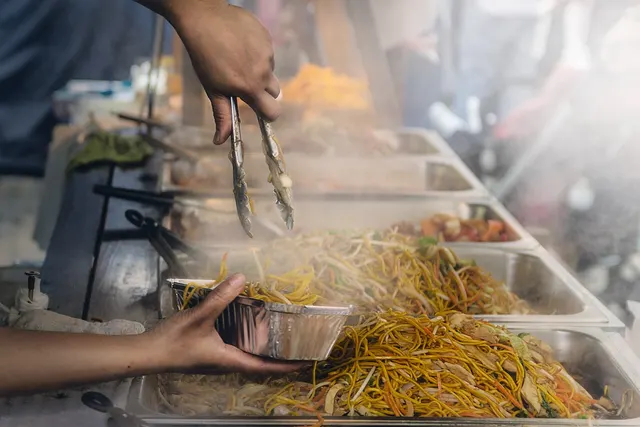
Photo: Pixabay
On this page 8 sections
- Why Fixed Buttons and Open-Price Keys Fail at a Steam Table
- Build the Turo Turo POS System Around the Plate
- Price Rice, Sabaw and Premium Ulam Into the Menu
- Trays and Bilao Get Their Own Buttons
- Marking an Ulam Sold Out in the Middle of Service
- Counter Hardware That Survives Steam and the Lunch Line
- Keep Phone and Tray Orders From Raiding the Walk-Up Pans
- Five Tests to Run on the Demo Device
Key takeaways
- Make each plate size an item and each ulam a modifier. Set the group's minimum and maximum to match the plate, so a combo can't ring up with the wrong number of dishes.
- On Clover, automatic stock counts only work on items. Staff can still turn a modifier off by hand from the device, which is how you mark a pan sold out during service.
- Some reporting tools don't count modifiers one by one. Ask to see a per-ulam report by hour before you buy.
- In the illustrative example, missed extra-rice and premium upcharges cost $4,368 a year. Rerun the math with your own plate counts.
A turo turo POS system works when the plate size is the menu item and each ulam is a required choice inside it. Your cashier taps "2-Item Combo," taps the two dishes the customer pointed at behind the glass and picks the rice, and the register prices the plate without anyone keying in a dollar amount. Build it that way and correct upcharges, a faster line and dish-level sales data all follow.
Most restaurant menus run the other way, with one button per finished dish. A steam table sells a plate size and lets the customer fill it, so a standard setup either buries the cashier in buttons or pushes them onto the open-price key.
Why Fixed Buttons and Open-Price Keys Fail at a Steam Table
Here is the button math for an illustrative counter with 14 ulam and three plate sizes:
- A 1-item plate needs 14 buttons.
- Two-item combos with two different dishes have 91 possible pairs. Allow a double scoop of one dish and it's 105.
- At three items, there are 364 combinations of different dishes, or 560 once repeats are allowed.
That's 679 buttons before rice enters the picture. Offer plain or garlic rice and it doubles to 1,358. Build the same counter with plate sizes as items and dishes as choices, and you need about 21 buttons: three plates, 14 ulam and a handful of rice options.
Faced with hundreds of buttons, cashiers do the sensible thing and use the open-price key. They punch in the plate total and move on, which costs you in three ways:
- You lose the dish data. The report shows a 2-item combo, but not whether it was sinigang and pancit or kare-kare and lumpia.
- Upcharges drift. Each cashier remembers the premium prices a little differently.
- Voids and refunds get hard to audit. A plate entered as a bare dollar amount can't be checked against anything.
Missing dish data hurts more at a steam table than at a cook-to-order kitchen. Hotel pans get cooked in batches ahead of the weekday lunch rush and the after-Mass Sunday crowd, and without a count of what sold, every batch size is a guess.
Build the Turo Turo POS System Around the Plate
Flip the menu. Each plate size becomes an item at its base price, and every ulam goes into one modifier group, which is the POS term for a set of choices attached to an item.
Clover is a useful reference because its rules are documented. In the Clover dashboard, each modifier group has a Minimum and a Maximum setting for how many choices a server can select. Clover's help center illustrates the maximum with burger toppings: offer five, set the maximum to five. Its developer documentation describes the minimum as the number of modifiers from the group that must be applied to the line item at the register. At a steam table, a minimum and maximum of 2 means a 2-Item Combo can't go through with one dish or three.
- Create one item per plate size and set each base price.
- Build an "Ulam" modifier group with every dish on the steam table. Standard dishes carry no added charge.
- Attach the group to each plate with matching limits: minimum and maximum of 1 on the 1-Item Plate, 2 on the 2-Item Combo and 3 on the 3-Item Combo.
- Allow repeat selections if customers can take a double scoop of one dish, like double adobo.
- Add a required rice group (covered below) so rice is never skipped.
- Have the ulam list open automatically when a plate is tapped. Clover calls this setting "Auto-show modifiers."
- Put the plate buttons on the first screen in the largest tiles, and sort the ulam in the same left-to-right order the pans sit behind the glass.
Test step 4 in every channel you sell through. On Clover's feedback forum, a merchant reported that the in-store register let staff pick the same modifier more than once, using three tacos with the same meat as the example, while Clover's online ordering didn't. A Clover admin marked the request completed in November 2025, saying multiple modifiers had been released in October and enabled by default for supported products. Clover's online menu help page now says diners can choose multiple quantities of a single modifier. The lesson applies to any system: the register, your online store and third-party ordering apps can each treat the same menu differently. Place a double-adobo test order in each one before you go live.
Price Rice, Sabaw and Premium Ulam Into the Menu
Steam tables leak money on small add-ons because staff forget to charge for them during a rush. Make rice a required group with plain rice, garlic rice at its upcharge and a no-rice option, so the cashier has to ask every time. Set up extra rice as a separate priced modifier that can be picked more than once.
Premium dishes such as lechon kawali, crispy pata, kare-kare or seafood belong in the ulam group with the upcharge built into the modifier. A plate with kare-kare then rings up at the same price no matter who is on the register. Add sabaw as a modifier even if it's free, because free modifiers still leave a record of how often customers ask for it. Halo-halo, turon and other desserts work better as their own items so they report as separate sales.
Here is an illustrative estimate of what forgotten add-ons cost, based on these assumptions:
- Your counter sells 180 plates a day, six days a week (312 days a year).
- One customer in five orders extra rice at $1.50, and the cashier misses one in six of those during the rush.
- 25 plates a day include a premium dish with a $2 upcharge, and the cashier misses one in ten.
Thirty-six extra-rice orders a day with one in six missed is 6 lost charges, or $9 a day and $2,808 a year. Premium misses come to 2.5 a day: $5 a day, or $1,560 a year. Together that's $4,368 a year from two buttons nobody pressed. Swap in your own plate count, prices and miss rate.
Planning to offset card fees with a cash discount or dual pricing for restaurants? Your menu board and receipts then have to follow card network display rules, and surcharging is restricted by law in some states. Our comparison of surcharging vs. cash discounts for Filipino restaurants walks through the differences. Confirm current rules with your provider and, for state law, a qualified professional.
Trays and Bilao Get Their Own Buttons
Party trays follow the same logic at a larger scale. Make Half Tray and Full Tray their own items, give each a required one-ulam choice with the same premium upcharges as the plates, and price pancit bilao by size. If a full tray of adobo gets rung up as "10 scoops," your reports blend catering demand with lunch demand, and the two need different batch plans.
Large tray orders also need a deposit policy. Our guide to taking deposits for lechon and catering orders covers how much to collect and when, and the piece on holiday lechon preorders and no-show rules handles the December crunch.
Marking an Ulam Sold Out in the Middle of Service
A common worry with this setup is that dishes stored as modifiers fall outside the POS's stock tools. On Clover that's only half true, and the half that matters at a steam table works fine.
Clover separates two kinds of availability control. Automatic availability is item-level: the stock count drops as items sell, and when it hits zero the item's availability toggle turns off until someone updates the count. Manual availability covers both items and modifiers, and Clover says it can be managed from the dashboard or from the device itself. Availability controls whether an item or modifier shows as sellable on the POS and online. When the kare-kare pan runs dry at 12:30, a cashier can switch that one modifier off at the register, and it stops appearing as a choice.
Manual control suits a steam table better anyway, because you cook by the pan, and a stock count of "servings" is never accurate. Other systems handle this differently, so in any demo, ask the salesperson to mark one ulam unavailable from the counter device and time it. If the answer is "log in to the web dashboard," that's too slow for a lunch line.
Reporting needs the same scrutiny. Some tools roll modifiers into the parent item's revenue instead of counting them. Thrive Metrics, a third-party inventory tool, states in its help center that modifiers are not listed on its sales report as individual items. Before you commit, ask to see a report that counts each ulam by day and by hour.
Pair that report with a waste log, where staff note pans cooked and pans tossed for each dish at close. Say a week shows 60 pinakbet selections against 140 for adobo, and pinakbet gets thrown out most nights (illustrative numbers). Cook a smaller pan, or cook it only on the days it sells.
Counter Hardware That Survives Steam and the Lunch Line
Your register sits a few feet from steam, and staff work in wet gloves. Keep screens and readers off the steam table itself, and use a spill guard where staff tap the screen.
| Component | Why It Matters at a Turo Turo Counter | Options MannyPay Sells |
|---|---|---|
| Customer-facing display | Customers check their dishes before paying, which cuts "I said laing, not pinakbet" corrections | Clover Duo |
| Tap-enabled reader or PIN pad | Contactless cards and phone wallets speed up each payment | PIN pads, smart terminals |
| Handheld terminal | A second staff member can take payment down the line during a rush | Clover Flex, PAX A920 Pro |
| Cash drawer | Many turo turo regulars still pay cash | POS accessories |
The Clover Duo countertop POS shows customers their combo as it's built. If you already have a register and only need faster card acceptance, a unit from the PIN pad lineup may be enough. For the Sunday line, a handheld card terminal lets a second person collect payment while the first keeps scooping. To compare complete setups, browse MannyPay's restaurant POS systems.
Keep Phone and Tray Orders From Raiding the Walk-Up Pans
Office lunch orders and family call-ins can empty a pan before the walk-up line reaches it. Give phone and tray orders their own order types so staff can tell them apart at a glance and your reports split them out. Print every phone ticket with a name and pickup time, and during the rush, assign one person to pack them.
Decide up front how phone orders get paid. Customers can pay at pickup, or you can take the card over the phone through a virtual terminal for phone orders. Keyed card-not-present sales generally cost more in interchange than tapped or dipped cards and carry more chargeback risk, so a sensible split is to collect at pickup for single plates and use phone payment for trays and deposits. If you want customers ordering ahead online, see online ordering without high delivery app fees.
When the steam table sits inside a grocery store, hot prepared food is often taxed differently from shelf items and treated differently under EBT. Read hot food counter sales tax and EBT rules and confirm the details for your state with a tax professional.
Five Tests to Run on the Demo Device
Write your whole menu on one page, down to the last add-on. Then ask the salesperson to do these on the actual device, not a slide deck:
- Ring up a 3-Item Combo with double adobo, garlic rice, extra rice and a kare-kare upcharge, and check the total by hand.
- Try to finish a 2-Item Combo with only one dish selected. The system should refuse.
- Mark one ulam sold out from the counter device and time how long it takes.
- Pull a report showing how many times each ulam sold yesterday, by hour.
- Split that report by order type: walk-up, phone and tray.
Any system that fails test 2 or test 4 will push your cashiers back to the open-price key once the line gets long. For the pricing side of the decision, read what to look for in credit card processing for Filipino restaurants. MannyPay works with Filipino-American businesses and restaurants and bars. Request a free quote and attach your one-page menu, and a MannyPay specialist will respond within one business day to go over hardware and processing for your counter.
Sources
- Add Multi-Location Modifier Groups (Clover Help Center)
- Create Modifier Groups and Their Modifiers (Clover Help Center)
- Update a Modifier Group (Clover Developer Docs)
- Manage Item and Modifier Availability (Clover Help Center)
- Automatically Manage Item Availability (Clover Help Center)
- Step 4: Prepare Your Online Menu (Clover Help Center)
- Allow Multiple Modifier Selection on COLO (Clover Feedback Forum)
- Modifiers (Thrive Metrics Help Center)
This article is for general educational purposes and is not legal, tax or financial advice. Card network rules and state laws change; confirm current requirements for your business.