Food Truck Sales Tax: Collecting the Right Rate at Every Stop
Learn how food truck sales tax works when you move between cities, how to set up location-based POS tax rates and which reports to keep for filing.
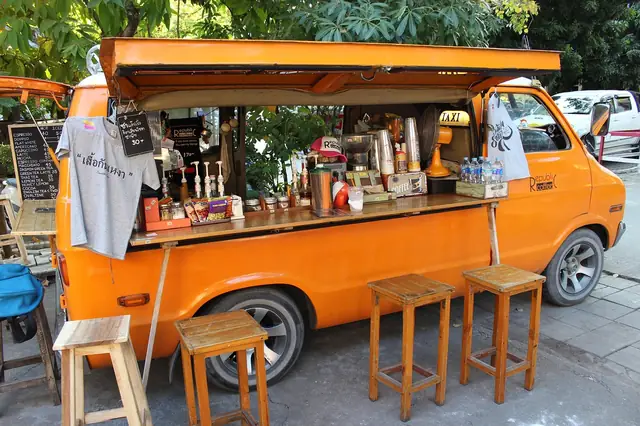
Photo: Pixabay
On this page 8 sections
- Why Food Truck Sales Tax Gets Complicated When You Move
- Point-of-Sale Sourcing: Which Location's Rate Applies
- Prepared Food Sales Tax: What's Taxable on Your Truck
- Setting up Sales Tax by Location in Your POS
- Tax-Included Pricing vs. Adding Tax at Checkout
- Event Permits and Temporary Vendor Tax Registration
- Reports You Need When Filing Returns
- Next Steps for Your Truck
Key takeaways
- In many states, the sales tax rate for a food truck sale depends on where the sale happens, not where your commissary or office is.
- Build a separate, clearly named tax rate in your POS for each jurisdiction you serve, and switch to it before the first ticket at every stop.
- Prepared food is often taxed differently from groceries, and some cities or counties add their own meals taxes, so confirm what applies to your menu.
- Pull sales-by-tax-rate reports for each stop and date so your returns match what you actually collected.
Food truck sales tax is simple when you park in the same spot every day. It gets harder when Monday is an office park in one city, Thursday is a brewery in the next county and Saturday is a festival across another line. This guide covers how location affects the rate you charge and how to set up your POS so each stop gets the right rate. It also covers how pricing choices affect tax, what event organizers may ask of you and which reports to keep for filing.
This article is general information, not tax or legal advice. Sales tax rules are set by states and, in many places, by cities, counties and special districts. Confirm your obligations with your state's department of revenue and a qualified tax professional.
Why Food Truck Sales Tax Gets Complicated When You Move
A brick-and-mortar restaurant has one address, so it usually has one combined tax rate. A truck can collect under several rates in the same week, sometimes in the same day.
The combined rate a customer pays is often built from layers:
- State rate, which applies statewide.
- County rate, which can differ from one county to the next.
- City rate, which can change when you cross a municipal boundary, even a few blocks away.
- Special district rates, such as transit or tourism districts, which may cover only part of a city.
- Local meals or prepared food taxes, which some jurisdictions add on top of general sales tax.
Two lunch spots on the same road can carry different total rates if the road crosses a city limit. City names and ZIP codes are not reliable guides, because a ZIP code can cover more than one taxing jurisdiction. If you use a single default rate everywhere, you will probably undercollect at some stops and overcollect at others. Either mistake can create problems at filing time or in an audit.
Point-of-Sale Sourcing: Which Location's Rate Applies
"Sourcing" is the rule for which location's rate applies to a sale. For over-the-counter sales, where the customer pays and receives the food on the spot, many states source the sale to where it happens. For a truck, that is usually where you are parked when you serve the customer.
Mobile vendor sales tax rules do vary, though. Before you build your POS setup, get clear answers from your state on these questions:
- Is the sale sourced to the vending location or to your business address? Don't assume. Confirm how your state treats walk-up sales from mobile vendors.
- Do you need to report sales by local jurisdiction on your return? Some states ask you to break sales out by city or county code.
- How are catering and delivered orders sourced? A private event or delivered order may be sourced to the delivery address rather than your usual stop.
- Are there local meals taxes administered separately? Some local taxes are filed with the city or county instead of the state.
Many state revenue departments offer a rate lookup tool that works by street address. Use it for every regular stop and every one-off event, and save the result with the date. Rates can change, so recheck your saved stops on a regular schedule and watch for rate-change notices from your state.
Prepared Food Sales Tax: What's Taxable on Your Truck
Many states exempt or reduce tax on groceries but fully tax prepared food. Almost everything a food truck sells counts as prepared food, but some edge cases deserve a check with your state:
- Packaged items sold as-is, such as bottled water, canned soda or bagged chips. Some states treat these differently from hot food.
- Cold items versus hot items. In some states, whether food is heated or sold for immediate consumption affects how it's taxed.
- Seating. Whether you provide tables and chairs, or the venue does, can matter in some states.
- Bulk or take-home items, such as a jar of your house salsa or a dozen cookies.
- Mandatory service charges and delivery fees, which may be taxable even where voluntary tips are not.
Getting prepared food sales tax right at the item level matters as much as getting the location rate right. If your POS lets you mark individual items as taxable, nontaxable or subject to a separate rate, set that up once for the whole menu. Then you only have to switch the location rate as you move.
Setting up Sales Tax by Location in Your POS
The goal is to make the correct rate the default at each stop, so nobody has to remember during a lunch rush.
Build a Named Rate for Each Jurisdiction
Create one tax rate entry for each combined jurisdiction you serve. Name each one so it's obvious at a glance, for example "Riverside City – Dock St Brewery" rather than "Tax 3." Store the combined rate and, if your POS allows it, the components (state, county, city, district). That makes your reports easier to reconcile.
Choose a Switching Method
POS systems handle this in different ways. Ask your provider which of these your setup supports:
| Method | How It Works | Best For | Watch Out For |
|---|---|---|---|
| Manual rate switch | Staff select the active tax rate at the start of each stop | Trucks with a few regular stops | Easy to forget during a hectic setup |
| Separate location or device profiles | Each regular stop has its own profile with preset rates | Trucks with a predictable weekly route | More setup, plus reports to combine later |
| Tax rates tied to menu or order type | Duplicate menus or order types carry different rates | Simple menus with occasional events | Menu edits must be repeated across copies |
If you're still choosing hardware, our guide to the best food truck POS system for a moving kitchen covers offline mode, battery life and multi-location settings in more detail.
Make It Part of Your Opening Checklist
Add "confirm tax rate for today's location" to the same checklist as propane, generator and cash drawer. Run one test ticket before the window opens and check the tax line on the receipt.
Don't Forget Offline Mode
Spotty signal at fairgrounds and parking lots is common. Many terminals can store card transactions offline and process them later, but the tax is calculated with whatever rate was active when the ticket was rung up. Switch rates before you lose connection, not after. Truck-friendly mobile card terminals and handheld terminals for line-busting are worth comparing on how they handle offline sales.
Illustrative Weekly Route
The rates below are made up to show the setup. They are not real rates for any location.
| Day | Stop | Jurisdiction | Illustrative Combined Rate |
|---|---|---|---|
| Monday | Office park lunch | City A, County 1 | 7.5% |
| Wednesday | Hospital campus | Unincorporated County 1 | 6.75% |
| Friday | Brewery evening | City B, County 2, transit district | 8.25% |
| Saturday | Downtown festival | City C, County 2, tourism district | 9.0% |
If the Friday rate were set as the default all week, Monday and Wednesday customers would be overcharged and Saturday sales would be undercollected. You would owe the Saturday difference out of pocket.
Tax-Included Pricing vs. Adding Tax at Checkout
Many trucks like round prices, such as a $12 plate and a $4 drink (illustrative prices). Rounding makes for faster lines and easier cash handling. You have two broad options.
Adding tax at checkout shows the menu price, then adds the location's rate at the register. Your menu stays the same everywhere, and the POS does the math. The drawback is odd totals and more coins.
Tax-included pricing builds the tax into the posted price. Some states allow this only if you clearly disclose it, often with a sign stating that prices include tax. Other states restrict it. Even where it's allowed, you still owe tax on the pre-tax portion. That means your POS must back the tax out of each sale, and the backed-out amount changes when you move to a jurisdiction with a different rate.
If you use tax-included pricing across several jurisdictions, decide in advance whether you'll keep prices fixed and accept slightly different margins at each stop, or adjust prices by location. Either way, confirm your state allows it and what disclosure it requires.
Card-fee programs add another layer. If you're considering dual pricing to show cash and card prices or a cash discount program, ask your tax professional how your state treats the price difference for sales tax purposes. Treatment varies, and your POS settings should match the answer you get.
Event Permits and Temporary Vendor Tax Registration
Festivals, fairs and markets bring their own paperwork. Depending on the state and event, you may run into:
- Temporary or special event vendor registration, sometimes required even if you already hold a regular sales tax permit, especially when you sell in a state where you're not based.
- Organizer reporting. Some event organizers collect vendor permit numbers and share vendor lists with the state.
- Event-specific filing. Some states ask vendors to report event sales separately or under a specific location code.
- Local health and vending permits, which are separate from tax registration but are often requested in the same vendor packet.
Ask the organizer early which tax permits they require. Then check with the state where the event is held. Out-of-state festivals are an easy place to get caught without the right registration, so build that check into your event planning before you commit to the booking.
Reports You Need When Filing Returns
Good filing starts with good records from your POS. Before each filing period, pull or export:
- Sales by tax rate, so you can see taxable sales and tax collected for each jurisdiction.
- Sales by date and location, matched to your route calendar or event schedule.
- Taxable vs. nontaxable sales, if you sell any exempt items.
- Refunds, voids and comps, which may reduce taxable sales if handled correctly.
- Tips and service charges, kept separate, because they may be treated differently.
- Cash sales, which must be rung through the POS so they appear in your tax totals.
- Catering invoices, with the delivery or event address for each.
Reconcile these against your card processing deposits and cash deposits. If your POS totals, bank deposits and filed returns all agree, an audit is far easier to get through. For more on how processing statements and deposits fit together, see our practical guide to restaurant payment processing.
Next Steps for Your Truck
- List every stop and event on your route, and look up the combined rate for each exact address with your state's tool.
- Confirm with your state how mobile vendor sales are sourced and reported.
- Classify your menu items for prepared food rules.
- Build named tax rates in your POS and add the rate check to your opening checklist.
- Decide on tax-included or tax-added pricing, and confirm disclosure rules.
- Set a monthly reminder to pull sales-by-tax-rate reports and recheck saved rates.
If your current setup makes location-based tax hard to manage, MannyPay offers payment processing for food trucks along with POS systems and mobile hardware from brands including Clover, Valor, Dejavoo and PAX. You can request a free quote, and a MannyPay specialist will respond within one business day.
This article is for general educational purposes and is not legal, tax or financial advice. Card network rules and state laws change; confirm current requirements for your business.