Hotel Third-Party Credit Card Authorization Forms: A Fraud-Resistant Setup
Learn what a hotel credit card authorization form must include, how to verify third-party cardholders, and safer options that reduce booking fraud.

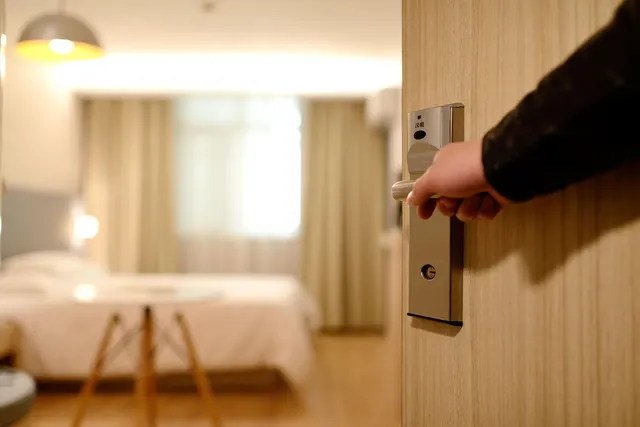
Photo: Pixabay
On this page 8 sections
- Why Third-Party Bookings Attract Hotel Booking Fraud
- Set Your Third-Party Payment Policy First
- What a Hotel Credit Card Authorization Form Must Include
- Verifying the Cardholder When the Cardholder Is Not Present
- Secure Payment Links vs. Emailed PDF Forms
- Red Flags That Signal a Fraudulent Booking
- Storing and Destroying Authorization Forms Safely
- Next Steps for Your Property
Key takeaways
- A third-party authorization is a keyed, card-not-present transaction, so verification is your main defense against fraud chargebacks.
- A good form names the cardholder, the guest, the dates, the exact charges covered and a maximum amount, and has a signature.
- Hosted payment pages or payment links keep card numbers out of inboxes and off printers, which emailed PDF forms cannot do.
- Store forms in a locked location with access limited to a few staff, never keep the security code, and shred on a set schedule.
A parent books a room for a college student. An executive assistant reserves rooms for a sales team. A friend pays for a birthday weekend. Each of these needs a hotel credit card authorization form because the person paying will never stand at your front desk. This guide covers five things:
- What the form should capture
- How to verify the cardholder before arrival
- Why secure payment links usually beat emailed PDFs
- Which red flags to watch for
- How to store and destroy forms so they don't become a liability
Why Third-Party Bookings Attract Hotel Booking Fraud
Most third-party payments are legitimate. Employers, wedding planners, sports team coordinators and family members pay for other people's rooms every day. The problem is that a fraudster's request looks the same as theirs.
Paying for someone else's hotel room is risky for the property for three reasons:
- The transaction is card-not-present. The card is keyed in from a form, not dipped or tapped. Chip protection doesn't apply, and in a fraud dispute the burden usually falls on the merchant.
- The value is used up right away. A room night can't be returned. By the time the real cardholder sees the charge, the guest has checked out.
- The guest and the payer are different people. A criminal with a stolen card is counting on that gap. They book a room for themselves or an accomplice, or they resell the stay.
When the real cardholder disputes the charge, the hotel usually receives a fraud chargeback. A signed form strengthens your case, but it does not guarantee a win. Our guide to winning hotel fraud and "didn't stay" chargebacks explains what evidence matters.
Keyed transactions can also be priced differently from card-present ones. See lodging processing rates explained for how that works.
Set Your Third-Party Payment Policy First
Write down the rules before you write the form. Your front desk needs answers to these questions at 11 p.m. on a sold-out Saturday:
- Do you accept third-party payment at all? Some properties require the cardholder to be present. Others accept forms only for direct bookings.
- What can the card cover? Room and tax only is the safest scope. Covering incidentals, parking, pet fees or damage raises your exposure.
- What is the cutoff? Set a deadline, such as the day before arrival, so you have time to verify. Same-day forms deserve extra scrutiny or a firm no.
- What must the guest bring? At minimum, a government ID matching the guest name on the form. Many hotels also require the guest's own card for incidentals. Our hotel incidental hold guide covers that in detail.
- Who can approve exceptions? Name a manager, not "whoever is on shift."
Put the policy on your website, in confirmation emails and in the form itself. A guest who knows the rules before booking is less likely to argue at check-in.
What a Hotel Credit Card Authorization Form Must Include
Every field on the form should either help you verify the payer or help you prove authorization later.
| Field | Why It Matters |
|---|---|
| Property name, address and phone | Shows the cardholder exactly who will charge them |
| Cardholder full name, billing address, phone and email | Lets you run address verification and call the payer back |
| Card brand, number and expiration date | Needed to process the charge |
| Guest name(s) checking in | Lets the desk match ID at arrival |
| Confirmation number, arrival and departure dates, room type and number of rooms | Ties the authorization to one specific stay |
| Charges authorized (room and tax, specific fees, incidentals yes or no) | Prevents "I only agreed to the room" disputes |
| Maximum amount authorized | Caps your exposure and the cardholder's |
| Cancellation and no-show policy, acknowledged | Supports fees if plans change |
| Cardholder signature and date | Documents consent |
Fields to Think Twice About
Many hotels ask for photos of the front and back of the card and the cardholder's photo ID. These can help with verification, but every image you collect is sensitive data. You have to protect it and eventually destroy it. If you request images, decide in advance who reviews them, where they are kept and when they are deleted.
You need the card security code to run a verification check at authorization. Do not keep it in your records afterward (see the storage section below).
Hotel Authorization Form Template Checklist
Use this as a starting point for your own hotel authorization form template. Have an attorney review the final wording.
- A plain-language statement such as: "I authorize [property] to charge my card for the stay described below, up to the maximum amount shown."
- A checkbox list of covered charges, with incidentals unchecked by default.
- A line confirming the cardholder is not staying and naming who is.
- The cancellation, no-show and deposit terms in full, not "see website."
- A statement that the guest must show valid photo ID at check-in.
- Signature, printed name and date.
A form documents consent. It doesn't override card network rules, and it doesn't guarantee you will win a dispute. This section is general information, not legal advice, so confirm your form language with a qualified professional.
Verifying the Cardholder When the Cardholder Is Not Present
A hotel cardholder-not-present booking is only as safe as the checks behind it. Build these steps into your workflow:
- Call the cardholder. Use the phone number on the form and confirm the guest name, dates and amount. For corporate bookings, call the company's main line from its public website, not the number in the email signature.
- Run address and security code checks. When you key the card into your terminal or virtual terminal, review the address verification and security code responses. Treat a mismatch as a stop, not a suggestion.
- Authorize before arrival. Run the authorization when you verify the booking, not at check-in. If the card declines, you have time to contact the cardholder before the guest is standing at the desk.
- Use 3-D Secure online. If the payer enters the card on a web page, 3-D Secure authentication adds an identity check by the card issuer. Depending on network rules, it can also shift fraud liability for eligible transactions. Confirm the details with your processor.
- Match ID at check-in. The guest's ID must match the guest name on the form. If it doesn't, require the guest's own payment.
- Note everything in the reservation. Record who verified the booking, when and how. That note becomes chargeback evidence.
Secure Payment Links vs. Emailed PDF Forms
The classic method is a PDF that the payer prints, signs, scans and emails back. It works, but it puts a full card number into inboxes, printers, scanners and sometimes fax machines. You have to control every one of those copies.
A secure payment link or hosted payment page avoids most of that. The payer enters the card directly on your gateway's page, and your staff never see the full number.
| Factor | Emailed PDF Form | Payment Link or Hosted Page |
|---|---|---|
| Where card data lands | Email, printouts, scans | The gateway's secure page |
| Address and security code checks | Staff key in manually | Run automatically at entry |
| 3-D Secure | Not available | Available where supported |
| Staff exposure to card numbers | Full number visible | Typically masked |
| Card-security compliance scope | Larger | Usually smaller; confirm with your processor |
| Proof of consent | Wet or scanned signature | Terms acceptance plus transaction record |
If you use links, still capture the authorization terms. Show them on the payment page, or send a short e-signature form that names the guest, dates and maximum amount.
Ask your provider whether your payment gateway or virtual terminal for keyed and remote payments supports hosted pages or invoicing. If your PMS manages reservations, check how payments post back to the folio. Our guide to choosing a processor that integrates with your hotel PMS walks through those questions. MannyPay is also expanding its merchant platform to include text-to-pay and payment links.
Red Flags That Signal a Fraudulent Booking
No single sign proves fraud. Several together should trigger a phone call or a decline.
- Same-day or last-minute booking paid by a third party, especially for a high-demand night.
- No clear relationship between payer and guest, combined with reluctance to explain it.
- Payer refuses a phone call and insists on email or text only.
- Overpayment requests. The payer asks you to charge more than the stay and send the difference to the guest, a "travel agent" or another card. This is a classic scam. Never refund to a different payment method or person.
- Multiple cards tried after declines, or a new card arriving minutes after the first fails.
- Mismatched details. A corporate booking from a free email account, or a billing address that fails verification.
- Several rooms on different cards for the same guest or group.
- Blurry, cropped or edited card images.
- Pressure and urgency. "The guest is already on the way, just run it."
When you see these signs, offer the guest a simple alternative: pay with their own card at check-in. Legitimate guests usually can. For a deeper checklist, see spotting bad hotel bookings before arrival.
Storing and Destroying Authorization Forms Safely
A drawer of signed forms with full card numbers is a breach waiting to happen. Treat every form as sensitive from the moment it arrives.
- Never keep the security code. Industry card-security standards prohibit keeping it after authorization. Black it out or don't write it down. Confirm current requirements with your processor.
- Mask the card number on anything you keep for dispute evidence. The last four digits are usually enough to tie a form to a transaction.
- Get card data out of email. Once the card is entered, delete the message and attachment, then empty the trash. Don't forward forms internally.
- Lock it down. Keep paper forms in a locked cabinet that only managers can open, not at the front desk. Keep digital copies in one restricted folder, not on a shared drive.
- Set a retention schedule. Keep masked forms long enough to cover your dispute window, then destroy them. Ask your processor about dispute timelines. Ask your attorney or accountant about your record-keeping obligations.
- Destroy properly. Use a cross-cut shredder or a shredding service, and securely delete digital files.
- Train every shift. Night auditors and weekend staff handle as many forms as day managers. Everyone should know the policy.
Next Steps for Your Property
- Write a one-page third-party payment policy.
- Rebuild your form using the checklist above.
- Decide whether a payment link or hosted page can replace emailed PDFs.
- Train every shift on the red flags and on how to store and destroy forms.
If you want help setting up card-not-present acceptance, 3-D Secure, or a terminal and gateway that fit your front desk, review MannyPay's payment solutions for hotels or request a free quote. A MannyPay specialist responds within one business day.
This article is for general educational purposes and is not legal, tax or financial advice. Card network rules and state laws change; confirm current requirements for your business.