Self-Order Kiosks for Restaurants: Costs, ROI, and Setup
Self-ordering kiosk restaurant guide: hardware and software costs, unattended payment security, upsell potential and how to estimate your ROI.

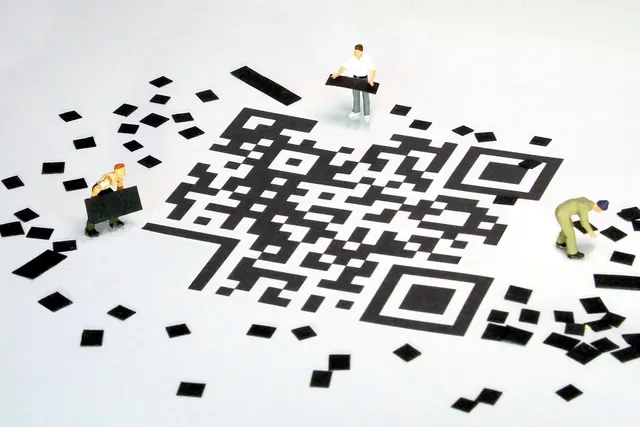
Photo: Pixabay
On this page 7 sections
Key takeaways
- Kiosks pay off most for high-volume, counter-service concepts with repeatable menus and visible lunch or late-night rushes.
- Total cost includes hardware, software subscriptions, POS integration, mounting, network work and an unattended-ready payment terminal, so get every line item quoted.
- Unattended checkout changes your security, refund and age-verification workflows. Plan them before launch.
- Estimate ROI from your own POS data and confirm it with a short pilot.
Whether a self-ordering kiosk restaurant setup pays off depends on three things: what the hardware and software actually cost, how well the kiosk takes unattended payments, and whether guests spend more when a screen makes the suggestions. This guide covers each one for quick-service owners. You'll learn which concepts benefit most, what to budget, how to handle security and accessibility, and how to build a simple ROI estimate from your own sales data before you sign anything.
Which Restaurants Benefit Most From Self-Ordering Kiosks
Kiosks are not a fit for every dining room. They tend to work best where ordering is the bottleneck, not the kitchen.
Strong candidates:
- Burger, chicken, sandwich and bowl concepts with build-your-own menus. Guests can work through modifiers at their own pace instead of reciting them to a cashier during a rush.
- High-volume lunch spots near offices or campuses, where the line out the door at noon is the main limit on sales.
- Late-night and stadium-adjacent counters, where staffing a full register crew is hard and guests mostly want speed.
- Coffee and smoothie shops with heavy customization, as long as the bar can keep up with faster order intake.
- Food halls and multi-concept counters, where one bank of kiosks can route tickets to several kitchens.
Weaker candidates:
- Full-service dining, where a server takes the order and the check comes at the end. Pay-at-the-table tools usually fit better there. Our guide to pay-at-the-table devices for restaurants covers that model.
- Very small menus with fast cashiers, where a kiosk adds steps instead of removing them.
- Venues where many orders include alcohol and require ID checks at the point of sale.
A quick test: if your POS reports show long gaps between when guests walk in and when tickets hit the kitchen during peak hours, kiosks may relieve that pressure. If the kitchen is already backed up, faster ordering just moves the wait to the pickup counter.
Some operators skip dedicated hardware and let guests order from their own phones. Our QR code ordering and payment setup guide is worth reading as a lower-cost comparison.
Restaurant Kiosk Cost: Hardware, Software and Payment Terminals
Restaurant kiosk cost varies widely by brand, screen size, mounting style and software model. Quotes are usually structured as an upfront hardware charge plus recurring fees. Ask for every item below in writing.
| Cost Item | What It Covers | Questions to Ask |
|---|---|---|
| Kiosk hardware | Touchscreen, enclosure, receipt printer, scanner | Floor stand, wall or countertop? Is a printer included? |
| Payment terminal | Card reader for chip, contactless and wallets | Is it built in or a separate attached device? Does it support PIN? |
| Kiosk software | Ordering interface, menu display, upsell prompts | Per-kiosk or per-location pricing? What does each tier include? |
| POS integration | Sends orders to your POS and kitchen display | Native integration or third-party connector? Any added fee? |
| Installation | Mounting, cabling, electrical, network setup | Who installs? Is onsite setup included? |
| Network | Wired connection, segmented network for payments | Does your current network support it securely? |
| Support and warranty | Repairs, replacement units, software updates | How quickly is a unit replaced if it fails at lunch? |
| Menu content | Photos, item descriptions, modifier logic | Who builds and updates the menu? |
All-in-One POS Kiosks vs. Add-On Systems
You generally have two paths:
- A kiosk from your POS ecosystem. For example, the Clover Kiosk runs inside the Clover environment, so menus, modifiers and reporting stay in one system. That simplifies menu updates and reconciliation.
- A third-party kiosk platform connected to your existing POS. This can offer more design flexibility, but you are managing another vendor, another contract and another integration that can break.
If you're still choosing a core system, start with our restaurant POS buyer's checklist. Kiosk compatibility should be one of your criteria. You can also browse MannyPay's self-service kiosk options and full line of restaurant POS systems.
The Kiosk Payment Terminal
The kiosk payment terminal is the part owners most often underspecify. It needs to accept EMV chip cards, contactless cards and digital wallets, and it should be approved for unattended use and supported by your processor. A standard countertop reader is not always suitable for a kiosk. Confirm that the device, the kiosk software and your processor are certified to work together before you buy. For background on tap-to-pay hardware, see our overview of contactless payment setup and costs.
Be cautious with long, non-cancelable equipment leases. Compare the total lease cost to an outright purchase and read the cancellation terms before signing.
Unattended Payment Security and Compliance
An unattended payment restaurant setup removes the cashier who would normally notice a tampered reader, a confused guest or a suspicious transaction. Your processes have to fill that gap.
Security Checklist
- Use payment devices approved for unattended use, and ask your provider and processor to confirm the device's current security approval status.
- Keep payments on a segmented network, separate from guest Wi-Fi and back-office computers.
- Inspect readers daily for skimmers, overlays, loose parts or broken seals. Assign the check to a specific shift lead.
- Lock enclosures and restrict who can access cabling and power.
- Keep software updated on both the kiosk and the payment device.
- Keep your PCI DSS compliance validation current and make sure it covers the kiosks. Ask your provider what your validation involves.
Operational Rules to Settle Before Launch
- Refunds and voids: Handle them at the staffed counter, not the kiosk, and limit refund permissions to managers.
- Age-restricted items: If you sell alcohol, configure the kiosk so those items require staff ID verification before the order is fulfilled. Check your state and local licensing rules.
- Tips: Decide whether the kiosk prompts for tips at all. If it does, keep tip handling consistent with your payroll and tip-pooling practices.
- Order disputes: Keep kiosk order logs and receipts, since "I didn't order that" disputes are easier to fight with a clear record. Our guide to fighting restaurant chargebacks explains which evidence helps.
- Cash: Most kiosks are card-only. Some states and cities have cash-acceptance rules, so confirm local requirements and keep a staffed register available if needed.
Pricing Programs at the Kiosk
If you use a cost program such as dual pricing for restaurants, the kiosk screen must show prices and any card-versus-cash difference clearly and in line with card network rules and state law. A card-only kiosk complicates cash discount displays, so review the setup with your provider. Our explainer on cash discount vs. dual pricing vs. surcharging covers the differences.
Adding kiosks also doesn't change your merchant category code. Your MCC should reflect what your business actually is. See how MCC 5812 vs. 5814 affects restaurant fees for details.
Kiosk Upsell Strategies and Average Ticket Gains
The main revenue case for kiosks is consistent suggestive selling. A cashier in the middle of a rush may forget to offer a side or an upgrade. A kiosk asks every guest, every time. How much that lifts your average ticket depends on your menu, your prompts and your guests, so measure it rather than assuming it.
Kiosk Upsell Tactics That Respect the Guest
- Size and combo prompts right after the main item is chosen.
- Add-ons tied to the item, such as extra protein on a bowl, cheese on fries or an extra espresso shot.
- Dessert or drink prompts at checkout, limited to one screen.
- Photos that match what's served. Accurate images build trust and reduce complaints.
- Daypart menus that show breakfast items in the morning and late-night favorites after 10 p.m.
Common Mistakes
- Too many prompts in a row, which slows the line and annoys regulars.
- Upsells that don't fit the order, like a dessert prompt on a coffee-only ticket.
- No easy "skip" button.
- Modifier menus so long that guests abandon the order and walk to the counter anyway.
Track average ticket, prompt acceptance rate and time per order for kiosk orders versus counter orders. Your POS reporting should let you separate the two.
Accessibility and ADA Considerations
Accessibility for self-service kiosks is an evolving legal area, and requirements can come from federal and state law. Treat this as general information and confirm your obligations with a qualified attorney.
Practical features to look for when comparing kiosks:
- Screen and control placement that a guest using a wheelchair can reach from a seated position.
- Audio output with a headphone jack, plus a screen-reader or audio-guided mode.
- Tactile input options, such as a physical keypad, for guests who can't use a touchscreen.
- High-contrast and large-text modes.
- A payment terminal positioned within reach, with tactile cues for PIN entry.
- A staffed alternative, so any guest can order from a person at any time.
Ask vendors directly which accessibility features ship with the hardware and software, and get the answers in writing.
Estimating Your Kiosk ROI
Build your estimate from your own POS data, not a vendor's brochure. A simple framework:
- Count likely kiosk orders. Start with your monthly order volume and estimate what share of guests would use a kiosk.
- Estimate added gross profit per kiosk order. Take the extra ticket value from upsells and multiply it by your contribution margin after food cost.
- Value labor reallocation. If a cashier moves to the line or expo during peaks, estimate what that's worth. Kiosks rarely remove labor entirely.
- Subtract monthly costs. Include software subscriptions, support plans and processing fees on the added sales.
- Divide upfront cost by net monthly benefit to get a rough payback period.
Illustrative Example
All numbers below are hypothetical and for illustration only.
| Line Item | Illustrative Figure |
|---|---|
| Upfront cost for two kiosks, installed | $8,000 |
| Kiosk orders per month | 1,500 |
| Added ticket value per kiosk order | $0.80 |
| Added monthly sales | $1,200 |
| Contribution margin on added items | 70% |
| Added monthly gross profit | $840 |
| Monthly software and support | $150 |
| Net monthly benefit (before labor) | $690 |
| Rough payback period | About 12 months |
In this example, labor reallocation and faster peak-hour service would shorten the payback. Lower adoption or weak upsell acceptance would lengthen it.
Run a Pilot First
Before committing to a full bank of kiosks, test one or two units for a few weeks if your vendor allows it. Compare kiosk and counter tickets during the same dayparts, watch for bottlenecks at pickup, and ask staff what breaks. Then update your ROI estimate with real numbers.
Next Steps
Kiosks can relieve rush-hour pressure and make suggestive selling consistent, but only if the costs, payment setup and accessibility plan are worked out first. Gather your peak-hour POS data, get itemized quotes, confirm your payment terminal is approved for unattended use, and pilot before you scale.
If you'd like help matching kiosk hardware and payment processing to your concept, explore MannyPay's restaurant and bar payment solutions or request a free quote. A MannyPay specialist will respond within one business day.
This article is for general educational purposes and is not legal, tax or financial advice. Card network rules and state laws change; confirm current requirements for your business.