Contactless Payments for Small Business: NFC Setup and Costs
Contactless payments for small business explained: how NFC tap works, which terminals to buy, what it costs and how to manage fraud and CVM limits.
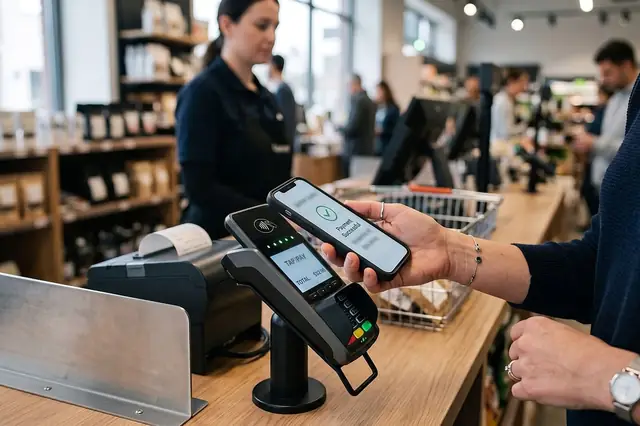
Photo: Pixabay
On this page 8 sections
- How Contactless Payments Work for Small Business
- Cards, Phones, and Wearables: What Customers Tap With NFC Payments
- Choosing a Tap to Pay Terminal or Contactless Card Reader
- Do Contactless Payments Cost More?
- Fraud and Liability on Tap Transactions
- Contactless Transaction Limits, No-Signature Rules, and CVM Explained
- Getting Staff and Customers to Use Tap
- Next Steps
Key takeaways
- Tap payments run on the same card networks as chip cards. Your pricing depends mostly on the card type, not on whether the customer tapped or dipped.
- Before you buy, confirm that the terminal is enabled for contactless cards and for Apple Pay, Google Pay and Samsung Pay, not just that it has NFC hardware.
- Contactless uses one-time cryptograms and tokens, so copied card data is hard to reuse. Lost or stolen cards and weak refund practices are still risks.
- Cardholder verification (CVM) and contactless transaction limits are set by the networks and issuers, and they change. Ask your processor what applies before you set store policy.
Customers now expect to tap a card, phone or watch at the counter. Contactless payments for small business can shorten lines and cut down on handling cards. They also bring questions about hardware, fees and fraud. This guide covers how NFC tap works, what customers tap with, how to choose a terminal, what contactless actually costs, who is liable when something goes wrong, and how to get staff and regulars using it.
How Contactless Payments Work for Small Business
Contactless payments use near-field communication (NFC), a short-range radio standard. The card or device has to be held right next to the reader. That short range is deliberate: it makes accidental or remote reads difficult.
When a customer taps:
- The terminal's NFC antenna powers up the chip in the card, or connects with the phone or watch.
- The chip or device creates a one-time cryptogram, a code that is unique to that transaction.
- The terminal sends the transaction to your processor. The processor routes it through the card network to the issuing bank for approval.
- The approval comes back in seconds, usually faster than a chip insert.
The chip technology behind a tap is the same EMV technology used when a card is inserted. Contactless isn't a separate payment network. It's another way of reading a chip-secured card, so tap transactions are generally treated as card-present. That distinction matters for both pricing and fraud. Our guide to card-present vs. card-not-present fees and fraud rules explains the difference in detail.
Cards, Phones, and Wearables: What Customers Tap With NFC Payments
Three main types of devices show up at your terminal.
Contactless Cards
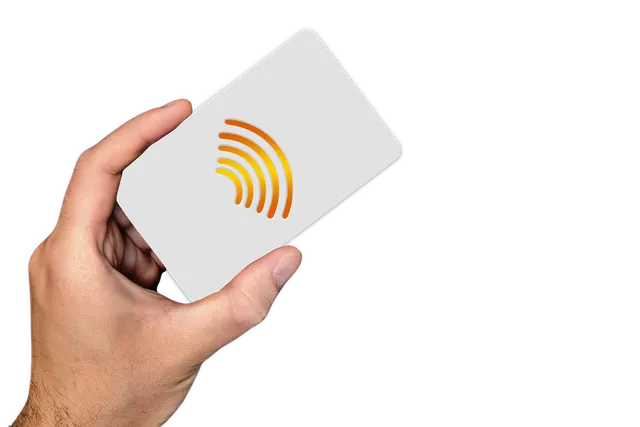
Most newly issued debit and credit cards include the contactless symbol, four curved lines that look like a sideways Wi-Fi icon. The card chip handles the cryptogram, and the customer doesn't need to unlock anything.
Phones With Mobile Wallets
Apple Pay, Google Pay and Samsung Pay store a token, a stand-in number linked to the real card, in place of the actual card number. The customer usually authenticates on the phone with a face scan, fingerprint or passcode before tapping. Because of that on-device step, wallet payments can include a stronger form of cardholder verification than a card tapped without a PIN.
Watches and Other Wearables
Smartwatches, rings and fitness bands work much like phones: a tokenized card, unlocked on the device. These are popular with gym-goers, commuters and anyone who doesn't want to dig out a wallet. That includes the coffee counter at 7 a.m. and the bar on a crowded Friday night.
Refund tip: When a customer paid with a phone or watch, your terminal saw the token, not the card number. For a smooth return, ask the customer to tap the same device again. Tapping the physical card may not match the original transaction. Spell this out in your retail returns and refund-to-card policy.
Choosing a Tap to Pay Terminal or Contactless Card Reader
"NFC-capable" on a spec sheet does not always mean "ready to accept tap." Contactless acceptance has to be supported by the hardware, certified, and switched on by your processor. Ask these questions before you buy:
- Is contactless acceptance enabled on my account for Visa, Mastercard, American Express and Discover?
- Does it accept Apple Pay, Google Pay and Samsung Pay out of the box?
- Does the terminal also support chip insert, magstripe and PIN entry for customers who can't tap or whose issuer asks for a PIN?
- Does it connect to my POS, or will staff key amounts in twice?
- How does it connect (Wi-Fi, Ethernet or cellular), and what happens when that connection drops?
Match the Form Factor to Your Checkout
| Checkout setup | Terminal type to consider | Why it fits |
|---|---|---|
| Retail counter with inventory | Countertop POS with customer-facing screen or PIN pad | Customer taps while the cashier scans items |
| Full-service restaurant or bar | Handheld terminal | Server brings the reader to the table or the rail |
| Grocery lanes | Lane PIN pad connected to the register | Handles tap, chip, PIN debit and EBT lanes |
| Liquor store | Countertop POS linked to an ID scanner | Age check and payment happen at one station |
| Pop-up, farmers market, delivery | Mobile terminal | Accepts tap anywhere with a signal |
MannyPay sells Clover, Valor, Dejavoo, PAX, First Data and SwipeSimple hardware. The lineup covers smart terminals for countertop checkout, handheld terminals for pay-at-table service and mobile terminals for on-the-go sales. For any model, confirm that your exact configuration accepts contactless cards and mobile wallets. If you're deciding between an all-in-one device and a basic card machine, see smart payment terminals vs. traditional card machines.
Industry-Specific Setup Notes
- Restaurants and bars: Tap works for opening tabs, but you still need correct preauthorization and tip-adjust settings. Review how to set bar tab holds and close tabs safely before going live.
- Grocery markets: EBT runs on separate rails from card networks, and EBT card features vary by state. Make sure the lane terminal handles tap for cards and the right EBT entry method. The grocery POS guide covering scales, PLUs and EBT goes deeper.
- Liquor stores: Faster payment doesn't replace age verification. Put the ID check before the tap prompt so staff don't skip it during a rush. See choosing an ID scanner that works with your POS.
- Retail stores: Put the reader where customers can reach it without the cashier handing it over. Self-tap is a big part of the speed advantage.
Do Contactless Payments Cost More?
Generally, no. The tap itself usually doesn't add cost. Because contactless transactions are processed as card-present, they typically qualify for the same card-present pricing as a chip insert. In general, merchants don't pay Apple, Google or Samsung a separate fee to accept wallet payments in store, because the transaction runs through the underlying card's network and your processor. Check your pricing agreement and statements to confirm how your account treats tap transactions. For where debit interchange rules stand, see our explainer on the Fed's Regulation II debit fee cap proposal and court ruling.
The factors that actually drive your cost:
- Card type. Rewards credit, business and premium cards generally carry higher interchange than standard debit. The interchange rate depends on the card, not on whether the customer tapped.
- Your pricing model. On flat-rate pricing, every card costs the same percentage. On interchange-plus, you pay the actual interchange plus a disclosed markup. Our comparison of interchange-plus vs. flat-rate pricing shows how each one plays out.
- Payment mix shift. This is the hidden cost. Making cards easier to use can move customers away from cash. Your rate per transaction may stay the same while total processing costs rise because more sales go through cards.
- Hardware. Buying, leasing or renting a terminal is a separate decision. Leases in particular can last longer than you expect, so read the terms.
Offsetting Processing Costs
Some merchants recover card costs with a cash discount program, dual pricing or surcharging where it's permitted. These programs apply the same way to tapped and dipped cards. Card network rules and state laws limit how and where surcharges can apply, including restrictions on debit cards, so get advice before you change your pricing display. Cash discount vs. surcharge vs. dual pricing lays out the differences.
Fraud and Liability on Tap Transactions
Contactless is one of the more secure ways to accept a card in person, but the risk isn't zero.
Where tap is strong:
- Dynamic cryptograms. Data copied from one tap can't easily be replayed for another transaction.
- Tokenization. Wallet payments never expose the real card number to your terminal.
- Device authentication. A phone or watch typically has to be unlocked by its owner before it will pay.
Where risk remains:
- Lost or stolen physical cards. A card can sometimes be tapped without a PIN, depending on the amount and the issuer's settings.
- Refund abuse. Refunds issued to a different card, or processed without the original transaction, invite fraud. Restrict who on staff can issue refunds.
- Social engineering. Callers posing as your processor and asking staff to "update" a terminal remain a real threat. Our piece on social engineering lessons for merchants covers the warning signs.
On liability: under the EMV liability shift, responsibility for certain counterfeit fraud generally falls on whichever party has the less secure technology. A properly certified, contactless-enabled EMV terminal puts you in a stronger position than relying on magstripe. Still, liability depends on the dispute reason and network rules, so a tap is not automatic protection against chargebacks. Keep your receipts and transaction records, and learn how the chargeback dispute lifecycle works.
Contactless Transaction Limits, No-Signature Rules, and CVM Explained
Cardholder verification method (CVM) is how a transaction confirms the person paying is the cardholder. Options include PIN, signature, on-device authentication or none at all.
Here's how this generally works in the U.S.:
- The card networks set CVM rules, and they can differ by network, card type and merchant category. Many networks have dropped signature requirements for U.S. card-present transactions.
- There's no single universal contactless transaction limit. Above certain amounts, or after several taps in a row, an issuer may decline the tap or prompt the customer to insert the card or enter a PIN. That's normal, not a terminal malfunction.
- Mobile wallets often authenticate on the device, which is why a phone tap can sometimes go through where a card tap gets sent to chip.
Since these limits are set by networks and issuers and do change, ask your processor which CVM and no-signature thresholds apply to your account before you write store policy or train staff. Don't promise customers that a tap will always work, whatever the amount.
Getting Staff and Customers to Use Tap
Hardware only pays off if people use it. A simple rollout plan:
- Test every card brand and wallet before opening day. Use a staff member's card, phone and watch.
- Make tap the default prompt on the customer-facing screen, with chip and PIN as fallback.
- Train on declines. Staff should say, "Your bank wants a chip for this one. Please insert," not "Your card doesn't work."
- Show the contactless symbol at the register, on the door and on menus or table tents.
- Script the refund rule: "Please tap the same phone or card you paid with."
- Watch your batch reports for the first few weeks to catch setup problems, such as wallets declining or tips not adjusting.
Illustrative example: A neighborhood bar gives servers handheld terminals. Instead of taking cards back to a station, servers run tap payments at the table. Closing a check takes less time, and cards stay in customers' hands. Results will vary by venue.
Next Steps
Contactless acceptance is mostly a hardware and configuration decision. Tap itself usually adds little cost. The real work is choosing the right form factor, confirming wallet support, understanding your pricing model and training staff on declines and refunds. For outage planning, see how to keep selling when systems go dark after the Ahold Delhaize cyberattack.
To compare terminals and pricing for your counter, bar or lanes, browse MannyPay's POS systems and card terminals or request a free quote from MannyPay. A specialist will respond within one business day. Confirm any network rules, CVM limits and surcharging requirements that apply to your business with your processor and, where relevant, a qualified professional.
This article is for general educational purposes and is not legal, tax or financial advice. Card network rules and state laws change; confirm current requirements for your business.