Best Grocery Store POS Systems: Scales, PLUs and EBT Built In
Choose the best grocery store POS system with a buyer's checklist for scales, PLU codes, EBT and split tender, bottle deposits and high-SKU inventory.
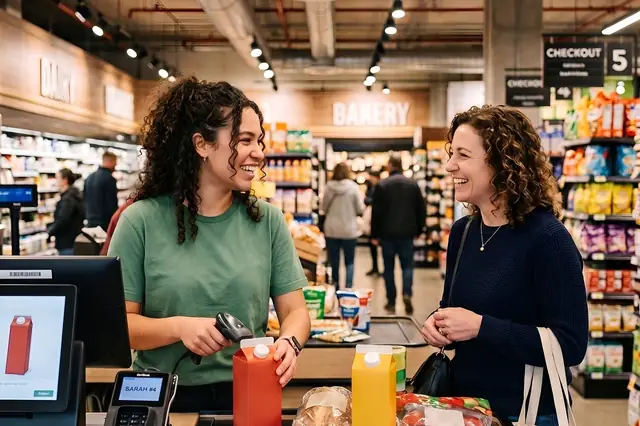
Photo: Pixabay
On this page 8 sections
- Why Generic Retail POS Falls Short in a Grocery Store
- Must-Have Features: Scales, PLU Codes and Weighted Items
- EBT, Benefit Programs and Split-Tender Support in Grocery POS Software
- Inventory for Thousands of SKUs and Perishables
- Price Book Updates and Vendor Integrations
- Hardware Costs for a Multi-Lane Supermarket POS System
- Best Grocery Store POS System Checklist: Questions to Ask Before Signing
- Next Steps for Your Grocery POS Search
Key takeaways
- Grocery checkout needs scale integration, a searchable PLU library and random-weight barcode support, and generic retail POS often lacks all three.
- Benefit tender needs item-level eligibility flags and clean split tender. Confirm requirements with the agencies that run each benefit program before setup.
- High-SKU inventory, scheduled price book changes and vendor file imports matter as much as the checkout screen.
- Before signing, confirm scale compatibility, EBT handling, offline mode, support hours and who owns the hardware.
The best grocery store POS system keeps lanes moving on a busy Saturday. It weighs bananas at the scanner and finds the PLU for organic cilantro in seconds. It splits an order correctly between benefits and a debit card and adds bottle deposits automatically. And it does all of this while tracking thousands of SKUs whose prices change every week. This guide covers where general retail systems fall short, which grocery features to require, what a multi-lane hardware setup includes and which questions to ask before you sign.
Why Generic Retail POS Falls Short in a Grocery Store
Most retail POS platforms are built for boutiques, gift shops and hardware stores. In those stores, baskets are small, every item has a fixed price and inventory turns over slowly. A grocery store is different in several ways:
- Baskets are large. A weekly shop can run to dozens of items, so a few seconds of friction per item adds up to a long line.
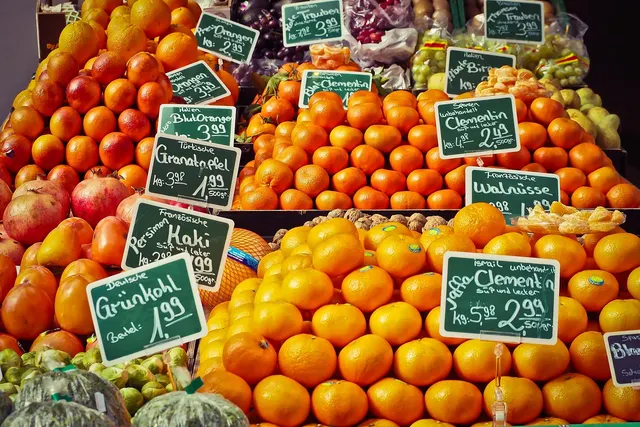
- Many items sell by weight. Produce, bulk bins, deli, meat and seafood are priced per pound. Each needs a scale reading or a pre-printed weight label.
- Tender is often mixed. One order may combine food and cash benefits on an EBT card, other benefit programs, a credit card, cash and a coupon.
- Items expire. Perishables need markdowns, shrink tracking and tight reorder points.
- Prices change constantly. Weekly ads, vendor promotions and cost changes keep the price book moving.
- Fees attach to items. Container deposits, bag fees and age-restricted products all need item-level rules.
A system that can't handle these demands forces cashiers into manual workarounds, and those workarounds cause pricing errors, tender mistakes and slow lanes. MannyPay works with grocery markets and can help you compare options against these requirements. For coupon tender specifically, see our guide on how grocery stores get reimbursed for manufacturer coupons.
Must-Have Features: Scales, PLU Codes and Weighted Items
Scale Integration at the Lane
A grocery checkout needs a scale that sends the weight directly to the POS so the cashier never types it. Many stores use a combined scanner-scale built into the counter. Ask each vendor for the exact scale models its software supports, and test one before you commit.
Look for these features:
- Tare weights programmed by item or container type, so customers aren't charged for the clamshell or bag.
- Weight validation, which stops a weighed item from ringing until the scale gives a stable reading.
- A clear customer display that shows weight, unit price and extended price.
Rules may apply to scales used to sell goods by weight. Before you buy, ask your state or local weights and measures authority what applies to your store.
PLU Libraries and Produce Lookup
Produce PLU codes are widely standardized, so a good grocery system should ship with a preloaded PLU library that you can edit and extend. Cashiers should be able to find an item three ways:
- Typing a PLU from memory
- Searching by name, so typing "avoc" brings up the avocado options
- Tapping a visual lookup screen with item photos, which helps new and seasonal staff
The system should also keep organic and conventional versions as separate items with separate prices. Ringing organic produce as conventional is an easy way to lose margin without noticing.
Random-Weight Barcodes From Deli and Meat
Service counters usually weigh and label items in the back. Each label carries a barcode with the price or weight embedded in it. Your POS has to read these variable-weight barcodes correctly and map each one to the right department for reporting. Bring sample labels from your current deli and meat scales to every demo and scan them at the register.
EBT, Benefit Programs and Split-Tender Support in Grocery POS Software
Benefit tender is where grocery POS software differs most from general retail software. Check for these capabilities:
- Item-level eligibility flags. Each item needs to be marked eligible or ineligible for each benefit type you accept. The POS uses these flags to calculate eligible subtotals.
- Automatic split tender. When a customer pays with EBT, the system should apply benefits to eligible items only and move the remaining balance to another tender, with no manual math.
- Multiple benefit types. A benefit card can carry more than one type of balance, such as food and cash benefits. Ask how the POS and PIN pad tell them apart and handle each one.
- Balance inquiry at the PIN pad, so customers can check their benefits before or during checkout.
- Accurate receipts that show the benefit amounts used and, where supported, the remaining balances.
Some state-run benefit programs have their own checkout requirements. Ask each vendor which programs and states its system supports, and confirm with the agency that runs each program before you rely on the vendor's answer. If you also sell online, see our guide on how to accept SNAP EBT online for grocery pickup and delivery. For OTC and healthy food cards, see our guide on how to accept OTC and healthy food benefit cards at your grocery. For WIC, see our guide on how to become a WIC vendor and accept eWIC payments.
A capable terminal is only part of accepting benefits. Before you configure benefit tender, check eligibility and authorization requirements with the agency that administers each program you plan to accept. Our guide on how to accept EBT at your grocery store, from approval to checkout walks through the process.
Settle two configuration questions early, ideally with your tax advisor and the agencies that administer these programs:
- How sales tax applies to items paid for with benefits in your state.
- How container deposits and other item-level fees interact with benefit tender.
If you run a cost program such as dual pricing for card and cash customers, cash discount or surcharging, confirm how it applies to every tender you accept, including debit and EBT. Each program has its own rules, and the range of tenders in a grocery store makes setup more complex than in most retail. For more detail, see our guide on whether grocery stores can surcharge credit cards, including EBT and debit rules. To compare debit costs, see our guide on PIN debit routing for grocers and how to lower your debit card fees. This is general information, not legal advice.
Inventory for Thousands of SKUs and Perishables
Even a small neighborhood market can carry thousands of SKUs. A supermarket POS system needs inventory tools built for that volume:
- Fast bulk editing and import. You should be able to change hundreds of items from a spreadsheet instead of editing them one screen at a time.
- A department and subdepartment structure that matches how you merchandise: produce, dairy, frozen, grocery, health and beauty care (HBC), deli and bakery.
- Case-to-each breakdown, so receiving a case of 24 adds 24 sellable units.
- Shrink and waste logging for spoiled, damaged or expired goods, with a reason attached to each entry.
- Markdown workflows for short-dated items, with reports on how much you recover.
- Reorder points by item, plus suggested orders based on sales velocity.
- Age-restricted prompts that require an ID check before an alcohol or tobacco sale can complete.
Deposit, Bag and Container Fees
Some states have container deposit laws, and some localities charge bag fees. These rules vary, so confirm which ones apply to your store. In the POS, set up the deposit as a linked item that rings automatically with the product. A six-pack, for example, should add six deposits without the cashier pressing anything. You also need a simple way to refund deposits on returned containers and reports that support any filings your state requires.
Price Book Updates and Vendor Integrations
A grocery price book changes every week. Look for these tools:
- Scheduled price changes that start and end with your weekly ad, so sale prices go live and expire on time.
- Vendor and wholesaler file imports, so cost and retail updates from your distributor don't have to be retyped.
- Shelf tag and label printing tied to price changes, which prevents mismatches between the shelf and the register.
- Direct-store-delivery (DSD) receiving for vendors who stock their own sections, such as bread, snacks and beverages.
- Mix-and-match and multi-buy promotions, such as "2 for" pricing and buy-one-get-one deals, calculated automatically at checkout.
- Accounting sync, so sales and tender totals flow into your books. MannyPay supports a QuickBooks integration along with other platforms.
- Multi-store price control if you run more than one location, with the option to set exceptions for individual stores.
During each demo, ask the vendor to walk through a full weekly price change, from file import to tag printing to the register.
Hardware Costs for a Multi-Lane Supermarket POS System
Hardware cost depends on how many lanes you run, what equipment each lane needs and whether you buy, lease or rent. Build a component list before you compare prices:
| Component | Where It Goes | What to Check |
|---|---|---|
| POS station or register | Every lane | Speed with large baskets, screen size, durability |
| Scanner-scale | Full-service lanes | Supported models, weights and measures requirements in your state |
| Handheld scanner | Every lane | Reach for bulky items left in the cart |
| PIN pad | Every lane | EMV, contactless and EBT support |
| Receipt printer and cash drawer | Every lane | Paper cost, number of drawers for shift changes |
| Customer-facing display | Every lane | Shows weights, prices and benefit balances |
| Label and tag printer | Back office | Compatibility with your price book software |
| Back-office computer | Store level | Inventory, receiving and reporting |
| Network and backup internet | Store level | Keeps lanes running during an outage |
MannyPay sells POS systems, including Clover models such as the Clover Duo countertop system, as well as PIN pads. Supported scales, scanners and EBT configurations vary by platform, so confirm compatibility for your specific lane setup, including EBT support, before you order. To keep those PIN pads secure, see our guide on protecting customers' SNAP benefits from EBT skimming at grocery registers.
Illustrative cost worksheet (no real prices):
- Multiply your number of lanes by the cost of the per-lane bundle.
- Add the store-level items once.
- Add monthly software fees, which may be charged per lane or per location.
- Add payment processing costs.
For example, a three-lane store with one express lane might skip the scanner-scale in the express lane, which lowers that lane's cost.
Sizing a POS for a Small Grocery Store vs. a Multi-Store Operation
A POS for a small grocery store or corner market may need only one or two lanes, a countertop scale and basic inventory tools. Simplicity and dependable support usually matter more than advanced features. If you're weighing unattended lanes, see our guide to self-checkout for small grocery stores, including costs, shrink and setup.
An independent grocery POS for a multi-store operator needs centralized price books, inter-store transfers, consolidated reporting and role-based permissions.
At any size, plan for peak hours: weekends, the days before holidays and the days benefits are issued in your state. Handheld terminals for line busting can help clear queues during those rushes.
Best Grocery Store POS System Checklist: Questions to Ask Before Signing
Bring this list to every vendor conversation:
- Which scanner-scales and which deli and meat scale label formats do you support? Can I test them with my own labels?
- Does the PLU library come preloaded, and who maintains it?
- How do you handle each benefit type and split tender? Which state-run benefit programs does your system support, and in which states?
- How are EBT transactions priced and reported compared with card transactions?
- Can I set deposits, bag fees and age checks at the item level?
- How do I import vendor price files and schedule weekly ad pricing?
- What happens when the internet goes down? Does the system have an offline mode, and what are its limits and risks?
- What are your support hours? Do they cover the early mornings, late nights and holidays when my store is open?
- Will I own the hardware, or is it leased or rented? What does early termination cost?
- Can I export my item file and sales history if I leave?
- Which PCI DSS responsibilities stay with me?
- Who migrates my current price book, and how long will it take?
Get the answers in writing and compare contract terms side by side. If returns and refunds cause friction at your service desk, our guide to refunds to the original card, cash or store credit covers the policy decisions. For POS controls cashiers can follow to cut losses, see our guide on stopping grocery gift card fraud, from card draining to tender scams.
Next Steps for Your Grocery POS Search
Start with your own operation:
- Count your lanes.
- List your scales and label formats.
- Identify the benefit tenders you accept or plan to accept.
- Pull a sample vendor price file.
Test those specifics against every system you consider, not just the demo screens.
When you're ready to compare options, request a free grocery POS and processing quote. A MannyPay specialist will respond within one business day to review your lane setup, hardware needs and pricing program options.
This article is for general educational purposes and is not legal, tax or financial advice. Card network rules and state laws change; confirm current requirements for your business.