How to Accept OTC and Healthy Food Benefit Cards at Your Grocery
Learn how to accept OTC cards at your grocery store, from item-level eligibility files and POS setup to split tender, reconciliation and reaching seniors.
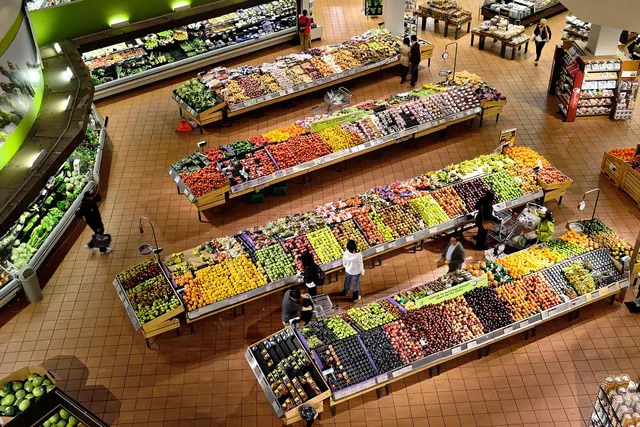
Photo: Pixabay
On this page 8 sections
- What OTC, Flex and Healthy Food Benefit Cards Are
- Why Benefit Cards Decline at Independent Grocers
- How Item-Level Eligibility Lists and Approved Product Files Work
- POS and Processor Requirements to Accept an OTC Card at Your Grocery Store
- Handling Split Tender With SNAP, Benefit Cards and Cash
- Fees, Settlement and Reconciling Benefit Card Sales
- Marketing Healthy Food Card Acceptance at Your Grocery Store
- Next Steps
Key takeaways
- Benefit card declines often come from store setup, not the card. Common causes are a missing item-level data feed, a store that isn't enrolled or an unsupported card type.
- Some grocery and OTC allowance cards approve item by item against an approved product list, so your POS has to send clean UPC-level data.
- Split tender across SNAP, benefit cards and cash works best when your POS flags eligibility per item and supports partial authorizations.
- Before you advertise, confirm fees, settlement timing and enrollment requirements with your processor and the benefit program.
If you run an independent grocery, you may have seen this at the register: a senior hands over a plan card, the cashier runs it, it declines, and the customer leaves without the groceries. This guide explains what it takes to accept an OTC card at a grocery store. It covers what these benefit cards are, why they decline, how item-level approval works, and what your POS and processor need to support. It also covers split tender, reconciliation and local marketing once you're set up.
What OTC, Flex and Healthy Food Benefit Cards Are
Some health plans offer benefits loaded on a prepaid-style card. Members use the card to buy approved items at participating stores. Customers call these cards by several names, and your staff will hear all of them:
- OTC card: an allowance for approved over-the-counter health and personal care items. What qualifies depends on the plan.
- Healthy food card or grocery allowance card: an allowance for approved food items, such as produce, dairy, proteins and pantry staples.
- Flex card: a loose term some members use for a card that combines several allowances.
- Plan-branded cards: some members refer to the card by the brand name printed on it. A shopper who asks whether you take "my card" by its brand name wants to know if their plan's card works at your store.
Coverage depends on the plan and the member, and plans can change their benefits. Your store doesn't decide who qualifies. Your job is to make sure an eligible card can be approved for eligible items at your register.
Staff will hear "flex card" used loosely. Not every card a customer calls a flex card carries a grocery benefit. Train cashiers to run a balance or eligibility check instead of guessing.
Why Benefit Cards Decline at Independent Grocers
When a benefit card declines at a small grocer, the cause is often on the store's side of the transaction. The most common reasons are:
- The store isn't on the program's participating retailer list. Some programs only approve transactions at enrolled merchants, identified by merchant ID or location.
- The POS isn't sending item-level data. If the program approves purchases item by item, a terminal that sends only a total gives the program nothing to check.
- The merchant category doesn't match. Some cards only work at certain types of merchants. Your merchant category code (MCC) must accurately describe your business. Never ask to have it changed just to get benefit cards approved. Miscoding violates card network rules and can cost you your merchant account.
- The products aren't on the approved list. A basket of mostly ineligible items will decline or approve only in part.
- The system doesn't support partial authorization. If the card balance is lower than the eligible total and your system can't accept a partial approval, the whole transaction can fail.
- The card is run as the wrong tender. Running it through a payment flow the program doesn't expect can trigger a decline.
Each of these problems can be fixed, and the fixes start with understanding item-level approval.
How Item-Level Eligibility Lists and Approved Product Files Work
Some grocery and OTC allowance programs use an approval model similar to the inventory-level systems used for certain health spending account cards. The card pays only for products on an approved list, and the system checks each item at checkout.
The Approved Product File
The benefit program or its administrator maintains a list of eligible products, usually identified by UPC. Your POS or processor matches each scanned item against that list, either locally or during authorization. Matching items count toward the benefit-eligible subtotal. Everything else is paid with another tender.
To make this work, your store needs:
- Accurate UPCs in your item file. Duplicate, missing or store-made codes won't match. Private-label and locally sourced products often aren't on approved lists unless someone submits them.
- A way to keep the file current. Approved lists change. Ask whether updates arrive automatically through your POS provider or processor, or whether you have to load them yourself.
- A plan for random-weight items. Produce, deli and meat sold by weight often use PLUs or price-embedded barcodes instead of standard UPCs. Confirm how the program treats them. If you sell by weight, read our guide to POS scale integration for produce and deli items.
Flex Card Grocery Acceptance: Two Approval Models
Programs generally approve transactions in one of two ways, and your setup depends on which one applies.
| Model | How approval happens | What your store needs |
|---|---|---|
| Item-level (product list) | Each item is checked against the approved product file | A POS that tags eligible items and sends item data or an eligible subtotal; a supported processor |
| Merchant-level | The card works at enrolled or qualifying merchants, with fewer item checks | An accurate MCC, enrollment where required, staff training on eligible categories |
Some programs use a mix of both. Ask each program and your processor which model applies to the cards your customers actually carry.
POS and Processor Requirements to Accept an OTC Card at Your Grocery Store
Accepting these cards depends on your POS software, your terminal and your processor working together. A modern countertop terminal isn't enough on its own if it can't pass item-level data.
Look for these capabilities:
- Item-level eligibility flagging. Your POS should be able to mark items as benefit-eligible, much as it marks SNAP-eligible items.
- Integrated payments. The register and the payment terminal need to share basket data. A standalone terminal where the cashier keys in a total usually can't handle item-level approval.
- Partial authorization. The system should approve up to the available balance and prompt for another tender to cover the rest.
- Balance inquiry. Seniors often don't know their remaining allowance. A quick balance check prevents awkward declines.
- Clear receipts. Receipts should show which items the benefit covered and what was paid with other tenders.
- EMV and contactless support. Some benefit cards are chip cards, and some may support tap. Our guide to contactless payments for small business covers the setup basics.
If you're replacing hardware anyway, compare POS system options against the capabilities above and your current setup. Our roundup of grocery store POS systems with scales, PLUs and EBT built in covers related features.
Questions to Ask Your Processor
- Which benefit card programs does my current POS and processing setup support?
- Is my store enrolled, or do I need to apply with the program or its administrator?
- Who keeps the approved product file updated, and how often?
- Do you support partial authorizations and balance inquiries for these cards?
- How will these transactions appear on my statements and deposits?
Get the answers in writing. Program support and terms change, so confirm current details before you train staff or put up signs.
Handling Split Tender With SNAP, Benefit Cards and Cash
Some seniors who carry a plan card also use SNAP EBT. A single basket can include items eligible for both programs, items eligible for only one and items eligible for neither. Your POS should sort this out automatically so cashiers don't have to.
Here is an illustrative basket. The items are examples only. Actual eligibility depends on current SNAP rules and on each plan's approved list.
| Item (illustrative) | SNAP-eligible? | Plan food benefit-eligible? |
|---|---|---|
| Fresh apples | Generally yes | Often yes |
| Canned beans | Generally yes | Often yes |
| Soda | Check current SNAP rules for your state | Typically no |
| Paper towels | No | Typically no |
| Pain reliever | No | Possibly, on an OTC benefit |
A practical approach:
- Let the customer choose the order of tenders when an item qualifies for more than one benefit. Some customers want to save their SNAP benefits, and others want to use their plan allowance first.
- Have the POS calculate each eligible subtotal so the cashier never has to sort eligibility by hand.
- Settle the remaining balance last with cash, debit or credit.
SNAP has its own retailer authorization process and its own eligibility rules, separate from plan benefit rules. For details, see our guides on how to accept EBT at your grocery store and state SNAP soda and candy restrictions.
Fees, Settlement and Reconciling Benefit Card Sales
Some of these cards are processed as prepaid cards, so expect processing costs on these transactions. Rates depend on how your processor classifies the card, your pricing model and your agreement, so ask for the specific treatment in writing. Our explainer on debit vs. credit card processing fees shows why card type affects cost. To see exactly what each transaction costs, ask about interchange-plus pricing for low-risk merchants.
Fee programs. Card network rules restrict surcharging on non-credit cards, and benefit cards usually aren't credit cards. Program terms may also limit what you can charge members. If you use a cash discount program or dual pricing, confirm with your processor how benefit card transactions should be handled before applying the program to them. For legal questions, check with a qualified professional.
Settlement. Find out whether benefit card sales settle with your regular card batch or arrive as separate deposits, and how long they take. Separate deposits are easy to miss during reconciliation.
Reconciliation checklist:
- Create a distinct tender type for each benefit program so it shows up separately in your POS reports.
- Compare daily POS tender totals with processor reports and bank deposits.
- Track partial approvals and declines by reason. Repeated declines on the same products often point to a UPC mismatch.
- Keep receipts and transaction reports according to your record-keeping policy and any program requirements. Your accountant can advise on retention periods.
Marketing Healthy Food Card Acceptance at Your Grocery Store
Once the setup works reliably, let people know. Members often find stores through their plan, through word of mouth and through what they see at the door.
- Get listed. Ask the benefit program or its administrator how to appear in its participating store locator. That listing is often how members find stores that take their card.
- Use clear signage. A sign at the entrance and at each register saying you accept plan grocery and OTC benefit cards answers the question before anyone has to ask. Don't make claims about health benefits or about what a member's plan covers.
- Label eligible items on the shelf where the program allows it. Shelf labels help seniors get the most from their allowance and reduce surprises at checkout.
- Train every cashier. Cover balance checks, split tender and what to say when an item isn't eligible. A patient explanation keeps the customer coming back.
- Reach out locally. Senior centers, community groups and nearby pharmacies are natural places to share a simple flyer.
- Reward repeat visits. A loyalty offer on the non-benefit part of the basket can encourage return trips. See how to start a customer loyalty program that pays for itself.
Next Steps
Before you put up signs, work through your setup in this order:
- List the benefit cards your customers actually bring in. Track them at the register for a week.
- Confirm with each program whether your store needs to enroll.
- Check whether your POS and processor support item-level data, partial authorizations and balance inquiries.
- Clean up your UPC file and set a process for keeping approved product lists current.
- Set up tender types, train staff and test a few transactions before you announce anything.
MannyPay works with grocery markets on POS systems, terminals and payment processing. To review what your store needs to accept benefit cards alongside EBT and regular card payments, request a free quote. A MannyPay specialist will respond within one business day.
This article is for general educational purposes and is not legal, tax or financial advice. Card network rules and state laws change; confirm current requirements for your business.