SNAP Soda and Candy Restrictions: Updating Your Grocery POS by State
Track SNAP soda restrictions by state and retag soda, candy and energy drink SKUs in your POS so cashiers don't take EBT for restricted items.
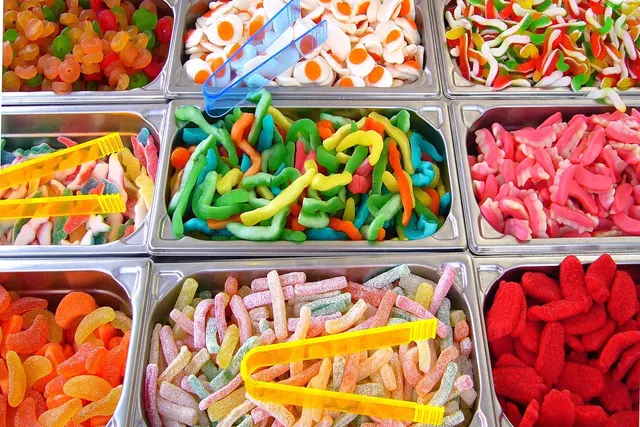
Photo: Pixabay
On this page 8 sections
- What a SNAP Food Restriction Waiver Changes
- Tracking SNAP Soda Restrictions by State: Which Apply and When
- How Each State Defines Soft Drinks and Candy
- Auditing Your SKU and PLU List for Restricted Items
- Updating SNAP Eligible Items in Your POS and Online Store
- Training Cashiers to Handle Declined Items in Mixed Baskets
- What Happens If You Ring Restricted Items on EBT
- Next Steps for Your Store
Key takeaways
- Where a state SNAP food restriction waiver is in effect, items like soda, candy or energy drinks may lose SNAP eligibility. Definitions and start dates vary, so confirm with FNS and your state agency.
- Your POS item flags, not your cashiers' judgment, should decide which items SNAP can pay for. Audit every SKU and PLU before your state's effective date.
- Standalone EBT terminals and online stores carry extra risk because eligibility often depends on a manually keyed subtotal or a separate catalog.
- Accepting SNAP for ineligible items can lead to FNS penalties, up to losing SNAP authorization. Confirm current rules with FNS.
SNAP soda restrictions by state are changing how grocery stores, convenience stores and corner markets ring up everyday items. Some states are pursuing SNAP food restriction waivers that would remove items such as soda, candy or energy drinks from SNAP eligibility. USDA's Food and Nutrition Service (FNS) and state SNAP agencies publish which states have waivers, what they cover and when they take effect. This guide explains how to track your state's rules and definitions and how to audit your SKUs. It also covers updating SNAP eligibility flags in your POS and online store, and training cashiers so SNAP isn't accepted for restricted items.
This article is general information, not legal or compliance advice. Waiver status, definitions and effective dates come from your state SNAP agency and FNS. Confirm current requirements with them and with a qualified professional before you change your system.
What a SNAP Food Restriction Waiver Changes
SNAP already has federal rules about what benefits can and can't buy, and FNS publishes that guidance for retailers. A SNAP food restriction waiver, where one is approved and in effect, adds state-specific exclusions on top of those rules for SNAP purchases in that state. Read FNS's eligible-items guidance alongside your state's waiver notice so you understand both layers.
For a grocer, a waiver in your state would change three things:
- Which items SNAP benefits can pay for. A restricted soda would be handled like any other SNAP-ineligible item at the register. The customer could still buy it with cash, debit, credit or another tender, but not with SNAP benefits.
- How your item file is set up. Restricted items need their SNAP eligibility flag turned off. If you set eligibility at the department level, a single "Beverages" department may need to be split.
- What your staff needs to know. Customers will be surprised when part of their basket doesn't go through on SNAP. Cashiers need a consistent way to handle it.
A waiver doesn't replace the rest of your SNAP retailer obligations. EBT cash benefits that may sit on the same card follow separate rules, so confirm with your state agency how they're treated. Then ask your POS provider how your system keeps SNAP and cash benefit tenders apart.
Tracking SNAP Soda Restrictions by State: Which Apply and When
Each waiver is state-specific. States can differ on which categories they restrict, such as soft drinks, candy, energy drinks or other items, and on when the restriction takes effect. New states may be added, and approved waivers may be amended. That's why any list of SNAP candy ban states or soda-restricted states should be checked against the source, not copied from a blog post. That includes this one.
Use these sources to confirm the rules for each state where you operate:
- Your state SNAP agency. This is typically where you'll find the retailer notice, the definitions and the effective date.
- USDA FNS. FNS oversees SNAP retailer authorization and publishes retailer guidance and notices.
- Your POS and EBT provider. Ask whether they're pushing category updates and whether your item file needs manual changes.
If you operate in more than one state, or sell online to customers in other states, keep a simple tracker like the one below. The rows show how to fill it in. They're placeholders, not real waiver data.
| State | Restricted Categories | Effective Date | Definition Source | POS Updated | Staff Trained |
|---|---|---|---|---|---|
| Your state | Confirm with state agency | Confirm | Link to state notice | Date and initials | Date |
| Second store's state | Confirm with state agency | Confirm | Link to state notice | Date and initials | Date |
Set calendar reminders ahead of each effective date so the retagging work is done before the rule starts, not on the morning it starts.
How Each State Defines Soft Drinks and Candy
This is where most stores get tripped up. "Soda" sounds obvious until you're looking at sparkling juice, sweetened iced tea, flavored water or a protein shake. Read your state's definitions carefully, because two states with a SNAP soft drink ban may draw the line in different places.
Common Decision Points for Soft Drinks
When you read your state's definition, look for how it handles:
- Sweeteners. Does it cover only sugar-sweetened drinks, or artificially sweetened and zero-calorie drinks too?
- Carbonation. Are non-carbonated sweetened drinks, such as sweet tea, lemonade and sports drinks, included?
- Juice content. Are drinks above a certain juice percentage excluded from the restriction? If so, you'll need to check labels.
- Milk and milk alternatives. Are dairy-based or plant-based drinks carved out?
- Powders and concentrates. Are drink mixes and syrups covered, or only ready-to-drink beverages?
Common Decision Points for Candy
Candy definitions often turn on ingredients and form:
- Flour content. Some definitions may treat flour-containing products, such as certain candy bars or licorice, differently from pure confections.
- Format. Gum, mints, baking chips and candy-coated nuts may each be handled differently.
- Refrigeration. Some refrigerated or frozen desserts may fall outside a candy definition.
Where Energy Drinks Fit
Some states may name energy drinks as their own category. Others may cover them under the soft drink definition. Separately, existing federal rules may already make some energy drinks SNAP-ineligible depending on how they're labeled. Confirm with FNS how label type affects eligibility, and check how your POS currently handles these items. That way you won't mistake an existing rule for a new one, or the reverse.
When a product is a genuine gray area, ask your state SNAP agency in writing and keep the answer. Never reclassify a product into a different category to keep it SNAP-eligible. Miscoding items to get around a restriction is exactly the kind of practice that creates violations.
Auditing Your SKU and PLU List for Restricted Items
A clean audit is the backbone of compliance. Work through it in this order:
- Export your full item file, including inactive SKUs that could be reactivated and PLUs for bulk or scale items.
- Filter by likely departments: beverages, candy, snacks, checkout-lane impulse items, seasonal and holiday, and the cooler.
- Check labels, not names. "Sparkling Lemon Drink" and "Lemon Sparkling Juice" may land on opposite sides of a juice-content rule.
- Mark each item as restricted, eligible or needs review, and record the reason.
- Review bundles and kits. Gift baskets, combo packs and bulk candy bins sold by weight each need their own decision. If your state's guidance doesn't address mixed products, ask.
- Set a new-item rule. Every new SKU from a vendor should get a SNAP review before it hits the shelf.
Here's an illustrative audit sheet. The actual decisions depend entirely on your state's definitions.
| Item (Illustrative) | Category | Key Label Detail | Decision Under Your State's Definition |
|---|---|---|---|
| 12-pack cola | Soft drink | Sugar-sweetened, carbonated | Likely restricted if soft drinks are covered |
| Diet lemon-lime soda | Soft drink | Artificially sweetened | Depends on sweetener language |
| Sparkling juice | Beverage | Juice percentage on label | Depends on juice threshold |
| Chocolate bar with wafer | Candy | Contains flour | Depends on flour language |
| Bulk gummy candy (by weight) | Candy | PLU item | Likely restricted if candy is covered |
| Energy drink | Energy drink | Label type | Depends on category and federal label rules |
If you sell by weight, check scale PLUs too. Our guide to POS scale integration for produce and deli items covers how those PLUs feed your item file.
Updating SNAP Eligible Items in Your POS and Online Store
Once the audit is done, the goal is simple: the system decides eligibility so the cashier doesn't have to.
In-Store POS
Many grocery POS systems carry a SNAP or food stamp eligibility flag at the item level, the department level or both. To update your SNAP eligible items in the POS:
- Prefer item-level flags for restricted categories. Department-level flags are faster but can sweep in eligible items, such as unsweetened sparkling water stocked next to soda.
- Create new subdepartments, such as "Soft Drinks – SNAP Restricted," if your reporting depends on departments.
- Test before go-live. Ring a mixed test basket in training mode or with your provider's test procedure. Confirm that restricted items stay out of the SNAP-eligible subtotal.
- Lock down overrides. Limit who can change an item's eligibility at the register, and log every change.
If your current system makes this hard to manage, it may be time to compare options. Our roundup of grocery store POS systems with scales, PLUs and EBT built in explains what to look for. Whichever system you consider, confirm its SNAP eligibility and EBT support with the provider before you buy.
Standalone EBT Terminals
Some smaller stores run EBT on a separate terminal that isn't connected to the register. In that setup, the cashier often keys in the SNAP-eligible amount by hand, which makes mistakes far more likely when eligibility rules change. If that describes your store, consider an integrated setup where the register calculates the eligible subtotal automatically. Our guide on how to accept EBT at your grocery store walks through the authorization and equipment side.
Online Store and Delivery Orders
If you accept SNAP online, your e-commerce catalog probably has its own eligibility flags, separate from the in-store item file. Update both and keep them in sync.
- Make sure product pages and the cart clearly show which items aren't SNAP-eligible.
- Confirm with FNS and your online SNAP provider how state waivers apply to orders fulfilled in or delivered to restricted states.
- Check how substitutions work. Swapping an eligible item for a restricted one can change the SNAP portion of an order. See our guide to charging for weighted items and substitutions in online grocery.
Training Cashiers to Handle Declined Items in Mixed Baskets
Even with perfect item flags, the register is where customers find out about the change. Give staff a short, consistent script and process:
- Explain it simply. For example: "Under the state's SNAP rules, these items can't be paid for with SNAP benefits. Would you like to pay for them another way or leave them?"
- Offer a split tender. Run SNAP for the eligible subtotal, then take cash, debit or credit for the rest.
- Never override an eligibility flag to "help" a customer, and never swap a restricted item for an eligible one on the receipt.
- Escalate product questions to a manager, who should check the audit sheet rather than guess.
- Note recurring confusion. If customers keep asking about the same product, verify its classification and consider shelf signage. Ask your state agency whether it provides retailer notices or signs.
Short refreshers during staff meetings, plus a printed one-page summary at each lane, usually work better than one long training session. Keep training records with dates and names.
What Happens If You Ring Restricted Items on EBT
Accepting SNAP benefits for ineligible items can lead to FNS penalties, up to losing SNAP authorization. That's true whether a cashier keys the amount by hand or the item file is wrong. Confirm the specifics of retailer responsibility and sanctions with FNS, and don't assume a good-faith mistake will be excused.
To protect your store:
- Document everything: audit sheets, the dates flags were changed, test results and training records.
- Fix errors quickly once you find them, and record what you corrected.
- Review transaction reports after go-live to spot restricted items that slipped into SNAP transactions.
- Respond promptly to any FNS or state agency correspondence, and consider professional advice if you receive a notice.
Losing SNAP authorization would hurt a grocery store's sales and its standing with customers. Treat the retagging project with the same care as a price change on your top sellers.
Next Steps for Your Store
- Confirm your state's waiver status, restricted categories and effective date with your state SNAP agency and FNS.
- Export and audit your SKU and PLU list against the state's definitions.
- Update item-level SNAP flags in your POS and online catalog, then test with mixed baskets.
- Train cashiers on split tenders and the no-override rule.
- Recheck your state's guidance regularly for amendments.
Separate from SNAP, the rest of your checkout still needs reliable card processing. MannyPay works with grocery markets on POS systems and payment processing. If you'd like a specialist to review your card payment setup, you can request a free quote.
This article is for general educational purposes and is not legal, tax or financial advice. Card network rules and state laws change; confirm current requirements for your business.