Online Grocery Payments: Charging for Weighted Items and Substitutions
Learn how online grocery order payment authorization works for weighted items and substitutions, and how to avoid declines and customer disputes.
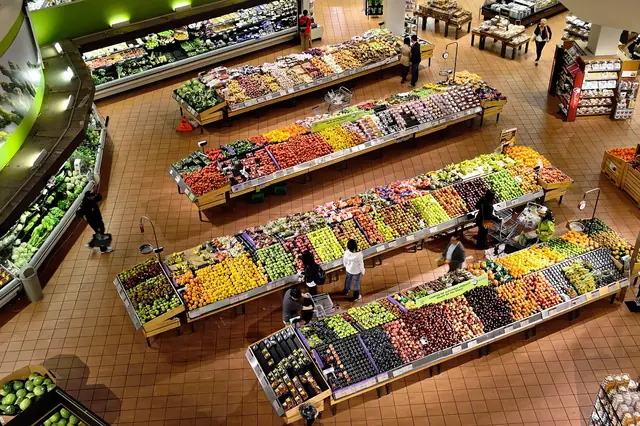
Photo: Pixabay
On this page 8 sections
- Why Online Grocery Totals Change After Checkout
- How Online Grocery Order Payment Authorization Works
- Authorization Buffers: How Much Extra to Hold
- Capturing the Final Amount After Picking
- Grocery Substitution Charges and Out-of-Stock Items
- Curbside Pickup Payment Processing and Delivery Options
- Preventing Disputes Over Weight and Price Changes
- Next Steps for Your Online Grocery Checkout
Key takeaways
- Authorize an estimate at checkout, then capture only the final picked amount and release the rest promptly.
- Apply buffers to weighted and substitutable lines only, because a flat buffer on the whole order causes needless declines.
- Out-of-stock items left uncaptured cost less and confuse customers less than items refunded after capture.
- Itemized receipts with actual weights, unit prices and substitution notes are your best defense against disputes.
Online grocery orders break a basic assumption of card payments: that you know the total when the customer pays. A pound of deli turkey rarely weighs exactly a pound, the store may sell out of the organic strawberries before the picker gets there, and a substitute brand may cost a little more or less. This guide explains how online grocery order payment authorization works when the final total isn't known at checkout. It covers how much to hold, when to capture, how to price substitutions, and how to keep customers from disputing a charge they didn't expect.
Why Online Grocery Totals Change After Checkout
In most online stores, the cart total is the charge. Grocery is different because the order is assembled by hand after the customer pays, and three things move the number:
- Random-weight items. Produce, meat, seafood, deli and bulk goods are priced by the pound. The customer orders "2 lb of chicken thighs," and the package the picker grabs weighs a bit more or less.
- Out-of-stocks. Shelf inventory changes between the time the order is placed and the time it is picked, especially for next-day or weekend slots.
- Substitutions. A replacement item may carry a different price, size or brand.
Smaller adjustments come up too: a bakery item sold by the each but priced by size, a promotion that expires before the pick date, or a customer who adds items by text before pickup.
Each of these is routine for a grocer. But card payments are built around a fixed amount, so the payment setup has to absorb the difference without overcharging the customer, getting declined, or breaking network rules.
How Online Grocery Order Payment Authorization Works
Card payments happen in two steps, and grocery checkout depends on keeping them separate:
- Authorization. The customer's bank confirms the card is valid and places a hold for an amount. No money moves yet.
- Capture (settlement). You submit the final amount. The customer is charged, and you get funded.
For grocery, you authorize an estimate at checkout and capture the actual total after picking. This is the same logic behind bar tab preauthorization, where the hold comes before the final amount is known.
Visa and Mastercard both distinguish between estimated (pre-)authorizations and final authorizations. Each sets its own rules on how long an authorization stays valid and how far the captured amount can differ from the authorized amount. Those rules vary by merchant category and transaction type, and they change over time. Ask your processor which authorization type your gateway sends for online grocery orders and what validity window applies. This is especially important if customers can book pickup slots several days out.
If an order is scheduled far enough ahead that the original hold could expire before picking, many grocers authorize a small amount (or verify the card) at checkout and run the full authorization closer to pick time. Confirm the right approach with your processor, and get the customer's consent to charge a stored card.
Authorization Buffers: How Much Extra to Hold
A buffer is the extra amount you authorize above the estimated cart total to cover weight variance and higher-priced substitutions. Setting it is a trade-off:
| Buffer Size | What Goes Wrong |
|---|---|
| Too small | Final total exceeds the hold, so you absorb the difference or have to ask for a second charge |
| Too large | Debit cards with tight balances decline, customers see a scary pending amount, and abandoned carts rise |
| None | Any weight overage or pricier sub leaves you short |
Buffer the Lines That Can Change, Not the Whole Cart
A flat buffer on the entire order punishes customers whose carts are mostly fixed-price items. Shelf-stable goods with a UPC don't change price during picking. Apply the buffer only to:
- Random-weight lines
- Lines where the customer allowed substitutions
- Items with a known history of price variance, such as seasonal produce
Illustrative example: An order estimates at $120. Of that, $100 is packaged goods and $20 is random-weight produce and meat. A grocer that buffers only the weighted lines holds a modest amount above $120. A grocer applying the same percentage to the whole cart holds noticeably more for no reason. On a debit card with a tight balance, that difference can be the line between approval and decline. If you are already seeing unexplained declines, it is worth reviewing why good customers' cards fail at checkout.
Pricing a Variable Weight Online Order
How you display weighted items affects both the buffer and the customer's expectations:
- Show the unit price and the estimate. "Bananas, $X/lb, about 2 lb, est. $Y" is clearer than a single price.
- Set realistic default weights. Base the estimate on what your pickers actually pull, not a round number.
- Consider a weight cap policy. Some grocers tell pickers to stay within a set tolerance of the requested weight and to choose lighter packages when in doubt. Whatever tolerance you choose, write it down and train to it.
- Let customers order by count where it makes sense. "4 avocados" is easier to fulfill predictably than "1.5 lb avocados."
Your in-store systems matter here too. If online catalog weights and PLUs don't match what the scale at the register reports, estimates drift. Our guide to grocery store POS systems with scales, PLUs and EBT covers keeping that data consistent.
Capturing the Final Amount After Picking
Once the order is picked and weighed, capture the actual total, ideally the same day the order is finalized.
Capture Less, Release the Rest
When the final total is lower than the hold, which should be the normal case, capture the final amount. Make sure the unused portion is released through a partial capture or an authorization reversal, depending on how your gateway handles it. Leaving holds to expire on their own is bad for customers, whose funds stay tied up. It can also draw network fees for authorizations that aren't properly captured or reversed. Confirm with your processor that your platform sends reversals automatically.
The customer's bank, not you, decides how quickly a released hold disappears from their account. Tell customers this in your order confirmation so a lingering pending amount doesn't look like a double charge.
When the Final Total Is Higher Than the Hold
If a heavy meat order or a pricier substitute pushes the total above the authorized amount, you have a few options:
- Capture up to the authorized amount and absorb the small difference. This is often the cleanest choice for minor overages, and it is a customer-service decision.
- Request an incremental authorization for the difference, if your processor and gateway support it for your merchant category.
- Run a separate charge with the customer's agreement. This works but creates two line items, which invites confusion.
- Contact the customer before finalizing if the overage is meaningful.
What you should not do is quietly capture more than was authorized and hope it clears. Depending on network rules and the size of the gap, that can cost you dispute rights or trigger downgrades. Ask your processor what tolerance, if any, applies to your account.
Grocery Substitution Charges and Out-of-Stock Items
Substitutions are where customer trust is won or lost. Build the policy into checkout, not the pick floor.
Let Customers Set Substitution Preferences
Give shoppers clear choices per item or per order:
- Substitute with a similar item (store's choice)
- Substitute with a specific item the customer picks
- Do not substitute; refund the item
Decide How Substitutes Are Priced
Common policies include:
| Policy | How It Works | Customer Reaction |
|---|---|---|
| Charge the substitute's price | Customer pays whatever the replacement costs | Fair, but can surprise if it's higher |
| Charge the lower of the two | Customer never pays more than the original | Builds trust; you absorb upgrades |
| Same-size, same-or-lower price only | Pickers can't sub up in price without approval | Predictable; limits sub options |
Whichever you choose, state it at checkout and on the receipt.
Out-of-Stock: Don't Capture It in the First Place
If you capture after picking, an out-of-stock item simply drops out of the final total. Nothing is refunded because nothing was charged. That is faster for the customer and avoids refund processing on your side. Refunds should be reserved for problems found after capture, such as a damaged item discovered at curbside handoff, and should go back to the original payment method.
If you accept SNAP online, those transactions follow separate program rules for approval, eligible items and processing. Our guide to accepting EBT at your grocery store explains the basics. Confirm current requirements with USDA and your EBT processor.
Curbside Pickup Payment Processing and Delivery Options
How and when the customer pays shapes everything above. Most grocers use one of three models for grocery pickup payments.
Prepay Online, Capture After Picking
The customer pays on your website or app, and you capture after picking. This keeps the handoff fast and works well for delivery. It is a card-not-present transaction, so fraud prevention matters more. Tools like 3-D Secure authentication can add a verification step for higher-risk orders.
Pay at Pickup
The customer reserves the order online and pays at the car with a handheld or mobile terminal. Because the final total is known, there is no buffer and no capture gap. The card is present, so EMV chip and tap payments apply. The trade-off is a slower handoff and staff handling devices in parking lots, sometimes in bad weather. For this, look for handheld card terminals with long battery life and reliable connectivity.
Hybrid
Some grocers take prepayment by default and let customers settle changes at handoff. A typical case is a customer who wants to add an item or approve a pricier substitute at the car.
A few handoff details are specific to grocery:
- Age-restricted items. Alcohol and tobacco orders typically require an ID check at handoff, whichever payment model you use. Rules vary by state and locality, so confirm what applies to you.
- Delivery tips. Keep tips separate from the grocery total so a buffer calculation doesn't swallow them.
- Cold-chain timing. If customers can reject warm frozen goods at the car, your staff needs a quick way to issue a refund on the spot.
If you're setting up or upgrading your web checkout, MannyPay supports online payment gateways including Authorize.net and NMI, plus integrations with platforms like Shopify, WooCommerce and BigCommerce.
Preventing Disputes Over Weight and Price Changes
Many grocery disputes come from surprise rather than fraud. Common triggers include a final charge higher than the cart total, a pending hold that looks like a second charge, or a substitute the customer didn't want. These steps reduce them:
- Explain holds at checkout. One plain sentence works: "We'll hold an estimated amount and charge the final total after your order is picked."
- Send a final-total notice before or at capture. List actual weights, unit prices, substitutions next to the original item, and removed out-of-stocks.
- Itemize the receipt. "Chicken thighs, 2.31 lb @ $X/lb" settles arguments that "chicken, $Z" starts. (Weights here are illustrative.)
- Use a recognizable billing descriptor. Customers dispute charges they don't recognize. Your store name should be obvious on the statement.
- Keep handoff records. Pickup confirmations, delivery timestamps and driver notes help if a "not received" dispute comes in.
- Make refunds easy. A customer who can get a quick refund for a bruised item from your app is far less likely to call their bank.
- Train pickers on substitution rules. Inconsistent substitutions are a common source of complaints.
When a dispute does arrive, the itemized receipt, the substitution record and the final-total notice are your core evidence. Keep them easy to retrieve by order number.
Next Steps for Your Online Grocery Checkout
Start by checking how your current platform handles authorization and capture:
- Does it authorize an estimate and capture the final amount automatically?
- Does it reverse unused holds?
- Can it buffer only weighted and substitutable lines?
- Does it support incremental authorization if you need it?
Then put your weight tolerance and substitution pricing policy in writing and make them visible at checkout.
If you'd like help reviewing your setup, MannyPay offers payment solutions for grocery markets covering online checkout, in-store POS and curbside terminals. You can request a free quote, and a MannyPay specialist will respond within one business day.
This article is for general educational purposes and is not legal, tax or financial advice. Card network rules and state laws change; confirm current requirements for your business.