POS Scale Integration: Selling Produce and Deli Items by Weight
Learn how POS scale integration works for grocers: legal-for-trade scales, PLU codes, tare weights and random-weight deli labels that ring up correctly.

Photo: Pixabay
On this page 9 sections
- How POS Scale Integration Works in a Grocery Store
- Scanner Scales vs. Standalone Checkout Scales
- Legal-for-Trade Requirements: Certification and Inspections
- Setting up PLU Codes for Produce and Bulk Bins
- Tare Weights and Avoiding Overcharging Complaints
- Random-Weight Barcode Labels From Deli and Meat Counters
- Troubleshooting POS Scale Integration Errors
- Pairing Your Scales With the Right POS and Payment Setup
- Next Steps
Key takeaways
- A legal-for-trade scale is only part of the job. The POS, the PLU setup and the label formats all have to agree for weighted items to ring up correctly.
- Build every PLU record with its unit of measure, price, tare and tax/EBT flags so cashiers never calculate anything by hand.
- Preset tares and routine spot checks are your best protection against overcharging complaints and inspection problems.
- Most scale-to-POS errors come from configuration, cabling or label-format mismatches. Only an authorized scale service technician should handle calibration.
Produce, bulk bins, deli meats and fresh seafood are where many grocers earn customer loyalty. They are also where pricing mistakes show up first. POS scale integration connects your scales to your point-of-sale system so that weight, price and payment move through checkout without manual math. This guide explains how scanner scales and standalone scales connect to a POS and what legal-for-trade approval means. It also covers how to set up PLU codes and tare weights and how random-weight labels from the deli counter should scan. It ends with a troubleshooting table for the errors grocers run into most often.
How POS Scale Integration Works in a Grocery Store
Grocers sell weighted items through two paths. Each path depends on a different handoff between the scale and the POS.
| Path | Where the Weighing Happens | What the POS Receives |
|---|---|---|
| Lane weighing | At checkout, on a scanner scale or standalone scale | A live weight reading. The POS multiplies it by the price per pound stored for that PLU. |
| Pre-weighed labels | At the deli, meat or seafood counter, on a label-printing scale | A barcode with the price (or weight) already embedded. The POS reads it like any other scan. |
In both paths, the POS and the scale have to agree on the item, the unit of measure and the price. Most integration problems happen when they don't.
Scanner Scales vs. Standalone Checkout Scales
A scanner scale is the standard setup at busy grocery lanes. It combines a barcode scanner and a weigh plate in one unit mounted flush in the checkstand. The cashier sets bananas on the same glass used to scan cereal. The weight goes straight to the POS, and the item gets bagged without being lifted twice.
A standalone checkout scale sits on the counter beside the register and connects to the POS by cable. You'll often see one in smaller markets, specialty shops and express lanes, where a counter cutout isn't practical.
| Factor | Scanner Scale | Standalone Scale |
|---|---|---|
| Best fit | Busy full-service lanes | Small markets, specialty and ethnic grocers, express counters |
| Installation | Requires a checkstand cutout and careful leveling | Sits on the counter, so it's easier to add or move |
| Cashier speed | Fastest, because scanning and weighing happen in one motion | Slightly slower, since items move between devices |
| Upfront cost | Generally higher | Generally lower |
| POS connection | Usually serial or USB, often with one cable carrying both scan and weight data | Usually serial or USB |
Whichever type you choose, check three things before you buy:
- Your POS must support scale input.
- The scale must use a communication protocol your POS recognizes.
- Customers need a weight display they can read, either on the scale or on the POS customer screen.
If you're still choosing a system, our guide to grocery store POS systems with scales, PLUs and EBT built in walks through the features to compare.
Legal-for-Trade Requirements: Certification and Inspections
Any scale used to set a price is a commercial weighing device. Weights and measures rules apply to it, and a kitchen or shipping scale won't meet them.
What a Legal-for-Trade POS Scale Means
A legal-for-trade POS scale is a model that has been evaluated and approved for commercial use. That means its design has been tested for accuracy and performance in settings where weight determines price. Approval information is typically shown on the scale's data plate and on the manufacturer's spec sheet.
When you shop for scales:
- Ask the vendor for the model's commercial approval documentation. Confirm that it covers the exact model and configuration you are buying.
- Check that the approval covers how you'll use the scale. A checkout scale used for direct sale to customers is one example.
- Confirm that the scale and POS work together as an approved system. In some setups, the POS software or the customer display is part of what is evaluated.
- Ask your local weights and measures office which approvals and certifications it accepts before you commit to a purchase.
Inspections, Seals and Registration
Your state, county or city weights and measures office typically inspects commercial scales. Depending on where you operate, you may need to register devices or pay inspection fees. You may also need a registered service company to install or repair scales and put them back into service.
These habits help you avoid problems:
- Don't break or tamper with calibration seals. A broken seal can take a scale out of legal service.
- Keep service records for every scale, including the install date, repairs, calibrations and inspection results.
- Keep scales level and clean. Inspectors and customers will notice a scale that doesn't return to zero.
Requirements for device approval, registration, inspection frequency and service companies vary by state and locality. Confirm current rules with your local weights and measures office. This section is general information, not legal advice.
Setting up PLU Codes for Produce and Bulk Bins
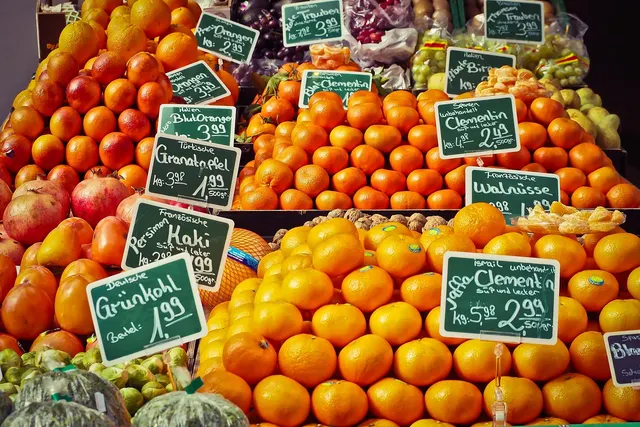
PLU codes for produce let cashiers key in a short number instead of hunting through menus. The produce industry uses a standardized list of numeric PLUs, and organic items carry codes that are distinct from their conventional versions. For items without a standard code, such as bulk-bin granola or house-made salads, you assign store-specific PLUs.
Each PLU record in your POS should include:
- PLU number and a clear description: "Gala apples, organic," not "APL ORG."
- Unit of measure: by the pound or by the each. Some items, like avocados or limes, can be sold either way, so pick one and make the shelf tag match.
- Price per unit.
- Default tare for the container or bag, if there is one.
- Tax and EBT eligibility flags so mixed baskets split correctly at tender.
- Department or category for reporting shrink and margin.
Here are a few illustrative entries:
| PLU | Description | Unit | Price (Illustrative) | Default Tare |
|---|---|---|---|---|
| Standard produce code | Bananas | lb | $0.69 | None |
| Standard organic produce code | Gala apples, organic | lb | $2.49 | None |
| Store-assigned code | Bulk trail mix | lb | $7.99 | Bulk bag |
The prices above are illustrative only. Look up codes on the current standard produce PLU list and confirm them against your POS item file.
For bulk bins, print the PLU on each bin label and give customers twist ties or stickers to write it on. Program your most-used PLUs as quick keys so cashiers don't have to memorize hundreds of codes. If you accept SNAP, our guide on how to accept EBT at your grocery store explains how eligibility flags affect checkout.
Tare Weights and Avoiding Overcharging Complaints
Tare is the weight of the container, bag or tray. Customers should pay only for the product, not the packaging. Weights and measures rules generally require selling by net weight, and charging for packaging is one of the most common causes of overcharging complaints.
Where Tare Comes Into Play
- Produce bags: Thin bags weigh very little, but some stores still set a small preset tare. Check what your local office expects.
- Bulk bins and customer containers: If shoppers bring their own jars, set up a station where they can weigh and mark the empty container before filling it. Cashiers can also tare the container at the lane.
- Deli and prepared foods: Clamshells, tubs and trays need preset tares on the service scale so the label reflects net weight.
- Salad and hot bars: Containers vary by size, so assign a tare to each container type.
An Illustrative Example
A customer buys potato salad in a deli tub that weighs a fraction of an ounce. If the counter scale has no tare programmed, the label price includes the weight of the tub. Across hundreds of tubs a week, those small overcharges add up, and a customer or an inspector with a test weight can catch them. This scenario is illustrative.
Habits That Prevent Complaints
- Set a default tare in each PLU so cashiers don't have to remember it.
- Limit manual tare overrides to managers, and review the override reports.
- Spot-check scales with known weights, and retest any scale that has been moved or bumped.
- Keep the customer-facing display visible and readable from where customers stand.
Random-Weight Barcode Labels From Deli and Meat Counters
Service counters usually weigh, price and label items on the spot, so checkout is just a scan.
How a Deli Scale Label Printer Builds the Barcode
A deli scale label printer weighs the item, subtracts the tare, multiplies the net weight by the price per pound and prints a label. The label shows the net weight, unit price, total price and a variable-measure barcode. These barcodes typically begin with a prefix reserved for in-store use. The prefix is followed by an item number, the embedded price or weight, and check digits.
Matching the Label Format to Your POS
Your POS must be set up to read the same format your scale prints. Decide on these settings:
- Price-embedded or weight-embedded labels: Most grocers embed the price. Weight-embedded labels require the POS to hold a matching price per pound.
- Item number length, and which digits represent the item and which represent the price.
- Whether a price check digit is used.
If the formats don't match, the register may show the wrong price or reject the scan. Before going live, test a sample label from every counter scale.
Keeping Prices in Sync
Labels and shelf tags will disagree if a price change reaches the POS but not the counter scales, or the other way around. Use a single item file that updates both. If that isn't possible, assign one person to update the scales and confirm the changes. Grocers selling online have another layer to manage, covered in our article on charging for weighted items and substitutions in online grocery orders.
Troubleshooting POS Scale Integration Errors
Most problems come from configuration or connection issues, not broken scales.
| Symptom | Likely Cause | What to Check |
|---|---|---|
| No weight appears at the register | Loose cable, wrong port, missing driver or scale disabled in POS settings | Reseat the cables, confirm the port assignment and communication settings, then restart the scale and the POS |
| Weight shows but the POS won't accept it | Scale is detecting motion, reading below zero or over capacity | Let the item settle, clear the plate and re-zero with the plate empty |
| Weight drifts or won't return to zero | Scale isn't level, debris is under the plate or items are touching the counter edge | Check the level indicator, clean around the plate and keep bags off the edges |
| Deli label scans at the wrong price | Barcode format mismatch between the scale and the POS | Compare the label configuration with the POS barcode settings |
| Deli label won't scan at all | Poor print quality, a worn printhead or the wrong label stock | Clean the printhead, replace the labels and test the scan again |
| Scale stopped working after a POS update | Device settings were reset during the update | Re-enter the scale configuration and ask your POS provider about known issues |
If a scale still reads inaccurately after these checks, stop using it for sales. Don't adjust it yourself. Calibration is a job for an authorized scale service technician.
Pairing Your Scales With the Right POS and Payment Setup
Before you commit to any POS, ask the provider to confirm these grocery features for the specific system you're considering:
- Scale input support and compatibility with your scale's communication protocol
- PLU lookup and quick keys for produce and bulk items
- Reading the random-weight barcode format your counter scales print
- EBT tender and mixed tax handling within a single basket
- Fast card acceptance at the lane
MannyPay offers POS systems and card terminals and provides payment processing for grocery markets. Ask us to confirm which systems support the scale, PLU and EBT features you need before you connect any hardware.
It also helps to review what you pay to accept cards at the lane. MannyPay offers cost programs that include cash discount pricing, dual pricing for grocery checkout and surcharging where permitted. Rules for these programs vary, so confirm what applies in your state.
Next Steps
Before your next scale purchase or remodel:
- Confirm that every price-computing scale is legal-for-trade and that its approval covers the exact model and setup you use.
- Audit your PLU file for missing tares, wrong units of measure and incorrect EBT or tax flags.
- Test one label from each counter scale at a register.
- Write down the contact details for your scale service company and the inspection requirements from your local weights and measures office.
When you're ready to look at POS systems, card terminals and processing for your store, request a free quote. A MannyPay specialist will respond within one business day.
This article is for general educational purposes and is not legal, tax or financial advice. Card network rules and state laws change; confirm current requirements for your business.