How to Become a WIC Vendor and Accept eWIC Payments
Learn how to accept WIC at a grocery store: state vendor applications, stocking rules, the eWIC Approved Product List and POS setup that stops failed sales.
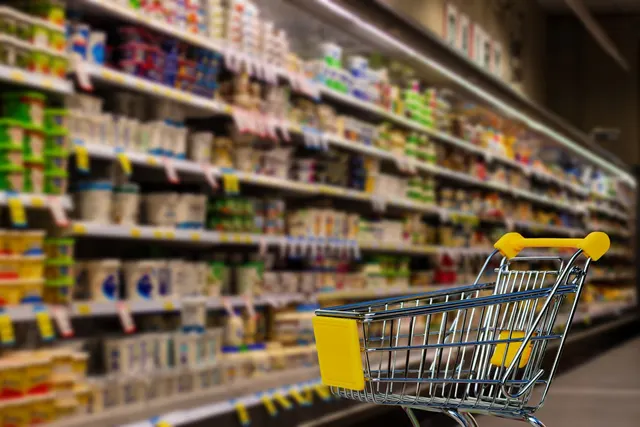
Photo: Pixabay
On this page 7 sections
- WIC vs. SNAP: Why the Rules Are so Different
- How to Become a WIC Retailer: The State Vendor Application
- WIC Vendor Requirements: Stocking Minimums and Pricing Rules
- eWIC Cards and the WIC Approved Product List in Your POS
- How to Accept WIC at Your Grocery Store Without Failed Transactions
- Avoiding Compliance Buys and Vendor Sanctions
- Next Steps for Grocers
Key takeaways
- WIC vendor authorization generally runs through your state WIC agency rather than the SNAP retailer process, and states typically set their own application windows, stocking minimums and pricing limits.
- eWIC benefits work more like a food prescription than a dollar balance, so each scanned UPC or PLU usually has to match your state's current Approved Product List.
- Many failed eWIC transactions trace back to POS setup, including outdated APL files, unmapped produce PLUs, new package sizes and prices above state limits.
- States commonly monitor vendors through inspections and test purchases, and sanctions can be serious, so confirm the rules in your vendor agreement.
If you already accept SNAP, you might assume WIC works the same way. It doesn't. Learning how to accept WIC at a grocery store usually means applying to your state WIC agency, meeting stocking and pricing rules, and setting up a checkout that can match each item against a state-specific product list. This guide explains how WIC differs from SNAP and what a vendor application typically involves. It also covers how the Approved Product List (APL) drives eWIC transactions and which POS issues cause the declined sales that frustrate cashiers and shoppers.
Rules vary by state and change over time. Treat this as general information, not legal advice. Confirm current requirements with your state WIC agency and your vendor agreement before you apply or change your systems.
WIC vs. SNAP: Why the Rules Are so Different
SNAP gives households a dollar balance they can spend on most eligible food. WIC works more like a prescription. Participants generally receive benefits for specific foods in specific quantities, such as a set amount of milk, a certain number of eggs, particular cereals or infant formula. Fruits and vegetables are typically covered by a separate dollar-value benefit rather than a fixed quantity.
WIC is administered largely at the state level. In practice, your state agency usually decides which retailers it authorizes, which brands and sizes are allowed, and how vendors are monitored.
| Area | SNAP | WIC |
|---|---|---|
| Who authorizes your store | The SNAP retailer authorization process | Typically your state WIC agency |
| What the shopper has | A dollar balance for eligible food | Item categories and quantities, plus a separate fruit and vegetable benefit |
| Item eligibility | Broad food categories | Specific UPCs and PLUs on a state product list |
| Store obligations | General stocking standards | State-set stocking, pricing, training and monitoring rules |
| Checkout logic | Food vs. non-food split | Item-by-item match against the shopper's benefit balance |
If you're new to benefits acceptance, start with how SNAP authorization and EBT checkout work. WIC adds another layer on top of that foundation.
How to Become a WIC Retailer: The State Vendor Application
Because states run their own vendor programs, the path to becoming a WIC retailer differs by location. Common steps include:
- Contact your state WIC agency's vendor management staff. Ask whether it is accepting applications. Some states open enrollment only during set windows or limit vendors in an area based on participant access needs.
- Complete the application. Expect to provide ownership details, business licenses, your SNAP authorization status, store hours and shelf prices for WIC foods. Exact requirements vary.
- Prepare for a store visit. Many states inspect stores before authorization to check stock, price displays and general conditions.
- Attend vendor training if required. States commonly require training before authorization, and some require periodic refreshers. Send the people who actually run your registers and receiving.
- Sign the vendor agreement. This contract sets out your obligations, the monitoring you agree to and the consequences of violations. Read it closely, since it governs everything that follows.
- Set up eWIC at checkout. Your POS or a state-arranged device generally must be ready and tested before you can redeem benefits.
Authorization is usually granted for a limited period, so plan for reapplication. Some states also expect current SNAP authorization as a condition of WIC authorization. Ask your agency about both points.
WIC Vendor Requirements: Stocking Minimums and Pricing Rules
WIC vendor requirements generally focus on whether participants can reliably find their foods at a fair price. The specifics are set in your state's rules and your vendor agreement.
Minimum Stock
States commonly set minimum varieties and quantities for each WIC food category. Categories often include milk, eggs, cheese, cereal, whole grains, juice, peanut butter or legumes, fruits and vegetables, and infant foods. Check your state's list for exact requirements.
A few practical points:
- Infant formula sourcing is often restricted. Many states limit where WIC vendors may buy formula, such as an approved list of manufacturers, wholesalers or distributors. Keep your invoices organized in case your state reviews them.
- Stock should be on the shelf, not just in the back. Inspectors typically look at what shoppers can actually find.
- Watch expiration dates. Expired WIC foods on display may be treated as a violation.
Pricing Rules
States want WIC dollars to go as far as possible, so they usually limit what you can be paid:
- Many states compare your prices with similar stores and set maximum reimbursement levels for groups of vendors. If your price is above the limit, the state may pay less than your shelf price.
- Vendor agreements commonly prohibit charging WIC shoppers more than other customers for the same item.
- States commonly prohibit charging sales tax on WIC-paid items. Confirm the rule in your vendor agreement, then make sure your POS handles it correctly. For background on how your system treats food items, review how grocery sales tax applies to food and prepared food.
If you run dual pricing, cash discount or surcharging on card payments, ask your state WIC agency how those programs interact with WIC tender before you go live. Your setup must not result in WIC shoppers being charged more than your agreement allows.
eWIC Cards and the WIC Approved Product List in Your POS
WIC benefits are generally delivered on an eWIC card. Depending on the state, the system may be online, with benefits held on a central host, or offline, with benefits stored on a chip in the card. Find out which approach your state uses, because it affects your equipment choices.
How the APL Works
The Approved Product List is the state's file of items eligible for WIC purchase. It typically identifies each item by UPC or PLU, along with its benefit category and unit of measure. When a shopper pays with eWIC, the system generally:
- Checks each scanned item against the APL.
- Matches it to a benefit category in the shopper's balance.
- Deducts the matching quantity, such as a gallon from a milk benefit or ounces from a cereal benefit.
- Leaves anything that doesn't qualify for another tender.
Because the match is exact, a cereal approved in one box size may be declined in another. A redesigned package with a new UPC can also fail until the state adds it to the list.
Keeping Your APL Current
States update their APL files periodically. An integrated POS typically needs to download updates on the schedule your state or eWIC processor sets, often automatically. Assign someone to confirm updates are actually landing, because a stale file is a common reason eWIC sales fail.
How to Accept WIC at Your Grocery Store Without Failed Transactions
You generally have two options for eWIC payment processing at the register. Availability depends on your state, so ask your WIC agency which setups it supports.
| Factor | Integrated POS | Standalone or Stand-Beside Device |
|---|---|---|
| Checkout flow | One scan; POS splits WIC and other tenders | Items handled on a separate device or entered twice |
| APL updates | Downloaded into the POS item file | Managed by the device or state system |
| Speed in busy lanes | Generally faster once set up | Slower, especially with mixed baskets |
| Setup effort | Requires software approved for your state's eWIC system | Fewer integration steps |
| Best fit | Multi-lane stores, frequent WIC traffic | Low WIC volume, stores still upgrading POS |
What Integrated eWIC Payment Processing Requires
If you want WIC handled inside your main register, confirm the following with your POS provider:
- The software is certified or approved for eWIC in your state and with your state's eWIC processor. Certification in one state generally doesn't carry over to another, so confirm with your state.
- It can import APL files and map them to your item database.
- It can process produce by PLU and weight against the fruit and vegetable benefit. Scale integration matters here; see our guide to selling produce by weight through POS scale integration.
- It supports split tender so the shopper can pay the remainder with SNAP, card or cash.
- It prints the receipt details your state requires, which often include remaining benefit balances and benefit end dates.
When comparing grocery POS systems with scales, PLUs and EBT built in, add eWIC certification to your must-ask list. Don't assume EBT support includes WIC.
Common Reasons eWIC Transactions Fail
When a cashier says "WIC won't take it," the cause is often one of these:
- Outdated APL file in the POS.
- UPC not on the APL, often a new size, multipack or redesigned package.
- Item stored in your system under a different UPC than the one printed on the package.
- Produce PLU not mapped, or weight not passed correctly from the scale.
- Price above the state's maximum, which may lead to a reduced payment or a rejection.
- Benefit category already used up, or benefits outside their valid dates.
- Discounts applied in the wrong order, such as a coupon entered after eWIC instead of before. Confirm the sequence your state requires and set up your POS to follow it.
Keep a short troubleshooting card at each lane and a log of declined UPCs so you can report missing items to the state.
Avoiding Compliance Buys and Vendor Sanctions
States commonly monitor vendors through inspections, invoice reviews and compliance buys. In a compliance buy, someone working for the state typically shops with an eWIC card to see whether staff follow the rules. Your cashiers won't know which transaction is a test.
Practices that vendor agreements commonly prohibit include:
- Charging more than the shelf price or more than other customers pay
- Substituting non-approved items or allowing non-food purchases
- Giving cash, store credit or change in exchange for WIC benefits
- Requiring a minimum purchase or charging WIC shoppers extra fees
- Exchanging returned WIC items for cash or different products
- Buying formula from unapproved sources
Consequences can range from warnings to fines or disqualification from the program. In some cases, a WIC sanction may also affect SNAP authorization, or the reverse. Ask your state agency how this works where you operate, read the sanctions section of your vendor agreement, and consult a qualified professional if you face an administrative action.
A Simple Compliance Routine
- Retrain cashiers when you hire and whenever your state updates its rules.
- Post shelf prices clearly and audit them against the POS on a regular schedule, such as weekly.
- Keep formula invoices organized and easy to retrieve.
- Review state-by-state SNAP soda and candy restrictions at the same time, since benefits rules can change in parallel.
Next Steps for Grocers
To accept WIC, start with your state WIC agency. Ask about application windows, stocking minimums, pricing limits, sales tax treatment and supported eWIC equipment. Then review your checkout. Confirm your POS is approved for your state's eWIC system, that APL updates arrive on schedule, and that produce and scale workflows map correctly.
MannyPay provides payment solutions for grocery markets, including POS systems and card terminals for card and in-person payments. Before choosing any system, verify its eWIC certification with your state. If you'd like help reviewing your card processing setup alongside your benefits workflow, request a free quote and a MannyPay specialist will respond within one business day.
This article is for general educational purposes and is not legal, tax or financial advice. Card network rules and state laws change; confirm current requirements for your business.