Ahold Delhaize Cyberattack: Keep Selling When Systems Go Dark
The Ahold Delhaize cyberattack took grocery sites offline. Learn how independent stores can keep taking payments and protect card data when systems fail.
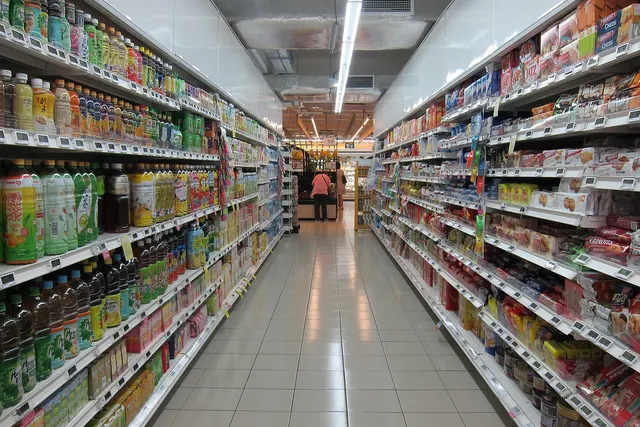
Photo: Pixabay
On this page 7 sections
- The Ahold Delhaize Cyberattack: What's Confirmed so Far (And What Isn't)
- Why Companies Take Systems Offline on Purpose During an Attack
- How Store-and-Forward and POS Offline Modes Work and Where They're Risky
- Questions to Ask Your Processor and POS Vendor Before an Outage
- Cash, Manual Entry and Backup Terminals: Your Plan B for Taking Payments
- Talking to Customers and Your Payment Partners During an Incident
- Next Steps: Build a One-Page Retail Cyber Incident Response Plan
Key takeaways
- As of Oct. 20, 2026, Ahold Delhaize had confirmed a cyberattack and said it had no evidence of data theft. Its U.S. stores stayed open while websites and apps went offline.
- Store-and-forward offline mode keeps lanes moving during a connection outage, but you carry the risk of declines and fraud until the stored sales upload.
- If you suspect your own POS or network has been breached, stop using those devices instead of switching to offline mode.
- A one-page incident plan with a tested cellular backup terminal, cash procedures and verified processor contacts covers most outages.
The Ahold Delhaize cyberattack surfaced on October 12, 2026. It knocked websites, apps and online ordering offline at Food Lion, Stop & Shop, Hannaford and both Giant chains, while the stores themselves stayed open. For an independent grocer, liquor store or retail shop, the useful question isn't what happened inside a multinational's network. It's what you would do if your own POS, network or a key vendor went down on a busy Saturday. This article covers what has been confirmed, why companies take systems offline on purpose, how offline payment modes work and where they can hurt you, and a practical Plan B for taking payments and protecting card data.
The Ahold Delhaize Cyberattack: What's Confirmed so Far (And What Isn't)
Here is what has been publicly reported as of October 20, 2026. Details may change as the investigation continues.
| Date (2026) | What was reported |
|---|---|
| Oct. 11 | Ahold Delhaize detected a cybersecurity incident, according to Supermarket News. |
| Oct. 12 | The company said it was experiencing a "security issue" and was taking some systems offline to help protect them. Stores stayed open. Websites for Food Lion, The Giant Company, Giant Food, Hannaford and Stop & Shop went down, Progressive Grocer reported. |
| Oct. 13 | An update said the impact of the precautionary measures differed by brand. |
| Oct. 12–16 | Online ordering and digital coupons were down at the U.S. banners, per Fox News. BleepingComputer reported Stop & Shop employees had trouble getting to their schedules and pay stubs. Food Lion pointed shoppers to third-party delivery apps and said unfulfilled orders would be refunded, TheStreet reported. |
| Oct. 19 | Ahold Delhaize confirmed it was a cyberattack. It said it had notified the Dutch National Cyber Security Centre and filed a police report, and that e-commerce at its U.S. brands should return in the coming days, according to The Register. |
| Oct. 20 | The company said it had no evidence that customer, associate or partner data was stolen, SecurityWeek reported. The Boston Globe reported that Stop & Shop's online services were back, Hannaford's site had returned and Stop & Shop had offered in-store shoppers a temporary discount. |
What hasn't been disclosed: the type of attack, who was behind it, or a full list of affected systems. Ahold Delhaize hasn't said that card acceptance inside its stores was affected. It also wasn't the only grocery store cyberattack of 2026 in the news: the company told Reuters the incident didn't appear connected to a separate attack that spoiled food at hundreds of French supermarkets around the same time, TheStreet reported.
This is also the company's second major incident in two years. A November 2024 attack on Ahold Delhaize USA later turned out to have exposed employment-record data on roughly 2.2 million people, Cybersecurity Dive reported. At the time, the company said it didn't believe customer payment systems were affected.
Why Companies Take Systems Offline on Purpose During an Attack
A self-imposed shutdown is usually the response, not the attack itself. Disconnecting systems can:
- Stop the spread from one compromised machine or account to others.
- Protect sensitive environments, especially anything that touches payment data.
- Preserve evidence for investigators and insurers.
- Allow a controlled restore, with each system checked before it reconnects.
The Food Lion and Stop & Shop cyberattack shows the tradeoff. Pulling systems offline protects the network, but it also knocks out the services built on top of it: online orders, digital coupons, loyalty points and employee scheduling.
For a small merchant, the lesson is to know which systems checkout actually depends on. If your back-office PC gets infected, can your terminals keep running? If your POS shares a network with guest Wi-Fi and cameras, one weak point can take everything down. Keeping payment devices on their own network segment, or on a separate cellular connection, gives you options. When you shop for a grocery POS with scales, PLUs and EBT built in, ask which features keep working when the internet or the vendor's cloud is down.
How Store-and-Forward and POS Offline Modes Work and Where They're Risky
Many terminals and POS systems offer a POS offline mode, often called store-and-forward card payments. When the device can't reach the processor, it saves the encrypted transaction locally and lets the sale go through. Once the connection comes back, it sends the stored transactions for authorization and settlement.
The catch is that during the outage, nobody checks the card in real time. The issuing bank hasn't confirmed funds, and it hasn't flagged the card as lost or stolen. You are effectively extending credit until the batch uploads.
| Risk | What happens | How to limit it |
|---|---|---|
| Declines after the fact | Stored transactions can be declined once they upload, and the sale may be unrecoverable | Set low per-transaction and total offline limits |
| Fraud targeting | Fraudsters may push big purchases while systems are down | Accept only low-ticket sales offline; check ID on large ones |
| Lost transactions | If a device is reset, lost or fails before uploading, stored sales can disappear | Don't power-cycle or swap devices until the upload finishes |
| Card type gaps | Some card types or payment methods may not work offline | Confirm with your processor which ones are supported |
| Disputes | Offline approvals can be weaker evidence in a chargeback | Keep receipts and notes; see how chargebacks work, step by step |
When Offline Mode Makes Sense and When It Doesn't
Offline mode is built for connectivity outages: the internet drops, the processor has a hiccup or a storm takes out service. It doesn't fix a compromised system. If you suspect your POS or network has been breached, running more transactions through those devices could expose more card data. Stop, disconnect the affected equipment and call your processor.
For liquor stores, offline limits matter more than most. High-ticket bottles are a common target for stolen cards, and an outage takes away the real-time check. Our guide to liquor store credit card fraud on top-shelf purchases covers controls worth having in place before anything breaks.
Questions to Ask Your Processor and POS Vendor Before an Outage
Ask these while everything is working, and write down the answers:
- Is offline or store-and-forward mode available on my devices? Is it on or off right now?
- What are my per-transaction and total offline limits, and who can change them?
- How long can stored transactions sit before they have to upload? What happens if they miss that window?
- Which card types and payment methods work offline, and which don't?
- If the integrated POS goes down, can my terminals run on their own?
- Do my terminals support cellular or another backup connection?
- Is card data encrypted at the terminal, and does that change my PCI DSS obligations?
- Who do I call during an outage or a suspected breach, and what are their hours? Do I get a verification step so I know I'm talking to the real support team?
- If my POS vendor's cloud goes down, what keeps working: price lookups, scales, EBT, ID scanning, gift cards?
If your provider can't answer these clearly, that matters when you weigh how to choose a merchant service provider.
Cash, Manual Entry and Backup Terminals: Your Plan B for Taking Payments
No single backup covers every outage, so most stores need two or three options ready.
| Option | Works when | Main drawbacks |
|---|---|---|
| Cash only | Every system is down | Some customers walk away; more cash on hand to secure; slower lines |
| Offline mode | Internet or processor is down, devices are trusted | Decline and fraud risk; limits apply |
| Backup terminal on cellular | Store network is down or quarantined | Has to be charged, activated and tested in advance |
| Virtual terminal (key-entered) | You have a clean device and connection | Usually costs more than a card-present sale; higher fraud exposure |
Cash
Keep a cash float and a printed price list for top sellers. Decide in advance who can switch the store to cash only, and log cash sales by hand so inventory can be updated later.
Key-Entered Transactions
A virtual terminal lets you enter card details from a browser on a separate, trusted device. Keyed sales generally get card-not-present treatment, which usually means higher costs and weaker fraud protection than a chip read. See card-present vs. card-not-present fees and rules for the details. Never write card numbers on paper to run later. That creates exactly the kind of stored card data PCI DSS is meant to stop.
A Backup Terminal on a Separate Connection
A charged, activated terminal that runs on cellular can keep at least one lane open even if your store network is offline. Mobile terminals and handheld terminals suit this job. Test the backup terminal every month with a real low-dollar sale and refund it, so it isn't sitting dead in a drawer when you need it.
Industry-Specific Checks
- Grocery: Know how you'll price weighed produce and deli items without the integrated scale. Ask your EBT processor and state agency what backup procedures apply to SNAP during an outage. Our guide to accepting EBT at your grocery store is a good starting point.
- Liquor stores: Age checks still apply when your ID scanner is down. Train staff to inspect IDs by hand, and lower offline limits on high-value sales.
- Retail: Hold off on returns and gift card redemptions you can't verify, and log any exceptions for review once systems are back.
If Your Online Store Goes Dark
Put up a simple status message, pause paid ads that point to broken pages, and tell customers how pending orders will be handled. Food Lion's approach was to send shoppers to other ordering channels and promise refunds on unfulfilled orders.
Talking to Customers and Your Payment Partners During an Incident
With customers, be brief and honest. A sign at the door explaining which payment methods you can take saves arguments at the register. Don't guess about causes or whether data was exposed. Stop & Shop's public apology made clear that stores, pharmacies and fuel stations were open, which is the message most shoppers need.
With your payment partners:
- Call your processor using the number on your statement or contract, not one from an unexpected email or text. Attackers count on confusion. See social engineering lessons for merchants.
- Report a suspected breach promptly. Your merchant agreement likely spells out notification duties.
- Preserve logs and devices. Don't wipe or reinstall anything until you're told it's safe.
- If you have cyber insurance, call your insurer before hiring outside help.
Breach notification and other legal requirements vary by state. Treat this as general information and confirm your obligations with a qualified attorney.
Next Steps: Build a One-Page Retail Cyber Incident Response Plan
A workable retail cyber incident response plan for a small store fits on one page:
- Phone numbers for your processor, POS vendor, IT help, insurer and attorney
- Who decides to switch to offline mode, cash only or a backup terminal
- Offline limits you've agreed on with your processor
- Where the backup terminal, cash float and printed price list are kept
- A short script for customers, plus a status message for your website
- A monthly test date
If you'd like help reviewing offline options, backup hardware or your setup for grocery market payments, liquor store payment processing or retail store payments, you can request a free quote from MannyPay. A MannyPay specialist responds within one business day.
Sources
- Ahold Delhaize takes precautionary measures following cybersecurity incident (Ahold Delhaize Newsroom)
- Ahold Delhaize shuts down websites after cybersecurity issue (Supermarket News)
- 'Security Issue' Reported at Ahold Delhaize (Progressive Grocer)
- Cyberattack Prompts Grocery Giant Ahold Delhaize to Disconnect Systems (SecurityWeek)
- Retail giant Ahold Delhaize takes systems offline after cyberattack (BleepingComputer)
- Major US grocery chains hit by cybersecurity incident (Fox News)
- Food Lion, Stop & Shop online ordering stays down for a 3rd day (TheStreet)
- Grocery giant Ahold Delhaize confirms cyberattack forced US and European systems offline (The Register)
- Ahold Delhaize Restoring Services Disrupted by Cyberattack (SecurityWeek)
- Stop & Shop's online services have returned after cyberattack (Boston Globe)
- Ahold Delhaize USA says cyberattack exposed personal data of 2M people (Cybersecurity Dive)
This article is for general educational purposes and is not legal, tax or financial advice. Card network rules and state laws change; confirm current requirements for your business.