Line Busting: Using Mobile POS to Shorten Checkout Lines
How line busting retail stores use handhelds or phones to cut checkout waits while keeping cash and tagged items under control.

Photo: Pixabay
On this page 6 sections
- When Line Busting Is Worth It in a Retail Store
- Handheld POS vs. Tap-on-Phone Checkout on the Retail Floor
- Keep Bagging and Security Tags at One Fixed Station
- Send Cash Customers to the Register With a Prescanned Ticket
- Lock Down Staff Permissions on Floor Devices
- Measure Whether You Reduced Checkout Wait Time
Key takeaways
- A line buster who only takes small, card-paying baskets can stop a Saturday queue from building, even when the register runs at full speed.
- Payment can move to the floor while tag removal and cash handling stay at fixed stations.
- Cash customers get scanned on the floor into a held ticket that the cashier recalls, so no cash float ever leaves the drawer.
- Floor devices should run with refunds and keyed entry turned off, and every device should be reconciled at close.
Line busting means a staff member takes payment out on the floor or in the queue, so shoppers don't all wait on one fixed register. A good line busting retail setup puts a handheld terminal or a payment-enabled phone in an employee's hand during rush hours. That person checks out the simple card-paying baskets and sends anything complicated to the counter. When it works, the line stops growing. When it's set up carelessly, untagged merchandise walks out the door and refunds go through that nobody approved. The controls matter as much as the device.
When Line Busting Is Worth It in a Retail Store
A line grows when customers reach the register faster than the register can serve them, so the payoff depends on that gap. A shop with a short line twice a week doesn't need a second checkout point. A shop where the queue stretches past the fitting rooms every Saturday afternoon and all through December does.
Here's an illustrative example. Every number is an assumption, so swap in your own:
- One register averages 2.5 minutes per customer once you count everything from scanning to tag removal. That works out to 24 customers an hour.
- Between 1 p.m. and 3 p.m. on Saturday, 30 customers an hour arrive to check out.
- Each hour the register falls 6 customers behind. By 3 p.m. about 12 people are waiting, and the last one faces roughly a 30-minute wait (12 × 2.5 minutes).
Now give one employee a handheld and let them take only card-paying customers with a few items, at about 2 minutes each. Assume half the arrivals fit that description. The register's load drops to 15 customers an hour against a capacity of 24, so the queue never builds. Meanwhile the line buster handles 15 an hour against a capacity of 30. Nobody got faster. You split the work so neither station is overloaded.
That split is why line busting suits stores where quick baskets mix with slow ones, like a gift shop in December or a garden center on the first warm weekend of spring. It helps less when nearly every sale is slow for the same reason, such as custom orders or large furniture.
Handheld POS vs. Tap-on-Phone Checkout on the Retail Floor
You have two main ways to put mobile POS on the retail floor. The right one depends on how your customers pay and whether you need printed receipts.
Dedicated handheld terminals run the same POS software as your counter and accept chip cards as well as contactless taps, with swipe as a fallback. Many models can also print a receipt and scan barcodes, so a floor sale rings up against your real inventory. Check each model's spec sheet before you buy. The Clover Flex 4G and the PAX A920 Pro are two of the handhelds we carry, and a cellular connection matters if your Wi-Fi fades in the back corner or out in a garden area. You can compare screen size and connectivity across our handheld POS terminals for retail floors.
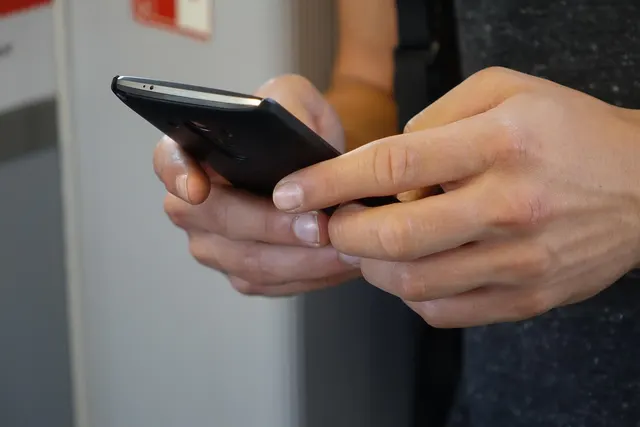
Tap-on-phone acceptance turns a supported iPhone or Android phone into a contactless reader through your processor's app, with no extra hardware to buy. A phone can't read a chip insert or a swipe, though. A customer whose card doesn't support contactless gets sent to the register anyway. Phones don't print either, so receipts go out by text or email. Device eligibility and PIN support depend on Apple or Google and on your processor's app, so confirm current terms before you plan around it. We weigh the tradeoffs in more detail in whether an iPhone can replace a retail card terminal.
One misunderstanding to clear up: a card tapped on a phone or handheld is generally processed as an in-person, card-present sale, just like a tap at the counter. Typing the card number into the device is different. A keyed sale usually prices closer to an online order and carries more fraud risk, so ask your processor how floor sales will be classified. Floor checkout shouldn't add to your keyed volume, and the permissions section below shows how to keep it that way.
If you're weighing staff phones against company devices, choose company-owned hardware wherever you can. A personal phone goes home with the employee and mixes personal apps with your payment app. It's also hard to lock down. If you do use phones, buy a few store-owned ones and keep them charging next to the handhelds. Our mobile terminal options cover both approaches.
Keep Bagging and Security Tags at One Fixed Station
Security tags trip up retail line busting more often than payment does. Hard tags and ink tags need a detacher, and soft labels need a deactivation pad. Neither tool should travel around the store in an apron.
A cleaner design separates paying from leaving:
- On the floor or in the queue, the line buster scans the items and takes payment.
- A receipt prints from the handheld or arrives on the customer's phone by text.
- At a fixed "paid merchandise" station near the exit, an employee checks the items against the receipt, then pulls the tags and bags the order.
That last step goes quickly because nobody is paying there. It also gives you one control point: every item leaving the store crosses a counter where someone matches it to a paid receipt. If you stock few tagged items, the line buster can bag on the spot, but keep the receipt check.
Test receipt settings before your first busy Saturday. A handheld receipt should match the counter receipt, down to the return policy text and the barcode your register scans for returns. That way returns and gift receipt refunds work no matter which device made the sale. Returns and exchanges themselves belong at the register.
Send Cash Customers to the Register With a Prescanned Ticket
Don't give line busters a cash float. Loose cash on the floor makes drawer counts unreliable and makes theft easy to hide.
Most retail POS systems let you scan a basket on one device and save it as a held or parked order. Here's how the handoff runs. On the floor, the line buster scans the cash customer's items and saves the ticket. With a ticket number or printed barcode in hand, the customer walks to the register. From there the cashier recalls the order, takes the cash and makes change. Scanning a full basket was the slow part, and it already happened on the floor, so payment at the counter takes seconds.
Use the same handoff for split tender sales that combine gift cards with cash and for tax-exempt purchases that need a certificate on file. Anything that needs a manager goes this route too. Test held orders on your system before the rush. A ticket that doesn't sync to the register is worse than no line busting at all.
Lock Down Staff Permissions on Floor Devices
A floor device should do less than the register. Set it up so that:
- Each employee logs in with their own code. Shared logins make it impossible to trace a voided sale or an odd discount to a person.
- Refunds and voids are switched off. Mistakes go to a manager at the counter.
- Manual card entry is disabled. If a card won't tap or insert, the customer goes to the register, which keeps a stolen card number from being typed in on the floor. Our guide to spotting stolen cards at the register lists the warning signs staff should know.
- Discounts are capped. If the counter needs manager approval above a set percentage, the handheld should too.
- Devices get signed out and back in. A simple log of who took which device, and when, is enough.
Before you go live, ask whether your devices can store transactions while offline. Some systems hold a sale when Wi-Fi drops and send it later. If that card declines once the sale finally reaches the processor, the customer is gone and so is the merchandise. Decide in advance whether floor devices may sell offline, and set a dollar limit if they can.
At close, every floor device's sales should show up in your end-of-day reports by device and employee. Reconcile them alongside the drawer, following our guide to closing out with X and Z reports. Handhelds also count as card-handling equipment under PCI compliance for retail stores, so keep their software updated and know where each one is.
Measure Whether You Reduced Checkout Wait Time
Without numbers from before the change, you won't know whether line busting earned its keep. Over two or three normal busy weekends, collect a baseline:
- Line length, counted by a manager every 15 minutes during your peak.
- Time to checkout for a sample of 20 customers, from joining the line to paying.
- Transactions per hour, pulled from your POS reports.
- Abandoned merchandise, meaning items dumped near the line or left at the counter. If you have a door counter, compare traffic with transactions to see your conversion rate.
Then run floor checkout for the same number of weekends and compare. Your POS should break out transactions by device, which tells you how much the line buster actually handled.
To put a value on walkouts, use figures from your own records:
Lost gross profit per year = walkouts per busy day × average basket × gross margin × busy days per year
Weigh that result against the device cost and any extra staff hours on the floor. If your measured walkouts are close to zero, the line isn't costing you much in sales, and the case for floor checkout rests on customer experience.
Set a trigger so staff know when to deploy, such as "a handheld goes out when five people are waiting." Write it down so a busy manager doesn't have to decide on the spot.
This Saturday, time 20 checkouts and count the line every 15 minutes during your busiest two hours. If the count keeps climbing, start with one handheld configured as described above. To compare devices and pricing, request a free quote from MannyPay and ask how floor devices would connect to your current retail POS system.
This article is for general educational purposes and is not legal, tax or financial advice. Card network rules and state laws change; confirm current requirements for your business.