Sales Tax Holidays: Setting up Your POS for Tax-Free Weekend
Sales tax holiday POS setup for retailers: tag qualifying items, apply price thresholds, handle online orders and returns, and keep audit-ready records.
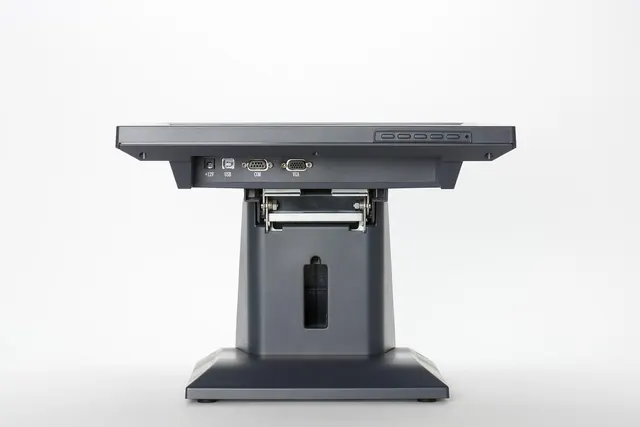
Photo: Pixabay
On this page 7 sections
- How Sales Tax Holidays Work: The Rules Retailers Need to Know
- Tax-Exempt Items in Your POS: Categories and Price Thresholds
- Sales Tax Holiday POS Setup: Configuring Tax Rules Step by Step
- Online Orders During the Holiday Window
- Returns and Exchanges After the Holiday
- Recordkeeping for Audit Protection
- Next Steps for Tax-Free Weekend Retailers
Key takeaways
- Read your state's official guidance first. Covered items, price thresholds and local participation differ from state to state and can change from year to year.
- Build a separate zero-tax rule for eligible items rather than editing your normal tax rate, then schedule it or assign someone to switch it on and off at the exact start and end times.
- Price thresholds usually apply per item, not per cart. Test transactions under, at and over the limit before the weekend.
- Keep configuration logs, exempt-sales reports and receipts so you can support your return if the state asks questions later.
A tax-free weekend can bring strong foot traffic and web orders. It can also create tax errors if your register isn't ready. A good sales tax holiday POS setup makes sure qualifying items ring up without tax, items over the price limit stay taxable, and everything goes back to normal when the window closes.
This guide covers how sales tax holidays generally work and how to configure your POS and online store step by step. It also explains how to handle returns afterward and which records to keep in case of an audit.
This article is general information, not tax or legal advice. Sales tax holiday rules are set by each state and sometimes by local jurisdictions. Confirm current details with your state's department of revenue and a qualified tax professional.
How Sales Tax Holidays Work: The Rules Retailers Need to Know
A sales tax holiday is a short, state-defined period when specific categories of goods can be sold without state sales tax, and sometimes without local sales tax too. The best-known version is the back-to-school sales tax holiday, but some states have run holidays for other categories as well.
The details vary widely. Most states that hold a holiday publish guidance that answers these questions:
- When it starts and ends. This includes the exact start and end times, not just the dates.
- Which item categories qualify. These come with definitions that can be narrower than you'd expect.
- Price thresholds. This is the maximum price per item that still qualifies.
- Local participation. Some states allow cities or counties to keep charging their local tax.
- Edge cases. States often address layaway, rain checks, discounts, coupons, shipping, bundles and exchanges.
Some states have discontinued their holidays, changed the covered items or adjusted thresholds over the years. Don't reuse last year's setup without checking the current guidance.
Is participation optional for retailers? In some states it may not be. You may be required to honor the exemption on qualifying items. Check how your state handles this before deciding whether to promote the event.
Tax-Exempt Items in Your POS: Categories and Price Thresholds
Before you change any settings, translate the state's rules into a clear list of SKUs. This is where most errors begin.
Item Categories
States define categories in their own terms. A product that seems obviously eligible may not be. The table below lists categories some states have included and the kinds of definition questions that come up.
| Category (Examples Some States Have Used) | Common Definition Questions to Check |
|---|---|
| Clothing and footwear | Are accessories, jewelry, sports gear or protective equipment excluded? |
| School supplies | Is it a defined list? Do art supplies or backpacks count? |
| Computers and accessories | Do tablets, printers, software or peripherals qualify? |
| Emergency preparedness items | Which specific items, such as batteries, flashlights or generators, qualify? |
| Energy-efficient appliances | Does qualification depend on a specific certification? |
Treat this table as a starting point for your review. The state's official item list is the only reliable source.
Price Thresholds
Thresholds usually apply per item, not to the whole transaction. A customer can buy several qualifying shirts in one order, and each shirt is judged on its own price.
Pay close attention to what happens above the limit. In many states, an item priced over the threshold is taxable on its full price, not just on the amount above the limit. Confirm how your state handles this.
Illustrative example only (not any state's actual rule): suppose a state's clothing threshold is $100 per item. A $99 jacket would ring up tax-free. A $101 jacket could be fully taxable, depending on that state's rules.
Other threshold questions to confirm with your state:
- Store discounts vs. coupons. A store markdown usually lowers the selling price. Manufacturer coupons may be treated differently.
- Pairs and sets. Shoes sold as a pair are typically one item. Bundles that mix qualifying and non-qualifying goods may need special treatment.
- Buy-one-get-one offers. The way you allocate price across the items can change whether each one qualifies.
Sales Tax Holiday POS Setup: Configuring Tax Rules Step by Step
Most modern retail POS systems let you create tax rates and assign them to items or categories. The exact menus differ by platform. The workflow below applies to most systems.
Before the Holiday
- Download the official guidance. Save the state's notice, item list and FAQ, and note the version or publication date.
- Audit your catalog. Export your item list and mark each SKU as eligible, not eligible or needs review. Have a second person check the "needs review" items against the state's definitions.
- Create a holiday tax group or category. Set up a separate rule, such as a 0% state rate, rather than editing your standard rate. Keep any local rate that still applies if your jurisdiction doesn't participate.
- Handle price thresholds. If your POS supports price-based conditional tax rules, use them. If it doesn't, assign the holiday tax group only to SKUs whose regular and sale prices are both under the threshold. Recheck any item you mark down during the weekend.
- Plan for overrides. Decide who can manually change an item's tax status at the register, and require a reason code or note each time.
- Schedule the switch. If your system supports scheduled rules, set the exact start and end times. If it doesn't, assign a specific person to make the change at opening and closing, and give them a checklist.
- Check multi-location settings. Stores in a state without a holiday, or in a participating state with an opted-out locality, must stay on normal rates.
Test Before You Open
Run test transactions and void them, or use a training mode if your system has one:
- A qualifying item under the threshold
- A qualifying item exactly at the threshold
- A qualifying item over the threshold
- A mixed cart with eligible and non-eligible items
- An eligible item with a store discount applied
- A return of a holiday purchase
Check that receipts clearly show which lines were taxed and which weren't. Clear receipts help customers trust the charges and make returns easier.
Standalone Terminals and Integrated Setups
Tax is calculated on the POS or register, not on the card terminal. If you use a standalone terminal and key in amounts, staff must enter the total exactly as the register calculated it. An integrated setup sends the amount automatically, which removes a common source of mistakes on busy days. If you're weighing hardware options, our guide to the best POS systems for retail stores compares what small shops should look for.
Train Staff
Give cashiers a one-page sheet that covers what qualifies, what the threshold is and how to recognize an item that rang up incorrectly. Also explain how to escalate questions instead of guessing.
Online Orders During the Holiday Window
Tax-free weekend retailers that sell online face timing questions that in-store sales don't. States differ on which moment determines eligibility. It might be when the order is placed, when it's paid for or when it's delivered. Confirm your state's rule before you configure anything.
Steps for your online store:
- Update the e-commerce tax settings separately. Your website's tax engine may not sync with your POS. Apply the same eligible SKUs and thresholds on both. If you use an automated tax service, confirm it has loaded the holiday rules for your nexus states.
- Check how shipping is treated. Shipping and handling charges may be taxable, exempt or allocated across items, depending on the state.
- Plan for backorders and preorders. Decide in advance how orders placed during the window but filled afterward will be handled, based on your state's guidance.
- Align pickup orders. Buy-online, pick-up-in-store orders that cross the holiday's end time need a clear rule. Our article on setting up BOPIS payments covers how to keep online and in-store records consistent.
- Consider layaway. States often have specific rules for layaway agreements that start or finish during a holiday. If you offer it, review those rules alongside your layaway payment and fee policies.
If you run your store on a platform like Shopify or WooCommerce, MannyPay supports online payment processing with those platforms. Tax configuration still happens in your store's own settings or tax app.
Returns and Exchanges After the Holiday
Returns are where holiday sales get messy. Base every refund on the transaction record, not on today's tax settings.
- Item bought tax-free and returned after the holiday. Refund the amount the customer actually paid, which included no sales tax. If your POS recalculates tax on returns, staff must use a receipt lookup so it doesn't refund tax that was never collected.
- Item bought before the holiday and returned during it to rebuy tax-free. Some states address this directly, and some limit it. Check your state's rules and set a store policy.
- Even exchanges. Several states treat swapping the same item in a different size or color differently from a new purchase. Confirm the treatment and train staff on it.
- Refund method. Refund to the original payment method where possible. This keeps your card records clean and reduces dispute risk. See our guide to retail refunds to card, cash or store credit for policy options.
Post your return policy clearly at checkout and online before the weekend starts.
Recordkeeping for Audit Protection
If a state reviews your returns, you'll need to show that exempt sales actually qualified. Keep these records:
- The state guidance you relied on, saved with the date you downloaded it
- Screenshots or exports of your tax settings before, during and after the holiday
- A change log showing who switched rules on and off and when
- Your SKU eligibility list, including notes on any items you reviewed
- Daily exempt-sales reports from your POS and online store, broken out from taxable sales
- Override reports with reason codes
- Itemized receipts for exempt transactions and related returns
When you file the return that covers the holiday period, report exempt sales the way your state's form requires. Keep the records for the retention period your state specifies.
Reconcile your card deposits against POS totals for the holiday period, too. Our walkthrough on matching card deposits to sales shows a monthly routine that works well after high-volume weekends.
Next Steps for Tax-Free Weekend Retailers
A clean tax-free weekend comes down to preparation. Here's the short version:
- Get your state's current guidance and confirm local participation.
- Map eligible SKUs and price thresholds.
- Build a separate holiday tax rule and schedule it, or assign someone to switch it.
- Test edge cases and train staff.
- Match your online store's settings to your POS.
- Set clear return and exchange rules.
- Save your records and revert your settings when the holiday ends.
If your current setup makes tax rules hard to manage, it may be time to look at your hardware and software. MannyPay offers payment processing for retail stores, including POS systems and integrated card terminals for in-person and online sales. Request a free quote, and a MannyPay specialist will respond within one business day.
This article is for general educational purposes and is not legal, tax or financial advice. Card network rules and state laws change; confirm current requirements for your business.