Tap to Pay on Your Phone: Accept Cards With No Card Reader
Tap to pay on iPhone and Android turns your phone into a card reader. Learn which sales it handles and when a dedicated reader still pays for itself.
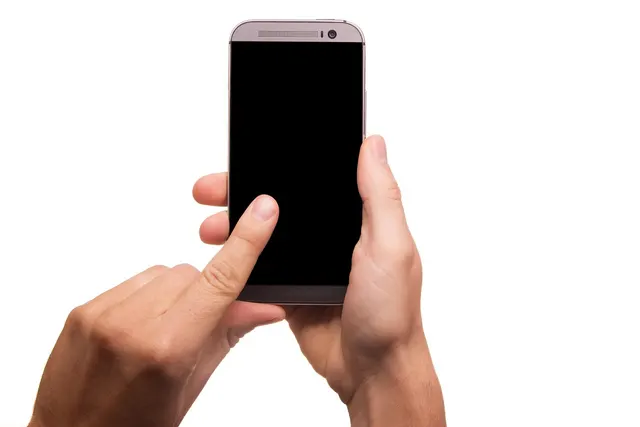
Photo: Pixabay
On this page 7 sections
- How SoftPOS Turns Your Phone Into a Card Reader
- What You Can Accept With Contactless Payments on a Phone
- Tap to Pay on iPhone and Tap to Pay on Android: Device Requirements
- Security: How Phone-Based Acceptance Protects Card Data
- Phone as a Credit Card Reader vs. a Dedicated Terminal
- Businesses That Fit Phone-Only Acceptance and Where It Falls Short
- Before Your First Phone-Tap Sale
Key takeaways
- Phone-only acceptance takes contactless cards and wallets. Every other entry method needs a fallback, and the common fallback, keyed entry, costs more.
- To settle the hardware question, multiply your untapped card-present volume by your keyed premium and by 12, then compare the result with a reader quote.
- Signal and battery fail first, and at the worst moments: the lunch line at the truck window or a repair in a basement.
- The phone feature is not a merchant account. Your provider supplies the app and sets phone-tap pricing, so get that pricing in writing.
Tap to pay on iPhone, and the matching feature on Android phones, lets you accept contactless cards and mobile wallets on the phone already in your pocket. You don't need a card reader. The customer taps a card or wallet against the back of your phone, and your payment app sends the sale for approval the same way a terminal does. For a food truck at a quiet market or a solo tech finishing a repair, that is enough. If your customers still insert chip cards, or if you work where the signal drops, a dedicated reader earns its place. Last month's sales records will show you which group you're in.
How SoftPOS Turns Your Phone Into a Card Reader
Modern smartphones have an NFC (near-field communication) antenna. It is the same short-range radio found inside a contactless terminal. A payment app from your processor or POS provider uses the phone's built-in payment support to read a tapped card or wallet. Apple calls its version Tap to Pay on iPhone. On Android, the capability comes through provider apps built for it. The industry calls the whole category SoftPOS, short for software point of sale.
The sale takes seconds. You enter the amount and turn the screen toward the customer. They tap, the app encrypts the card data and sends it to the processor, and the approval appears on screen. Receipts go out by text or email.
One point gets misunderstood constantly: the phone feature is not a merchant account. Apple and Google supply the technology. A payment provider still has to underwrite your business and move the money into your bank account. That provider's app and pricing decide what the experience is really like.
The card or wallet is physically present, and its chip is read over the air, so these sales go through as card-present contactless transactions. Card-present sales cost less to process than keyed or online sales. Our explainer on card-present vs. card-not-present fees covers the reasons. The price your provider sets for phone-tap sales is its own decision, not a network rule, so ask for it in writing.
What You Can Accept With Contactless Payments on a Phone
A phone reads only what can be tapped. That means contactless cards, which carry the sideways wave symbol, and NFC wallets on phones and smartwatches, such as Apple Pay and Google Pay. Card brand coverage is set by your provider, so ask about American Express and Discover by name.
A phone can't read a chip card that has to be inserted, and it can't read a magnetic stripe. A card with a cracked or missing contactless antenna fails as well. Some prepaid and store-issued cards were never contactless to begin with.
For those customers, most apps let you type in the card number. That sale is a keyed transaction. It costs more, and it is harder to defend in a dispute. Our explainer on why keyed transactions cost more and trigger reviews covers the details.
Large tickets bring one more wrinkle. Card issuers ask the cardholder to verify higher-value contactless payments. A wallet handles this on the customer's own device with biometrics or a passcode. A tapped plastic card asks for a PIN instead, and not every phone app can show a PIN pad on screen. Before you rely on a tap to close a four-figure water heater job, ask your provider how the app handles it.
Tap to Pay on iPhone and Tap to Pay on Android: Device Requirements
On iPhone, the phone has to be a supported model running a current iOS version, with a passcode set. Apple keeps the list of supported models, and older phones aren't on it. Check the list before you plan around the spare phone in your glove box. You also need a payment app that supports the feature.
Android is less uniform because each provider certifies its own app. Every provider sets its own requirements, and these are the common ones:
- NFC switched on
- A recent Android version with Google Play services installed
- A screen lock enabled
- No rooting or unofficial operating system
- Developer options turned off, since many apps refuse to run with them on
Get your provider's supported-device list before you buy phones for a crew. Tablet support also depends on the provider. On both platforms, plan on a live data connection for every sale, because these apps authorize in real time.
Show customers where to tap. On an iPhone the antenna sits near the top edge. On Android it is in the middle of the back on most models, though the exact spot depends on the phone. Thick cases, metal cases and magnetic card wallets block the read. Test with your real case on before the first job.
Security: How Phone-Based Acceptance Protects Card Data
Part of the protection comes from the card. Every contactless chip transaction generates a one-time code, so data captured from one tap can't be replayed as a new chip sale. Wallets go further and replace the real card number with a token. You never see the actual account number.
The app does the rest. A well-built acceptance app encrypts card data the moment the phone reads it and keeps the full number off the device. It also checks that the phone hasn't been jailbroken or rooted before it will take a payment. Industry security standards written for card acceptance on ordinary off-the-shelf phones define these controls, and reputable providers build to them.
Your part is device discipline:
- Lock every phone with a passcode or biometric.
- Give each employee their own login instead of one shared account.
- Remove access the day someone leaves.
- Keep the operating system updated.
- Know how to sign a lost phone out of the payment app remotely.
These steps carry the most weight when employees take payments on personal phones.
Phone as a Credit Card Reader vs. a Dedicated Terminal
Here are the trade-offs:
| Factor | Phone only | Dedicated reader or terminal |
|---|---|---|
| Hardware to buy | Nothing beyond a supported phone | Reader or terminal, bought or leased |
| Card types | Tap and wallets | Tap and chip, plus swipe on most models |
| PIN entry | On screen, where the app supports it | Physical PIN entry on many models |
| Receipts | Text or email | Printed on models with a printer |
| No signal | The sale doesn't go through | Offline mode on some models, with decline risk when sales upload |
| Battery | Shares your phone's battery | Has its own |
| Busy periods | One phone passed back and forth | Built for constant customer handling |
Our side-by-side on tap to pay on your phone vs. a dedicated card reader goes deeper on the hardware. For most merchants, the decision comes down to how many sales land in the gaps in the left column.
Worked Example: Price the Gap With Your Own Statement
Borrowed rates won't tell you much here, so use a recent statement and your own pricing schedule.
- Total the dollar value of last month's card-present sales that weren't tapped.
- Find the gap between your keyed rate and your contactless rate.
- Multiply that dollar total by the rate gap, then by 12. The result is roughly what you'd pay each year to key those sales on a phone.
- Compare that yearly figure with the quote for a basic reader.
If the yearly premium is bigger than the reader's price, the reader pays for itself within the first year. That is before you count the stronger dispute position a chip read gives you. If untapped sales are rare, phone-only wins.
The math works against high-ticket businesses faster than most owners expect. The premium grows with dollars, not with the number of transactions. A plumber with large tickets reaches the break-even point with far fewer non-tapping customers than a coffee cart does. A steady pattern of keyed entries on an account set up as card-present also draws questions from the processor's risk team.
Businesses That Fit Phone-Only Acceptance and Where It Falls Short
Food Trucks: Fine at a Slow Market, Strained at Lunch Rush
A truck working a farmers market or a brewery patio runs on phones without trouble. The friction starts at volume. With a long line at the window, one phone gets passed between greasy hands while the kitchen still waits on printed tickets. Festival grounds with overloaded cell networks are the worst case for an app that needs a live connection. A setup that holds up is a terminal at the window with a phone as a second lane or a backup. Our guide to the best food truck POS system for a moving kitchen covers the window setup.
Plumbers and Home Service Techs: Good Backup, Watch the Big Tickets
The close happens at the kitchen table after the repair, and the tickets run into the hundreds or thousands. A phone handles it when the homeowner taps. It struggles when the homeowner hands over a chip card or when the job was in a basement with no signal. A one-person shop whose customers tap can go phone-only. A shop with several trucks and big tickets is better off with a reader in each truck and phones as the backup. Our roundup of credit card readers for plumbers getting paid at the truck compares the options.
Contractors: Most Money Moves by Invoice Anyway
Deposits and progress draws rarely happen with the customer standing beside you, card in hand. Phone tap covers a small change order or the final payment at the walkthrough. The large draws move by invoice or ACH. If that is how you bill, getting paid by card faster on contractor invoices matters more than any hardware decision.
Home Healthcare Caregivers: Simple Tools, Strict Device Rules
Home care billing normally runs through the agency office. A caregiver collecting payment during a visit is the exception, for something like a private-pay extra or a supply purchase. When it happens, a phone is lighter to carry than another device. The hard part is policy. Decide whether caregivers use personal or agency phones, and limit who can issue refunds. Then set a rule for cutting off access the day someone leaves. Settle these before anyone takes a payment in a client's home.
Before Your First Phone-Tap Sale
- Confirm compatibility. Ask your processor whether its app supports phone tap on your exact phone models.
- Get the pricing in writing, both for phone-tap sales and for keyed fallbacks. If you run dual pricing or a cash discount program, confirm the app displays and applies it correctly.
- Set up a separate login for each employee, with refunds restricted to the owner or a manager.
- Run a test sale and a refund with your own card and your phone case on.
- Choose a fallback in advance for customers who can't tap, such as a reader or a payment link.
This week, pull last month's card-present sales and sort them by entry method. If nearly everything was tapped, a phone covers you. If a real share wasn't tapped, look at mobile terminals built for field work such as the Clover Go mobile reader. To compare setups and pricing, request a free quote from MannyPay. A specialist responds within one business day.
This article is for general educational purposes and is not legal, tax or financial advice. Card network rules and state laws change; confirm current requirements for your business.