How to Build an SMS List: Text-to-Join, Checkout, and Pop-Ups
Learn how to build an SMS list in store and online, with sign-up offers that protect margin and opt-in wording built around FCC and carrier rules.

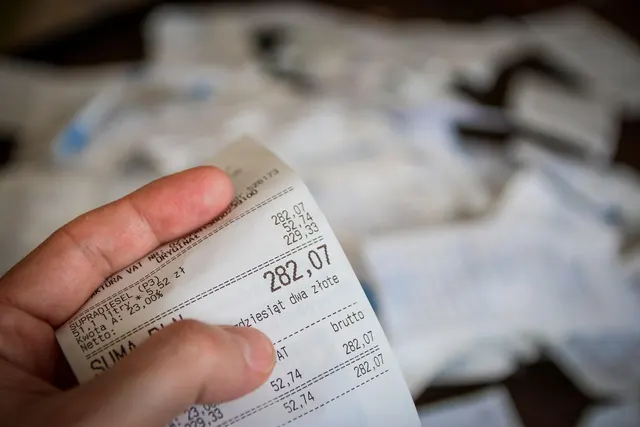
Photo: Pixabay
On this page 8 sections
- A Phone Number on File Isn't Permission to Market
- Text-to-Join Keywords for In-Store Sign-Ups
- Signs, Receipts, and the POS Prompt
- Website Pop-Ups and SMS Sign-Up at Checkout
- Opt-In Wording: Which Lines Are Law and Which Are Carrier Rules
- Sign-Up Offers Priced per Subscriber, Not per Redemption
- The Welcome Text and the First Opt-Out
- Measure Each Opt-In Point as You Build Your SMS List
Key takeaways
- A number given for a receipt, a reminder or a waitlist can't be used for promotions until the customer gives separate written marketing consent.
- Federal law covers four of the disclosure lines. CTIA carrier guidelines cover the rest, and carriers enforce them against your number.
- Price a welcome offer by its cost per subscriber, not per redemption. A free add-on can cost a quarter as much as a percentage discount.
- Staff need a way to log a spoken "stop texting me" the same day, because opt-outs no longer arrive only as STOP replies.
To build an SMS list, ask for an opt-in everywhere customers already deal with you. That means a text-to-join keyword on signs and receipts, a phone-number prompt on the POS screen, a delayed pop-up on your website and an unchecked box at online checkout. Each opt-in needs a small reason to join and disclosure wording that meets federal consent rules and carrier guidelines. That is how to build an SMS list of people you can legally text, instead of a spreadsheet of numbers you can't market to.
These tactics work the same way for a boutique, a taco counter, a Shopify store or a salon. What changes is where the customer is standing when you ask.
A Phone Number on File Isn't Permission to Market
This is a common mistake, and an expensive one. The Telephone Consumer Protection Act (TCPA) is enforced through an FCC rule, 47 CFR 64.1200. That rule requires prior express written consent before a business sends automated marketing texts to a cell phone. Section 64.1200(f)(9) defines that consent as a written agreement signed by the customer. The agreement authorizes the seller to send advertising messages to a specific number, and it must say plainly that agreeing is not a condition of buying anything. Electronic signatures count under the federal E-SIGN Act, so the agreement can be captured on a screen or by text.
Informational texts fall under a lower standard. Appointment reminders, order updates and "your table is ready" messages generally need only prior express consent. A number given for a digital receipt, a loyalty lookup, a salon reminder or a restaurant waitlist was given for that one purpose. Sending promotions to it requires separate marketing consent, with its own disclosure, and the customer has to give it through their own action.
The law sets damages of $500 per unauthorized text, or up to $1,500 if the violation is willful. As an illustration, a restaurant that sends one promotion to 400 waitlist numbers faces 400 potential claims. At the minimum damages, that adds up to $200,000. Our guide to SMS marketing rules and TCPA compliance covers the wider legal picture.
Text-to-Join Keywords for In-Store Sign-Ups
With text-to-join, a customer texts a word such as TACOS or GLOW to your business number. Your SMS platform replies with a confirmation and the required disclosures, then adds the number to your list. The customer starts the exchange from their own phone, so it gives you one of the cleanest consent records you can get. Ask your platform how it stores that record, and have your attorney confirm that it meets the signature requirement.
You can text from a short code (a brief number built for high-volume sending), a standard local number or a toll-free number. Carriers require business senders to register or verify their numbers and campaigns, and your SMS platform usually handles the filing. Fees and approval times vary by number type and change often, so confirm them before you print the number on anything.
Give each placement its own short word tied to your business. TABLE on table tents and BAG on takeout bags tell you which sign is working. Skip words that autocorrect tends to change, and don't mix letters with numerals. On mobile pages and in emails, a tap-to-text link opens the customer's messaging app with the keyword already filled in.
Signs, Receipts, and the POS Prompt
Put signs where people wait, not where they hurry. In a retail store, that's the counter and the fitting-room line. Restaurants get the most from table tents and takeout bags, since a customer waiting on an order has a phone in hand. Salons can place a card at each station mirror, where clients sit through processing time. Every sign needs the keyword, the number, the offer and a short disclosure. Receipts cost nothing. A footer line such as "Text STYLE to [number] for [offer] on your next visit" reaches buyers who walked past the sign.
The POS prompt is usually the strongest in-store channel because it appears while the customer is already finishing a sale. Many POS systems with a customer-facing screen can show a phone-number step at checkout. Whether that step can capture marketing consent depends on your POS and the SMS app connected to it. It needs to show the disclosure on screen and ask for a separate tap to agree, so test both before you rely on it. Let customers enter their own number. If a cashier types it in for them, it's much harder to prove later that the customer consented.
Website Pop-Ups and SMS Sign-Up at Checkout
Online, the pop-up catches people who are browsing and the checkout box catches people who are buying. Pop-ups work better on a short delay, a scroll trigger or exit intent than when they fire the instant someone lands. A two-step form asks for email first and phone number second, so visitors who won't share both still leave you one way to reach them. On mobile, make the close button easy to tap.
At checkout, put an unchecked consent box next to the phone field. Never pre-check it or make it required, because the FCC definition says consent can't be a condition of purchase. Keep it separate from shipping notifications, which are informational and shouldn't sign anyone up for promotions. Salons with online booking need the same split: one box for reminders and an optional one for offers. If you sell across several storefronts, our e-commerce payment processing page covers platform and integration options.
Opt-In Wording: Which Lines Are Law and Which Are Carrier Rules
Most templates give you a block of fine print without saying where each line comes from. The source matters. Breaking federal law invites lawsuits, while breaking carrier guidelines puts your number and campaign at risk. Carrier expectations come from the CTIA Messaging Principles and Best Practices. CTIA, the wireless industry's trade association, publishes them, and they have long been the standard for business texting.
| Disclosure line | Where it comes from |
|---|---|
| Your business name as the sender | FCC rule, 47 CFR 64.1200(f)(9) |
| That the texts are automated marketing messages | FCC rule, 64.1200(f)(9) |
| The number that will receive them | FCC rule, 64.1200(f)(9) |
| Consent is not a condition of purchase | FCC rule, 64.1200(f)(9) |
| Message frequency ("Up to 4 msgs/month") | CTIA guidelines |
| "Msg & data rates may apply" | CTIA guidelines |
| HELP and STOP instructions | CTIA guidelines |
| Links to terms and a privacy policy | CTIA guidelines |
The CTIA lines aren't federal law, but the industry enforces them. The CTIA Short Code Monitoring Program Handbook counts failing to show the STOP keyword as a violation. CTIA's principles also call for a privacy policy saying that mobile information isn't shared with or sold to third parties, according to a Holland & Knight analysis of the CTIA principles. A common checkout version reads:
By checking this box, you agree to receive recurring automated marketing texts from [Business Name] at the number provided. Consent is not a condition of purchase. Up to [X] msgs/month. Msg & data rates may apply. Reply HELP for help, STOP to cancel. [Terms] [Privacy Policy]
Counter signs can carry a shorter version, with the full terms behind a QR code. For each subscriber, keep the date they joined, the opt-in point that brought them in and the exact wording they saw. Keep old versions of the wording after you change it.
Liquor stores, vape shops and firearms dealers have one more step. CTIA guidelines bar content involving sex, hate, alcohol, firearms or tobacco, grouped as "SHAFT," unless the program has explicit approval. If you run a liquor store or sell vape products, ask your SMS platform what approval your campaign needs before you print signs. Laws on these products also vary by state.
Sign-Up Offers Priced per Subscriber, Not per Redemption
Owners tend to judge a sign-up discount by what one redemption costs. Judge it by what each subscriber costs instead. Put the reward on the next visit, since bringing customers back is the reason the list exists. The comparison below is illustrative. Every number is an assumption, not data from any business:
- Average ticket of $40 at a 60% gross margin, so each order earns $24 of gross profit
- 30% of new subscribers redeem the welcome offer, assumed to be the same for all three offers
- A free add-on that sells for $5 and costs you $1.50
| Offer (illustrative) | Cost per redemption | Cost per subscriber | Cost per 100 subscribers |
|---|---|---|---|
| 15% off next purchase | $6.00 | $1.80 | $180 |
| $5 off next purchase of $30+ | $5.00 | $1.50 | $150 |
| Free add-on | $1.50 | $0.45 | $45 |
The percentage discount gives away a quarter of the gross profit on the visit it brings in ($6 of $24). The free add-on looks just as generous and costs a quarter as much. At a restaurant that could be a side or a drink. At a salon it could be a travel-size product. The weak point is assuming every offer gets redeemed at the same rate. A less flashy offer may sign up fewer people, so test it. Drawings and sweepstakes come with their own state rules. For more on structuring discounts, see how to run a sale without wrecking your profit margin.
The Welcome Text and the First Opt-Out
CTIA's handbook says the first message must confirm the opt-in. That confirmation should include the program description, a customer-care contact, the message frequency, the data-rates line and how to opt out. Some compliance guides add that it shouldn't include a promotion. The safer pattern is a plain confirmation, then the offer in a second text:
[Shop Name]: You're signed up for marketing texts. Up to [X] msgs/mo. Msg & data rates may apply. Questions? [phone or email]. Reply HELP for help, STOP to cancel.
Your welcome offer: show this text for [offer] on your next visit, valid through [date].
An expiration date gets customers in the door sooner. A code or a POS discount button lets staff redeem the offer quickly.
Plan for opt-outs from the first day. Since April 11, 2025, FCC rules have let customers withdraw consent by any reasonable means. Businesses must honor the request within 10 business days, according to a Nixon Peabody alert on the revocation rules. Your platform handles STOP replies automatically. The weak spot is a customer who tells a cashier "take me off your texts" or replies "no more of these." Give staff a way to log those requests the same day. You may send one text confirming the opt-out if it goes out within five minutes and contains no marketing.
Sending times have limits too. The federal rule at 47 CFR 64.1200(c)(1) allows telephone solicitations, including marketing texts, only from 8 a.m. to 9 p.m. in the recipient's local time. Florida, Oklahoma and Maryland end the window at 8 p.m., and Connecticut allows 9 a.m. to 8 p.m. Florida also caps solicitations at three per 24 hours on the same subject. If you text customers in several states, a 9 a.m. to 8 p.m. window in each recipient's time zone meets every hour limit listed here.
Measure Each Opt-In Point as You Build Your SMS List
Published opt-in benchmarks vary widely by industry and offer, so set your own baseline for each opt-in point. Divide the new subscribers it brought in by the number of chances it had to sign someone up. For the POS prompt, that's the number of transactions where the prompt appeared. For counter signs, count transactions at that location. For the pop-up, count unique visitors who saw it. For the checkout box, count completed online orders.
Then track first-month opt-outs and repeat purchases for each source. Each subscriber is tied to a phone number, so you can match sign-ups to sales and measure marketing ROI with your POS and payment data. A source that signs up fewer people who stay and come back beats one that collects bargain hunters. Change one thing at a time and give each change a full month. Once you know what a returning customer is worth, calculating customer lifetime value from your sales data shows how much you can afford to spend to get each subscriber.
This week, pick one keyword for each placement and add the unchecked checkout box. Have an attorney review your disclosure wording, since this article is general information, not legal advice. Check that your POS can show a consent step on the customer screen and export transactions you can match to subscribers. If it can't, fix that before you print signs. You can request a free quote from a MannyPay specialist to compare POS options, and a specialist will respond within one business day.
Sources
- What Is the Telephone Consumer Protection Act (47 C.F.R. 64.1200(f)(9)) Prior Express Written Consent
- TCPA Consent Basics (America's Credit Unions)
- What Is Prior Express Written Consent, and When Do You Need It? (bookd)
- What Is SMS Consent? Express vs Written Consent (Fransis)
- Prior Express Written Consent: TCPA Signature, Revocation, and Penalties (FedLaws)
- CTIA Short Code Monitoring Program Handbook, Version 1.9
- Beyond TCPA Compliance: Why CTIA Messaging Principles Should Shape Your SMS Campaign Design (Holland & Knight)
- CTIA Messaging Principles and Best Practices (MessageIQ)
- SMS Marketing Legal Compliance Requirements: US TCPA, CTIA, and 2025 to 2026 Rules (LeadCompliant)
- CTIA SMS Messaging Guidelines (Threshold Communications)
- FCC Partially Delays New TCPA Consent Revocation Rules (Nixon Peabody)
- FCC's Revocation Rule to Take Effect April 2025 (Manatt)
- TCPA Quiet Hours: When Are You Allowed to Text? (Fransis)
- SMS Marketing Laws: Federal, Carrier, and State Rules (MessageIQ)
- Florida Telemarketing Rules (Apex Sales, citing Fla. Stat. § 501.616(6))
This article is for general educational purposes and is not legal, tax or financial advice. Card network rules and state laws change; confirm current requirements for your business.