Early Termination Fee on Your Merchant Account? How to Avoid Paying It
Facing an early termination fee on your merchant account? Learn how liquidated damages and auto-renewal work and how to get the fee waived or covered.
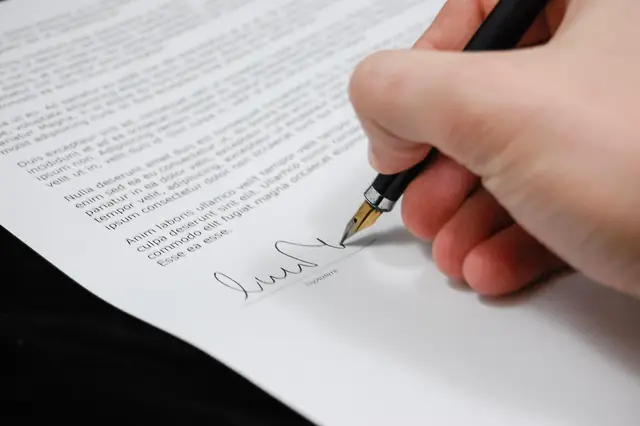
Photo: Pixabay
On this page 7 sections
- Merchant Account Early Termination Fees vs. Liquidated Damages
- How an Auto-Renewal Merchant Agreement Resets Your Term
- Finding Your Contract End Date and Cancellation Window
- How to Get a Termination Fee Waived
- Getting a New Processor to Cover the Cancellation Fee
- Equipment Leases: The Separate Contract That Doesn't End
- A Quick Checklist Before You Cancel Your Merchant Account
Key takeaways
- A flat early termination fee is a fixed charge, while a liquidated damages clause can grow with your volume and the months left on your term.
- Auto-renewal clauses can lock you into a new term unless you send notice within a specific window.
- A written, documented waiver request tied to rate increases or broken promises works better than an angry phone call.
- Equipment leases are usually separate, non-cancellable contracts that keep billing after your merchant account closes.
You found a better processing deal, or your statements keep getting harder to read. Then you call to cancel and learn that your merchant account carries an early termination fee you don't remember agreeing to. This guide explains how early termination fees and liquidated damages clauses work, where they appear in your agreement, and how to reduce or eliminate what you owe.
These fees surprise many business owners, but you can often avoid them or negotiate them down.
This article is general information, not legal advice. Contract terms and the enforceability of termination clauses vary by agreement and by state. If a large amount is at stake, have a qualified attorney review your agreement.
Merchant Account Early Termination Fees vs. Liquidated Damages
A credit card processor's cancellation fee usually takes one of two forms. One is a known cost. The other can grow much larger than you expect.
Flat Early Termination Fees
A flat early termination fee (ETF) is a fixed dollar amount you pay if you close the account before the contract term ends. Some agreements step the fee down over time, with a higher fee in year one and a lower one later. Either way, the amount is written in the contract, so you can plan for it.
Liquidated Damages Clauses
A liquidated damages clause tries to estimate what the processor "loses" when you leave early. The usual formula multiplies your average monthly processing fees by the number of months left on your term. Some versions add a minimum floor.
Here is an illustrative example with made-up numbers. A shop pays an average of $400 a month in processing fees and has 24 months left on its term. A liquidated damages clause built on that formula could claim $9,600. A flat ETF on a similar account might be a few hundred dollars.
| Feature | Flat ETF | Liquidated Damages |
|---|---|---|
| How it's calculated | Fixed amount in the contract | Formula based on fees and months remaining |
| Predictability | Known in advance | Changes with volume and timing |
| Who it hits hardest | Low-volume merchants, slightly | High-volume or high-ticket merchants, heavily |
| Negotiability | Sometimes waived or reduced | Sometimes negotiated down or disputed |
High-ticket businesses feel liquidated damages the most. An auto repair shop that handles brake jobs, transmission work and fleet invoices can generate large monthly processing fees even with modest transaction counts, so a formula-based clause gets expensive fast. If you run a shop, our guide to what auto repair shops should really pay in card fees can help you judge whether your current pricing is worth leaving.
Contract law generally distinguishes a reasonable estimate of loss from a penalty. Whether a given clause is enforceable depends on its wording and your state's law. Don't count on getting out of it. Treat the clause as enforceable until a qualified professional tells you otherwise.
How an Auto-Renewal Merchant Agreement Resets Your Term
Many merchant agreements include an auto-renewal clause. When the initial term ends, the contract renews automatically for another term unless you give written notice within a set window before the end date.
That creates a common trap:
- You sign a multi-year agreement and forget the start date.
- The term ends and renews without any action from you.
- A few months later, you try to cancel and learn you're early in a new term, so the termination fee applies again.
Watch for three details in the clause:
- Renewal length. Some agreements renew month to month. Others renew for a full year or longer.
- Notice window. The clause usually requires notice a set number of days before the term ends. Miss the window, even by a day, and you're renewed.
- Notice method. Some contracts require written notice sent to a specific address or by a specific method. A phone call to support may not count.
Auto-renewal rules for consumer subscriptions get a lot of attention, but business-to-business merchant agreements may be treated differently. Don't assume consumer protections apply to your processing contract. If you sell memberships or subscriptions yourself, the consumer side is a separate issue, covered in our state-by-state map of automatic renewal laws.
Finding Your Contract End Date and Cancellation Window
Get the facts before you negotiate. Collect these documents:
- The merchant application. The signature page often summarizes the term length and termination fee.
- The full terms and conditions. Look for sections titled "Term and Termination," "Early Termination," "Liquidated Damages" or "Renewal." These are often in a separate document or on a web page the application refers to.
- Your approval or welcome letter. It may confirm the account open date, which starts the term clock.
- Recent statements. Look for notices about fee changes. These matter for waivers, as explained below.
- Any equipment lease. Look for a separate agreement with a leasing company's name on it.
If you can't find your agreement, ask the processor in writing for a copy of your signed application and the terms that apply to your account. Ask them to confirm your current term end date and renewal status in writing, too.
Then put two dates on your calendar: the term end date and the last day you can send a non-renewal notice. Even if you plan to stay, timely notice can keep you from being locked into another full term.
How to Get a Termination Fee Waived
Processors sometimes waive or reduce termination fees, especially when you make a documented request. A calm, organized request gives them a clear basis to agree.
Build Your Case First
The strongest waiver requests point to something specific:
- Rate or fee increases. If your statements show new fees or higher rates since you signed, note the dates and amounts. Some agreements let merchants terminate without a fee after certain pricing changes. Read your clause to see whether yours does.
- Promises that weren't kept. If a sales rep promised a rate, no termination fee or a specific setup, find any email, text or written proposal that shows it.
- Fees that weren't disclosed. If the termination amount doesn't appear on the application you signed, ask where it was disclosed.
- Service failures. Documented outages, funding delays or unanswered support tickets strengthen your request.
If you aren't sure whether your pricing changed, compare older and newer statements line by line. Our explainer on interchange-plus, flat-rate and tiered pricing shows where markups usually appear. If you're on a tiered plan, also see our guide to non-qualified rates and what tiered pricing downgrades cost you.
Make the Request in Writing
Send a short, factual letter or email:
- Give your business name, merchant ID and the account you're closing.
- State your requested termination date.
- Ask for the termination fee or liquidated damages to be waived, with your reasons and dates.
- Attach your evidence.
- Ask for written confirmation of the waiver and the account closure.
If the first answer is no, ask for the retention or account management department. Then ask about alternatives:
- A partial reduction
- A waiver in exchange for staying until the term ends
- A switch to month-to-month terms
Don't Create New Problems While You Negotiate
- Keep the old account open until the new one is live. A restaurant that can't take cards on a Friday night because the new terminals haven't arrived can lose far more than the ETF.
- Remember that closing doesn't end chargeback liability. Disputes on past transactions can still come back through the old processor, and some processors hold funds after closure. Our guide to how chargebacks work, step by step explains the dispute lifecycle.
- Watch your bank account. Monthly, PCI or minimum fees may keep posting until the closure is processed. If charges appear after your confirmed termination date, raise them with the processor in writing.
Getting a New Processor to Cover the Cancellation Fee
Some providers offer to reimburse or credit a merchant's termination fee to win the account. Ask any processor you're considering, but get the details before you rely on the offer.
Questions to ask:
- Is it a cash reimbursement or a credit against future fees? A credit only helps if you stay long enough to use it.
- What proof do they need? Usually a statement or invoice showing the fee was actually charged.
- Is there a cap? Find out whether the offer covers liquidated damages or only a flat ETF.
- Are there conditions? Some offers require a minimum processing volume or a minimum time with the new provider.
- What does the new contract say about termination? An ETF buyout attached to a long contract with its own liquidated damages clause just moves the trap.
Get any coverage commitment written into the agreement. A promise in a sales conversation isn't enough. For a fuller vetting list, see our questions to ask before choosing a merchant service provider.
When you request a free quote from MannyPay, bring your current statements and agreement. Ask directly about contract terms, termination provisions and any help available with switching costs.
A switch is also a good time to review your pricing structure and see whether a compliant cost program fits your business. MannyPay offers cash discount, dual pricing, surcharging where permitted, and zero cost processing programs for eligible merchants. Results vary by business, so compare total costs carefully. Our breakdown of cash discount vs. dual pricing vs. surcharging explains how the programs differ. To weigh the trade-offs, see the pros, cons and real costs of a cash discount program.
Time the Switch Around Your Busy Season
- Retail stores: Don't change processors and hardware right before the holiday rush. Switch during a quieter stretch so staff can learn the new terminals and returns workflow.
- Restaurants and bars: Tip adjustments, bar tab preauthorizations and POS menu setup all need testing. Plan the cutover for a slow weeknight, not a weekend or holiday. Our guide to bar tab preauthorization covers what to check.
- Salons and spas: Cards stored for no-show fees or memberships may not transfer automatically between processors. Ask both providers how stored payment data moves, or plan to re-collect cards at each client's next visit.
- Auto repair: Confirm that invoicing, fleet billing and any integrated shop management software work with the new setup before you close the old account.
Equipment Leases: The Separate Contract That Doesn't End
This is where many merchants get hurt. If you lease your terminal or POS, the lease is often a separate contract with a third-party leasing company, not with your processor. Closing your merchant account usually doesn't end the lease.
Watch for these common features:
- Non-cancellable terms. The lease may run for years with no early exit.
- High total cost. Over the full term, payments can add up to much more than buying the equipment outright.
- Billing after the account closes. Payments can keep coming out of your bank account even if the terminal sits in a drawer.
- Equipment that may not work with a new processor. Some leased terminals are locked to the original processor.
What you can do:
- Find the lease agreement and note the leasing company, the remaining payments and any buyout option.
- Ask whether a buyout below the total remaining payments is available.
- Ask whether the processor that arranged the lease will help resolve it as part of your waiver request.
- Before you sign a new lease, compare it with buying hardware outright.
If you're replacing hardware anyway, compare purchase options across POS systems for retail, restaurants and salons before committing to anything with a monthly payment. For a broader look at what you're actually buying when you sign a processing agreement, read our plain-English guide to merchant services. If you're also weighing financing, see our guide to how a merchant cash advance works and what it really costs. For another merchant education topic, see our guide to how to get more Google reviews without breaking the rules.
A Quick Checklist Before You Cancel Your Merchant Account
- Locate your application, terms and any equipment lease.
- Confirm your term end date, renewal status and notice window in writing.
- Identify whether you face a flat ETF, liquidated damages or both.
- Document rate increases, broken promises and service problems.
- Send a written waiver request and ask for written confirmation.
- Ask prospective providers about switching help and about their own termination terms.
- Keep the old account running until the new one is fully tested.
- Monitor your bank account for post-closure charges.
If you'd like a second look at your current processing statement, start a free quote request or contact the MannyPay team. For the termination terms in your agreement itself, have a qualified attorney review the contract before you cancel or sign anything new.
This article is for general educational purposes and is not legal, tax or financial advice. Card network rules and state laws change; confirm current requirements for your business.