Best Salon POS System: A Buyer's Checklist for Salon and Spa Owners
Find the best salon POS system with this checklist covering booking, deposits, multi-provider tickets, commissions, backbar inventory and contract lock-ins.

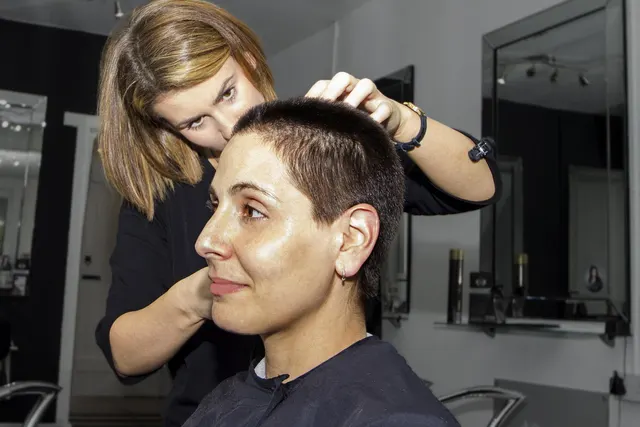
Photo: Pixabay
On this page 8 sections
- What the Best Salon POS System Does That a Retail POS Can't
- Salon Booking and Checkout Software: One Flow From Appointment to Payment
- Salon POS Features for Multi-Provider Tickets, Commissions and Tips
- Retail and Backbar Inventory Tracking
- Client Records, Color Formulas and Rebooking Prompts
- Salon Software With Payments: Lock-In Questions to Ask Before You Sign
- Hardware: Front Desk Terminals vs. Chairside Readers
- Putting the Checklist to Work
Key takeaways
- A salon POS must credit every service, product and tip to the provider who earned it, which most retail POS systems can't do.
- Track backbar (color, developer, lightener, wax) and retail as separate inventories, ideally with partial-unit usage recorded per service.
- Before you sign, ask who owns your stored cards, client records and color formulas. These are the hardest things to move later.
- Confirm which terminals integrate with your salon software before buying hardware, or staff will key every total twice.
Choosing the best salon POS system starts with a simple fact: a salon checkout is more complicated than a retail checkout. This buyer's checklist covers the salon POS features that matter most. It runs from booking and deposits to commissions, tips and backbar inventory, and it covers the payment terms that are hard to undo after you sign.
Consider one visit. A client might see a colorist, a shampoo assistant and a nail tech. She might also buy a bottle of shampoo, pay off a deposit, book her next appointment and leave a tip meant for three people.
A generic POS can total that ticket. It can't tell you who earned what, how much color went into the service or what formula to use in eight weeks.
Use this checklist to separate a real salon POS from a register with a calendar attached. It applies to any system you evaluate, including all-in-one salon software with payments.
What the Best Salon POS System Does That a Retail POS Can't
Retail POS systems are built around products and a single cashier. Salon revenue is built around time and people, so the requirements are different.
Before you compare screens or pricing, confirm the system can do the following:
- Open tickets from the appointment. Checkout should start from the booked appointment, with services and providers already filled in.
- Attribute every line to a provider. Each service and retail item should be tied to whoever performed or sold it.
- Handle different commission rules. Service and retail commissions often pay at different rates or tiers.
- Assign tips to specific people. That includes splitting one tip among several providers.
- Track product used in services. Backbar product is consumed during a service, not sold, and should be tracked that way.
- Keep client history. That includes color formulas, notes and past purchases.
A spa POS system needs one more layer: resource booking. Treatment rooms, pedicure chairs and equipment have to be scheduled alongside staff. Otherwise the system will book two massages into one room.
For a broader look at how these businesses take payments, see MannyPay's payment options for salons and spas.
Salon Booking and Checkout Software: One Flow From Appointment to Payment
The best salon booking and checkout software treats the appointment and the payment as one record from start to finish. Here is what to check.
Online booking writes to the same calendar the front desk uses. If online bookings sync through a third-party app, ask how often they sync and what happens when two people book the same slot.
Deposits at booking for long or high-value services. Color corrections, extensions and bridal parties tie up a stylist's chair for hours. For help sizing and writing terms for these, see our guide to hair extension and color correction deposits. The system should be able to:
- require a deposit online,
- apply that deposit to the final ticket automatically, and
- refund it cleanly if you choose to.
Card on file for your cancellation policy. If you charge no-show or late-cancel fees, clients should see and accept the policy when they book. Keep that record. It is your best evidence if a client later disputes the charge. For brow and lip artists, see our guide to microblading and PMU deposit policies for touch-ups and no-shows.
Processing-time gaps. Colorists often fit in a haircut while color processes. The calendar should let you book that gap without accidentally double-booking the provider.
Packages and memberships. If you sell a series of blowouts or a monthly massage membership, prepaid balances should be redeemable at checkout without manual tracking. Recurring billing has its own pitfalls, covered in our guide to setting up spa memberships with monthly billing. For med spas, see our guide to billing monthly Botox and facial membership plans.
Also ask whether online deposits run through the same processor as in-person payments. Two processors mean two statements, two reconciliation jobs and two contracts. MannyPay's online payment acceptance is one way to keep both channels with the same provider.
Salon POS Features for Multi-Provider Tickets, Commissions and Tips
This section affects your payroll more than any other, so test it hardest.
Multi-Provider Tickets
A single ticket should hold several providers, each attached to the service lines they performed. Ask the vendor to ring up a full color appointment live during the demo:
- the colorist applies color,
- an assistant shampoos and does the blowout, and
- the client buys a retail product the assistant recommended.
Then open the payroll report and confirm each person was credited correctly.
Commission Structures
Salons pay staff in many different ways. The system should support the structure you actually use, such as:
- A flat percentage on services
- Tiered rates that increase with a provider's monthly volume
- Separate retail commission rates
- A product or backbar charge deducted from service revenue before commission is calculated
- Commission based on the amount after discounts, not the list price
Booth renters are a separate case. If renters run their own businesses, talk with your processor about the right setup instead of running their card sales through your merchant account. Card networks generally expect the business on the merchant account to be the one providing the service. Confirm how renters should be handled for tax purposes with your accountant.
Tip Handling
Test each of these scenarios during the demo:
| Tip Scenario | What to Confirm |
|---|---|
| Client tips on the terminal | Preset tip options can be set, and the tip is tied to the right provider |
| One tip for two providers | The tip can be split by percentage or by fixed amount |
| Tip added after the card is authorized | The amount can be adjusted cleanly, and the adjustment appears in reports |
| Discounted service | You can choose whether suggested tips use the pre-discount or post-discount total |
| Payroll | Tip reports can be exported by provider and pay period |
For more on post-authorization tips, see our explainer on how credit card tip adjustment works. For help choosing default percentages and deciding what counts toward the tip, see our guide to setting up salon tip screens.
How tips are reported and paid out has tax and payroll consequences. Confirm your process with an accountant or payroll provider.
Retail and Backbar Inventory Tracking
Salons run two inventories, and many POS systems handle only one.
Retail is product you sell: shampoos, styling products and tools. It's usually barcoded and may be taxable.
Backbar is product you use during services: color tubes, developer, lightener, toner, wax and masks. It is never sold to the client, but it is often a salon's largest product cost.
Look for these capabilities:
- Separate stock pools for the same product. The same shampoo may be sold on the shelf and used at the shampoo bowl. Usage at the bowl shouldn't reduce your retail count.
- Partial-unit tracking. Color is mixed in grams or ounces, not whole tubes. The system should record partial usage per service.
- Cost per service. When backbar usage is tied to the ticket, you can see what each color service actually costs to deliver and check your pricing.
- Reorder points and purchase orders. Low-stock alerts, vendor lists and purchase orders save time, especially before busy wedding and holiday weekends.
- Shrink and transfers. With more than one location, you should be able to move product between them and record losses.
Sales tax treatment of retail products and services varies by state. Confirm how your POS applies tax, and verify the settings with a tax professional.
Client Records, Color Formulas and Rebooking Prompts
Formula Notes
A colorist's formula notes are some of the most valuable data in the salon. The client record should store a dated entry for each visit, including:
- the shades,
- the developer volume,
- the mix ratios,
- the processing time,
- the technique used, and
- how the result turned out.
New entries should add to the client's history, not overwrite earlier ones. Before-and-after photos help, especially when another stylist covers for a regular client.
Check whether formulas can be opened on a chairside device. A colorist shouldn't have to walk to the front desk mid-service.
Sensitive Client Notes
If staff record allergies or reactions a client has reported, limit who can see those notes. Spas and med-spa-style services may also have privacy obligations. Ask a qualified professional what applies to your business.
Rebooking Prompts
The easiest client to book is the one already in the chair. Look for:
- a suggested rebooking interval for each service,
- the provider's next openings shown at checkout, and
- a report showing how often each provider's clients rebook.
Salon Software With Payments: Lock-In Questions to Ask Before You Sign
Many salon software platforms bundle payment processing. That can be convenient, but some bundled terms make it costly to leave later. Ask these questions and get the answers in writing:
- Is processing required to use the software? If you can bring your own processor, does the subscription price change?
- Who controls stored cards? Card-on-file data is usually held as tokens with the processor. Ask whether those cards can move to a new processor if you leave. If they can't, every client with a saved card will have to re-enter it.
- Is it a dedicated merchant account or a shared, aggregated account? The structure can affect fund holds, reserves and how much detail your statements show.
- What are the contract terms? Ask about term length, auto-renewal, early termination fees and any other charges for leaving early.
- Is the hardware bought or leased, and is it locked to one processor? Some devices can't be reprogrammed for another processor.
- Can gift cards and prepaid packages be moved? Outstanding balances are money you owe clients, so you need a way to carry them over.
- Can you export everything? That includes client lists, visit history, formula notes and inventory, in a format another system can import.
- What is the full fee schedule? Ask for every fee itemized, not just a headline rate. To compare pricing models, read our guide to flat-rate vs. interchange-plus pricing.
- Does it support cost-offset programs? If you're considering dual pricing for your salon, a cash discount program or surcharging where permitted, the POS has to display and calculate prices correctly. Rules for these programs vary by state and card brand. Confirm current requirements before launching one.
If a vendor can't answer the questions about stored cards and data export in writing, assume moving away will be painful.
Hardware: Front Desk Terminals vs. Chairside Readers
Most salons need both kinds of hardware. The real question is how much of each.
| Front Desk Terminal | Chairside or Handheld Reader | |
|---|---|---|
| Best for | Retail sales, walk-ins, multi-item tickets | Paying at the chair or in the treatment room |
| Typical setup | Countertop POS with a customer-facing screen, receipt printer, scanner and cash drawer | Portable terminal with its own screen and connection |
| Strengths | Fast retail scanning, clear tip prompts, room for the cash drawer | No line at the desk on busy Saturdays; spa clients don't have to walk out in robes |
| Watch for | Bottlenecks when several services end at once | Wi-Fi dead zones in back rooms, battery life, splashes from water and product |
Confirm integration before you choose a device. Not every salon software works with every terminal. If the terminal isn't integrated, staff will key each total twice, which is slow and invites mistakes.
MannyPay sells POS systems for front desk checkout from Clover, Valor, Dejavoo and PAX, including countertop options such as the Clover Duo and Clover Mini. For chairside payments, browse MannyPay's handheld payment terminals, including the Clover Flex 4G and PAX A920 Pro. For nail techs, see our guide to nail salon payment processing, cash tips and card readers. If you take payments on house calls, see our guide to getting paid for mobile massage at a client's home.
Size your hardware for your busiest hours, not an average weekday. Prom weekends, wedding parties and the weeks before major holidays are when a single front desk terminal falls behind.
Putting the Checklist to Work
Bring three real tickets from last Saturday to every demo:
- a multi-provider color service,
- a retail-heavy checkout, and
- a deposit-based booking.
Have the vendor run each one from booking through the payroll report. Then work through the lock-in questions and get the answers in writing.
If you want help matching a POS and terminals to your salon's setup, request a free quote from MannyPay, and the team will review your current setup and options with you.
This article is for general educational purposes and is not legal, tax or financial advice. Card network rules and state laws change; confirm current requirements for your business.