Discover's New Card Verification Rule for Online Sellers Explained
The Discover card account verification service becomes required for card-not-present sellers Oct. 23. Learn how it works and how to check your gateway.
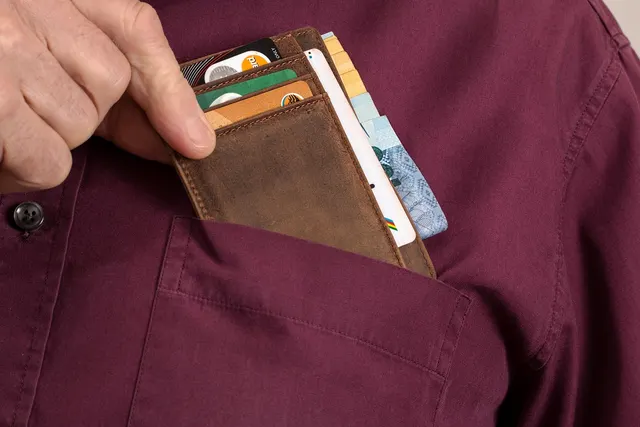
Photo: Pixabay
On this page 7 sections
- What the Discover Card Account Verification Service Rule Requires
- Account Verification vs. Test Charges: How Zero Dollar Authorization Works
- Which Merchants Are Affected: Online, Phone and Card-on-File Sales
- How to Confirm Your Gateway and Processor Support It
- Also Worth Checking: Offline Plaintext PIN on In-Store Terminals
- What Discover's 2026 Network Rules Mean for Your Processing Statement
- Next Steps
Key takeaways
- Starting Oct. 23, 2026, Discover requires merchants that take card-not-present sales to support its Card Account Verification Service.
- Account verification is a zero-dollar authorization. It checks that a card is valid without charging it, unlike a small test charge that has to be voided.
- Most merchants won't need to build anything, but ask your processor in writing and check your gateway, plugins and billing tools.
- If you also take in-store payments, check whether your terminals still rely on offline plaintext PIN and ask your processor about any requirements that apply.
Starting Oct. 23, 2026, Discover requires merchants that accept card-not-present payments to support its Card Account Verification Service. Do you sell online, take card numbers over the phone or keep cards on file for recurring billing? Then the Discover card account verification service rule affects how your payment setup checks a card before you charge it. This guide covers what account verification is and how it differs from a small test charge. It also shows how to confirm your gateway and processor are ready. Finally, it explains why you should check whether your in-store terminals still rely on offline plaintext PIN.
Information current as of Oct. 22, 2026. Card network rules change often. Confirm current requirements with your processor.
What the Discover Card Account Verification Service Rule Requires
According to Merchant Cost Consulting's October 2026 network roundup, Discover changed its rules so that, as of Oct. 23, merchants that support card-not-present (CNP) sales must also support its Card Account Verification Service. The same roundup says Discover had not announced any U.S. interchange rate changes for October 2026. That makes account verification the main item in Discover's October 2026 CNP rule change.
In practice, "support" means your payment setup can send a Discover account verification request and handle the response. That setup includes your gateway, processor, shopping cart, virtual terminal and billing software. Discover's full operating rules generally reach merchants through their processor rather than as a public document. So confirm the exact scope with your processor, including which situations call for verification.
The rule builds on requirements that already exist. Discover's fraud prevention guidance says it requires authorization on all card-present and card-not-present transactions. It also requires CNP merchants to capture the cardholder's address for verification.
For most small and midsize businesses, the processor and gateway do the technical work. Merchants with custom integrations, older plugins or homegrown billing systems have more to check.
Account Verification vs. Test Charges: How Zero Dollar Authorization Works
Account verification is a zero-dollar authorization. Your system sends the issuer an authorization request for $0. The answer tells you whether the card is valid and usable, and it can include address (AVS) and security code (CID) results.
Cybersource's developer documentation calls zero-amount authorization a standard e-commerce way to confirm a card is valid and not reported lost or stolen. It notes that a zero-amount authorization can't be captured and lists Discover's version as Discover Zero Dollar Authorization. Fiserv's gateway documentation also describes it as a way to check the account number, CVV and AVS without charging the card.
A test charge is different. It's a real authorization for a small amount that the merchant later voids or refunds.
| Account Verification ($0) | Small Test Charge | |
|---|---|---|
| Amount sent | Zero | A small real amount |
| Can it be captured? | No | Yes, unless voided |
| What it checks | Card validity, plus AVS and CID results when sent | The same, plus whether that small amount can be approved |
| Cleanup needed | None | Void or refund every one |
| Customer experience | No charge (how issuers display it varies) | May see a pending charge until the hold drops off |
| Common side effects | Few | "What is this charge?" support calls and possible disputes |
Keep one limit in mind. A successful verification confirms the card is good now. It doesn't confirm the customer will have available credit when you charge the full amount later.
Which Merchants Are Affected: Online, Phone and Card-on-File Sales
The rule applies if you accept Discover in any channel where the card isn't physically present. That covers website checkout, cards keyed into a virtual terminal, mail and telephone orders, and stored cards for recurring or installment billing. If you're unsure which of your sales count as CNP, see our guide to card-present vs. card-not-present rules and fees.
E-Commerce Stores
Online stores verify cards when shoppers save a card to their account, place preorders, or order backordered items that get charged at shipment. If you run on Shopify, WooCommerce, BigCommerce or a similar platform, make sure your payment plugin is up to date. More on setup options is on our online payment processing page and our eCommerce industry page.
Subscriptions and Memberships
Free trials and $0 sign-ups are the classic use for verification. You need to know the card works before the first billing date, but there's nothing to charge yet. Card-update flows are another, such as when a member replaces an expired card. Clean verification at sign-up works well alongside dunning management for failed subscription payments and network tokenization for fewer failed renewals.
Professional Services
Accounting firms, law practices, consultants and agencies often keep a card on file for retainers or monthly invoices. Many key in card numbers that clients read out over the phone. Each of those is a CNP entry point, whether payments go through a virtual terminal for keyed payments or invoicing software. See our professional services payment solutions for options.
Travel and Tourism
Tour operators, travel agencies and charter businesses often take a card at booking and charge a balance or no-show fee weeks or months later. Verifying the card at booking confirms it's valid at the start of that long gap. Booking engines and channel managers count as CNP systems too, so include them in your check. Learn more on our travel industry payments page.
How to Confirm Your Gateway and Processor Support It
Use this checklist before or shortly after Oct. 23:
- List every CNP entry point. Include website checkout, virtual terminal, invoice or payment links, phone order screens, recurring billing tools and booking engines.
- Ask your processor in writing. Is my account set up to send Discover account verification requests? Do I need to change any settings? Does the Oct. 23 rule affect my account specifically?
- Check your gateway's documentation. Look for Discover zero-dollar authorization support. Support can vary by card type. For example, Fiserv's gateway documentation lists an exception for some U.S. domestic $0 authorizations on JCB cards processed over the Discover network. If you're new to how gateways route requests, start with what a payment gateway does.
- Review "save card" and verification settings. If your cart or billing tool controls how cards are checked when saved, see whether it uses a zero-dollar verification or a small authorization.
- Update plugins and integrations. Old shopping cart extensions and custom code are a common source of gaps. If a developer built your integration, ask them which message type is sent when a card is saved.
- Send address and security code data. Discover requires CNP merchants to capture the billing address. Passing AVS and CID data with verification requests gives you more useful results.
- Run a controlled test. Use your gateway's sandbox, or save a real Discover card to a test customer profile, and check the response in your gateway reports.
- Keep a record. Save the processor's reply and your test results with your other compliance records.
If you're comparing options, our payment gateways page lists the gateways and integrations MannyPay works with, including Authorize.net and NMI.
Also Worth Checking: Offline Plaintext PIN on In-Store Terminals
This item is about in-store hardware, not online sales. It still matters to any business that also has a counter, front desk or storefront.
When a cardholder enters a PIN on an EMV chip transaction, it's checked in one of two ways. Online PIN is verified by the card issuer. Offline PIN is verified by the chip on the card. Adyen's documentation explains that online PIN is always encrypted, while offline PIN can be either encrypted (enciphered) or plaintext. With plaintext offline PIN, the terminal sends the PIN to the chip unencrypted. Known PIN-harvesting attacks depend partly on the offline PIN being sent in plaintext.
Card networks update terminal requirements from time to time, and plaintext offline PIN is a known weak point. If you take in-store payments, ask your processor whether Discover or any other network has a requirement or compliance date for removing offline plaintext PIN support from your hardware. Get the answer in writing, then take these steps:
- Look up your terminal on the PCI approved device list. The PCI Security Standards Council's listing notes explain that a device marked "Offline (p)" can do only plaintext offline PIN. They also note that newly evaluated offline devices must support both plaintext and enciphered PIN.
- Ask whether a configuration or firmware update is enough. Some terminals can be reconfigured remotely. Older devices may need to be replaced.
- Keep PIN security in place. Discover's security and compliance requirements say merchants that accept PIN entry on POS terminals must follow PCI PIN Security Requirements.
- Plan replacements early. If you need new PIN pads and payment terminals, spreading the replacements out helps you avoid a last-minute scramble.
What Discover's 2026 Network Rules Mean for Your Processing Statement
The Card Account Verification Service rule isn't a rate change. Here's how to read your statement over the next few billing cycles:
- Watch for vague increase notices. The Merchant Cost Consulting roundup notes that processors sometimes use network updates to justify rate increases. It also says some merchants received notices citing "card brand updates." Discover announced no U.S. interchange changes for October, so ask your provider which specific network change explains any increase.
- Count authorization messages. A zero-dollar verification is still an authorization request. If your pricing includes a per-authorization fee, each verification may be billed. Illustrative example: a membership business that verifies 500 new members' cards in a month adds 500 authorization messages. Multiply that by the per-authorization fee in your contract to estimate the cost.
- Expect less cleanup if you drop test charges. Moving from small test charges to verification can mean fewer voids, refunds and customer questions about unfamiliar pending charges.
- Ask about non-compliance consequences. Ask your processor whether any assessment or fee applies if your setup doesn't support verification.
To check line items yourself, see how to calculate credit card processing fees. For other October changes, read Visa's October 2026 fee changes.
Next Steps
- Ask your processor in writing to confirm that Discover account verification is supported on every CNP channel you use.
- Update plugins and test a saved Discover card.
- Check your terminals' PIN capabilities. Ask your processor whether any offline plaintext PIN requirements or dates apply to your hardware.
- Review your next two statements for new or changed authorization fees.
If you'd like a second opinion on your setup or a review of your current statement, request a free processing quote. A MannyPay specialist responds within one business day. You can also contact the MannyPay team with questions about gateways, terminals or card-not-present acceptance.
This article is general information, not legal or compliance advice. Confirm requirements that apply to your business with your processor and a qualified professional.
Sources
- October 2026 Interchange and Network Updates (Merchant Cost Consulting)
- Account Verification with a Zero Amount Authorization (Cybersource Developer Center)
- Zero Dollar Authorization (Fiserv Developer Studio)
- Fraud Prevention Practices (Discover Global Network)
- Discover Information Security and Compliance (Discover Global Network)
- Cardholder Verification Methods (Adyen Docs)
- PTS Device Listing Notes (PCI Security Standards Council)
- EMV (Wikipedia)
This article is for general educational purposes and is not legal, tax or financial advice. Card network rules and state laws change; confirm current requirements for your business.