Apple Pay Merchant Fees: What You Pay on Apple Pay and Google Pay
Apple Pay merchant fees explained: Apple adds no charge, the card in the wallet sets your rate, and the sales channel sets the category.
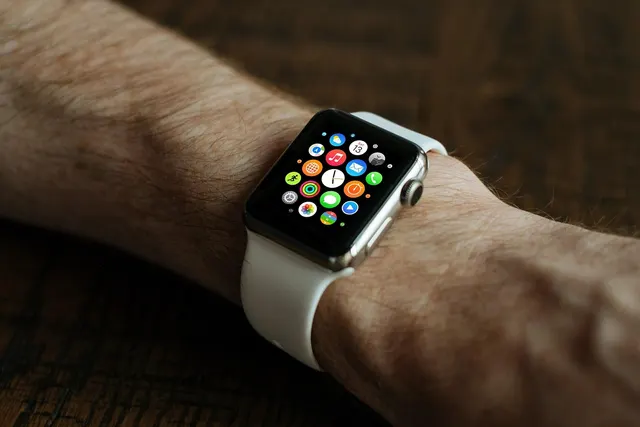
Photo: Pixabay
On this page 7 sections
- What Apple Says About Fees, and Where Its Money Comes From
- Apple Pay Merchant Fees Follow the Card, Not the Phone
- Tap at the Counter or Pay Online: The Channel Sets the Category
- Worked Example: One Card, Four Ways to Pay
- Google Pay Online: Find Out Which Card Data You're Accepting
- Wallets Cut Fraud Exposure but Not Every Chargeback
- Setup Requirements That Decide Whether Wallets Work
Key takeaways
- A "wallet fee" or "Apple Pay fee" on your statement comes from your processor, because Apple says it charges merchants nothing extra.
- A debit card stays debit inside a phone, which affects both its interchange and whether a surcharge can apply.
- Online, Apple Pay costs the same as a typed card number, so judge it by fraud losses and checkout completion.
- Google Pay on the web can send a saved card number with no cryptogram, so find out which kind your gateway accepts.
Apple doesn't charge merchants a fee for accepting Apple Pay. Apple's own merchant checklist says there are no extra fees, and that the standard card processing fees your provider charges apply to Apple Pay and regular card sales alike. So Apple Pay merchant fees are card fees: interchange to the bank that issued the card, assessments to the card network, and your processor's markup. What they add up to depends on the card stored in the wallet and on whether the customer paid at your counter or on your website.
Google Pay works the same way in practice. Your processing statement shows the card brand, not Google. If you accept Google Pay online, confirm the current terms in Google's documentation or with your gateway.
What Apple Says About Fees, and Where Its Money Comes From
Apple's "Get Started With Apple Pay" checklist for merchants states that Apple does not charge merchants any incremental fees for accepting Apple Pay as a payment method. Apple does earn money from its wallet, but from the other side of the transaction. Payments companies such as Checkout.com describe the arrangement as a small fee Apple charges card issuers. Those issuer contracts aren't public, and merchants never see them.
What you will see is the card brand. A Visa credit card tapped through Apple Pay posts as a Visa credit transaction. A Mastercard debit card in Google Pay posts as Mastercard debit. Many statements don't break out wallet volume at all. Some group sales by entry method (chip, contactless, swiped or keyed), and wallet taps land in the contactless group.
One line item deserves a second look. If your statement or contract shows a "wallet fee," "Apple Pay fee" or "contactless fee," your processor added it. Apple says it charges merchants nothing extra, so that charge is processor pricing, and you can question it like any other markup. Our breakdown of card brand assessment fees shows which network charges you can't avoid, so you can tell them apart from fees a processor added.
Apple Pay Merchant Fees Follow the Card, Not the Phone
Wallet payments don't have their own interchange price list. They are priced in the same categories as plastic cards. The issuer's rate depends on the usual factors: the card type (debit, standard credit, rewards credit, business card), your merchant category, and how the transaction reached the network.
Tokens are the reason. When a shopper adds a card to Apple Pay, the wallet stores a device account number in place of the real card number. Each purchase also carries a one-time security code called a cryptogram, so the actual card details never reach your systems. The token still carries the card's identity. A premium rewards card in a phone is priced as a premium rewards card. A debit card in a phone is priced as debit, at the same interchange it would carry if the customer dipped it.
This matters if you run a credit card surcharging program where it's permitted. The card inside the wallet decides whether a surcharge can apply, exactly as the physical card would. A debit card doesn't become credit because it lives in a phone. Make sure your terminal reads the card type correctly on wallet taps, and check current network rules and your state's law before you surcharge anything. Surcharging is a legal and network-rules question, so confirm your setup with your processor and a qualified advisor.
Tap at the Counter or Pay Online: The Channel Sets the Category
Apple's merchant checklist confirms that Apple Pay works for both card-present and card-not-present payments. That split drives more of your cost than the wallet does. Card networks generally price card-present sales below card-not-present sales, because a card in the room carries less fraud risk than card data sent over the internet.
In Store, a Wallet Tap Prices Like a Contactless Card
A phone or watch tapped on your terminal is processed as a contactless card-present sale. The device generates a cryptogram for that one purchase, much as a chip card does. A wallet tap at a retail counter or a restaurant table should fall in the same category as tapping or dipping the physical card. If wallet taps land in keyed or "non-qualified" groups on your statement, something in the terminal or pricing setup is wrong.
Online and in Apps, It Prices Like Any E-Commerce Sale
When a shopper pays with Apple Pay in your app or on your checkout page, the sale is card-not-present. It is priced in the online categories like any e-commerce card sale. What sets it apart from a typed card number is the data that comes with it: the token, the cryptogram, and the shopper's approval through Face ID, Touch ID or a passcode. Online, the wallet doesn't move the sale into a cheaper interchange category. Its benefit is lower fraud exposure and more completed checkouts.
Worked Example: One Card, Four Ways to Pay
The rates below are illustrative, not actual network rates. Look up your real categories on your statement or in Visa's and Mastercard's published interchange tables, which the networks update periodically.
Assumptions for this example:
- A $100 sale on a consumer rewards Visa credit card
- Illustrative interchange of 1.65% card-present and 1.95% card-not-present
- Interchange-plus pricing with an illustrative processor markup of 0.30%
- Per-transaction cents and card brand assessments left out to keep the math simple
| How the customer paid | Category | Interchange | Markup | Total cost |
|---|---|---|---|---|
| Physical card tapped at counter | Card-present | $1.65 | $0.30 | $1.95 |
| Apple Pay tapped at counter | Card-present | $1.65 | $0.30 | $1.95 |
| Apple Pay on your website | Card-not-present | $1.95 | $0.30 | $2.25 |
| Card number typed on your website | Card-not-present | $1.95 | $0.30 | $2.25 |
Each cost is the sale amount times the percentage. On $100, 1.65% is $1.65, 1.95% is $1.95, and the markup adds $0.30 in every row.
Two decisions follow from the table. At the counter, Apple Pay costs the same as the card it holds, so there's no pricing reason to discourage it. Online, Apple Pay costs the same as a typed card number, so judge it by fraud losses and abandoned checkouts. A store that loses mobile shoppers at the card-entry step has a reason to add it. A store whose online sales come mostly from repeat customers with saved cards may see less change.
On flat-rate pricing, your processor sets one in-person price and one online price, and wallet payments follow the same channel split. Our comparison of interchange-plus vs. flat-rate pricing models explains which model shows you these differences and which one hides them.
Google Pay Online: Find Out Which Card Data You're Accepting
Many merchants miss one Google Pay detail. On the web, Google Pay can send your gateway one of two kinds of card data:
- A device token with a cryptogram, from an Android phone set up for contactless payments. It carries the same kind of protection as Apple Pay.
- A card number saved in the shopper's Google account, often one the shopper typed into Chrome or another Google service. This is a regular card number.
The second kind behaves like any keyed online card, with no device cryptogram behind it. Google Pay's integration settings let the merchant or gateway choose which kinds to accept. If you accept saved card numbers, your gateway may need to run them through 3-D Secure authentication to get comparable protection.
You pay the same rate for either kind, but your fraud exposure differs. Ask your gateway provider which kinds your Google Pay setup accepts and whether 3-D Secure runs on saved cards. For the two wallets side by side, see Apple Pay vs. Google Pay for business.
Wallets Cut Fraud Exposure but Not Every Chargeback
The fee on each sale is only part of what cards cost you. Fraud losses, chargeback fees and the hours spent on disputes count too, and wallets help most with those.
Tokens limit the damage from a breach. Your systems handle the device account number, not the customer's real card number. Each purchase also needs a fresh cryptogram, so stolen wallet data is hard to reuse. You still have your PCI DSS obligations, but a thief has less to take.
Device authentication strengthens your evidence. Before a wallet pays, the shopper confirms identity with a face scan, fingerprint or passcode. That gives the issuer stronger evidence that the real cardholder approved the purchase. Who bears fraud liability on a wallet sale depends on network rules and on whether your gateway passes the cryptogram through intact. Ask your processor how your in-store and online wallet sales are treated in fraud disputes.
Disputes that aren't about fraud are unaffected. A customer can still file a chargeback over an order that never arrived, an item that didn't match its description, or a subscription that should have been canceled, however they paid. Shipping proof, clear policies and quick replies decide those cases. Our walkthrough of how chargebacks work covers the evidence that wins them.
Setup Requirements That Decide Whether Wallets Work
Apple charges no fee for wallet acceptance, but you still need the right equipment and agreements.
In store, Apple's checklist says you can enable an existing terminal that already takes contactless cards. That means an NFC reader with contactless turned on in the settings. Most current smart terminals and countertop devices include one, but older swipe-and-dip units may not. When customers say a tap failed, check the terminal configuration before blaming the phone.
Online, your payment gateway has to support Apple Pay and Google Pay. For Apple Pay on the web or in apps, Apple requires merchants to agree to the Apple Pay Platform terms. In-app setups also require enrollment in the Apple Developer Program, which has its own membership fee, so confirm current terms with Apple. Website setups need domain verification, which most modern shopping carts and processors handle for you. Google Pay has its own terms and approval step, usually completed through your gateway.
On your statement, ask your processor three questions:
- Do wallet taps get the same rate as card-present chip or contactless sales?
- Are online wallet payments sent with the token and cryptogram, or reduced to a plain card number?
- Are any fees labeled wallet, contactless or tokenization, and who charges them?
Then pull your last statement, work out your effective processing rate, and compare how contactless sales are categorized against chip and keyed sales. If wallet taps are landing in keyed categories or carrying a fee nobody can explain, request a free processing quote from MannyPay and bring that statement. A MannyPay specialist will respond within one business day, and you can go through the statement category by category.
Sources
This article is for general educational purposes and is not legal, tax or financial advice. Card network rules and state laws change; confirm current requirements for your business.