Passkeys at Checkout: Faster Logins and Card Payment Security
Passkeys for payments replace passwords and texted codes with a face or fingerprint unlock. See how they tie into 3-D Secure and what merchants need.
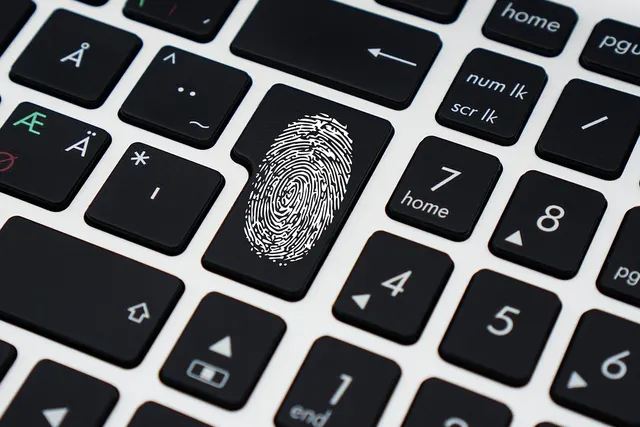
Photo: Pixabay
On this page 7 sections
- How Passkeys Handle Biometric Authentication Without Sharing It
- Login Passkeys and Payment Passkeys Are Different Tools
- Card Networks Are Bringing Passkeys Into 3-D Secure
- What Passkeys for Payments Do to Account Takeover and Card Fraud
- Passwordless Checkout Versus SMS Codes: Where Conversion Moves
- Platform and Processor Support to Check
- How to Roll Out a Passkey Checkout
Passkeys for payments let a shopper prove who they are with the same face or fingerprint unlock they use on their phone. No password to type, and no texted code to wait for. At checkout, passkeys do two separate jobs. One signs the customer into your store. The other confirms the card payment itself, but only where the card network and the shopper's bank support it.
You control the first job and can add it now. The second runs through 3-D Secure, the protocol card issuers use to authenticate online purchases, so it depends on your gateway and on the shopper's issuer. Most of the confusion about passkeys comes from mixing up those two jobs.
How Passkeys Handle Biometric Authentication Without Sharing It
A passkey is a pair of cryptographic keys built on open industry standards that the major phone, computer and browser makers have adopted. When a customer creates a passkey on your site, their device generates both keys. The private key stays with the customer, either on the device or in their password manager. Your server gets the public key.
At the next login, your server sends a one-time challenge. The device asks the customer to unlock it and then signs the challenge with the private key. Your server checks that signature against the public key it stored, and a match lets the customer in.
For a merchant, that design has four practical consequences:
- The biometric stays on the phone. You never receive or store a fingerprint or face image. The device checks it locally and signs only if the unlock succeeds.
- A passkey is bound to the domain that created it. It won't respond to a look-alike phishing page, so a customer can't be tricked into handing it over the way people hand over passwords.
- Your database holds nothing an attacker can log in with. A public key can't sign anyone in, so a breach leaves no password list to replay on other sites.
- Passkeys sync. Platform accounts and many password managers carry a passkey from a customer's phone to their laptop. A shopper who enrolls on mobile is covered on desktop as long as both devices use the same account.
Login Passkeys and Payment Passkeys Are Different Tools
Merchants most often get this rule wrong: a passkey login on your site does not authenticate the card. It proves the person controls the customer account. The card issuer never sees it, and it has no effect on fraud chargeback liability.
Under card network rules, fraud-liability protection for online sales comes from authenticating the cardholder with the issuer, which in practice means 3-D Secure. That protection covers fraud disputes only. If a shopper says the order never arrived, the chargeback turns on your delivery evidence, not on how strongly they signed in. Ask your processor how the liability shift applies to your transaction types.
| Account login passkey | Payment passkey | |
|---|---|---|
| Who creates it | Your website or app | The card network or issuer, during checkout |
| What it proves | The person controls this customer account | The cardholder approved this payment |
| Who checks it | Your server | The issuer, through the network and 3-D Secure |
| Effect on fraud chargeback liability | None | Same treatment as other 3-D Secure authentication when the issuer and transaction qualify |
| What you need | Passkey support on your site or platform | A gateway and 3-D Secure path that carry passkey results |
Login passkeys protect what sits behind an account, such as stored cards and saved addresses. Payment passkeys replace the one-time code an issuer sends when it wants extra proof on a transaction, which is called a step-up challenge. A strong checkout uses both, because they answer different questions.
Card Networks Are Bringing Passkeys Into 3-D Secure
The major card networks are building passkey-based authentication for card payments on the same standards that power login passkeys. When an issuer wants extra proof that the real cardholder is present, the shopper confirms with their device unlock instead of a texted code. The result goes to the issuer as authentication data, often paired with a network token in place of the raw card number. If your stored cards aren't tokenized yet, start with our explainer on network tokenization and failed renewals.
Browser makers and industry standards bodies are working on the two pieces that make this practical. The first lets a shopper confirm a payment with a passkey inside your checkout instead of being redirected to the bank's page. The second carries those passkey results through 3-D Secure, so the issuer receives a recognized authentication rather than a one-off signal.
The networks and issuers run these services. Neither your processor nor you can switch them on. Whether a given shopper sees a passkey prompt depends on four things: the network, the issuing bank, the card type and the 3-D Secure version your gateway runs. Get current terms in writing from your provider before you plan around them. Be skeptical of anyone who tells you every card now supports passkeys.
What Passkeys for Payments Do to Account Takeover and Card Fraud
Passkeys shut down the attacks that depend on a reusable secret. Credential stuffing, where bots try leaked email-and-password pairs, has nothing left to stuff. Phishing kits can't capture a credential that refuses to work on the wrong domain. SIM-swap fraud, where a criminal moves a victim's phone number to a new SIM card to intercept texted codes, loses its payoff once codes stop being the second factor.
The gain is biggest where a stolen account cashes out fast. Digital products and gift cards deliver instantly, so a hijacked account is drained before the owner notices. A subscription account holds a stored card that an attacker uses to upgrade plans. Marketplaces carry a second target: seller payout details that an attacker redirects to an account they control. For the wider set of defenses, see our guide to account takeover fraud and stored-card protection.
Some fraud is out of reach. A stolen card number used at guest checkout never touches your login. Friendly fraud, where a real customer disputes a real purchase, gets no help from a stronger sign-in. The weakest point of any rollout is account recovery. If "lost my phone" falls back to an emailed link or a texted code, attackers go straight to that door, using tactics like the voice cloning and fake IDs covered in how deepfakes fuel account takeovers.
Passwordless Checkout Versus SMS Codes: Where Conversion Moves
Texted one-time codes lose sales in ways a dashboard rarely shows. The message arrives late or never. A shopper on mobile switches apps to read it and loses the cart. A desktop shopper gives up because their phone is in another room. Customers abroad sometimes never receive texts from your sender at all, and if you send login codes yourself, you pay for each message.
A passkey prompt runs inside the page and is done as soon as the customer unlocks their device. How much that lifts sales depends on how often your customers hit a code today. Build the business case from your own data, not an industry average.
Size the Opportunity Before You Build
The math is short:
Recovered orders = monthly checkouts that hit a code × drop in abandonment at that step
Recovered sales = recovered orders × your average order value
Your gateway's 3-D Secure challenge report and your own login logs give you the first input. Average order value is in your platform analytics. The drop in abandonment is the unknown, so run the formula twice, once with a cautious guess and once with an optimistic one.
The two results tell you what to do. If even the optimistic case is smaller than the build cost, start with login passkeys and leave payment passkeys for later. If the cautious case already covers the cost, move ahead. Fewer abandoned challenges also help the fixes in improving authorization rates and false declines.
Platform and Processor Support to Check
On the shopper's side, current phones, computers and major browsers handle passkeys. On your side, support sits in layers, and each one has to be ready before customers see a benefit:
- Your e-commerce platform or app. Hosted platforms differ on whether customer accounts support passkeys natively or only through an add-on. A custom site adds them through an identity provider or an open-source library.
- Your payment gateway. Ask whether your payment gateway can pass passkey-based authentication results along with the transaction.
- Your 3-D Secure server. Payment passkeys need a 3-D Secure version and server that carry passkey results to issuers. Get the version number in writing.
- The issuer. Even with everything ready on your end, a cardholder gets the passkey experience only if their bank participates.
MannyPay offers 3-D Secure authentication for online payments and can review what your current gateway supports.
How to Roll Out a Passkey Checkout
- Start with returning customers. Offer passkey creation right after a successful login or purchase, when the customer has just proven who they are. A one-line prompt ("Sign in faster next time with Face ID") beats a settings page nobody visits.
- Keep passwords as a fallback at first. Forcing passkeys on day one strands customers on older devices and shared computers. Retire passwords only after adoption builds.
- Harden recovery before you promote passkeys. Decide what a customer must prove to regain an account without their device. Add a waiting period before saved cards or payout details can change after a recovery.
- Protect high-risk actions, not just login. Require a passkey confirmation when someone changes a stored card, shipping address, email or payout account. For subscription businesses, this guards plan upgrades and the billing details recurring charges depend on.
- Ask about payment passkeys as a separate project. Login passkeys are yours to build. Payment passkeys depend on your gateway, your 3-D Secure version and the networks, so get a written answer on what's live today.
- Measure against a baseline. Before launch, record your passkey enrollment rate, login success rate, abandonment at each authentication step and account takeover reports. Compare after rollout.
Start this week with one number: how many of your checkouts hit a one-time code, and how many of those shoppers leave. If you don't have it, ask your gateway for a 3-D Secure challenge and abandonment report. To review what your setup supports for online card payments, request a free quote. A MannyPay specialist will respond within one business day.
This article is for general educational purposes and is not legal, tax or financial advice. Card network rules and state laws change; confirm current requirements for your business.