Food Truck Online Ordering: Preorders When Your Location Changes
Set up food truck online ordering that ties preorders to today's stop and pickup window, with throttling, refund rules and fees that fit a two-person crew.
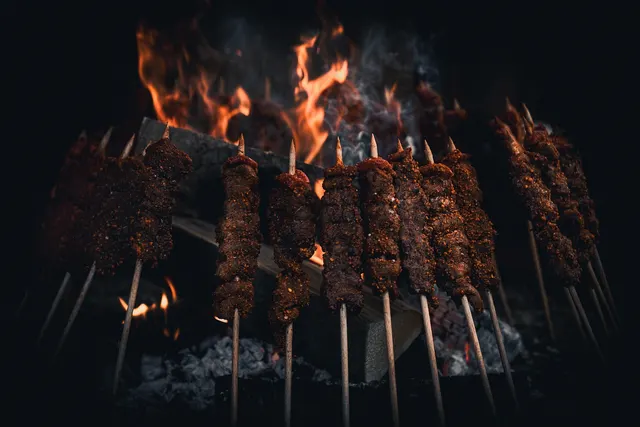
Photo: Pixabay
On this page 7 sections
- Why Food Truck Online Ordering Shrinks the Lunch Line
- Linking Orders to Your Food Truck Location Schedule
- Pickup Time Slots and Throttling to Protect the Kitchen
- Prepaid Orders, Refunds, and Missed Pickups
- Commission-Free Tools vs. Third-Party Food Truck Preorder Apps
- Promoting Order-Ahead on Social and at the Window
- Next Steps
Key takeaways
- Tie every preorder to a specific stop and pickup window, and close ordering for a stop the moment your plans change.
- Throttle by items per time slot, not just orders, so one big office order doesn't bury the window line.
- Put pickup, no-show and cancellation rules on the checkout screen and in the receipt, before the customer pays.
- Compare commission-based apps with commission-free tools on cost, customer data, payout timing and location syncing.
Food truck online ordering lets customers pay ahead and skip the line. For a truck, though, the hard part is that "the restaurant" moves. A preorder only works if it's tied to the stop you're actually parked at today and to a pickup window your two-person crew can handle. This guide covers how to link orders to your location schedule, how to set time slots and throttling so the kitchen doesn't drown, how to handle refunds and missed pickups, and how to compare commission-free tools with third-party apps.
Why Food Truck Online Ordering Shrinks the Lunch Line
At a truck, the bottleneck usually isn't cooking. It's the window. Each walk-up customer reads the menu, asks a question, decides, pays and waits. During a short lunch rush at an office park or job site, that line decides how many people you serve before they give up and walk to the deli.
Preorders move the slowest steps off the window:
- Menu decisions happen on the customer's phone, not at your counter.
- Payment is done before arrival, so the window person only hands off food.
- You see demand before the rush. Orders placed at 10:30 tell you how hard noon will hit, and you can prep accordingly.
- Customers who would have skipped a long line still buy, because they know their food will be waiting.
Order-ahead won't fix a slow kitchen. It will make a good kitchen more predictable. The rest of this guide is about keeping it that way.
Linking Orders to Your Food Truck Location Schedule
A brick-and-mortar restaurant has one address. Your food truck location schedule might have five stops in a week, a brewery on Thursday night and a festival on Saturday. Every preorder has to answer "where and when" without any guesswork.
Make Each Stop Its Own Ordering Window
The cleanest setup treats each stop as a separate ordering session with its own:
- Location name and pickup point. Something like "Riverside Office Park, north lot by Building C," not just a street address. Parking lots are big.
- Ordering open and close times. Many trucks open preorders the morning of the stop and close them shortly before service ends.
- Pickup window. For example, 11:15 a.m. to 1:30 p.m.
- Stop-specific menu. Your brewery stop may run a short late-night menu, and your corporate lunch stop may skip the slow items.
If your ordering tool only supports one "store," look for one that supports scheduled locations or multiple menus you can switch on and off. Otherwise, a customer who checked your page on Tuesday may preorder for a stop you're not working.
Plan for Last-Minute Changes
Trucks move for weather, generator trouble, a blocked lot or a canceled event. Have a routine ready before it happens:
- Pause or close ordering for the affected stop immediately.
- Contact everyone with an open order using the phone number or email collected at checkout.
- Offer a refund, or a pickup at the new spot if it's close and the customer agrees.
- Post the change everywhere you published the schedule.
Collecting a phone number at checkout is what makes step 2 possible. Make it a required field.
Don't Forget Tax by Location
Sales tax rates can differ from one stop to the next, depending on your state and local rules. If your online orders are tied to a stop, your tax setting should follow that stop. Our guide to collecting the right sales tax rate at every stop goes into more detail. Confirm your obligations with a tax professional.
Pickup Time Slots and Throttling to Protect the Kitchen
A two-person crew is usually one person on the flat-top and fryer and one person at the window, both covering for each other. If online orders land all at once, the walk-up line stalls and the people who paid ahead stand around waiting. That's the worst outcome for both groups.
Throttle by Items, Not Just Orders
Most ordering tools let you cap orders per time slot. That's a start, but a single order for an office team can be 10 burritos. Where your tool allows it, cap items or prep units per slot instead.
Illustrative example: Say your crew can comfortably finish about 15 entrées every 15 minutes while still serving the window. You might cap online orders at 8 entrées per slot and leave the rest of your capacity for walk-ups. Any order that would go over the cap gets pushed to the next open slot.
Practical Slot Settings
| Setting | What It Does | A Starting Point to Test |
|---|---|---|
| Slot length | Groups pickups into windows | 10 to 15 minutes |
| Items per slot | Caps kitchen load | Below your full capacity, leaving room for walk-ups |
| Lead time | Minimum time between order and pickup | Long enough to cook without rushing |
| First slot buffer | Protects setup time | No pickups for the first stretch after you park |
| Large-order limit | Routes big orders elsewhere | Send oversized orders to catering |
| Pause button | Stops new orders instantly | Use when you fall behind or run low |
These are starting points, not rules. Watch two or three services and adjust.
Sold-Out Items and Large Orders
When the brisket runs out, it should come off the online menu right away. If your POS and online menu share inventory, that can happen automatically. If they don't, make "86 it online" part of the same habit as crossing it off the board.
Large orders, like a 40-person team lunch, don't belong in the lunch-rush queue. Set a maximum order size and point bigger requests to a catering form with a deposit. Our article on pricing private food truck events with minimums and deposits covers how to structure those.
Keep the Handoff Fast
- Print or display online tickets separately from walk-up tickets, with the pickup time and customer name in large type.
- Bag and label orders, then stage them on a dedicated pickup shelf or rack.
- Use a separate pickup spot or a clearly marked "Online Orders" sign at the window, so prepaid customers don't stand in the payment line.
A POS built for a moving kitchen makes this easier. See our breakdown of the best food truck POS systems for a moving kitchen for what to look for in ticket routing, cellular connectivity and offline handling.
Prepaid Orders, Refunds, and Missed Pickups
Taking payment up front is what makes preorders work. You don't cook for people who never show up and pay nothing. It also means you need clear rules before anyone complains.
Write the Policy Before You Need It
Display your policy at checkout and repeat it on the receipt. Cover:
- Hold time. How long you hold a finished order after the pickup window. For example, until the end of service at that stop.
- No-shows. Whether an unclaimed order is refunded, converted to store credit or not refunded, since the food was made.
- Truck cancellations. If you cancel or move, the customer gets a full refund to the original payment method.
- Order changes. Whether and until when customers can edit or cancel.
Any of these choices can be reasonable. The important part is that the customer sees the policy before paying. A policy that only appears after a dispute is weak protection.
Keep Records That Answer Disputes
Online orders are card-not-present transactions. Those generally carry more chargeback exposure than tapping a card at the window. If a customer disputes a charge saying they never got their food, your records are your response. Keep:
- Order timestamp, stop location and pickup window
- Proof that the customer accepted your pickup policy at checkout
- Any texts or emails about delays or location changes
- Pickup confirmation, if your system marks orders as collected
Use the fraud tools in your gateway, such as CVV and address checks. They help screen out stolen cards, which sometimes get tested on small online orders.
Refund Mechanics
Refund to the original card through your POS or gateway rather than handing over cash. That keeps your books clean and gives you a matching record if a dispute comes up later. If you offer store credit for no-shows, make sure your system can track it by customer.
Commission-Free Tools vs. Third-Party Food Truck Preorder Apps
There are two broad routes. You can use a third-party marketplace or a food truck preorder app that lists many vendors. Or you can use a commission-free ordering page connected to your own POS or online store, where you pay software and processing costs but no per-order commission.
| Factor | Third-Party App or Marketplace | Commission-Free Tool on Your Own Setup |
|---|---|---|
| Cost structure | Usually a commission per order, sometimes plus fees | Software subscription plus standard processing costs |
| New customer discovery | Can expose you to app users nearby | You bring your own traffic |
| Customer data | Often held by the app | Typically yours |
| Payout timing | Set by the app's schedule | Set by your merchant account |
| Location scheduling | Varies; some are built for trucks | Depends on the tool; confirm multi-stop support |
| Menu and pricing control | Within the app's rules | Fully yours |
Commission and fee terms change often. Get current terms in writing from any provider you're considering.
Many trucks use both. They run a marketplace app for discovery and push regulars toward a direct ordering link, where the margin is better and the customer relationship stays with the truck.
What Your Payment Setup Needs
Whichever route you choose, check that:
- Online orders and window sales land in the same reporting, so you can see total sales per stop.
- Your gateway works with your ordering platform. MannyPay supports online payment gateways including Authorize.net and NMI, along with integrations such as the Clover POS integration, Shopify, WooCommerce and Ecwid.
- Your window hardware handles taps, chips and swipes on cellular data. Portable mobile terminals for card payments at the window keep walk-up sales moving while online orders print.
- Your pricing model is set up correctly. Card-not-present orders on small tickets can cost more to process. See why small tickets cost food trucks more in processing fees. If you're considering passing costs on, read up on food truck surcharge and cash discount rules first, because rules vary by card brand and state.
Promoting Order-Ahead on Social and at the Window
Online ordering only shrinks the line if customers know about it and use it.
On social media:
- Post each day's stop with the ordering link in the same post, not in a separate one.
- Put the weekly schedule and the ordering link in your profile.
- Post a short "preorders open" reminder mid-morning on lunch days.
- Send a quick message about any location change at the same time you close ordering for that stop.
At the truck:
- Put a QR code that opens today's ordering page on the window, the menu board and the side of the truck.
- Hang a clear "Order Ahead, Skip the Line" sign at the pickup spot.
- Have the window person mention it to regulars: "Next time, order on your phone and it'll be ready when you walk up."
- Tuck a small card with the QR code into bags.
With repeat stops:
- Ask office managers or building property managers whether they can share your ordering link with tenants on your scheduled day.
- At breweries, ask whether the taproom will post your QR code at the bar.
Next Steps
Start small. Turn on preorders for your busiest weekly stop, set conservative slot caps, post your pickup policy at checkout and watch how two or three services go. Then adjust your caps, lead times and messaging before rolling order-ahead out to every stop on your schedule.
If you want help connecting online ordering, window payments and reporting, explore MannyPay's food truck payment solutions or request a free quote. A MannyPay specialist will respond within one business day to review your setup and the options that fit your truck.
This article is for general educational purposes and is not legal, tax or financial advice. Card network rules and state laws change; confirm current requirements for your business.