Food Truck Credit Card Surcharges and Cash Discounts: The Rules
Learn the food truck credit card surcharge rules, how cash discounts and dual pricing differ, and how to set up compliant signage and POS settings.
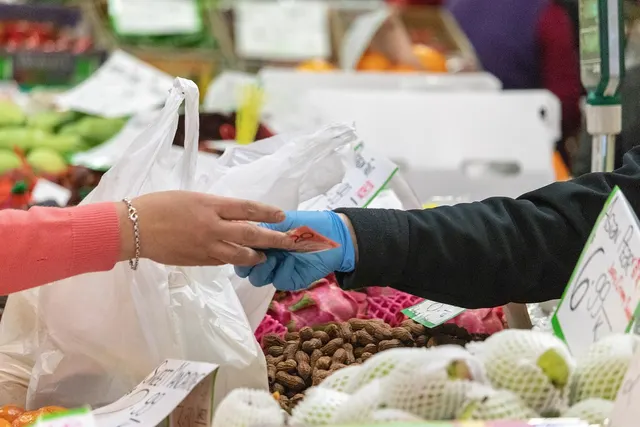
Photo: Pixabay
On this page 7 sections
- Food Truck Credit Card Surcharge vs. Cash Discount vs. Dual Pricing
- Card Network Rules and the Debit Card Exception
- Surcharge Laws by State: Where Surcharging Is Restricted
- Menu Board and Window Signage Requirements
- Will Customers Push Back? Reading Your Crowd
- Configuring Your POS to Apply Fees Correctly
- Next Steps
Key takeaways
- Surcharging, cash discounts and dual pricing follow different rules, so choose your model before you print a menu board.
- Card network rules generally limit surcharging to credit cards and generally prohibit surcharging debit and prepaid cards. Confirm the details with your processor.
- State laws on surcharging vary and change, so confirm the rules for every state where your truck operates.
- Signage has to work at the window, on the menu board, on the handheld screen and on the receipt, not just one of them.
Card fees hit food trucks harder than most businesses. Tickets are small, lines move fast and almost everyone taps a card. A food truck credit card surcharge, a cash discount or dual pricing can offset part of that cost, but each one comes with different rules. This guide explains how the three models differ, which card network rules and state laws can apply, how to set up signage that customers can read from the line, and how to configure your POS so the right fee lands on the right card.
This article is general information, not legal or tax advice. Surcharge rules come from card networks, states and sometimes cities, and they change. Confirm current requirements with your processor and a qualified professional before you launch a program.
Food Truck Credit Card Surcharge vs. Cash Discount vs. Dual Pricing
All three models aim to have customers who pay by card cover some or all of the processing cost. They differ in how the price is framed and which rules apply.
| Model | How It Works | Applies To | Main Rule Sources |
|---|---|---|---|
| Surcharge | A fee is added on top of the listed price when a customer pays with a credit card | Generally credit cards only | Card network rules, state law |
| Cash discount | The posted price includes the card cost, and cash payers get a discount | Non-cash payments pay the posted price | Card network disclosure expectations, state and local law |
| Dual pricing | Two prices are shown for every item, one for cash and one for card | Card payments pay the card price | Card network disclosure expectations, state and local law |
Surcharging
A surcharge is added at checkout and usually appears as a separate line on the receipt. Because it raises the price above what's posted, it typically carries the most rules. Those can include limits on the amount, restrictions on which cards can be surcharged, disclosure requirements and state-level restrictions. MannyPay's surcharging program for eligible merchants is offered only where surcharging is permitted.
Cash Discount
With a cash discount program, a food truck posts its regular prices and gives a discount to customers who pay in cash. Discounts for cash have traditionally been treated differently from surcharges. Even so, the discount should be real and clearly disclosed, and it shouldn't serve as cover for quietly marking up card transactions. Learn more about how a cash discount program works.
Dual Pricing
Dual pricing for a food truck means the menu board lists both a cash price and a card price for each item, for example a cash price and a slightly higher card price for a burrito. Customers see exactly what they'll pay before they order, which tends to reduce surprises at the window. See how dual pricing displays both prices.
Illustrative example: A taco plate is listed at $12.00 cash and $12.40 card. With dual pricing, both numbers appear on the board. With a cash discount, the board might show $12.40 and a sign offers a discount for cash. With a surcharge, the board shows $12.00 and a separate fee is added when a credit card is used. These numbers are for illustration only and don't represent a recommended fee.
Card Network Rules and the Debit Card Exception
Card brands such as Visa and Mastercard publish their own rules for passing card fees to customers. Your processor agreement typically requires you to follow these rules on top of any state law. Get the current terms in writing from your processor. These are the points to ask about:
- Credit only. Card network rules generally allow surcharges only on credit card transactions.
- The debit card exception. Network rules generally prohibit surcharging debit and prepaid cards, and that can apply even when a debit card is processed like a credit card. This matters at a truck window, where many lunch customers tap a debit card without a second thought. Confirm with your processor exactly which card types your program can surcharge.
- Caps. The networks generally limit how much you can surcharge. Ask your processor for the current maximum and how it relates to your actual processing costs, because network terms are updated.
- Advance notice. Ask your processor whether you need to give notice to them or to the card brands before you start surcharging, and how much lead time is required. Don't switch surcharging on mid-season without settling this first.
- Disclosure. Network rules generally require customers to be told about a surcharge before they pay and to see it on the receipt. Confirm the required wording and placement with your processor.
Debit is the tricky part. A handheld reader can't tell credit from debit just by looking at the card. Surcharging software built for compliance is designed to check each card's identifying information when it's tapped or inserted and to apply the fee only to eligible cards. If your current setup adds a flat percentage to every card payment, you may be surcharging cards you aren't allowed to. Raise that with your processor first.
Cash discount and dual pricing programs can also be subject to network disclosure expectations. Ask your processor what applies to the model you choose.
Surcharge Laws by State: Where Surcharging Is Restricted
Surcharge laws by state vary widely. Some states have banned credit card surcharges in the past. Others allow them with limits on the amount, specific disclosure wording or rules about where the notice must appear. Several of these laws have been amended or challenged in court, so a list that was accurate a few years ago may not be accurate today.
This matters more for a truck that crosses state lines or works events in a neighboring state than it does for a brick-and-mortar restaurant. A practical approach:
- List every state where you sell, including festivals, private events and seasonal stops.
- Ask your processor which pricing models are permitted in each one.
- Check whether any city or county where you park adds its own rules on price advertising or fees.
- Ask your accountant how the fee is treated for sales tax. In some places a surcharge may count as part of the taxable sale. Our guide to collecting the right food truck sales tax rate at every stop covers the location side of this.
- Recheck at least once a year and before any new state's season starts.
Some states also regulate how mandatory fees are shown in advertised food prices, separately from card surcharge rules. For background on how these rules can affect food businesses, read our explainer on restaurant service charges and fee disclosure rules, and confirm with a qualified professional how any such rule applies to your truck.
Where surcharging is restricted, a cash discount or dual pricing model may still be an option. Confirm before you switch.
Menu Board and Window Signage Requirements
Signage is where most trucks fall short. A notice taped next to the reader doesn't help a customer who has already ordered. Plan for four touchpoints.
The Menu Board
- Dual pricing: Show both prices for every item, or show both with a clear key such as "Cash / Card." Don't list only the cash price and add the card price at checkout.
- Cash discount: Post the regular (card) price and add a clear statement near the menu that cash payers receive a discount.
- Surcharge: Add a statement on or next to the menu that a surcharge applies to credit cards. Card networks and some states may require specific wording or placement, so get approved language from your processor.
The Window and Line
Customers read the board from several feet away while they wait. Use print large enough to read from the line, high-contrast colors and placement that a raised awning or the customer at the window won't block. Chalkboards and dry-erase menus work fine. Just make sure the fee notice doesn't get erased along with the daily specials.
The Handheld Screen
If staff take orders on a handheld or customers tap on a counter-facing device, show the fee or the card price on screen before the customer approves the payment. Bright sun washes out screens, so treat the screen as a backup to the board, not the main notice.
The Receipt
A surcharge generally needs to be visible on the receipt, usually as its own line. For dual pricing and cash discount programs, the receipt should make clear which price was charged. Text and email receipts need the same detail as printed ones. Confirm receipt requirements with your processor.
Window signage checklist: readable from the line, visible before ordering, matches what the POS actually charges, uses processor-approved wording and is updated when menu prices change.
Will Customers Push Back? Reading Your Crowd
Passing card fees to customers is a pricing decision as much as a compliance one. How customers react depends on where you park and who's in line. If an employer is covering the bill, see our guide to running company-paid food truck lunches with tabs, caps and invoicing.
- Weekday office lunch: Mostly regulars, mostly cards, fast turnaround. Dual pricing tends to feel straightforward because the price is visible up front. A surprise surcharge on a familiar order can sting.
- Breweries and late nights: Customers are used to paying by card and may be running tabs elsewhere. Clear signage matters more here than which model you pick.
- Festivals and markets: Organizers may set their own payment rules or run cashless wristband systems that affect what you can charge. Read our guide to cashless wristbands, fees and payouts at food festivals before you sign a vendor agreement.
- Private events and catering: Agree on the pricing model in writing with the client, not at the window. See minimums, deposits and payment terms for private food truck events.
Two practical points. First, a cash discount only helps if customers actually pay in cash. If you're thinking about going card-only, weigh that against local rules on whether your food truck can go cashless. Second, small tickets carry proportionally higher fees. Our breakdown of why small food truck tickets cost you more to process can help you judge whether a fee program is worth it.
Give staff a one-line answer for questions, such as: "Card prices cover our processing costs. Cash gets the lower price." A calm, consistent answer cuts down on friction at the window.
Configuring Your POS to Apply Fees Correctly
A program only works if your POS charges exactly what your signs say. Before your first shift:
- Choose one model per location. Don't mix a surcharge and dual pricing on the same truck.
- Use software built for the program. Surcharging needs credit/debit detection. Dual pricing needs both prices in your item library. A cash discount needs the discount applied automatically to cash payments.
- Set the fee's position in the order. Decide with your processor how the fee interacts with tips and sales tax, then test both.
- Check tip prompts. Make sure the tip screen and fee line display clearly and in the right order on the customer-facing device.
- Run test transactions. Use a credit card, a debit card, a contactless phone payment and cash, then compare each receipt with your signage.
- Sync menu updates. When you change a price on the board, update it in the POS the same day.
- Review monthly statements. Compare the fees you collect with your actual processing costs, and ask your processor whether your program stays within network and state limits.
Hardware matters on a truck. Handheld and mobile terminals let staff take payment along the line during a rush. A countertop smart terminal works well at a fixed window. MannyPay offers devices such as the Clover Flex 4G handheld and the PAX A920 Pro. Ask whether your specific device and software support the program you choose. Our guide to the best food truck POS systems for a moving kitchen covers battery life, connectivity and offline mode. If you rely on offline mode, read about setting offline card payment limits on a food truck.
Next Steps
Start by deciding which model fits your crowd and your states. Then get your signage, POS settings and processor approval in place before you change a single price. If you sell in more than one state, build a rules recheck into your preseason routine. If you're still setting up processing, see our guide to how new food trucks get merchant accounts approved fast.
MannyPay works with mobile food businesses on food truck payment processing and offers compliant cash discount, dual pricing, surcharging (where permitted) and zero cost processing programs for eligible merchants. Results depend on your sales mix and eligibility, so we can't promise a specific saving. To review your options, request a free quote and a MannyPay specialist will respond within one business day.
This article is for general educational purposes and is not legal, tax or financial advice. Card network rules and state laws change; confirm current requirements for your business.