Best POS for Jewelry Stores: Repairs, Memo, and Serialized Stock
Find the best POS system for jewelry store operations with a checklist covering serialized stock, repair tickets, memo goods, gold buys and appraisals.
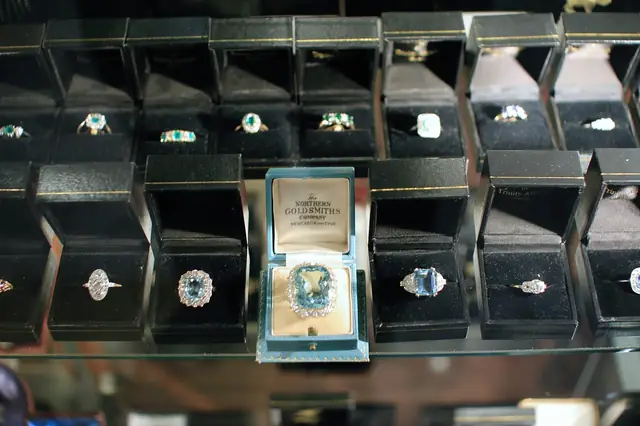
Photo: Pixabay
On this page 8 sections
- Why Generic Retail POS Falls Short for Jewelers
- Jewelry Store POS Software: Serialized, One-of-a-Kind Inventory and Stone Details
- Jewelry Repair Tracking Software: Job Tickets, Take-In Photos, and Pickup Payments
- Memo Inventory POS Features for Memo and Consignment Goods
- Gold Buying, Trade-Ins, and a Jewelry POS With Appraisals
- Integrated Payments, Deposits, and Financing
- Questions to Ask Before You Sign
- Next Steps
Key takeaways
- Jewelers need one record per piece, with metal, weight, stone and certificate details, not a quantity count per SKU.
- Repair, memo, consignment, gold buying and appraisal workflows often decide the purchase more than the checkout screen does.
- Payment setup matters as much as software: big tickets, deposits, split tender and phone orders all affect approvals, holds and disputes.
- Ask about data export, integrations, peak-season support and contract terms before you sign anything.
Finding the best POS system for a jewelry store is a different job from shopping for a general retail register. A jeweler sells one-of-a-kind pieces, holds goods it doesn't own, takes customer jewelry in for repair, buys scrap gold and writes appraisals. This guide is a buyer's checklist built around those jobs. It covers what to require for serialized inventory, repair envelopes, memo and consignment goods, gold buying and appraisals, and how to set up payments for big-ticket sales. It closes with the questions to ask before you sign.
Why Generic Retail POS Falls Short for Jewelers
Most retail POS software is built around a simple model: a product has a SKU, a price and a quantity on hand. When you sell one, the count drops by one. That works for a gift shop. It breaks down at a jewelry counter for several reasons:
- Most pieces are unique. A 1.2-carat oval solitaire is not interchangeable with another one, even if both carry the same style number.
- Value lives in the details. Metal, karat, gram or pennyweight, stone specifications and lab report numbers matter to buyers, insurers and your own margins.
- Not everything in the case is yours. Memo goods belong to a vendor, and consignment pieces belong to a customer.
- Service work is a second business. Repairs, sizing, custom builds and appraisals all need tickets, statuses and deposits.
- You also buy from the public. Scrap gold and trade-ins bring ID, record-keeping and payout requirements that a checkout screen doesn't handle.
If you're also weighing general-purpose options, our guide to choosing a retail POS system for an independent store covers the basics. The sections below focus on what a jeweler needs on top of those basics.
Jewelry Store POS Software: Serialized, One-of-a-Kind Inventory and Stone Details
The inventory module decides whether your system helps or fights you every day. Look for a record per item, not a quantity per SKU.
Fields Every Piece Record Should Hold
- Unique stock number that prints on a barcode tag sized for jewelry
- Category, style number and vendor
- Metal type, color and karat
- Weight in grams or pennyweight, so you can value it by metal content
- Center and side stone details: shape, carat weight, color, clarity and cut grade
- Lab report or certificate number, with the ability to attach a scan
- Cost, retail price and an optional cost code that staff can read but customers can't
- Ownership status: owned, memo, consignment or customer-owned
- Photos for the website, insurance and dispute records
Assemblies and Custom Builds
Bridal work often combines a loose stone with a mounting. Ask whether the system can join two stock items into one sale, or one finished piece, while keeping the cost and history of each component. Then ask whether it can reverse that if the customer later swaps the stone. For structuring payments on these builds, see our guide to custom engagement ring deposit and payment terms.
One Item, Two Channels
If you sell online, a unique piece can be sold twice: once on your website and once at the counter on the same afternoon. Ask whether the POS syncs in real time with your e-commerce platform and removes an item from the site the moment it sells in store. MannyPay's online payment processing and gateway integrations with platforms such as Shopify, WooCommerce and BigCommerce can sit behind that storefront. Inventory sync itself depends on your POS and e-commerce software, so confirm how they connect. For protecting those web orders, see our guide to stopping stolen cards on online diamond and watch sales.
Jewelry Repair Tracking Software: Job Tickets, Take-In Photos, and Pickup Payments
Repairs are where many jewelers lose time, and occasionally a customer's ring. A good repair module replaces the paper envelope, or at least prints a better one.
What the Take-In Process Should Capture
- Customer name, phone and preferred contact method
- A description of the item, including metal, stones and any markings
- Condition notes before work starts: worn prongs, loose or missing stones, scratches, bends, prior repairs
- Photos taken at the counter and attached to the ticket
- Requested work, such as sizing, retipping, stone setting, chain repair, polishing or watch service
- Estimate, deposit taken and promised date
- Customer signature acknowledging the condition notes and your repair terms
Workflow After Take-In
Ask whether the system can assign a job to a specific bench jeweler, track status (received, at bench, sent out to a trade shop, waiting on parts, ready), and flag overdue jobs. If you send work to an outside shop or a watch service center, ask whether the ticket can record when it left and when it came back.
Pickup should be just as clean. The ticket should pull up the balance due, apply any deposit, take payment and record who released the item. Text or email notification when a job is ready cuts down on phone calls and on unclaimed pieces sitting in the safe. For what to do when items go unclaimed, see our guide to how long to hold unclaimed jewelry repairs and handle unpaid balances.
Your condition notes and pickup records do double duty. They protect you in a dispute and help you answer insurance questions. Our guide to winning engagement ring and diamond chargebacks explains why that documentation matters.
Memo Inventory POS Features for Memo and Consignment Goods
Memo and consignment let you show more product without tying up cash. They also create liability if your records are loose.
Memo in From Vendors
When a vendor ships goods on memo, the pieces remain the vendor's property until you buy or return them. A memo inventory POS should:
- Tag each memo item with the vendor, memo number and return or decision date
- Keep memo goods out of your owned inventory value on reports
- Alert you as memo due dates approach
- Convert an item from memo to purchased when it sells, and generate the record you need to pay the vendor
- Track returns to the vendor with dates and shipping details
Memo Out to Customers
Some jewelers let trusted customers take a piece home on approval. If you do, the system should record who has the item, when it's due back, and any agreement the customer signed. How you secure that with a card is a payments question, not a software one. Ask your processor how authorizations, deposits and later captures should be handled so you stay within card network rules.
Consignment and Estate Pieces
For customer-owned pieces sold on consignment, look for:
- A consignor record with contact details and agreed terms
- The agreed split or fixed payout amount per item
- Automatic payout calculation when the piece sells
- Consignor statements showing what sold, what remains and what is owed
Gold Buying, Trade-Ins, and a Jewelry POS With Appraisals
Scrap Gold and Precious Metal Buys
Buying gold, silver and platinum from the public is common in jewelry stores and heavily regulated in many places. State and local secondhand dealer and precious metal laws can require seller ID capture, detailed item descriptions, photos, holding periods before you melt or resell, and reporting to local authorities. Those rules vary by state and city. Confirm your obligations with a qualified attorney or your local licensing office.
A buy module should support those requirements:
- Capture and store seller ID details
- Calculate an offer from weight, karat and a metal price you enter or pull from a feed
- Print a purchase agreement for the seller to sign
- Flag items under a hold period so staff can't sell or melt them early
- Export reports in the format your jurisdiction requires, if it has one
Pay sellers the right way. Payouts for gold you buy should go out by cash, check or another payout method, never as a card refund with no matching sale. Issuing card refunds to pay sellers breaks card network rules and can put your merchant account at risk.
Large cash transactions can also trigger federal reporting and anti-money-laundering obligations for dealers in precious metals and jewels. These are general information, not legal advice. Review current requirements with your accountant or attorney. For more detail, see our guide to buying gold from the public, including payout methods and dealer laws.
Trade-Ins and Upgrades
Diamond upgrade programs and trade-ins should be recorded as a trade credit against a sale, with the traded item added to inventory at its own cost. Don't record them as a generic discount. That keeps your margins and inventory value accurate. For how states tax these transactions, see our guide to sales tax on jewelry trade-ins and diamond upgrade programs.
Appraisals
If you write insurance or estate appraisals, look for a module that:
- Links the appraisal to a customer and, where relevant, to an item you sold
- Stores the full description, photos, measurements and stone details
- Records the appraiser's name and the date of the valuation
- Produces a professional printed or PDF document
- Charges the appraisal fee as a service line item
Integrated Payments, Deposits, and Financing
Jewelry tickets range from a watch battery to an engagement ring, and your payment setup has to handle both. MannyPay works with jewelry and diamond businesses on processing and hardware. Below is what to plan for. If you also want to offer customer financing, see our guide to setting up an engagement ring financing program for your store.
Big Tickets and Approval Limits
Processors set expectations for your average and highest ticket during underwriting. A sale far above those figures can be held or declined. Our article on why a processor might block a $25,000 engagement ring sale explains how to avoid that. Give realistic ticket estimates on your application, and tell your processor before an unusually large sale.
Jewelry is often treated as a middle-tier risk category. The reasons are covered in our explainer on medium-risk merchant accounts, and you can read about improving jewelry merchant account approval odds.
Features to Confirm
| Need | What to Ask For |
|---|---|
| Custom work and special orders | Deposits tied to a ticket, applied automatically at pickup |
| Layaway | Scheduled or partial payments with a running balance |
| Split tender | Multiple cards, or card plus cash or check, on one sale |
| Phone orders | A virtual terminal for card-not-present sales, with verification steps |
| Online sales | Gateway support and 3-D Secure authentication |
| Consumer financing | A clean way to record third-party financing as a tender type |
| Showroom checkout | Handheld or mobile terminals so customers don't leave the case |
Hardware That Fits the Counter
Many jewelers run specialty jewelry software and pair it with an integrated card terminal. Others use a full POS. Either way, confirm the software and terminal actually talk to each other, so amounts aren't keyed in twice.
MannyPay offers POS systems for retail counters along with terminals from Clover, Valor, Dejavoo and PAX. A handheld device such as the Clover Flex Pocket or PAX A920 Pro lets staff close a sale at the case while the customer is still looking at the piece. Chip and contactless acceptance at the counter keeps big-ticket sales card-present, which generally carries lower fraud and dispute risk than keyed entry.
Processing Costs
Large tickets make processing costs feel larger. Our breakdown of what drives jewelry store credit card processing fees explains the main factors. Some merchants also look at programs such as dual pricing. Eligibility and rules vary, so confirm current terms and state requirements before adopting one. For more on passing fees to customers, see our guide on whether jewelry stores can charge a credit card fee on diamonds. If you sell bullion or coins, see our guide to card acceptance rules and margins for gold bullion and coin sales.
Questions to Ask Before You Sign
Use this list with every POS vendor and processor you talk to:
- Does inventory track each piece individually, with metal, weight, stone and certificate fields?
- Can I separate memo, consignment and owned goods on every inventory and valuation report?
- Does the repair module support photos, signatures, statuses and customer notifications?
- Does the gold buying module help me meet my state and local recordkeeping rules? Ask for specifics, then verify them yourself.
- Is there an appraisal module, or will I need separate software?
- Which payment terminals integrate with this software, and is processing locked to one provider?
- Can I export all my data, including customers, items, repair history and photos, if I leave?
- What does it cost in total? Ask about software subscriptions, per-location or per-user fees, hardware purchase or lease, and contract length and early termination terms.
- What support is available during my busiest periods? Holidays, Valentine's Day, Mother's Day and proposal season are the wrong time to wait on a ticket queue.
- How does the system support PCI DSS compliance, and does it keep working if the internet goes down?
Before you apply for processing, gather your documents with our merchant underwriting checklist.
Next Steps
The best POS for your store is the one that handles your actual mix of work. For one shop that means mostly bridal and repairs. For another it means heavy estate buying, memo-driven showcases or a growing website. Write down your top workflows, score each system against the checklist above, and get your payment setup reviewed at the same time.
To talk through hardware, integrations and processing for your store, request a free quote from MannyPay. A specialist responds within one business day.
This article is for general educational purposes and is not legal, tax or financial advice. Card network rules and state laws change; confirm current requirements for your business.