Cloud-Based POS vs. Traditional POS: Which Should You Choose?
Compare a cloud-based POS system with on-premise POS on cost, offline risk, data control and PCI duties, plus a rule for when to stay local.

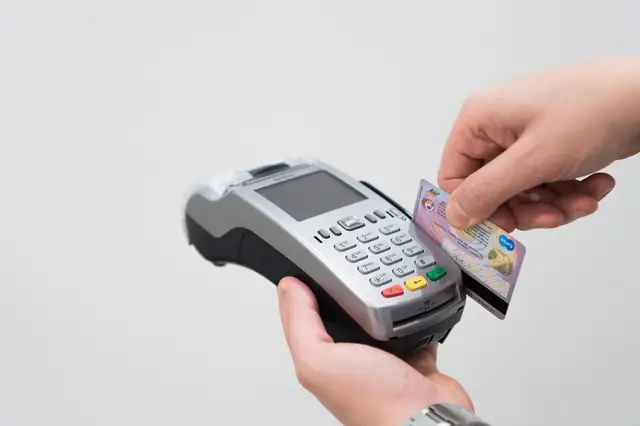
Photo: Pixabay
On this page 8 sections
- What Makes a POS System Cloud-Based
- How On-Premise and Legacy POS Systems Differ
- Cloud POS vs. On-Premise POS: The Five-Year Cost Math
- Internet Outages and the Fine Print of Offline Mode
- Reporting, Multi-Location Control and Who Owns the Data
- PCI Compliance Stays Your Job in Either Model
- The Rule for Which Businesses Should Still Go Local
- Migrating From a Legacy POS System Without Losing Sales
Key takeaways
- Over five years, on-premise POS usually looks cheaper only when the owner stops paying for support, which leaves payment software unpatched.
- Card sales taken in offline mode aren't approved until the connection returns. Set per-sale and total offline limits, especially for high-ticket sales.
- PCI DSS compliance is your responsibility in both models. A cloud POS paired with encrypting terminals can shrink how much of your setup you have to secure.
- Stay on-premise only where reliable internet isn't possible even with a cellular backup and an hour of offline card sales is more risk than you can absorb.
For most retailers, restaurants, grocers and liquor stores, a cloud-based POS system is the better choice. It costs less upfront, updates itself, and lets you see sales and inventory from anywhere. A traditional on-premise POS still makes sense in a narrow set of cases, mainly locations that can't keep a reliable internet connection and can't afford to stop taking cards when it drops. The real decision comes down to five things: offline risk, who controls your data, total cost over several years, your security workload, and how many locations you run.
What Makes a POS System Cloud-Based
A cloud POS keeps its software and your data on the vendor's servers instead of on a computer in your back office. The tablet, register or countertop terminal at your counter rings the sale and sends it over the internet. The vendor's platform then records the transaction, updates inventory and builds your reports. You pay a monthly subscription, the vendor pushes updates, and you log in to a web dashboard to change a price or pull last night's sales from home.
A web-based POS system is a narrower version of the same idea. It runs entirely in a browser, so it needs a live connection for nearly everything. Most cloud POS products sold to stores and restaurants run as apps on the device instead. That design lets them keep working for a while when the connection drops and sync later. When a vendor says "cloud," ask which kind you're getting, because the answer decides what happens during an outage.
If you're still sorting out the broader categories, our breakdown of the main types of POS systems covers mobile, countertop and self-service setups.
How On-Premise and Legacy POS Systems Differ
An on-premise POS installs software on your registers and usually on a back-office server you own. Your data lives on that server. You buy a software license, often as a one-time purchase, and pay separately for support, updates and the technician who comes out when the server fails. Plenty of independent grocers and liquor stores still run systems like this. They keep them because the systems work and because years of price lookup codes, vendor files and price-change routines are built around them.
"Legacy" means more than "on-premise." A legacy POS system is one that's past its useful life. Typical signs:
- The operating system no longer gets security patches.
- The vendor has stopped releasing updates.
- Payments run through an outdated device or connection method.
- Nobody sells replacement parts anymore.
A well-maintained on-premise system isn't legacy. One that nobody has updated in years usually is, and that matters most for security.
The day-to-day difference comes down to where problems land. With on-premise, the server, the backups and the upgrade decisions are yours. With cloud, the vendor owns those, and your internet connection becomes the thing you have to protect.
Cloud POS vs. On-Premise POS: The Five-Year Cost Math
Cloud POS spreads its cost across a monthly subscription. On-premise puts most of the cost upfront in hardware and a license, then adds support costs that are easy to overlook at signing. Neither number means much until you compare both over the same period.
The worked example below is illustrative only. The figures are invented for the comparison and are not quotes from any vendor, including MannyPay. The assumptions: one store, two checkout lanes, a five-year horizon, and card processing fees left out because you pay them under either model.
| Cost item | Cloud POS | On-premise POS |
|---|---|---|
| Checkout hardware (2 stations) | $3,600 ($1,800 each) | $3,000 ($1,500 each) |
| Back-office server | None | $2,000 |
| Software | $9,000 ($150/month × 60) | $4,000 one-time license |
| Support and updates | Included | $3,600 ($720/year × 5) |
| On-site IT service | None assumed | $2,500 ($500/year × 5) |
| Five-year total | $12,600 | $15,100 |
Now drop the support contract and the IT visits from the on-premise column. Its five-year total falls to $9,000, which beats the cloud setup by $3,600. That's how many legacy systems end up looking cheap: the owner stopped paying for support years ago. The savings show up on paper. The cost is payment software that no longer receives security fixes, which creates a compliance problem and raises your breach risk.
Two other items can swing the comparison:
- How the subscription is priced. It may be per location, per device or per user. Adding a third register or a second store can raise the monthly fee more than the hardware costs.
- Whether the hardware is tied to a processor. Some cloud POS hardware is locked to the processor that sold it, so switching processors later can mean buying new equipment.
If your POS software and card processing come bundled, read how subscription pricing compares with interchange-plus before you sign. If you plan to finance equipment, check the real cost of leasing versus buying a terminal.
Internet Outages and the Fine Print of Offline Mode
The real weakness of cloud POS is its dependence on your internet connection. When the connection drops, a cloud system switches to offline mode if it has one. The details of that mode matter more than the sales pitch.
In offline mode, the device usually captures card payments, stores them, and sends them for approval once the connection returns. This is called store-and-forward. The catch is that the card hasn't been approved when the customer walks out with the goods. If the card is declined later because of insufficient funds, a closed account or a fraud flag, you generally absorb the loss. Offline features also vary by system. Some pause gift card redemption, loyalty lookups, online orders or inventory sync until they reconnect.
Your exposure grows with ticket size and volume. A coffee counter that takes a handful of small offline sales has limited risk. A liquor store selling cases and premium bottles on a holiday weekend, or a bar running open tabs late on a Saturday, can pile up a lot of unapproved card sales in an hour. Ask your provider whether you can set a per-transaction limit and a total cap on offline sales, and what the system does when you hit them.
Three measures reduce outage risk more than any POS feature:
- A backup internet connection, such as a cellular router that takes over automatically when your wired service drops.
- At least one terminal with its own cellular data connection, such as the Clover Flex 4G handheld, so you can keep taking cards if the store network goes down.
- A written outage procedure your staff have actually practiced. It should cover who switches to the backup connection, when to stop accepting offline card sales, and how to run cash-only.
On-premise systems have their own outage problems. They keep ringing sales and looking up prices when the internet is down. Card approval still needs a connection to the processor, though, so cards stop working anyway unless the system has its own store-and-forward option. A failed server can also shut down every lane at once. For lessons from a large retail outage, see our piece on keeping registers running when systems go dark.
Reporting, Multi-Location Control and Who Owns the Data
Cloud has its biggest advantage here. Every sale lands in one central database, so you can check today's sales by store, compare locations, and change a price or menu item everywhere at once from your phone. A restaurant group can update its happy-hour prices across every bar in one step. A two-store liquor operator can see that one shop is overstocked on an item the other is about to run out of, then move stock between stores instead of placing a new order. Reports that flag voids, no-sales and discounts by employee are ready the same day. (Our guide to POS exception reports for void and discount abuse shows what to look for.)
On-premise setups with several stores usually keep a separate database in each location and send data to headquarters overnight or on a schedule. That works, but price changes go out store by store and reports run a day behind.
Data ownership tilts the other way. With on-premise, the database sits on hardware you own, although it may use a proprietary format that's hard to read without the vendor's tools. With cloud, your data lives on the vendor's servers under the vendor's contract. Get these answers in writing before you sign:
- Can you export transaction history, item files and customer records, and in what format?
- How long does the vendor keep your data after you cancel?
- Is there a fee for a full export?
- Does the vendor use your data for anything beyond running your account?
A vendor that can't answer these clearly is telling you how hard it will be to leave.
PCI Compliance Stays Your Job in Either Model
Moving to the cloud doesn't take PCI DSS off your plate. PCI DSS is the card industry's data security standard. It isn't a federal law. It's a card network requirement written into your processing agreement, and every merchant that accepts cards has to meet it, whatever POS they use.
What changes is how much of your setup you have to secure. With an on-premise POS, card data may pass through or sit on computers you manage. That makes you responsible for patching the operating system, securing the server, controlling remote-access software, and keeping payment systems on their own network. Older systems that store card data locally or run unsupported operating systems are the classic weak point.
A cloud POS paired with terminals that encrypt card data the moment a card is dipped, tapped or swiped is a different situation. The readable card number generally never touches your store's systems, which can reduce what you have to validate. Your processor decides which compliance paperwork applies to you.
Some basics stay with you in either model:
- Unique logins for each employee.
- Strong passwords.
- Payment devices kept off your guest Wi-Fi.
- Regular checks of terminals for tampering. Our walkthrough on inspecting terminals and kiosks for skimmers covers this step.
This section is general information. Confirm your specific obligations with your processor or a qualified security assessor.
The Rule for Which Businesses Should Still Go Local
Choose cloud unless both of these are true at a location. First, you can't get a reliable internet connection there, even with a cellular backup. Second, an hour of offline card sales would put more money at risk than you're willing to absorb. That combination fits a rural grocery on a weak line, a seasonal bar in a remote area, or a high-volume store in a building with poor cell signal. For those locations, the safer choice is an on-premise system or a hybrid cloud system with a local server that keeps the store running offline.
Two other situations deserve a close look before you switch. Grocers with integrations to on-site equipment, such as scales, shelf-label systems and EBT-capable lanes, need the cloud system to support every one of those connections first. Businesses with contracts or policies that limit where data can be stored need to check where the vendor keeps it. Neither situation rules out cloud, but both need answers before you move.
Most other businesses get more from cloud, including single-store retailers, restaurants and liquor stores: automatic updates, remote reporting and lower upfront cost. If you run both a counter and a dining room, our comparison of restaurant POS and retail POS features will help you narrow the field.
Migrating From a Legacy POS System Without Losing Sales
A migration usually goes wrong in the data, not the hardware. Work through it in this order:
- Export everything before you change anything. That means item files with codes, costs, prices and tax settings, vendor lists, customer records, and at least a year of sales history. Gift card and loyalty balances matter most, because that's money you owe customers.
- Clean the item file. Old systems collect duplicates, discontinued items and wrong tax categories. Grocery and liquor stores often have items taxed at different rates, so check every tax category before you import.
- List every connection. Include scales, kitchen printers and kitchen display screens, ID scanners for age checks, your online store, and accounting software such as QuickBooks.
- Pilot before you switch over. Move one lane first, or switch a restaurant on its slowest night, never a Friday.
- Test an outage on purpose. During training, unplug the router, ring several card sales, and confirm the cellular backup and offline limits work the way you were told.
- Train for the new screens. Our cashier training checklist gets staff comfortable before customers are waiting.
- Keep the old records readable. Save a full archive of the legacy system's data. Ask your accountant how long you need to keep sales records.
Before you sign with any cloud vendor, ask for one live test: pull the network cable from a demo station, ring a card sale, and have them show you exactly what happens to it. If you'd like help comparing the Clover, Valor, Dejavoo and PAX POS systems we offer, request a free quote. A MannyPay specialist will respond within one business day.
This article is for general educational purposes and is not legal, tax or financial advice. Card network rules and state laws change; confirm current requirements for your business.