FTC Safeguards Rule for Car Dealers: Protecting Payment and Deal Data
Learn what the FTC Safeguards Rule means for your car dealership, from data security planning to breach response, and how to protect deal data.

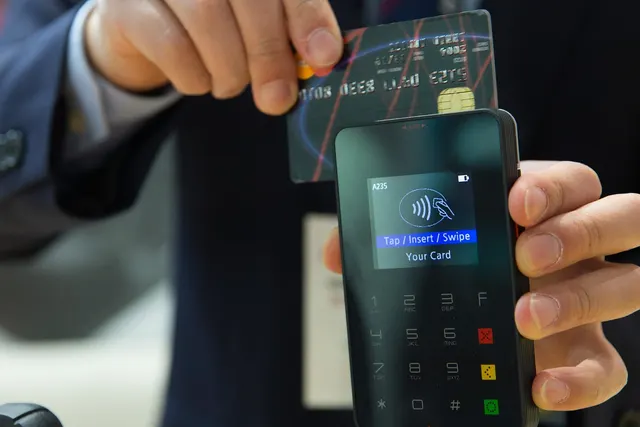
Photo: Pixabay
On this page 8 sections
- Does the FTC Safeguards Rule Apply to Your Car Dealership?
- Building a Dealership Information Security Program
- Credit Apps, Driver's Licenses and Card Numbers: Where Dealer Data Leaks
- Encryption, MFA and Access Controls for Your DMS and Card Terminals
- Choosing a Safeguards Rule Qualified Individual and Writing the Report to Leadership
- Overseeing Vendors: Processors, CRMs and Digital Retailing Tools
- How Safeguards Fits With Card Security and Identity Theft Prevention
- Next Steps for Your Dealership
Key takeaways
- Whether the Safeguards Rule covers your store depends on activities like arranging financing or leases. Read the FTC's definitions and confirm your status with counsel.
- A practical dealer security program has an accountable owner, risk assessment, controls, testing, training, vendor oversight, incident response and leadership reporting. Check the rule text for the exact required elements.
- Check the FTC's current guidance for any duty to report security events to the FTC, and plan for state breach-notification laws as well.
- Card data, credit applications and DMS access belong in one written program, coordinated with your processor's card-security requirements and any identity theft prevention obligations.
If your store arranges financing, writes leases or carries its own paper, you need to know whether the FTC Safeguards Rule applies to your car dealership. A single deal jacket can hold a driver's license image, a Social Security number, income and employment details, insurance information and a card number for the down payment. This guide explains how to tell whether the rule likely affects you, what a practical dealer security program looks like and what to plan for if customer data is exposed. It also shows how to fold card data, credit applications and dealer management system (DMS) access into one written security program.
This is general information, not legal advice. This article does not restate the rule's requirements, thresholds or deadlines. Read the current rule text and the FTC's business guidance, and confirm your obligations with a qualified attorney or compliance professional.
Does the FTC Safeguards Rule Apply to Your Car Dealership?
The FTC Safeguards Rule addresses how certain financial businesses protect the customer information they collect. Whether your dealership is covered depends on what you actually do and how the rule defines a financial institution.
Dealers should look closely at these activities:
- Taking credit applications and shopping them to lenders
- Arranging retail installment financing
- Arranging leases
- Extending credit directly, as buy here pay here lots do
A store that does any of these should read the FTC's definitions carefully and get a clear answer from counsel. A cash-only lot that never touches a credit application may be in a different position, but that is also a question for your attorney. Don't assume you're exempt because you're small or because a lender funds the deal.
Also check how the rule defines the customer information it protects. At most dealerships, sensitive data concentrates in the F&I office, but it spreads quickly to the sales floor, BDC, cashier and service drive.
Building a Dealership Information Security Program
Even before you confirm the exact legal requirements, you can build a sound security program. The rule text spells out the specific elements it requires, so use the framework below as a planning map and compare it line by line with the rule. Most dealer programs are organized around these areas:
- An accountable owner. One person oversees and enforces the program.
- Risk assessment. You identify foreseeable internal and external risks to customer information and revisit them as your systems change.
- Safeguards matched to those risks. Examples include access controls, a data and systems inventory, encryption, multi-factor authentication (MFA), secure disposal, change management and activity monitoring.
- Testing and monitoring. You check that the safeguards actually work.
- Training. Staff learn to recognize phishing, pretexting calls and careless data handling.
- Vendor oversight. You manage the companies that can access your customers' data.
- Incident response. You decide in advance what happens when something goes wrong.
- Reporting to leadership. Owners or senior management get regular written updates.
Check whether the rule scales any requirements based on the size of your business or the number of consumer records you hold. If it does, compare its terms with your actual DMS and CRM record counts. Many stores accumulate customer records faster than they expect, especially from leads that never bought.
Dealer Data Breach Notification and the FTC: What to Plan For
Check the FTC's current guidance for any duty to report security events to the FTC. If one applies, confirm what triggers a report, which events count, the deadline and what a notice must contain. Get those details from the FTC or your attorney, not from memory or a vendor's summary.
Two planning points hold regardless of the exact terms:
- Know whether your data was encrypted. Breach-notification frameworks often treat properly encrypted data differently from unencrypted data. Document what you encrypt and how keys are protected so you can answer that question quickly during an incident.
- Plan for state law too. State breach-notification laws may require you to notify affected customers, and sometimes state officials, on their own timelines. Your incident response plan should cover federal and state steps side by side.
Credit Apps, Driver's Licenses and Card Numbers: Where Dealer Data Leaks
Dealership data rarely leaks through one dramatic hack. More often, sensitive information piles up in places nobody owns. Walk a deal from first contact to funding and you will usually find several of these:
| Data | Where It Often Ends Up | Common Weak Point |
|---|---|---|
| Credit applications | DMS, CRM, digital retailing tools, lender portals, printed deal jackets | Shared logins, unlocked file cabinets, emailed PDFs |
| Driver's license images | Salesperson phones, test-drive logs, copier hard drives | Personal devices with no device controls |
| Social Security numbers | Credit apps, lender stips, scanned documents | Scans saved to desktops or shared folders |
| Card numbers | Phone deposits written on paper, keyed transactions, service drive | Numbers on sticky notes or in CRM notes fields |
| Income and bank details | Pay stubs and bank statements for stips | Text messages and personal email |
Card payments deserve extra attention because dealers take them through several channels. Customers pay deposits in person at the desk, out-of-state buyers call in keyed payments and some shoppers reserve vehicles online. If your store accepts cards for down payments, map where that card data flows before deal day. Our guide to setting a car dealership credit card down payment limit covers the policy side.
Illustrative example: A remote buyer calls to hold a vehicle with a deposit. The salesperson writes the card number on a desk pad, walks it to the cashier, and the cashier keys it in. That one deposit created an unprotected paper record, an unlogged handoff and a keyed transaction. A cleaner path is to have the cashier take the payment directly while on the phone with the customer, using a virtual terminal for phone and keyed payments. Some processors also offer secure payment request tools worth asking about. Either way, no one writes the number down.
Encryption, MFA and Access Controls for Your DMS and Card Terminals
These controls carry most of the day-to-day weight in a dealer security program.
Access Controls
- Give each employee a unique login to the DMS, CRM and lender portals. Retire shared "sales1" accounts.
- Limit access by role. A lot porter doesn't need credit apps, and a BDC agent may not need full Social Security numbers.
- Remove access the same day someone leaves. Sales-floor turnover makes this a recurring task, not a one-time cleanup.
Multi-Factor Authentication
MFA is one of the most effective protections against stolen passwords. Check the rule text for how it treats MFA and whether exceptions are allowed. Prioritize remote and administrative access to the DMS, email, CRM, lender portals and your payment gateway or merchant portal.
Encryption
Plan to encrypt customer information in transit and at rest wherever feasible. If something can't be encrypted, document the alternative protections you use and who approved them.
For card payments, ask your processor whether your terminals and gateway encrypt data at the point of entry and tokenize stored cards. With tokenization, your systems hold tokens instead of raw card numbers. Smart terminals for dealership counters and EMV-capable PIN pads can help keep card data out of your DMS and CRM entirely.
Disposal and Monitoring
- Set a schedule for securely disposing of customer information you no longer need. Include old deal jackets, copier drives and retired laptops.
- Turn on logging for who views and exports records, and assign someone to review it.
Choosing a Safeguards Rule Qualified Individual and Writing the Report to Leadership
Every program needs one accountable owner. In FTC materials and dealer compliance discussions, you'll often see this role called the Safeguards Rule Qualified Individual. Read how the rule describes the role and its responsibilities before you assign it. Dealers commonly consider a controller or IT manager, an outside security firm or someone at the dealer-group level.
If you outsource the role, plan as though outsourcing does not outsource accountability. Keep a senior person inside the store who directs and supervises the provider, and confirm that the provider protects your information in its own operations. Check the rule text for any specific expectations on outsourced arrangements before you sign.
Reporting to leadership should happen in writing and on a regular schedule. Check the rule for the required frequency. A useful report covers:
- The overall status of the program and how well it lines up with the rule
- Risk assessment results and changes since the last report
- Risk decisions, including any approved exceptions to MFA or encryption
- Service provider arrangements and how each provider is monitored
- Testing results, security events and how they were handled
- Recommended changes for the coming period
Treat the report as a working document for the dealer principal, not a formality. It is also the record you would want on hand if a regulator asked how your program operates.
Overseeing Vendors: Processors, CRMs and Digital Retailing Tools
A typical store shares customer data with a long list of companies:
- DMS provider
- CRM and digital retailing platform
- Credit bureaus and lenders
- Payment processor and gateway
- IT managed service provider
- Document scanning or e-contracting service
Sound vendor oversight follows three steps:
- Choose capable providers. Ask how they protect your data before you sign.
- Put safeguards in the contract. Your agreements should obligate providers to protect customer information.
- Reassess periodically. Review the risk each vendor presents and whether its protections still hold up.
Ask each vendor these questions:
- What customer data do you store, and where?
- Do you support MFA and unique user accounts?
- Is data encrypted in transit and at rest?
- How and when will you notify us of a security incident?
- What happens to our data when the contract ends?
For payments, ask your processor three more things: which terminals and gateways keep card data out of your environment, which integrations work with your DMS or accounting software, and what security documentation it can provide. MannyPay offers card terminals, payment gateways such as Authorize.net and NMI and integrations through its car dealership payment processing program. Evaluate those options against your own vendor checklist.
If you're also checking whether your merchant account is stable and properly underwritten, read about how used car dealers get approved and stay live.
How Safeguards Fits With Card Security and Identity Theft Prevention
Dealers usually face more than one set of security and fraud obligations. They overlap, but they are not interchangeable, and each has its own source of requirements.
| Area | General Focus | Who to Confirm With |
|---|---|---|
| FTC Safeguards Rule | Protecting customer information tied to financing and leasing | FTC rule text and your attorney |
| Card security (PCI DSS) | Protecting cardholder data | Your payment processor |
| Identity theft prevention | Spotting fake or stolen identities on credit apps | Your attorney or compliance professional |
Here is how to make them work together:
- Shrink where card data lives. Ask your processor which card-security requirements apply to your store and whether encrypted terminals and tokenization can reduce your compliance workload. Keeping raw card numbers out of your systems also lowers the risk your Safeguards program has to manage.
- Ask about identity theft obligations. Confirm with counsel whether your store needs a written program for catching fake IDs, mismatched addresses and synthetic identities on credit apps. Verification at the desk complements data protection after the deal.
- Build one program and map it. Instead of keeping separate binders, maintain one risk assessment and one set of controls. Then document which controls support which obligation.
Other obligations, such as large cash reporting, run in parallel. Our guide to IRS Form 8300 for car dealers covers that area.
Next Steps for Your Dealership
Start with what you can do this month:
- Name one accountable owner for your program and put it in writing.
- Inventory every system and paper location that holds customer information.
- Turn on MFA for the DMS, email, CRM, lender portals and your merchant portal.
- Stop writing card numbers down. Route phone and keyed payments through secure tools.
- Pull your vendor contracts and check their security terms.
- Draft or update your incident response plan, including any FTC reporting duty and state notification steps.
- Read the current rule text and FTC guidance, and confirm coverage, required elements, thresholds and deadlines with your attorney.
To review how your card terminals, gateway and keyed payments fit into your security program, request a free quote from MannyPay. A MannyPay specialist will respond within one business day.
This article is for general educational purposes and is not legal, tax or financial advice. Card network rules and state laws change; confirm current requirements for your business.