Food Trucks on Campus: Accepting Student Meal Plans and Dining Dollars
Can a food truck accept meal plan dining dollars? Learn how campus card approval, readers, commissions and payouts work, and when the deal pays off.

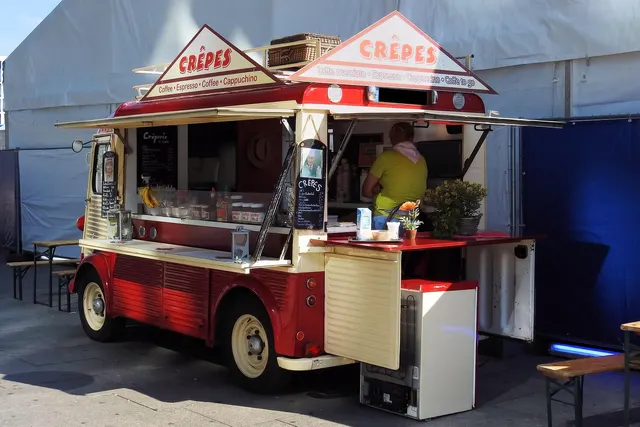
Photo: Pixabay
On this page 6 sections
- Dining Dollars Run on the University's Network, Not Visa's
- Getting Approved to Accept Meal Plan Dollars From a Food Truck
- Campus Card Readers and POS Integrations, Including CBORD and Transact
- Food Truck Dining Dollars: What the Commission and Payout Schedule Cost You
- Running Campus Cards and Regular Cards at the Same Window
- When Campus Vending Pays off: Volume vs. Restrictions
Key takeaways
- Dining dollars run on the university's closed-loop system, so your merchant account can't approve them. The school has to let you in.
- For students who would have tapped a debit card anyway, the gap between the campus commission and your card cost is a pure added cost.
- Card deposits arrive within days, while campus settlement follows the school's accounts-payable schedule. Get the timing in writing and plan cash flow around it.
- Get the campus card office's written terms on commission, settlement, offline behavior, tips, refunds and pricing before you agree to a schedule.
Can a food truck accept meal plan dollars? Yes, but only through the university's own campus card system, after the school approves you as a vendor. Your merchant account can't approve a student ID or a dining dollar balance, because that money never touches Visa or Mastercard. To take it, you sign an agreement with the campus card office or dining services and use the reader or integration it specifies. You also accept its commission and payout schedule, and those two terms decide whether the deal is worth having.
Dining Dollars Run on the University's Network, Not Visa's
Campus cards are closed-loop systems. A student or parent loads money into an account the university holds, either directly or through a platform vendor it hires. At your window, the reader checks the balance on the university's server and deducts the purchase. No card network or issuing bank is involved, and no interchange is charged. That's why your processor can't add "campus card" to your terminal the way it adds American Express.
Each university names its balances differently, but most fit the types below. Find out which one you'd be accepting, because that sets how many students can pay you with their ID.
| Balance type | What it is | Access for an outside truck |
|---|---|---|
| Meal swipes | Prepaid meals under the university's dining contract | Reserved for dining services locations. A truck booked as one may get a set "meal exchange" item. |
| Dining dollars (declining balance, flex dollars) | A dollar balance restricted to food | The school's choice: university-run locations only, or approved partners too |
| Campus cash | A general stored-value balance | Wherever the school's merchant program allows, including off-campus partners |
A truck approved for campus cash but not dining dollars will see fewer students paying by ID than it expected.
Check the dining contract as well. When a university hires a food service company to run its dining program, an exclusivity clause in that contract decides whether an outside truck can sell on campus at all, and whether it can touch dining dollars.
Getting Approved to Accept Meal Plan Dollars From a Food Truck
Trucks get onto campus in one of three ways, and each comes with its own payment setup.
Operating under dining services. The university or its dining contractor books your truck as a dining location. In that arrangement the school supplies the campus card reader, and the contract can give it a share of every sale you make, credit cards and cash included. It works like the host-fee deals in our guide to revenue share and host fees at breweries, except the host has a procurement department.
Joining the merchant acceptance program. A campus card office that runs one lets outside businesses accept student balances. You sign a merchant agreement and agree to a commission on campus card sales. The office then provides a reader or connects your POS. This path fits trucks that park near campus or rotate through on a schedule.
Selling at university events. A department buys meals for orientation or a club night. It pays you by invoice or hands students vouchers you redeem later. No reader is involved, but you wait on the school's accounts-payable cycle. Treat it like company-paid food truck lunches: set a cap and get a purchase order number before you serve, then invoice the same day.
The paperwork matches what the school asks of any contractor. Expect to provide a certificate of insurance naming the university as additional insured, your local health permit, a fire or propane inspection and a W-9. Schools that control dining tightly also approve menus and prices. The school assigns locations and hours, and spots near residence halls and the student union book first. Ask how slots are allocated and how far ahead they fill.
Campus Card Readers and POS Integrations, Including CBORD and Transact
Universities buy campus card platforms from specialized vendors. CBORD and Transact are two of the best known. The school picks the platform, and the platform decides which hardware and software can connect to it. You don't get a vote. Ask the campus card office what it supports before you buy anything.
The simplest setup is a standalone campus reader. The school supplies or leases a device that takes only campus credentials. It sits beside your card terminal, and staff key the amount into it separately. Setup is easy, but you run two devices at the window and two sets of totals at close.
The cleaner setup is an integration with your POS. A POS with a certified integration shows the campus card as a tender type on the same screen as credit and cash. Get the campus card office's current list of supported POS systems first. Then confirm with your POS provider that the integration exists and what it costs. If you're shopping for hardware anyway, our guide to the best food truck POS systems covers what else matters in a moving kitchen.
Campuses with a university ordering app add a third option. Students pay with their balance in the app, and the order appears on a tablet in your truck. That pulls orders off the window queue. The school controls the app and how your menu appears in it, and it sets the fees.
Student credentials come as plastic IDs read by stripe or barcode, or as contactless cards and mobile IDs stored in a phone wallet. Ask which formats your reader has to handle. A reader that can't read a phone will send students back to the dining hall.
Connectivity matters more for campus cards than for bank cards. The balance lives on the university's server, so the reader needs a live connection to approve a sale. Ask whether the device runs on campus Wi-Fi or needs a cellular connection you supply. Then ask what happens when the connection drops. Bank card terminals can store transactions offline within limits you set, a tradeoff covered in our article on offline card payments on a food truck. Don't assume a campus reader does the same.
Food Truck Dining Dollars: What the Commission and Payout Schedule Cost You
The money terms come from the school's merchant agreement, not from any card network rule. Read them as closely as you'd read a processing contract.
Commission. The university keeps a percentage of every campus card sale, and each school sets its own rate. Nothing ties it to card pricing, so it can sit well above what you pay on a credit card. Check whether it stacks on top of a site fee or a share of your total sales. Get the rate and every other fee in writing.
Settlement. Card processors deposit most sales within a few business days. Campus programs pay on the university's accounts-payable schedule, by ACH or check. Ask how often payouts run and how many days pass between a sale and its payment. Ask what report comes with each payment, too.
Refunds and disputes. Campus balances sit outside the card networks' chargeback process. The university's rules govern refunds and contested charges, so ask how a refund is issued and who decides a dispute.
Which Sales the Commission Should Be Measured Against
Most owners compare the campus commission with their card rate and stop there. That comparison is right for only half your campus customers.
Assume, for illustration only, a 12% campus commission and a 3% effective card cost. For students who would have paid you by card anyway, accepting dining dollars costs you the difference: nine cents of every dollar they spend, with nothing gained in return.
Students who would otherwise eat in the dining hall are a different case. Their dining dollars only work on campus, so every sale to them is new revenue. The right question there is whether your margin after food and labor covers the full commission. On a thin-margin item, it won't. Our article on why small tickets cost food trucks more shows how to find your real effective card rate for the first comparison.
Your own sales tell you which case you're in. Compare total sales on campus days before and after you add campus cards. If totals rise, the new revenue is real. If bank card sales fall by roughly as much as campus card sales rise, students are just switching how they pay, and you're paying the higher rate for the same lunch.
Reporting. Campus card sales appear on the university's report, not your processor's statement. Set them up as a separate tender in your POS so daily totals reconcile against the school's payouts. Tax treatment of meal plan purchases differs by state, so confirm it with a tax professional and review our guide to collecting the right sales tax rate at every stop.
Running Campus Cards and Regular Cards at the Same Window
The fastest campus windows settle the tender before anyone taps. Phones complicate this, because a student holding one could be paying with a mobile campus ID or a bank card in a wallet app. Staff who ask "student card or regular card?" while taking the order avoid voids and double charges.
Handle these details before your first lunch rush:
- Split tender. A student who runs low on dining dollars late in the term needs to split the bill. Your POS has to take part on the campus card and the rest on a bank card or in cash.
- Tips. Ask whether the campus program allows tips on dining dollar sales. If it doesn't, show your tip screen only on bank card sales.
- Price differences. Your university agreement may bar charging campus card users more. Credit card surcharges fall under card network rules and state law, which are separate from the school's terms. Read both before you change prices, starting with our explainer on food truck surcharge and cash discount rules.
- Counter space. Two devices at a narrow window need mounts and clear labels. On the bank card side, a mobile card terminal with cellular backup keeps that half of the line moving if campus Wi-Fi slows between classes.
For layout and speed during class-change rushes, see how to speed up a food truck line at the payment window.
When Campus Vending Pays off: Volume vs. Restrictions
Campus demand is dense and predictable. It peaks at class changes and lunch, then again late at night near the residence halls. Students with a prepaid balance to use up are a steady source of sales.
That demand is also seasonal. Breaks and finals week empty a campus, and summer leaves many of them quiet for months. A contract that commits you to fixed days through those stretches costs you money.
The restrictions add up as well. Assigned locations and approved menus come first. Price ceilings and set hours follow, and then the commission and the payout delay. Run the incremental-sales test above against the academic calendar month by month. A deal that works in October can lose money in July.
Before you sign, email the campus card office for written answers on seven points: which balances you can accept, the commission and every other fee, the settlement schedule, the approved readers or POS integrations, how the reader behaves offline, the rules on tips and refunds, and any limits on pricing. While you wait, get the bank card side of your truck ready for a campus crowd. MannyPay sets up payment processing for food trucks with mobile and countertop hardware, and when you request a free quote, a specialist responds within one business day.
This article is for general educational purposes and is not legal, tax or financial advice. Card network rules and state laws change; confirm current requirements for your business.