How to Accept Card Payments at a Farmers Market or Pop-Up
Accept card payments at farmers market stalls and pop-ups: pick a reader, cap offline sales, back up your signal and reconcile before you drive home.

Photo: Pixabay
On this page 7 sections
- The Setup That Works to Accept Card Payments at a Farmers Market
- Choose a Mobile Card Reader With Fewer Points of Failure
- Offline Mode Is a Short-Term Loan to Your Customer
- Back up the Signal With a Second Carrier
- Small Tickets Make the Per-Transaction Fee Matter
- SNAP EBT and Sales Tax Run on Separate Rules
- Close Out Before You Leave the Lot
Key takeaways
- Offline sales are worth taking as long as the chance of a decline is lower than your gross margin percentage. That makes small offline sales a good bet, so put your caps on large tickets and on the total waiting to upload.
- Offline time limits are set by the processor, not the card networks. Clover allows up to 7 days, while Square gives you 24 hours from the first offline sale before payments expire.
- On small tickets, the fixed fee does most of the damage. An illustrative 2.6% + $0.15 works out to 5.6% on a $5 coffee and about 3.0% on a $40 basket.
- Your card merchant account doesn't cover SNAP. Accepting it requires USDA retailer authorization and equipment that can take EBT.
To accept card payments at a farmers market, you need three things: a merchant account, a battery-powered reader that takes chip and tap, and a way to get a signal when the parking lot is full. Plan the fallback as carefully as the reader. Decide ahead of time what happens when the connection drops during the 9 a.m. rush, when a lot full of vendors and shoppers is competing for the same cell tower.
The Setup That Works to Accept Card Payments at a Farmers Market
Taking cards under a tent works the same way as at a counter, except nothing gets to depend on a wall outlet or store Wi-Fi. A working booth setup has these pieces:
| What You Need | Why It Matters at a Booth |
|---|---|
| Merchant account | Lets you accept Visa, Mastercard, American Express and Discover, and deposits the money to your bank |
| Mobile or handheld reader | Takes chip and contactless payments wherever the tent goes up |
| Two ways to connect | A cellular reader, a hotspot or a paired phone, ideally on different carriers |
| Backup power | Cold mornings and six-hour markets drain batteries faster than the spec sheet suggests |
| Preloaded item list | "1 lb heirloom tomatoes" in one tap beats keying a custom amount for every sale |
| Signage | Shows the cards you take and any cash discount or dual pricing notice |
If you already run a storefront or an online shop and are adding weekend markets, tell your processor before your first event. A new sales channel, new locations and a jump in weekend volume all change how your account looks to underwriting. Our article on warning your processor before a sales spike explains why an unannounced big Saturday can lead to held funds.
Choose a Mobile Card Reader With Fewer Points of Failure
A phone-paired reader connects to your smartphone over Bluetooth and uses the phone's data plan. It is small and cheap, but every sale now depends on your phone staying charged and connected while you also use it to text home for more change.
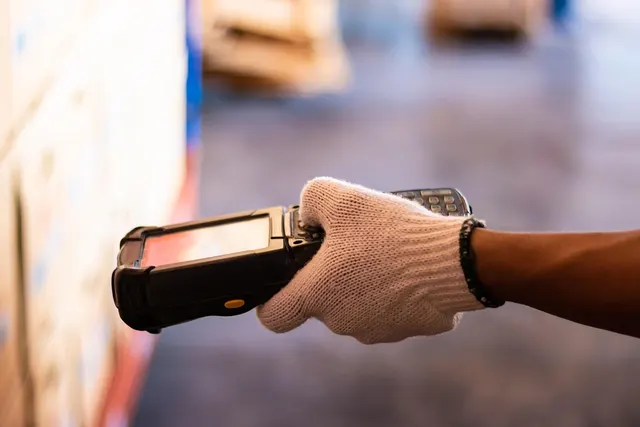
An all-in-one handheld puts the card reader, screen and sometimes a receipt printer in one device, and cellular models connect on their own. A handheld with built-in cellular such as the Clover Flex 4G costs more up front but removes the phone from the chain. MannyPay's mobile card terminals for vendors and handheld payment terminals cover both styles, and our comparison of countertop vs. wireless vs. mobile card readers walks through the tradeoffs.
Whichever you pick, test it outdoors. Customers need to read the total in direct sun, and the battery has to outlast a six-hour market (carry a power bank anyway). Insist on chip and tap: a swipe-only reader leaves you holding counterfeit-card fraud losses, as our explainer on the EMV liability shift explains. If you sell by the pound, make sure the POS app handles weight-based pricing without a calculator.
Indoor Craft Fairs Have Their Own Dead Zones
Steel-roofed barns and basement halls block cellular signals, and venue Wi-Fi is shared by every vendor in the building. Ask the organizer whether there is a dedicated vendor network. For a holiday fair with long gift-buying lines, a spare reader in the bin is cheap insurance on the busiest weekend of your year.
Offline Mode Is a Short-Term Loan to Your Customer
When a reader has no connection, offline mode (also called store-and-forward) lets it capture the card and finish the sale anyway. The device stores the encrypted transaction and sends it for authorization once it reconnects. Clover's developer documentation is direct about the tradeoff: while offline, the device "can't verify the payment gateway or check if the card is valid and has sufficient funds."
So an offline "approval" is really an IOU. If the card is maxed out or reported stolen, the decline arrives after the customer has walked away with your goods. Square's own guidance says it "is not responsible for any loss due to declined cards or expired payments taken while offline."
The time limits come from your processor and device, not from Visa or Mastercard, and they differ a lot. Here are two examples from the providers' published help pages:
| Provider | Offline Window |
|---|---|
| Clover | Devices with offline payments enabled can take them for up to 7 days |
| Square | 24 hours after the first offline payment to reconnect and sync; payments not processed in time expire and the funds are never collected |
Clover also lets you set three controls per device in the Setup app (Payments, then Offline payments): a cap on each offline payment, a cap on total offline payments, and an amount above which each offline sale needs merchant approval. Set them at home, not when the bars on your phone disappear.
Worked Example: Setting an Offline Cap for a Produce Stand
Here is how to decide whether to take a card offline. Every number is illustrative.
Assumptions: the average basket is $22. Produce costs you 40% of the selling price, so each basket carries $8.80 in product cost and $13.20 in gross profit. If you refuse a card, the customer walks and you keep the produce.
Taking the card offline has two outcomes. If it clears, you earn $13.20. If it declines, you are out the $8.80 of produce. Refusing the card earns nothing. Taking it is the better bet as long as the chance of a decline stays below $13.20 ÷ $22, or 60%. In general terms, the break-even decline rate equals your gross margin percentage. For an ordinary small basket, refusing the card almost never makes sense.
The math changes in two places. The first is the big ticket. A $280 order from a local restaurant has $112 of product cost riding on one card, and a single decline erases the profit from more than eight normal baskets. The second is the expiry window. If 25 customers pay offline during a 40-minute outage, $550 is sitting on the device. Let the battery die or miss the upload window, and the whole batch is at risk, not one sale.
That points to two settings. Set the per-sale cap a little above your typical basket (say $75 in this example) and ask for cash, or wait for the signal, on anything bigger. Set the total offline cap at the amount you could absorb losing on a bad day. Then reconnect the same afternoon instead of Monday.
Before your first market, put the reader in airplane mode at home and run a small test sale so you know what the offline screen looks like. While transactions are queued, keep the device on and stay logged in. Check the next morning's report for offline declines.
Back up the Signal With a Second Carrier
No single connection is reliable at every site. A crowded fairground can overwhelm one carrier's tower while another network keeps working, so if your reader or phone runs on one carrier, put a dedicated hotspot on a different one. Treat venue Wi-Fi as a last resort, since every vendor in the building shares it.
Run a test sale during setup, before the first customer arrives. Good readers encrypt card data, but your own secured hotspot is the safer default, and your processor can tell you what the card industry's security standard (PCI DSS) expects for your setup. Our piece on keeping sales running when systems go dark has downtime lessons that scale down to a two-table booth.
One fallback is off the table. Never copy card numbers onto paper to key in later. Storing card data that way is a security and compliance problem, and it turns a cheap card-present sale into a keyed sale that costs more and carries more fraud risk. When cards fail, cash is the backup, so bring a float of small bills and coins.
Small Tickets Make the Per-Transaction Fee Matter
Market sales are frequent and small, so the fixed cents on each transaction matter as much as the percentage. Visa's U.S. interchange reimbursement fee table (the October 2026 edition) sets what card issuers receive, and it has fixed cents even at the low end. A regulated debit card, meaning one issued by a large bank covered by the Federal Reserve's debit cap, carries 0.05% + $0.21. Visa also points out that merchants don't pay interchange directly. They pay a "merchant discount" to their financial institution, which in practice is the price in your processor's contract.
Here is why that matters, using an illustrative flat price of 2.6% + $0.15 (not any provider's quote). A $5 coffee costs $0.28 to process, or 5.6%. A $40 basket costs $1.19, about 3.0%. A coffee cart and a furniture maker on the same contract pay very different effective rates. Use our guide to calculating processing fees on any sale on your own average ticket, and ask about interchange-plus pricing if your volume is steady. Seasonal vendors should also ask whether monthly fees keep running through the off-season.
Some vendors offset fees with a dual pricing program that posts separate cash and card prices, or a cash discount program. Both need clear signage. Surcharging is governed by card network rules and, in some states, by state law, with its own disclosure requirements, so confirm current rules for your state before printing price cards.
Tip prompts belong at coffee carts and prepared-food stands, where customers expect them. A produce or apparel table is usually better off turning them off to keep checkout fast. MannyPay's page on payment processing for food trucks covers tip-friendly setups.
SNAP EBT and Sales Tax Run on Separate Rules
A card merchant account doesn't let you accept SNAP. According to MarketLink, which works under a cooperative agreement with USDA's Food and Nutrition Service, serving SNAP shoppers means "becoming an authorized SNAP retailer and acquiring a payment system that also accepts EBT." MarketLink guides farmers and markets through the USDA SNAP retailer application and provides grant-funded equipment: a free Bluetooth card reader and a one-year subscription to the TotilPay Go SNAP point-of-sale app.
The Food and Nutrition Service also says states must provide no-cost, EBT-only point-of-sale equipment to certain farmers markets and direct-marketing farmers. Most SNAP retailers have to pay for their own EBT equipment, and the 2014 Farm Bill exempts this group from that rule. Don't count on state-issued gear working at a tent, though. FNS notes that traditional payment processing equipment is wired, and that using it "is often impractical for farmers markets and farm stands." Ask your market manager how the market handles EBT before you apply on your own.
Sales tax is just as particular. Raw produce and prepared food can be taxed differently depending on the state, and some states require a temporary or event seller's permit. Set the correct tax on each item in your POS, and confirm your obligations with your state revenue department or a tax professional. This is general information, not tax advice.
Close Out Before You Leave the Lot
Reconcile before you drive home, while the day is fresh. Close the batch (or confirm it settles automatically), confirm every offline sale has uploaded, and count the cash box against your starting float. The steps in our guide to balancing a cash drawer work just as well for a tackle box of bills. Tag sales by market so you can see which Saturdays are worth the booth fee.
Here is an illustrative market day with 48 card transactions, priced at the same illustrative 2.6% + $0.15:
| Line | Amount |
|---|---|
| Card sales, online | $820.00 |
| Card sales, offline and uploaded | $95.00 |
| Card tips | $60.00 |
| Gross card volume | $975.00 |
| Refund to a card | –$25.00 |
| Processing fees (2.6% of $975 + 48 × $0.15) | –$32.55 |
| Expected card deposit, if fees are deducted daily | $917.45 |
| Cash sales, counted separately | $310.00 |
If your processor bills fees monthly, the deposit will be $950 and the fees will show up on your statement instead. When the deposit comes up short, check first for an offline decline or a batch that never uploaded.
Before your next market, run the one test that tells you the most: switch your reader to airplane mode at home, ring a $1 sale, and set your per-sale and total offline caps while you're at it. If you're choosing equipment or comparing pricing for a booth, cart or pop-up, request a free quote from MannyPay. A specialist responds within one business day.
Sources
- Clover Developer Docs: Per-Transaction Settings (Offline Payments)
- Vivid Commerce Knowledge Base: Clover Offline Transactions
- Square: Offline Credit Card Processing
- Visa USA Interchange Reimbursement Fees
- Visa: Credit Card Processing Fees & Interchange Rates
- MarketLink: Using MarketLink for Farmers and Farmers' Markets
- USDA FNS: Participation Assistance for Farmers and Farmers Markets Grant Program
This article is for general educational purposes and is not legal, tax or financial advice. Card network rules and state laws change; confirm current requirements for your business.