Inventory Management for Small Business: Pick the Right Method
Inventory management for small business: compare spreadsheets, POS and software, set reorder points from sales data, and pick a costing method.

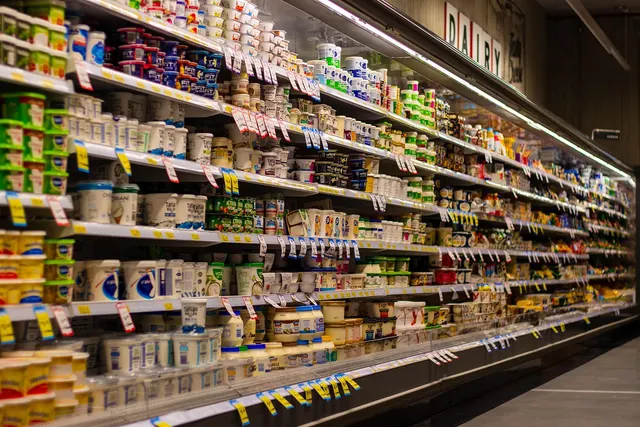
Photo: Pixabay
On this page 8 sections
- Inventory Errors Show up as Cash Problems
- Spreadsheet, POS or Inventory Software: Which Tracking Method Fits
- Set Reorder Points From Sales Speed, Not Gut Feel
- FIFO vs. LIFO: Shelf Rotation and Cost Method Are Separate Decisions
- Keep In-Store and Online Counts From Drifting Apart
- Turnover and Sell-Through: The Numbers to Check Monthly
- Choosing Inventory Management for Your Small Business
- Start With a Full Count and Your Top 20 Sellers
Key takeaways
- Set reorder points as (daily units sold × supplier lead time) + safety stock. An illustrative item selling 6 a day with a 4-day lead time and 2-day cushion gets reordered at 36.
- Rotating stock on the shelf and choosing a cost method are two separate decisions. IRS Publication 538 says to use specific identification when you can match cost to item, and FIFO or LIFO when you can't.
- Your payment integration and your inventory sync are separate connections. Decide which system holds the master count before you sell the same stock online.
- Carrying less inventory on the same sales raises turnover and frees up cash. In the illustrative gift shop, that's $9,000.
Inventory management for small business means keeping your records in line with what is physically on your shelves, then using those records to decide what to reorder and when. For most independent stores, the right tool is the POS system already at the counter, provided every product has its own SKU. A spreadsheet only holds up for a small, stable catalog sold in one channel, and dedicated inventory software earns its subscription once you run several locations or sell through multiple online channels.
The tool matters less than the habit. Count everything once to set a baseline, count one section every week after that, and set reorder points from how fast items actually sell.
Inventory Errors Show up as Cash Problems
Every unit in the stockroom is cash you have already spent, and it comes back only when the item sells. When the system shows fewer units than you really have, you reorder early and park money in product that sits. When it shows units you don't have, the reorder never triggers, and the customer leaves empty-handed or buys from someone else.
Shrink hides in that gap. Theft, breakage, spoilage and receiving mistakes all look like "missing" stock, and you can only spot them if your records are accurate enough to show a variance. If counts keep coming up short, check your receiving process against the controls in our guide to preventing employee theft in a retail store.
The damage depends on what you sell. A grocery market loses perishables that expire before anyone buys them. An apparel boutique ends the season holding styles that now need deep markdowns, and a liquor store can miss out on an allocated bottle because nobody noticed the shelf was empty. Accurate counts also feed planning: a 13-week cash flow forecast built from your sales data needs to know when big purchase orders will hit your bank account.
Spreadsheet, POS or Inventory Software: Which Tracking Method Fits
| Factor | Spreadsheet | POS-Based Tracking | Dedicated Inventory Software |
|---|---|---|---|
| Updates on each sale | No, manual entry | Yes, automatic | Yes, through integrations |
| Size and color variants | Manual | Varies by POS | Usually strong |
| In-store and online sync | No | Limited to built-in channels | Core feature |
| Reordering | Formulas you build | Low-stock alerts | Purchase order automation, forecasting |
| Setup effort | Low | Moderate | Higher |
| Ongoing cost | Minimal | Often included with the POS | Separate subscription |
A spreadsheet lists each item's SKU, cost, retail price, quantity on hand and reorder point. Its weakness is built in: sales don't subtract from stock, so the sheet drifts out of date from the first sale of the day until someone updates it. Two people editing the same file can also overwrite each other's changes. It works for a small catalog that rarely changes and sells through one channel at low volume.
POS-based tracking deducts stock with every sale, return and void. You receive purchase orders into the system, set low-stock alerts and pull reports by item, category or vendor. For a single-location retailer or grocer, that means real-time counts without paying for another tool. The catch is that inventory features differ widely between systems, so test the ones your category depends on before you buy: size and color variants for apparel, case-to-bottle conversion for liquor, store-to-store transfers if you have a second location. Our guide on how to choose a retail POS system for an independent store walks through what to check.
Dedicated inventory software sits between your POS, your e-commerce platform and your accounting. It usually adds purchase order automation, demand forecasting, multi-warehouse tracking, lot and expiration tracking, and kits or bundles. That pays off with a large catalog, several locations, wholesale alongside retail, or more than one online storefront. Expect setup to take real time, and remember that each integration is one more connection that can break.
Set Reorder Points From Sales Speed, Not Gut Feel
A low-stock alert helps only if the threshold is right, and most stores set it by instinct. The better number comes from two figures you already have: how many units you sell per day and how many days your supplier takes to deliver.
Reorder point = (average daily units sold × supplier lead time in days) + safety stock
Illustrative example; the numbers are hypothetical. Assume a liquor store sells an average of 6 bottles a day of a popular bourbon, based on the last 90 days of POS sales. The distributor delivers 4 days after an order goes in, and the owner wants a 2-day cushion for a busy weekend or a late truck.
Demand during the lead time is 6 × 4 = 24 bottles. Safety stock is 6 × 2 = 12 bottles. The reorder point is 24 + 12 = 36 bottles. When the count drops to 36, the order goes in, and if sales run at the usual pace the store still has about 12 bottles on the shelf when the delivery arrives.
Recalculate before seasonal peaks, because a daily average taken from a quiet stretch will understate demand in your busy weeks. The formula also assumes the on-hand count is right. If the system says 36 and the shelf holds 20, the cushion is already gone, which is why weekly cycle counts matter more than any alert setting.
FIFO vs. LIFO: Shelf Rotation and Cost Method Are Separate Decisions
Owners often treat "FIFO" as one thing. It is two. Physical flow is the order in which product leaves the shelf: grocers move older dairy to the front, and liquor stores rotate beer by date so it sells before it goes stale. You do that no matter what your accountant uses. Cost method is how your books assign a cost to each unit sold, which sets your cost of goods sold, gross profit and taxable income.
For the cost method, IRS Publication 538 says which method applies when. Use specific identification when you can match the actual cost to each item. Use FIFO or LIFO when you can't tie items to their costs, or when identical goods are mixed together and can't be traced to specific invoices. A jewelry store with one-of-a-kind pieces can often track each item's real cost. A grocer selling cases of the same sparkling water can't, so it needs a cost-flow method. Many POS and inventory systems also calculate a weighted average cost, where every unit carries the average cost of everything in stock.
Illustrative example; the numbers are hypothetical. A store buys 10 cases at $20 each, then 10 more at $24 after the vendor raises prices, and sells 12 cases. Eight cases remain.
| Method | How the 12 Sold Cases Are Costed | Cost of Goods Sold | Value of 8 Cases Left |
|---|---|---|---|
| FIFO | 10 × $20 + 2 × $24 | $248 | $192 (8 × $24) |
| LIFO | 10 × $24 + 2 × $20 | $280 | $160 (8 × $20) |
| Weighted average | 12 × $22 average | $264 | $176 (8 × $22) |
While costs rise, FIFO charges the older, cheaper units to sales, so cost of goods sold is lower and reported profit is higher. LIFO does the reverse and leaves the cheaper units on the balance sheet. The average lands in between and smooths out price swings, which is why it suits interchangeable goods.
LIFO comes with its own tax rules, which Publication 538 covers along with how to adopt it, and not every financial reporting framework permits it. The publication also covers changing your inventory accounting method, so treat the choice as a long-term one. This section is general information, not tax advice. Pick your method with a qualified accountant, then confirm your POS or inventory software can report on that basis.
Keep In-Store and Online Counts From Drifting Apart
Selling from one stockroom through a register and a website is where many small businesses lose control of inventory. A customer buys the last unit at the counter, another buys it online a few minutes later, and you are issuing a refund and an apology. Pop-ups and market stalls add a third channel. Our guide to taking card payments at farmers markets and pop-ups covers the payment side.
The fix starts with one source of truth. Decide whether the POS, the e-commerce platform or the inventory software holds the master count, and have every other system read from it instead of keeping its own. Then check how often stock syncs. Real-time is ideal; if updates run on a schedule, hold back a few units of fast sellers from the online count. The safety stock from your reorder-point math is a sensible place to start.
A few setup details cause most of the drift:
- Identical SKUs everywhere. A size-medium navy sweater needs the same SKU in every system, or apparel counts wander.
- Returns routed back into stock. Online returns that never get restocked in the system become phantom shrink.
- Case breaks and bundles. A grocer selling single cans and multipacks, or a liquor store selling bottles and full cases, needs each sale to deduct the right number of units.
- Offline selling. Know whether your POS keeps selling during an outage and how it reconciles stock afterward. Our article on keeping your store selling when systems go dark covers backup planning.
MannyPay's payment integrations include Shopify payment integration, WooCommerce payment integration and BigCommerce. Payment processing and inventory sync are separate connections, though, so confirm how stock data moves between your POS and your store platform before you go live. Liquor retailers should also check their state's rules on online alcohol sales and delivery, which vary from state to state.
Turnover and Sell-Through: The Numbers to Check Monthly
| Metric | Formula | What It Tells You |
|---|---|---|
| Inventory turnover | Cost of goods sold ÷ average inventory value at cost | How many times you sell through your stock in a period |
| Days of inventory | Days in period ÷ turnover | How long a typical item sits before it sells |
| Sell-through rate | Units sold ÷ units received × 100 | How much of a purchase actually sold |
| Dead stock | Items with no sales in a window you set | Cash stuck on the shelf |
Illustrative example; the numbers are hypothetical. A gift shop records $180,000 in cost of goods sold for the year and carries an average of $45,000 of inventory at cost. Turnover is 180,000 ÷ 45,000 = 4, and days of inventory is 365 ÷ 4, or about 91 days. A typical item sits roughly three months before it sells. If the owner trims slow lines and brings average inventory down to $36,000 on the same sales, turnover rises to 5 and about $9,000 of cash is freed up.
Sell-through answers a narrower question. An apparel boutique that receives 60 units of a fall jacket and sells 45 by mid-season is at 75% sell-through, a signal to reorder before the season ends. A style at 20% over the same weeks should be marked down early, while customers still want it.
Read these numbers by category. Grocery runs on high turnover in produce, dairy and bakery, so slow movement there usually means spoilage is coming. Liquor stores carry fast-moving staples next to slow, high-value bottles, and a strong beer number can hide a stalled spirits shelf. For dead stock, set the no-sales window to match your own sales cycle, then decide whether to bundle, discount, return to the vendor or donate.
Choosing Inventory Management for Your Small Business
Match the system to your catalog and your channels, not to the longest feature list.
| Your Situation | Likely Best Fit |
|---|---|
| Small, stable catalog, one channel, low volume | Spreadsheet plus regular counts |
| Hundreds of SKUs or variants in one store, maybe a simple online shop | POS-based tracking |
| Large catalog, multiple locations or several online channels | Dedicated software connected to your POS |
| Perishables or expiration dates | POS or software with lot and date tracking |
Before you use the table, count your SKUs with every variant included. A shirt in five sizes and four colors is 20 SKUs, not one, and that math can push a boutique past what a spreadsheet handles well. Next, list your channels and write down the features you can't do without. Check that the system connects to your accounting software, for example through a QuickBooks accounting integration, and run a trial with your real product data before committing.
During the trial, confirm that every sale, return and exchange updates stock on its own. Staff should be able to receive shipments by scanning barcodes, and the system should support cycle counts by section so you never have to close for a full count. Ask how you would export your data if you switch later.
If new hardware is part of the plan, compare MannyPay's POS systems for retail and grocery, or see the industry pages for retail stores, grocery markets, apparel boutiques and liquor stores.
Start With a Full Count and Your Top 20 Sellers
Do one full physical count to set an accurate baseline. Then pull 90 days of sales from your POS, pick your 20 best sellers, and set a reorder point for each using the formula above. Add a weekly cycle count of one section to your retail store opening and closing checklist so accuracy holds between full counts.
When you're ready to look at POS hardware or payment processing that fits your inventory setup, request a free quote from MannyPay. A specialist responds within one business day.
Sources
This article is for general educational purposes and is not legal, tax or financial advice. Card network rules and state laws change; confirm current requirements for your business.