Best POS System for Small Business: A Buyer's Checklist
Find the best POS system for small business with a checklist that weighs features, total cost, processing lock-in and contract terms before you sign.

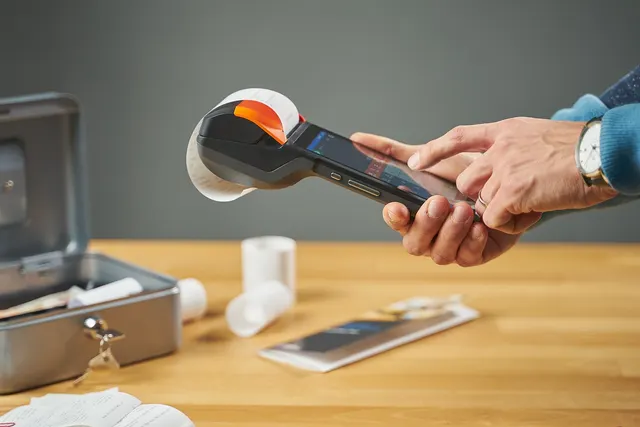
Photo: Pixabay
On this page 9 sections
- Finding the Best POS System for Small Business Starts With Your Workflow
- Must-Have Features for Any Small Business POS System
- Industry-Specific Features: Retail, Restaurant, and Appointment Businesses
- What an Affordable POS System Really Costs: Software, Hardware, and Processing
- Locked Processing vs. Processor-Agnostic POS Systems
- Contracts, Leases, and Hardware You Can Take With You
- Questions to Ask in Every POS Demo
- Small Business POS Scorecard
- Next Steps
Key takeaways
- Map your real workflow first. The best POS system for small business is the one that fits how you take orders and payments.
- Compare total cost over the full contract term: software, hardware and processing together, not the monthly subscription alone.
- Find out whether the POS locks you into one processor and whether the hardware works if you switch.
- Read lease, renewal, termination and data-export terms before any demo turns into a signature.
Choosing the best POS system for small business is less about finding the top-ranked brand and more about finding the system that fits how your business actually runs. A boutique, a busy bar and a two-chair salon all need different things from a point of sale. This checklist walks you through a framework you can use for any vendor: how to define your workflow, which features matter in your industry, how to calculate total cost, how processing lock-in works, which contract terms to watch, and what to ask in every demo. It ends with a scorecard you can use to compare finalists side by side.
If you're new to the category, start with our explainer on how a POS system works and what it does, then come back here to shortlist.
Finding the Best POS System for Small Business Starts With Your Workflow
Vendor feature lists are long, and most of the items on them won't matter to you. Before you look at any product, write down how a typical transaction moves through your business from start to finish.
Answer these questions on paper:
- Where does the customer pay? Options include a counter, the table, the chair, curbside, a market booth, a customer's home or online.
- Who rings up the sale? One owner, rotating cashiers, servers, or service providers who each need their own login.
- What gets sold? Physical products, services, or both on the same ticket.
- What happens after the sale? Inventory updates, tip distribution, commission tracking, payroll, bookkeeping.
- Where do sales come from besides the front door? Online store, phone orders, invoices, deposits or appointment bookings.
- What breaks on your busiest day? Long lines, kitchen backups, double-booked appointments, items selling out.
Your answers become the requirements list. Anything that solves a problem on that list is worth paying for. Anything that doesn't is a nice-to-have.
Must-Have Features for Any Small Business POS System
Every business needs a baseline that makes checkout fast, secure and easy to reconcile. Treat these as pass/fail items:
- Modern card acceptance. EMV chip, contactless tap (including mobile wallets) and a manual-entry fallback. Our guide to contactless payments and NFC setup covers the hardware side.
- Offline mode. The system should be able to keep taking payments if your internet drops, then sync later. Ask how it handles offline card transactions, because a card approved offline can still decline when it syncs, and that risk usually falls on you.
- Employee logins and permissions. Separate credentials so you can control who issues refunds, voids sales or opens the cash drawer.
- Reporting you'll actually read. Daily sales, payment-type breakdown, refunds, tips and top items, all exportable.
- Basic inventory and item management. Even service businesses sell some retail products.
- Customer profiles. Name, contact details and purchase history, which also support loyalty and marketing.
- Integrations. At minimum, accounting software such as QuickBooks. If you sell online, you'll also need your e-commerce platform.
- Security. Encryption and tokenization of card data, plus clear guidance on your PCI DSS responsibilities. See which PCI SAQ your business needs.
- Data export. You should be able to download your item catalog, customer list and sales history in a standard format.
- Real support. Find out the support hours, the channels (phone, chat, email) and whether a person answers during your peak hours, not just during business hours.
Industry-Specific Features: Retail, Restaurant, and Appointment Businesses
This is where systems really differ. A POS that works well for one business type can be clumsy for another.
Retail Stores
Retail runs on inventory accuracy. Look for:
- Variant matrices for items sold in multiple sizes, colors or styles, with stock tracked per variant
- Barcode scanning and label printing so new arrivals can be received and tagged quickly
- Purchase orders and receiving tied to vendor records
- Returns and exchanges that restock the item and refund the original payment method, with manager approval rules
- Multi-location stock visibility if you run more than one store or sell the same inventory online
- Low-stock alerts before seasonal peaks such as the holidays or back-to-school
Retail tickets range from small add-on purchases to larger single items, so a fast checkout matters as much as deep inventory tools. Our retail payments page outlines how MannyPay supports in-store merchants.
Restaurants and Bars
Restaurants need speed during lunch and dinner rushes and accuracy between the front and back of house:
- Menu modifiers and forced choices (temperature, sides, substitutions) so orders reach the kitchen complete
- Kitchen display screens or printers with coursing and order routing by station
- Table and seat management with check splitting by seat, item or amount
- Tip adjustment and tip pooling reports that match how you pay staff
- Bar tabs that can hold a card securely and close out at the end of the night
- Handheld devices for pay-at-table or line-busting on a patio
- Online ordering integration that sends web and third-party orders into the same kitchen queue
- Time-based pricing for happy hours or daypart menus
Offline mode matters even more here. A Friday night outage with no backup plan is expensive. See our restaurant and bar payment solutions for how MannyPay works with hospitality merchants.
Salons, Spas, and Health and Beauty Businesses
Appointment-based businesses sell time, so the calendar is the core of the system:
- Online booking with provider-level calendars, service durations and buffer times
- Card-on-file deposits and no-show or late-cancellation fees, clearly disclosed to clients in advance
- Provider-specific tips and commissions, including different commission rates for services versus retail product sales
- Mixed tickets combining services and take-home products in one checkout
- Client notes such as color formulas, service history and preferences
- Packages, memberships and gift cards, which are often a meaningful revenue stream (see our guide to setting up and selling gift cards)
- Booth-renter support if independent stylists process their own payments
- Product tracking for retail beauty items, including shelf-life or lot details where you need them
MannyPay serves salons and spas and broader health and beauty businesses. Staffing-heavy shops may also want to pair the POS with employee scheduling software. If you sell gift cards, see our guide to running bonus gift card promotions profitably.
What an Affordable POS System Really Costs: Software, Hardware, and Processing
An affordable POS system is the one with the lowest total cost over the period you'll use it, not the one with the lowest monthly subscription. Add up three buckets.
| Cost Bucket | What to Include | Watch For |
|---|---|---|
| Software | Subscription per device or location, add-on modules (online ordering, loyalty, payroll), extra user seats | Features shown in the demo that cost extra |
| Hardware | Terminals, tablets, printers, cash drawers, scanners, kitchen displays, shipping, setup | Leases, "free" hardware tied to a processing contract |
| Processing | Pass-through interchange, the provider's markup, per-transaction fees, monthly and annual fees | Tiered pricing, PCI fees, statement fees, monthly minimums |
Processing is usually the largest cost over time, and it's the hardest to compare. Ask every vendor for pricing in a format you can line up side by side. Our comparison of interchange-plus vs. flat-rate pricing explains what to request.
An Illustrative 36-Month Comparison
The numbers below are illustrative only and don't represent any specific vendor. Assume a business processes $20,000 a month in card sales.
| Line Item (36 Months) | Option A: "Free" Bundle | Option B: Bought Separately |
|---|---|---|
| Hardware | $0 | $1,200 |
| Software | Included | $50/month = $1,800 |
| Processing markup above Option B | 0.5 points = $100/month = $3,600 | Baseline |
| Extra cost over 36 months | $3,600 | $3,000 |
In this example, the "free" option costs more. The result depends on your volume, though. At lower volume, Option A could come out ahead. At higher volume, the gap widens. Run the math with your own numbers.
Cost Programs That Affect the Math
Some merchants use cash discount, dual pricing or surcharging programs to offset part of their processing cost. Rules vary by state and card brand, and your POS has to display prices and receipts correctly for these programs to stay compliant. Our breakdown of cash discount vs. dual pricing vs. surcharging covers the differences. MannyPay offers dual pricing programs, cash discount, surcharging where permitted, and zero cost processing for eligible merchants. Confirm current rules with your provider and a qualified professional before you launch any of them.
Locked Processing vs. Processor-Agnostic POS Systems
POS systems generally fall into two camps, and the difference affects your costs for years.
| Locked (Built-In Processing) | Processor-Agnostic | |
|---|---|---|
| Processing | Must use the POS company's processing or a designated partner | You choose a compatible processor |
| Setup | Often simpler, with one vendor and one bill | Two relationships to manage |
| Negotiating power | Limited; rates are typically set by the platform | You can shop rates and switch processors |
| Switching | Often means replacing the POS and hardware | Can often change processors and keep the software |
| Best fit | Owners who value simplicity over rate flexibility | Owners with growing volume who want leverage |
Neither model is automatically better. The point is to know which one you're buying. Some hardware is also provisioned to a specific processor or reseller and can't be moved to another account, even when the device looks generic. Ask directly whether the hardware can be reprogrammed for a different processor.
Contracts, Leases, and Hardware You Can Take With You
Contract terms can make a good POS a bad deal. Review these before you sign:
- Term length and auto-renewal. Know when the contract ends and how much notice you must give to cancel.
- Early termination fees. Find out whether the fee is flat or calculated on remaining months, and whether it applies to software, processing or both. Our guide to avoiding merchant account early termination fees explains what to look for.
- Equipment leases. Leases are often non-cancelable and may run through a third-party leasing company. Compare the total of all lease payments with the purchase price of the same hardware.
- Hardware ownership. Confirm whether you own the device outright, and whether it still works if you leave.
- Rate-change clauses. Check whether the provider can raise fees mid-contract and how much notice you'll get.
- Data portability. Confirm you can export customers, items, sales history and gift card or loyalty balances. Gift card liabilities in particular can be hard to move.
If a sales rep says "don't worry about that clause," ask them to put the clarification in writing.
Questions to Ask in Every POS Demo
Bring the workflow notes from step one and ask the rep to run a real scenario from your business, not a generic one. Then ask:
- Which features in this demo cost extra, and how much?
- Is processing included or required? Can I use a different processor?
- How is processing priced, and can I see a sample statement?
- What happens to my hardware if I cancel?
- How does offline mode work, and who carries the risk on offline declines?
- What are your support hours, and can I reach a person during my peak times?
- How long does setup take, and who builds my menu, catalog or service list?
- Which integrations are native, and which need third-party connectors?
- Can I export all of my data at any time, and in what format?
- What are the contract term, renewal terms and termination fees?
- How does the system support cash discount, dual pricing or surcharging displays?
- What changes if I add a second location or start selling online?
For the processing side of the conversation, use our list of questions to ask a merchant service provider.
Small Business POS Scorecard
Score each finalist from 1 to 5 on every criterion. Multiply each score by its weight, then add up the results. Adjust the weights to fit your priorities. A restaurant might weight offline mode and kitchen tools higher, and a salon might weight booking higher.
| Criterion | Weight | Vendor A | Vendor B | Vendor C |
|---|---|---|---|---|
| Fits your daily workflow | 5 | |||
| Industry-specific features | 5 | |||
| 36-month total cost | 5 | |||
| Processing flexibility | 4 | |||
| Contract and lease terms | 4 | |||
| Hardware portability | 3 | |||
| Integrations you need | 3 | |||
| Offline reliability | 3 | |||
| Support quality and hours | 3 | |||
| Data export | 2 | |||
| Weighted total |
The highest total gives you a shortlist, not an automatic winner. Ask your top choice for a trial or a reference from a business like yours before you commit.
Next Steps
Start with your workflow and score finalists against what your business actually needs. Compare costs over the full term, not the first month. Then get processing, hardware and contract terms in writing before you sign.
MannyPay sells POS systems and terminals from Clover, Valor, Dejavoo and PAX, and integrates with platforms including QuickBooks, Shopify and WooCommerce. You can browse POS systems for small businesses or request a free POS and processing quote. A MannyPay specialist responds to quote requests within one business day.
This article is for general educational purposes and is not legal, tax or financial advice. Card network rules and state laws change; confirm current requirements for your business.