What Is a POS System? How It Works and What It Does
What is a POS system? Learn how POS hardware, software and payment processing fit together, and how to spot processing lock-in before you sign.
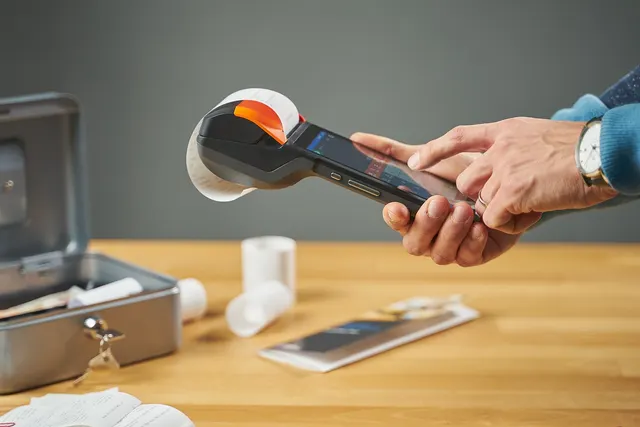
Photo: Pixabay
On this page 8 sections
- What Is a POS System? Point of Sale Meaning in Plain English
- What a Modern POS System Does Beyond Ringing Sales
- POS Hardware: Terminals, Readers, Printers, Drawers and Scanners
- POS Software: Inventory, Staff, Reporting and Customers
- How Does a POS System Work With Payment Processing?
- Types of POS Systems: Mobile, Countertop, Cloud and Self-Service
- Do You Need a POS System or Just a Card Reader?
- Next Steps Before You Buy a POS System
Key takeaways
- A POS system combines three layers: software that runs the business, hardware that handles checkout, and payment processing that moves the money.
- Modern POS software handles inventory, staff, reporting and customer data, with features that differ sharply by industry.
- Some POS platforms and terminals only work with one processor, so ask about processing lock-in, leases and termination terms before you buy.
- A standalone card reader can be enough for simple, low-volume businesses. A full POS pays off when you track inventory, staff or tables.
Every business that takes payments in person has a point of sale: the place and moment where a customer pays. So what is a POS system? It is the combination of software, hardware and payment processing that handles that moment and, more and more, everything around it, from inventory counts to staff tips. This guide explains what each piece does and how a sale moves from tap to deposit. It also covers the main types of POS, how to decide whether you need one, and the processing lock-in that catches many first-time buyers off guard.
What Is a POS System? Point of Sale Meaning in Plain English
POS stands for point of sale. In everyday use, "POS system" means the tools a business uses to ring up items, total the sale, collect payment and record what happened.
A traditional cash register does part of that job. It adds up prices and stores cash. A modern point of sale system goes further. It keeps a digital record of every transaction, connects to card payments, and feeds that data into reports and inventory.
It helps to think of any POS as three layers:
- Software decides what you sell, at what price, who sold it and what's left in stock.
- Hardware is the physical checkout: screens, card terminals, printers, cash drawers and scanners.
- Payment processing is the service that authorizes card payments and deposits the money in your bank account.
Most buying mistakes happen when owners compare only the first two layers and treat the third as an afterthought.
What a Modern POS System Does Beyond Ringing Sales
The core job is still checkout, but the value usually comes from what the system does in the background. What that looks like depends heavily on your business:
- Retail stores track products by SKU, including variants like size and color. They scan barcodes, process returns and exchanges, and get alerts when stock runs low before a busy weekend. Our buyer's guide to POS systems for retail stores goes deeper.
- Restaurants and bars need menu modifiers ("no onions," "extra shot"), table and seat tracking, and orders that fire to kitchen printers or screens. They also need split checks, open tabs and tip adjustments after the card is run. See the restaurant POS buyer's checklist.
- Salons and spas book appointments by provider, combine services and retail product on one ticket, and track tips and commissions for each stylist or therapist. They also handle deposits or no-show policies.
- Grocery markets run high-volume lanes, integrated scales, PLU codes for produce and age prompts for restricted items. Many also accept EBT, which has its own approval process and equipment requirements, so confirm current requirements before you buy.
A system that handles one of these well may handle another poorly. That's why "best POS" lists rarely help until you filter by industry.
POS Hardware: Terminals, Readers, Printers, Drawers and Scanners
Hardware is the part customers see. Some businesses need only a card terminal. Others need a full station.
| Component | What It Does | Who Usually Needs It |
|---|---|---|
| Main screen or tablet | Runs the POS software; staff ring up sales here | Almost every full POS setup |
| Card terminal or reader | Accepts chip, tap and swipe payments | Every business taking cards in person |
| Customer-facing display | Shows totals, tip prompts and signature capture | Counter service, salons, quick-service food |
| Receipt printer | Prints customer receipts | Most businesses, unless fully digital |
| Kitchen printer or display | Sends orders to the line | Restaurants and bars |
| Cash drawer | Stores cash, opens on cash sales | Anyone taking cash |
| Barcode scanner | Reads product barcodes | Retail, grocery, liquor stores |
| Scale | Weighs items priced by weight | Grocery, delis, bulk goods |
Many newer devices combine several of these into one unit. Smart terminals run apps, print receipts and accept payments in a single handheld or countertop device. If you're weighing that option, here's how smart terminals compare with traditional card machines.
Whatever you choose, your card terminal should accept chip cards and contactless payments. Our guides to EMV chip cards and the liability shift and setting up contactless NFC payments explain why both matter.
MannyPay sells hardware from Clover, Valor, Dejavoo, PAX and others. You can browse the POS systems MannyPay offers to see the range of countertop, handheld and all-in-one options.
POS Software: Inventory, Staff, Reporting and Customers
Software is where the system earns its keep. Most platforms cover four areas, though depth varies widely.
Inventory and Menu Management
This is your product or menu catalog: items, prices, variants, modifiers and stock counts. Good inventory tools subtract stock as you sell and flag reorder points. A restaurant may track ingredients instead of finished dishes. A salon may track retail product but not services.
Staff Management
Employee logins, permission levels (who can void a sale or issue a refund), time clocks, and tip and commission tracking. Permission controls also matter for loss prevention.
Reporting
Sales by hour, day, item, employee and payment type. Useful reports answer practical questions. Which items move on Saturdays? Which shift underperforms? Do card deposits match recorded sales?
Customer Data and Loyalty
Customer profiles, purchase history, gift cards and loyalty rewards. If you plan to reward repeat customers, check whether loyalty is built in or a paid add-on. Our guide on starting a customer loyalty program that pays for itself can help you plan.
Software is usually priced as a subscription, often per location or per device, with some features sold as add-ons. Ask for a written list of what's included at each tier.
How Does a POS System Work With Payment Processing?
When a customer pays by card, the POS hands the payment to a processor. A simplified version of what happens:
- The cashier totals the sale in the POS software.
- The customer taps, dips or swipes at the card terminal, which encrypts the card data.
- The payment goes through a gateway or processor to the card network (Visa, Mastercard, American Express or Discover).
- The customer's bank approves or declines, and the answer travels back to your terminal in seconds.
- At the end of the day, approved transactions are batched and settled.
- Funds are deposited into your business bank account, minus processing fees, on your provider's schedule. Our guide to how long credit card deposits take explains the timing.
In an integrated setup, the POS sends the exact amount to the terminal automatically. In a standalone setup, staff type the amount into a separate terminal. Integration reduces keying errors and makes reconciliation simpler.
The Processing Lock-In Most First-Time Buyers Miss
This is where many owners get surprised. Hardware and software are visible, but processing is where most of your ongoing costs live, and some POS setups restrict your choice of processor.
Common forms of lock-in include:
- Processor-specific platforms. Some POS software only works with one payment processor. Switching processors may mean replacing the whole system.
- Locked terminals. Some card terminals are programmed for a specific processor and can't simply be moved to another provider.
- Equipment leases. Leases can run for years and may not be cancelable, even if you close the merchant account.
- Contract terms. Processing agreements may include early termination fees on merchant accounts or auto-renewal clauses.
Before signing, ask: "If I change processors in two years, which of this hardware and software can I keep?" Get the answer in writing.
Where Cash Discount and Dual Pricing Fit
Your POS is also where pricing programs live. Dual pricing shows both a cash price and a card price on receipts and displays. Cash discount and surcharging programs also depend on correct POS and terminal setup. Rules vary by card network and state, so confirm what's permitted where you operate. Our comparison of cash discount vs. surcharge vs. dual pricing explains the differences.
Types of POS Systems: Mobile, Countertop, Cloud and Self-Service
POS types overlap. "Cloud" describes where your data lives, while "mobile" or "countertop" describes the hardware. Most businesses end up with a mix.
| Type | How It Works | Good Fit For |
|---|---|---|
| Countertop | Fixed station at a checkout counter | Retail shops, grocery lanes, quick-service counters |
| Mobile | Phone or tablet with a card reader | Food trucks, pop-ups, markets, service calls |
| Handheld | Wireless terminal carried by staff | Pay-at-table restaurants, bars, salon floors |
| Cloud-based | Software and data hosted online, accessible from any device | Multi-location owners who want remote reporting |
| Self-service kiosk | Customers order and pay on their own | Quick-service restaurants, cafés, high-traffic counters |
A cloud-based system needs a reliable internet connection. Ask whether it has an offline mode that stores transactions until the connection returns, and what risks apply to payments taken offline. Our article on keeping sales running when systems go dark covers contingency planning.
For a side-by-side look at hardware form factors, see countertop, wireless and mobile card readers compared.
Do You Need a POS System or Just a Card Reader?
Not every business needs a full POS. A card reader or simple terminal may be enough if:
- You sell a small number of items or services at simple prices.
- You don't track inventory, or you track it elsewhere.
- You work alone or with one or two staff members.
- You mostly need to accept cards and get paid.
A full POS system usually makes sense if:
- You manage inventory with many SKUs, variants or ingredients.
- You have multiple employees and need permissions, time tracking or tip pooling.
- You run tables, tabs, appointments or a kitchen workflow.
- You want reporting to guide staffing, ordering and pricing decisions.
Illustrative example: A mobile dog groomer working solo may only need a mobile reader and an invoicing app. A two-chair salon that sells retail product and pays commissions will likely outgrow that quickly. Tracking stylist tips and product stock by hand gets error-prone as the business grows.
Many businesses start with a terminal and add software later. If you go that route, choose hardware that can grow with you rather than a device tied to one app.
Next Steps Before You Buy a POS System
Before you commit, work through this short checklist:
- List the features your industry needs, such as modifiers, appointments, scales or variants.
- Count the stations, handhelds and printers you'll need at peak times.
- Separate the three costs: hardware (purchase or lease), software subscription and processing.
- Ask which components stay usable if you change processors.
- Read the processing contract for term length, renewal and cancellation terms.
- Confirm offline capability and support hours.
If you'd like help comparing options, MannyPay offers POS hardware, card terminals and merchant accounts for a wide range of businesses. For a fuller set of questions to ask, see our buyer's checklist for choosing the best POS system for small business. You can request a free POS and processing quote, and a MannyPay specialist will respond within one business day.
This article is for general educational purposes and is not legal, tax or financial advice. Card network rules and state laws change; confirm current requirements for your business.